Free solar monitoring software is a website or app that shows how much power your solar systems make, with no software fee. Most of it is free only if you also buy one maker’s inverters (the boxes that turn panel power into home power). Enphase Enlighten ranks first on this list, at 70.3/100.
Our main finding: No portal we found is free, built for installer fleets and free of hardware ties. Every product we rank is free only with that maker’s kit.
Comparing paid tools too? See our solar monitoring software guide and fleet monitoring software for installers.
For the phone side, see solar monitoring apps. Free tools for other jobs sit on our free solar software page.
What does "free" mean in solar monitoring?
- Free with the maker’s hardware: Eight makers charge nothing for a basic portal if their inverter or gateway is on site. They are Enphase, Victron, SolarEdge, Huawei, SMA, Sungrow, GoodWe and Fronius. The cost is lock-in, which means you are tied to one maker. Each portal sees only its own brand, so three brands means three logins and three alert lists. The maker can also change the terms. Fronius has moved features into its paid Premium tier. SMA’s move to ennexOS kept only 60 days of daily graphs, one installer says.
- Free tier with paid upgrades: Tigo EI Basic and Fronius Solar.web Basic are free. Paid tiers add fleet dashboards, longer history or forecasts.
- Free with a logger or meter: SOLARMAN’s owner app is free with its dataloggers (small devices that collect data from the inverters). eGauge’s portal is free once you buy the meter. Both read many brands, but you pay for their hardware and rely on it.
- Open source and community: Home Assistant, OpenEnergyMonitor, IoTaWatt and PVOutput cost little or nothing. None has fleet, customer or alert tools for installers.
Quick picks
Rank | Product | Best for | Starting price (company page, checked October 2026) | Free plan / trial | Score /100 |
|---|---|---|---|---|---|
1 | Microinverter residential fleets | ◐ Free with Enphase hardware | Free with Enphase hardware | 70.3 | |
2 | Off-grid, hybrid and ESS fleets | ◐ Free with Victron hardware (GX device) | Free with Victron hardware | 70.1 | |
3 | Optimiser-based residential and C&I fleets | ✓ Free with SolarEdge hardware | Free with SolarEdge hardware | 69.6 | |
4 | Huawei fleets outside the US | ◐ Free with Huawei hardware | Free with Huawei hardware | 68.7 | |
5 | Mixed brands via SOLARMAN loggers | Owner app free with SOLARMAN logger hardware. Business account quote only | Owner app only, with SOLARMAN loggers | 66.5 | |
6 | Free tier with a cheap paid fleet upgrade | ✓ Free with Tigo hardware. Professional USD 199/company/year | EI Basic free with Tigo hardware | 66.2 | |
7 | Sunny Portal ennexOS | SMA fleets with proactive alerts | ✓ Free with SMA hardware | Free with SMA hardware | 61.7 |
✓ Verified on the company’s own pricing page. ◐ Published by the company outside its pricing page (help centre, store or press release). ? We could not read the company’s pricing page, so the figure is not confirmed. Prices checked October 2026.
Quote only means the company shows no public price. You ask it for a quote.
How the 11 tools scored
- Use-case fit 35%
- User reviews 20%
- Pricing 15%
- Ease of use 10%
- Support 10%
- Momentum 10%
Tool | Score chart | Score |
|---|---|---|
70.3 out of 100 | 70.3 | |
70.1 out of 100 | 70.1 | |
69.6 out of 100 | 69.6 | |
68.7 out of 100 | 68.7 | |
66.5 out of 100 | 66.5 | |
66.2 out of 100 | 66.2 | |
61.7 out of 100 | 61.7 | |
eGauge (general) | 68.2 out of 100 | 68.2 |
Home Assistant (general) | 64 out of 100 | 64.0 |
OpenEnergyMonitor (general) | 53.6 out of 100 | 53.6 |
IoTaWatt (general) | 48.6 out of 100 | 48.6 |
Each bar shows the weighted score out of 100. Tools marked (general) are general tools that are not solar-specific.
Sub-scores at a glance (0-10)
Product | Use-case fit | User reviews | Pricing | Ease of use | Support | Momentum | Total /100 |
|---|---|---|---|---|---|---|---|
7.8 | 7.1 | 6.0 | 7.5 | 5.0 | 7.5 | 70.3 | |
9.4 | 2.8 | 6.0 | 5.0 | 7.5 | 10.0 | 70.1 | |
9.4 | 5.0 | 6.0 | 5.0 | 2.5 | 10.0 | 69.6 | |
7.8 | 7.5 | 6.0 | 7.5 | 2.5 | 7.5 | 68.7 | |
9.4 | 5.0 | 4.0 | 5.0 | 5.0 | 7.5 | 66.5 | |
7.8 | 5.0 | 6.0 | 7.5 | 5.0 | 7.5 | 66.2 | |
8.3 | 3.0 | 6.0 | 5.0 | 5.0 | 7.5 | 61.7 | |
eGauge (general) | 8.3 | 5.0 | 6.0 | 7.5 | 7.5 | 5.0 | 68.2 |
Home Assistant (general) | 3.9 | 7.7 | 10.0 | 5.0 | 5.0 | 10.0 | 64.0 |
OpenEnergyMonitor (general) | 3.9 | 5.0 | 10.0 | 2.5 | 7.5 | 5.0 | 53.6 |
IoTaWatt (general) | 3.9 | 5.0 | 10.0 | 5.0 | 5.0 | 0.0 | 48.6 |
A 5.0 on reviews, ease, support or momentum is our neutral value where public evidence is thin, not a judgement.
How did we rank the best free solar monitoring software?
How the score is weighted
- Use-case fit 35%
- User reviews 20%
- Pricing 15%
- Ease of use 10%
- Support 10%
- Momentum 10%
We scored 15 products from 22 to 24 October 2026. We ranked 7, scored 4 general tools and put 4 in Also considered. We used company docs, manuals, price pages, trade press and public reviews.
- Use-case fit (35%): How well it does this page’s job: what an installer gets for nothing. Live and fleet views come first, then alerts, remote set-up and customer access.
- User reviews (20%): A rating based on few reviews counts for less. Most ratings here are for owner apps, so they show what your customers see.
- Pricing (15%): Free scores best. Free with a hardware tie scores lower than free with no strings.
- Ease of use, support and momentum (10% each): Based on review themes and dated updates, or neutral with no evidence.
The ranking holds only solar tools. General meters and open-source tools get the same rubric and sit in their own section below. Tools ranked 8th or lower, or under our minimum fit score (4 out of 10), go to Also considered. Scores are specific to this page. SurgePV is not part of this ranking. Full method: how we score software.
1. Enphase Enlighten: best for microinverter residential fleets
Best for: Home installers who fit Enphase microinverters and batteries. Score: 70.3/100.
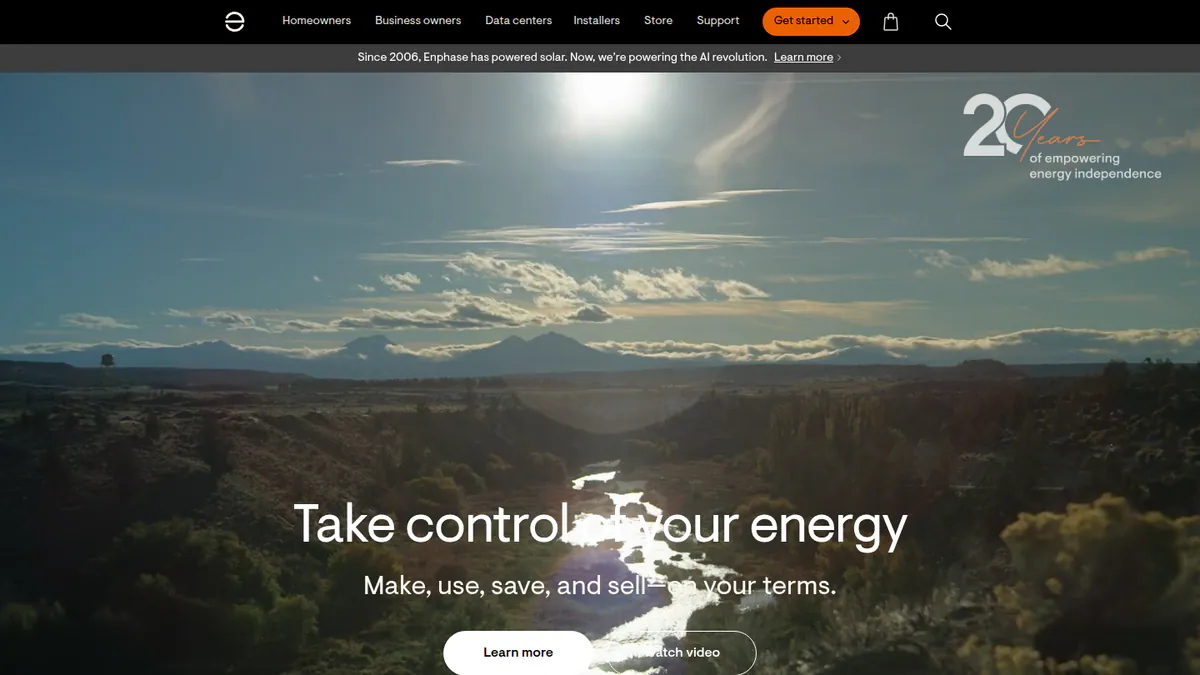
What it is: Enlighten is Enphase Energy’s free monitoring set for its microinverters (small inverters on each panel) and batteries. Owners get the Enphase App, and installers get the Installer Portal and Installer App.
Why we picked it: It gives a home installer the most for nothing. You get per-panel data, remote commissioning (setting up a new system from afar) and a fleet dashboard. We found no paid tier.
Key features:
- Per-microinverter array view.
- Live Status power flow for solar, battery and grid.
- Battery profiles, reserve settings and Storm Guard.
- Installer fleet dashboard with site filters (per a July 2023 installer newsletter).
- Remote commissioning, CT (current transformer) checks and grid profile choice.
Pricing: Free with Enphase hardware for owners and registered installers. Enphase has no price page, but its app pages list no paid features. Old reports of paid tiers are unconfirmed. Checked October 2026 on Enphase’s app announcement.
Pros (from user reviews):
- Per-panel data finds a failed module, so a tech goes straight to the right panel.
- Output is checked against past weather, with 12 months of raw data (SolarQuotes).
- The easy layout and 15-minute interval data keep owners from calling you.
Cons (from user reviews):
- Enphase says Live Status updates second by second, but some owners say the app view lags about 15 minutes.
- Alerts often fail to arrive.
- Installer Toolkit can crash during commissioning.
Reviews: App Store 4.6/5 (93,000 ratings) and Google Play 3.8/5 (28,700 ratings, via a third-party tracker), checked October 2026.
Want to see Enphase Enlighten working? Book a demo with the SolarSoftwares team.
Book a demoYour request goes by email to the SolarSoftwares team. A time is set only after we reply. It does not change any score or ranking.
2. Victron VRM: best for off-grid, hybrid and ESS fleets
Best for: Installers of off-grid, backup, marine and ESS (energy storage system) set-ups built on Victron GX devices (Victron’s system hubs). Score: 70.1/100.
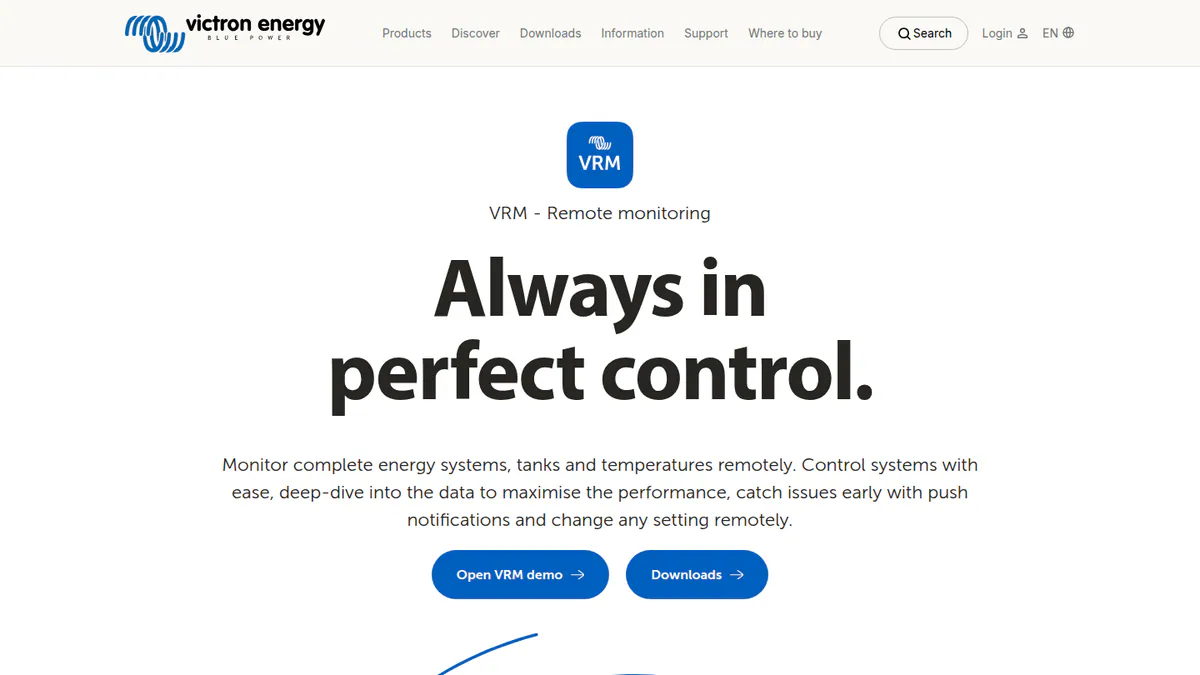
What it is: Victron Remote Management (VRM) is a free cloud portal and app from Victron Energy in the Netherlands. It needs a GX device (such as Cerbo GX or Ekrano GX) or a GlobalLink 520 with internet. It has the deepest free fleet tools on this page.
Why we picked it: Teams, user roles, remote updates to the devices’ built-in software (firmware) and a Fleet Dashboard all come free. It also shares the best fit score on this page with SolarEdge and SOLARMAN.
Key features:
- Fleet Dashboard for 10+ sites, with alarm counts, battery imbalance and solar versus forecast.
- Teams and site groups with Admin, Technician and User roles.
- Remote access to the GX console, remote firmware updates and Remote VE.Configure (change device settings from afar).
- Alarms by email or push, including no-data and geofence alerts.
- AI forecast of solar output and battery charge.
Pricing: Free with Victron hardware. Checked October 2026 in the VRM Portal manual.
Pros (from user reviews):
- One installer calls it their favourite remote monitoring tool.
- Live site data speeds up fault-finding and commissioning, so you make fewer site trips (dealer article).
- It helped one user find a load fault and manage generator charging.
Cons (from user reviews):
- Graphs are clumsy on a phone.
- Remote Console is cut off on some iPhones.
- Alarm alerts ignore the Fahrenheit setting.
Reviews: App Store 3.4/5 (56 ratings), checked October 2026.
Want to see Victron VRM working? Book a demo with the SolarSoftwares team.
Book a demoYour request goes by email to the SolarSoftwares team. A time is set only after we reply. It does not change any score or ranking.
3. SolarEdge Monitoring: best for optimiser-based residential and C&I fleets
Best for: Installers who use SolarEdge inverters and optimisers (small devices on each panel) on every job. Score: 69.6/100.
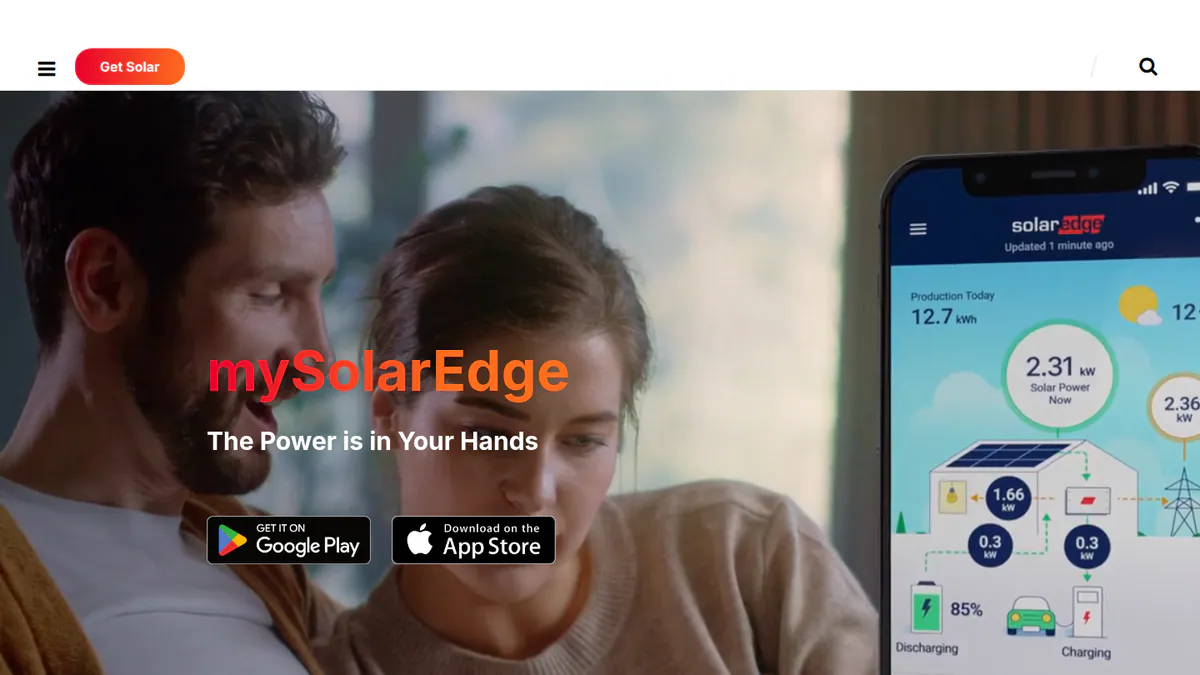
What it is: SolarEdge Technologies pairs the mySolarEdge owner app with a web Monitoring Platform and the SolarEdge GO installer app. SolarEdge ONE for C&I (commercial and industrial) is a separate product with no public price.
Why we picked it: It shares the best fit score here, with a free fleet map, alerts, remote set-up and commissioning in one installer app. Optimiser data pins faults to a single panel.
Key features:
- Module-level output through optimisers.
- Owner view of energy flow, use, battery and EV control.
- Installer fleet map with uptime across sites (SolarEdge GO).
- Alerts, error logs and remote set-up.
- Commissioning, optimiser pairing and commissioning reports in the GO app.
Pricing: Free with SolarEdge hardware, based on owner reports and our earlier research. We did not reach a SolarEdge price page. Checked October 2026 against the SolarEdge ONE announcement.
Pros (from user reviews):
- Optimiser mapping makes a failed panel easy to find.
- Owners rate it well: it came first in SolarQuotes’ Australian app roundup (December 2025).
- Inverter status is on show, which speeds up fault-finding.
Cons (from user reviews):
- Recent reviews report login failures and repeated logouts.
- Updates broke panel-level and daily figures.
- Reviewers call support slow.
Reviews: App Store 4.6/5 (18,700 ratings) and Google Play 3.95/5 (194,018 ratings), both via third-party trackers, checked October 2026.
Want to see SolarEdge Monitoring working? Book a demo with the SolarSoftwares team.
Book a demoYour request goes by email to the SolarSoftwares team. A time is set only after we reply. It does not change any score or ranking.
4. Huawei FusionSolar: best for Huawei fleets outside the US
Best for: Installers fitting Huawei inverters, batteries and optimisers where Huawei sells home kit. Score: 68.7/100.
What it is: Huawei Digital Power gives you the FusionSolar app and the SmartPVMS web portal free with its hardware. Huawei is not sold in the US home market.
Why we picked it: One free company account shows every plant, with alarms, phone commissioning and batch firmware updates. Its owner app also has the best user ratings among the ranked tools.
Key features:
- Company account listing every plant with status, output and alarms.
- Alarm centre across all plants, with four alarm levels.
- Phone commissioning that finds devices by QR scan.
- Module layout built from optimiser serial labels.
- Batch firmware upgrades for up to 50,000 devices.
Pricing: Free with Huawei hardware, and Huawei posts no price. Checked October 2026 on a Huawei distributor page. One commenter claims app access ends after the 63-month inverter warranty. We could not confirm this.
Pros (from reviews and our research):
- It comes with the inverter and gets regular updates, an owner says on SolarQuotes.
- One company account lists every plant with status, output and alarms.
- Batch firmware upgrades (up to 50,000 devices) save site visits.
Cons (from reviews and our research):
- One owner says the app became unreliable and the helpline did not help (Electrician Forum).
- Owners describe it as basic.
- Huawei posts no price and no written term for how long free access lasts.
Reviews: App Store 4.5/5 (115,400 ratings, via a third-party tracker, store country unclear), checked October 2026.
Want to see Huawei FusionSolar working? Book a demo with the SolarSoftwares team.
Book a demoYour request goes by email to the SolarSoftwares team. A time is set only after we reply. It does not change any score or ranking.
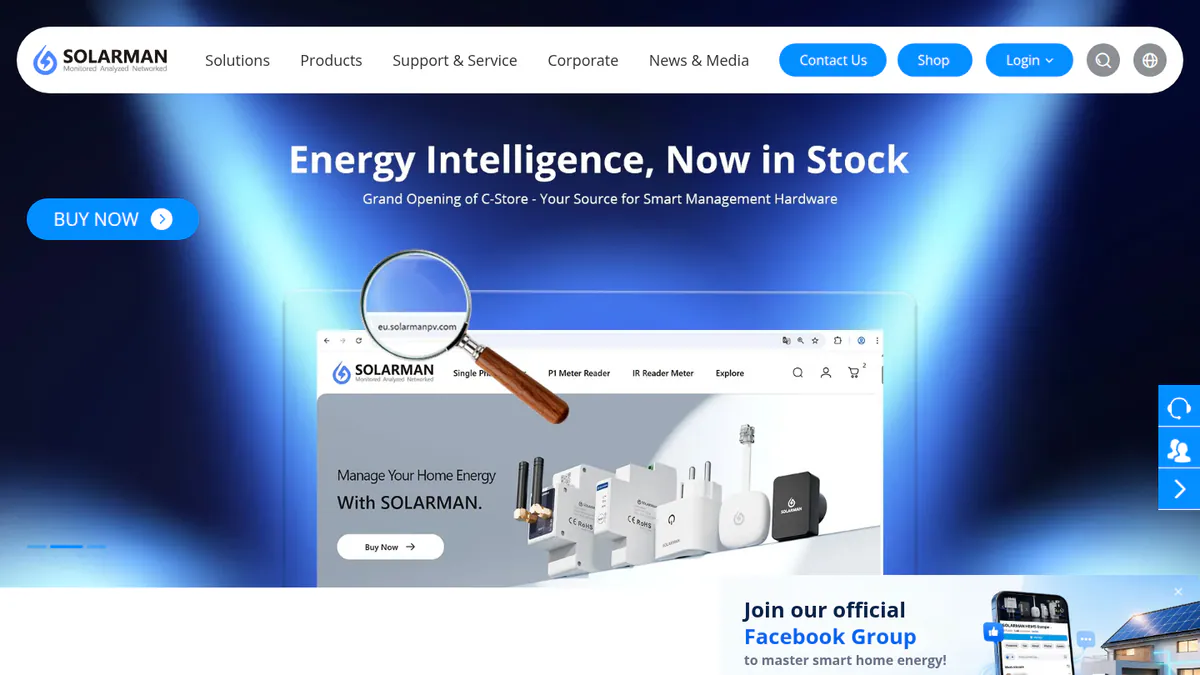
5. SOLARMAN Business: best for mixed brands via SOLARMAN loggers
Best for: Installers and distributors whose sites use SOLARMAN dataloggers, common on Deye- and Sofar-family inverters. Score: 66.5/100.
What it is: Chinese company IGEN Tech makes SOLARMAN Business for installers and distributors. It reads several brands, but only through SOLARMAN loggers. Note: only the SOLARMAN Smart owner app is confirmed free. For the Business account, you have to ask the company for a price.
Why we picked it: It reads several inverter brands through one logger family, which helps on mixed sites. Its fit score ties for the best here, though the installer account is not free.
Key features:
- Fleet view from plant groups down to strings.
- SOLARMAN devices, third-party inverters and smart loads in one hub, with remote control.
- O&M (operations and maintenance) alerts with causes and repair tips.
- AI data checks and output forecasts.
- Side-by-side comparison of sites.
Pricing: The SOLARMAN Smart owner app is free with SOLARMAN logger hardware. The company posts no fee for Business accounts and sends you to a quote form. Checked October 2026 on the SOLARMAN website.
Pros (from reviews and our research):
- Shows a lot of system data, an App Store reviewer says.
- An O&M firm quoted by the company uses it to compare sites side by side.
- Reads third-party inverters as well as SOLARMAN devices, so one login can cover mixed sites.
Cons (from user reviews):
- Battery charge readings lag, so data is not real time.
- An update removed the max-power command.
- Batteries drop out of the power flow until the plant type is reset (Power Forum).
Reviews: App Store 4.2/5 (6 ratings), checked October 2026. Too few to rely on.
Want to see SOLARMAN Business working? Book a demo with the SolarSoftwares team.
Book a demoYour request goes by email to the SolarSoftwares team. A time is set only after we reply. It does not change any score or ranking.
6. Tigo EI: best for a free tier with a cheap paid fleet upgrade
Best for: Installers fitting Tigo TS4 optimisers. Score: 66.2/100.
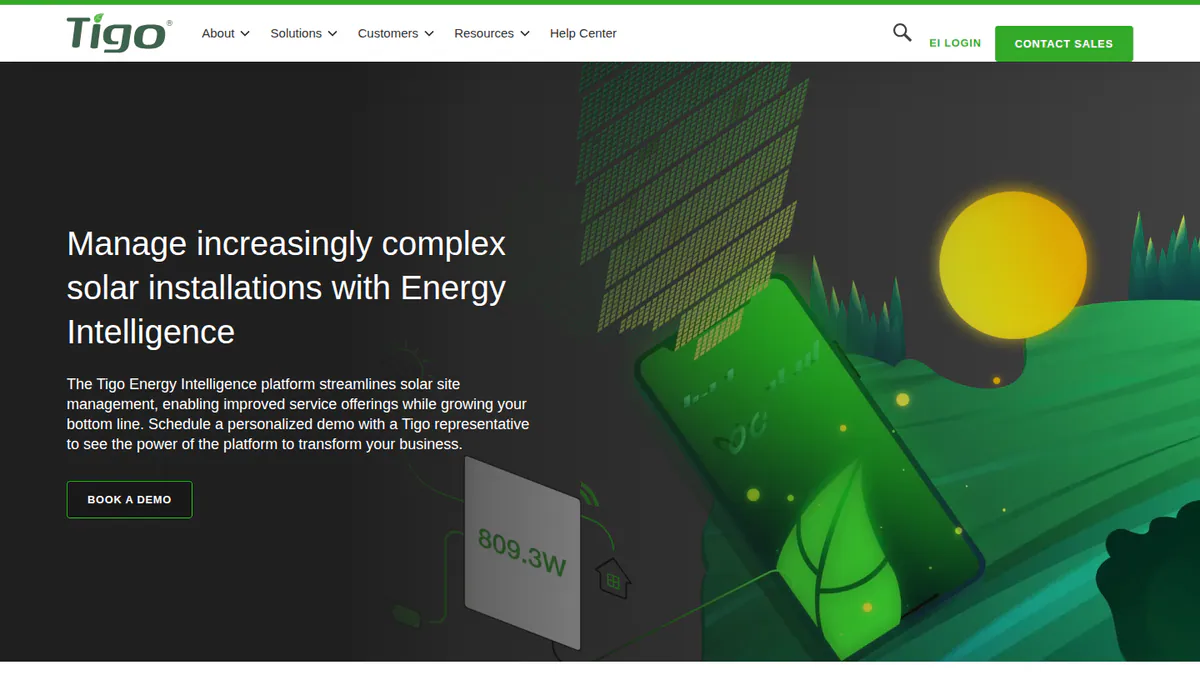
What it is: Tigo Energy built Tigo Energy Intelligence (EI) to monitor, commission and manage fleets of its TS4 optimisers. EI Basic is free for the life of the kit and already has a multi-site view and maps.
Why we picked it: The free tier already covers a small fleet. If you outgrow it, the fleet upgrade has a public, flat company price.
Key features:
- Basic: module-level data, 15-minute intervals, basic alerts and monthly reports.
- Bluetooth commissioning with bulk TS4 scanning.
- Virtual layout builder.
- Reads 20,000+ third-party inverter, meter and battery types, Tigo says.
- Professional: portfolio metrics, site comparisons and support tickets.
Pricing: EI Basic is free with Tigo hardware. Premium costs USD 20 per site per year (up to 35 modules). Professional costs USD 199 per company per year with unlimited seats. We assume the currency is USD. Checked October 2026 on the Tigo EI pricing page.
Pros (from user reviews):
- Detailed output data by hour, day and month.
- The module-level view helped one owner confirm a 30%+ gain.
- One reviewer calls it reliable overall and recommends it.
Cons (from reviews and our research):
- Basic keeps limited history. Full history needs Premium.
- Owners cannot fix a site location the installer set.
- No home energy use shown next to output.
Reviews: App Store 4.0/5 (127 ratings), checked October 2026. Several reviews date from 2020-2022.
Want to see Tigo EI working? Book a demo with the SolarSoftwares team.
Book a demoYour request goes by email to the SolarSoftwares team. A time is set only after we reply. It does not change any score or ranking.
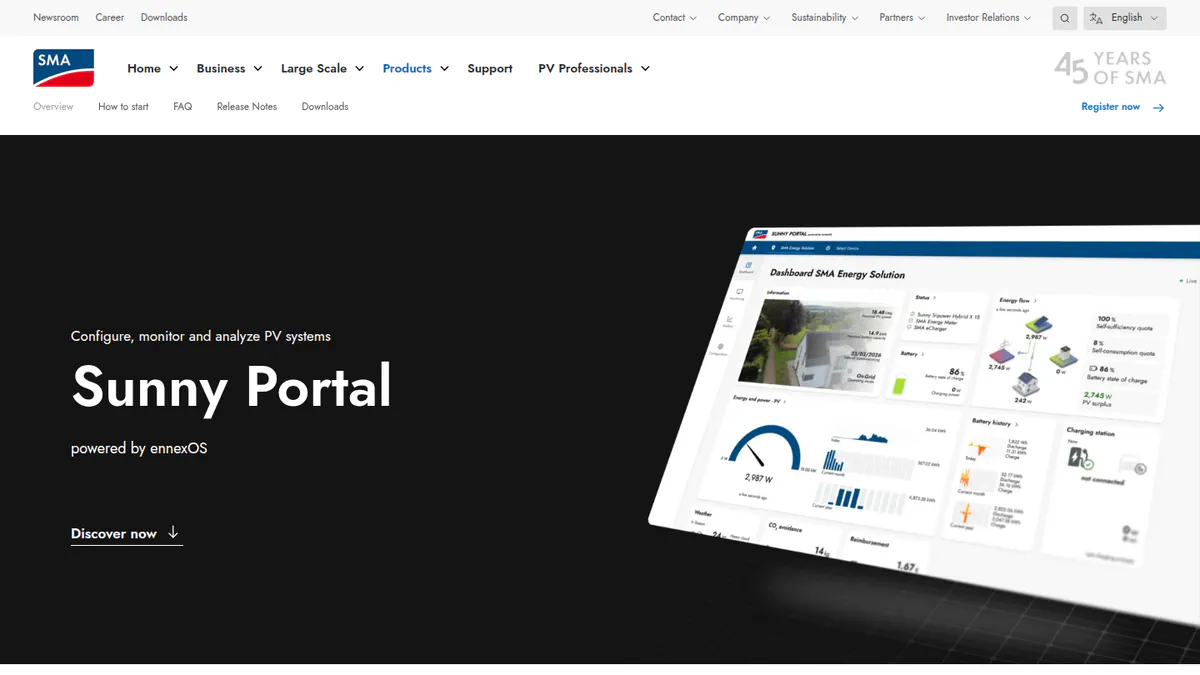
7. Sunny Portal powered by ennexOS: best for SMA fleets with proactive alerts
Best for: Installers who use SMA inverters, batteries and Data Manager on every job. Score: 61.7/100.
What it is: SMA Solar Technology runs this web portal to monitor SMA systems. The SMA Smart Connected service sends fault alerts to the installer if you turn it on within 90 days of sign-up.
Why we picked it: SMA fleets get free fault alerts sent to the installer, plus multi-system accounts and reports. Weaker app ratings and lost history after the ennexOS move keep it last.
Key features:
- Many systems under one account, with system groups.
- Alerts on comms faults, PR (performance ratio) limits and inverter comparison.
- Daily, monthly, detailed and event reports.
- Remote set-up of Data Manager and devices.
Pricing: Free with SMA hardware, and Smart Connected is free too, an SMA distributor says. Checked October 2026 on a distributor page, not SMA’s own site.
Pros (from reviews and our research):
- Owners get clear key data, EV charging and forecasts in the SMA Energy app.
- Owners find the new portal fine once they get used to it.
- Smart Connected sends fault alerts to the installer at no charge.
Cons (from user reviews):
- The move to ennexOS lost history and the yearly comparison graph (Belgian forum).
- The app is slow, with no per-inverter data on multi-inverter sites.
- Data transfer issues from old accounts.
Reviews: App Store 3.6/5 (1,118 ratings), checked October 2026. This is the SMA Energy app (US store, via a tracker).
Want to see Sunny Portal powered by ennexOS working? Book a demo with the SolarSoftwares team.
Book a demoYour request goes by email to the SolarSoftwares team. A time is set only after we reply. It does not change any score or ranking.
Which general tools do installers also use?
These four are not solar tools, so they sit outside the ranking. Only eGauge reaches our minimum fit score. The other three are hobby tools with no fleet, customer or alert features.
eGauge (general energy meter): 68.2/100
eGauge Systems in Colorado makes this revenue-grade meter (accurate enough for billing), with a built-in logger and web server. It meets ANSI C12.20 (the US accuracy standard for billing meters) at 0.5%. The web screen, JSON API (a data feed for other software) and eGuard fleet portal have no fees. It reads any inverter brand through CTs.
Pricing: The eGauge Core costs USD 833.38 (15 CT channels, CTs extra). Pro costs USD 1,364.68 (30 channels, pre-order). The software is free. Checked October 2026 on the eGauge store.
Reviews: No tracked ratings as of October 2026. Community feedback dates from 2009 and 2016. It praises the web screen but calls CTs dear.
Home Assistant (general home-automation tool): 64.0/100
Home Assistant’s open-source Energy dashboard tracks solar, battery, grid and device use through add-ons such as SolarEdge Local and Forecast.Solar. We found no fleet tools and no sign of installers using it.
Pricing: Software free. Optional Home Assistant Link costs USD 6.50 per month or USD 65 per year, with a 31-day trial. Checked October 2026 on the Nabu Casa pricing page.
Reviews: App Store 4.7/5 (66 ratings, companion app, and the listing may be stale), checked October 2026.
OpenEnergyMonitor (general open-source energy monitor): 53.6/100
OpenEnergyMonitor, based in Wales, makes open hardware (emonPi3, emonTx6) and the Emoncms app.
Users say set-up needs Linux skills, and CTs cannot split PV from battery behind a hybrid inverter.
Pricing: Emoncms is free to self-host. Hosted emoncms.org costs GBP 1 per feed per year ex VAT. Checked October 2026 on the Emoncms pricing page. A co-founder quoted the emonPi3 at GBP 282.76 on the forum in May 2026, but we did not check the shop.
Reviews: No tracked ratings. Forum posts praise support, with staff replying the same day in May 2026.
IoTaWatt (general open-source energy monitor): 48.6/100
IoTaWatt is a 14-channel open-source energy monitor. Its firmware uses the GPL-3.0 open-source licence.
Retail sales ended in May 2023. In November 2025 the developer said it is no longer made by anyone, and the store takes no orders.
Pricing: Firmware free, hardware not on sale. Checked October 2026 on the IoTaWatt store.
Reviews: No tracked ratings. Owners praise its accuracy, while Home Assistant users report sensor dropouts.
How do the free tiers compare?
Product | Free with | Installer fleet view on free | Paid extras | Lock-in risk noted in our research |
|---|---|---|---|---|
Enphase hardware | Yes (Installer Portal) | None found | Enphase sites only | |
Victron GX device or GlobalLink 520 | Yes (Fleet Dashboard, teams) | None found | Victron systems only | |
SolarEdge hardware | Yes (SolarEdge GO fleet map) | SolarEdge ONE for C&I (quote) | SolarEdge sites only | |
Huawei hardware | Yes (company account) | None found | Unconfirmed claim access ends after warranty | |
SOLARMAN loggers | Yes, but account fee unpublished | Quote only | Logger dependence | |
Tigo hardware | Yes (multi-site view) | Premium USD 20/site/yr. Professional USD 199/yr | Limited history on Basic | |
Sunny Portal ennexOS | SMA hardware | Yes (system groups) | None found | Migration carried over limited history |
Also considered
- Sungrow iSolarCloud: Scored 53.2/100. Free with Sungrow hardware. Its App Store rating fell to 2.4/5 (2,400 ratings, German store via a tracker) after a cluttered 2026 redesign, so it misses our top 7.
- GoodWe SEMS: Scored 46.2/100. GoodWe calls SEMS "a cost-free monitoring platform", with roles for owners, installers and EPCs (firms that build solar projects). Its SEMS Portal app rates 1.8/5 on the App Store (417 ratings), with crashes after updates, so it misses our top 7.
- Fronius Solar.web: Scored 44.3/100. Basic is free with Fronius hardware. Premium adds a PV forecast and use analysis, with a 14-day trial and no public price. It is free for System Partners, and Fronius Trained Installers get 50% off annual plans. Weak ratings keep it out of our top 7.
- PVOutput: A free community site for logging and comparing output across brands, used mostly by hobbyists. It falls just below the minimum fit score. Its facts come from third-party docs, which say a voluntary donation adds extra features.
- Solytic and Solar Analytics: Not free. Solytic has free demo access, then charges from EUR 5 per site per month. Solar Analytics has a 30-day trial and is free only with CATCH Control hardware in Australia (October 2026). Both are in our solar monitoring software ranking.
How do you choose free solar monitoring software?
- Fit one inverter brand? Use that maker’s free portal.
- Building off-grid or hybrid? Use Victron GX devices and VRM’s fleet dashboard and teams.
- Already mixing brands? Budget for a meter such as eGauge, or for paid multi-brand monitoring. Free maker portals will multiply your logins.
- For a cheap fleet dashboard, Tigo EI Professional costs USD 199 per company per year. It only covers sites with Tigo hardware, though.
- If customers judge you by their app, check ratings. Enphase and SolarEdge score 4.6 on the App Store. GoodWe’s SEMS Portal (also considered) scores 1.8.
- Keep open-source tools for your own office, not for a service contract.
Want more choices? Browse every tool we checked in our monitoring and asset management category, or see our list of free solar software.
Free solar monitoring software FAQs
Is there free solar monitoring software that works with any inverter brand?
Not for installer fleets. PVOutput is free and works with any brand, but it is a hobby logging site. As of October 2026, the closest installer option is eGauge, whose portal is free once you buy the meter (from USD 833.38).
Is inverter-brand monitoring (SolarEdge, Enphase, Fronius) free?
Yes, but only with that maker’s hardware. We found no portal fees for Enphase or SolarEdge. Fronius (also considered) keeps forecasts and use analysis in a paid Premium tier. It is free only for its System Partners (October 2026).
What are the drawbacks of free solar monitoring compared with paid platforms?
You get one portal per inverter brand, terms the maker can change and few installer extras. SMA’s move to ennexOS, for example, lost detailed history for some owners. Paid tools such as Solytic (from EUR 5 per site per month, October 2026) show mixed fleets in one view.
Is there open-source solar monitoring software?
Yes. Options include Home Assistant’s Energy dashboard, OpenEnergyMonitor’s Emoncms and IoTaWatt’s GPL-3.0 open-source firmware. All are hobby tools with no fleet, customer or alert tools for installers. IoTaWatt hardware has not been on sale since retail sales ended in May 2023.
Can installers monitor a fleet of customer systems for free?
Yes, within one brand. Victron VRM’s Fleet Dashboard, Enphase’s Installer Portal, SolarEdge GO and Tigo EI Basic’s multi-site view are all free with their hardware as of October 2026. A mixed fleet needs one portal per brand.
What features does free PV monitoring software usually include?
Expect live and past output, basic alerts and a multi-site list for installers. Tigo’s free EI Basic, for example, gives module-level data at 15-minute intervals with limited history. 1-minute data, full history and API access cost USD 20 per site per year (October 2026).
Sources
All checked 22 to 24 October 2026.
- Enphase: app announcement, installer news, July 2023, App Store, Google Play tracker
- Victron: VRM manual, App Store, NAZ dealer article
- SolarEdge: SolarEdge ONE release, pv Europe, App Store tracker, Google Play tracker
- Huawei: VP Solar, App Store tracker, Electrician Forum
- SOLARMAN: SOLARMAN Business, App Store
- Tigo: EI pricing, App Store
- SMA: VP Solar, Zonnefabriek, App Store tracker
- Sungrow: iSolarCloud, App Store tracker
- GoodWe: SEMS, App Store tracker, Solar Power World, September 2024
- Fronius: webshop launch, App Store
- eGauge: store, commercial monitor
- Home Assistant: Nabu Casa pricing, 2026.3 release
- OpenEnergyMonitor: Emoncms pricing, forum, May 2026
- IoTaWatt: store, community, 2025, ending production, 2023
- Roundups: SolarQuotes best apps, SolarQuotes worst-rated apps
- PVOutput: pvoutput-ocf docs, ioBroker adapter README
Last updated 28 October 2026. Next scheduled review: 23 January 2027.