Solar accounting software keeps the books for a solar company. It handles invoices, bank feeds, payroll and the cost of each install. Xero ranks first on this list, at 79.5/100.
Almost no accounting software is built for solar. Of the 10 products we scored, only SolarSuccess by Blu Banyan is built for solar. Even that is an ERP (enterprise resource planning, a business-wide system) module on Oracle NetSuite, not plain bookkeeping. It missed our top 7. All seven ranked tools are general small-business, mid-market or construction accounting.
This page covers the ledger (the main record of money in and out). For a full business system, see our solar ERP guide. For stock and serial numbers, see solar inventory management software.
Quick picks
Rank | Product | Best for | Starting price (company page, checked October 2026) | Pricing model | Free plan / trial | Score /100 |
|---|---|---|---|---|---|---|
1 | UK, Australian and NZ installers wanting job costing in small-business accounting | ◐ GBP 18 per month ex VAT (projects from GBP 70). US Established USD 97 | Flat monthly by plan | 1-month trial (UK) | 79.5 | |
2 | Multi-entity developers and EPCs needing retainage and WIP (work in progress) reports | Quote only | Custom quote | Demo only | 79.0 | |
3 | US installers whose solar CRM or field app syncs to QuickBooks | ✓ Free (1 user). Simple Start USD 38 per month | Flat monthly by plan | Free plan. 30-day trial | 77.6 | |
4 | US C&I contractors with prevailing-wage and certified payroll | Quote only | Platform plus add-on modules | Demo only | 73.6 | |
5 | US contractors billing AIA, unit and T&M with retainage | Quote only | Custom quote | Demo only | 72.7 | |
6 | Small US installers billing in stages with QuickBooks as the ledger | ✓ USD 99-149 per month (1 user) | Plan plus USD 29 per extra user | Free trial (length not stated) | 70.6 | |
7 | Contractors running install and service crews on one system | Quote only | Custom quote | Demo only | 69.4 |
✓ Verified on the company’s own pricing page. ◐ Published by the company outside its pricing page (help centre, store or press release). ? We could not read the company’s pricing page, so the figure is not confirmed. Prices checked October 2026.
Quote only means the company shows no public price. You ask it for a quote.
How the 7 tools scored
- Use-case fit 35%
- User reviews 20%
- Pricing 15%
- Ease of use 10%
- Support 10%
- Momentum 10%
Tool | Score chart | Score |
|---|---|---|
79.5 out of 100 | 79.5 | |
79 out of 100 | 79.0 | |
77.6 out of 100 | 77.6 | |
73.6 out of 100 | 73.6 | |
72.7 out of 100 | 72.7 | |
70.6 out of 100 | 70.6 | |
69.4 out of 100 | 69.4 |
Each bar shows the weighted score out of 100.
Sub-scores at a glance (0-10)
Product | Use-case fit | User reviews | Pricing | Ease of use | Support | Momentum | Total /100 |
|---|---|---|---|---|---|---|---|
10.0 | 7.0 | 7.0 | 10.0 | 5.0 | 5.0 | 79.5 | |
10.0 | 6.5 | 4.0 | 7.5 | 7.5 | 10.0 | 79.0 | |
10.0 | 6.0 | 7.0 | 7.5 | 5.0 | 7.5 | 77.6 | |
10.0 | 6.3 | 4.0 | 7.5 | 7.5 | 5.0 | 73.6 | |
10.0 | 5.9 | 4.0 | 7.5 | 7.5 | 5.0 | 72.7 | |
6.7 | 7.1 | 7.0 | 7.5 | 10.0 | 5.0 | 70.6 | |
10.0 | 5.4 | 4.0 | 7.5 | 5.0 | 5.0 | 69.4 |
A 5.0 on reviews, ease, support or momentum is our neutral score. We use it when public evidence is thin. It is not a judgement.
How did we rank the best solar accounting software?
How the score is weighted
- Use-case fit 35%
- User reviews 20%
- Pricing 15%
- Ease of use 10%
- Support 10%
- Momentum 10%
We scored 10 products from 22 to 24 October 2026 and ranked the top 7. The other three are under "Also considered". We used company documents, pricing pages and public user reviews.
This was desk research. We did not keep books in any of them. We used six criteria.
- Use-case fit (35%): How well it does this page’s job. Here that means the ledger, invoices, job costing and reports.
- User reviews (20%): G2, Capterra and Trustpilot ratings. Ratings from only a few reviews count for less. Products with no public reviews get a middle score of 5 out of 10.
- Pricing (15%): Published prices score higher than prices you must ask for.
- Ease of use, support and momentum (10% each): Review sub-scores and dated releases. Without evidence, each gets the middle score.
Scores are specific to this page’s job. Products below our minimum match score (4 out of 10) go to "Also considered". General tools face the same rubric as the solar-built one, and we label them as general. Bookkeeping and tax services are not software, so we do not rank them.
SurgePV is not part of this ranking. Read the full method: how we score software.
What does solar accounting need that generic bookkeeping misses?
A solar install is a small building job, paid in stages and often by a third party. That puts four demands on your books.
- Job costing per install: Job costing tracks every cost of one install. Post modules, inverters, racking, labour, permit fees and adders against one job. You then see margin per system, not per month. Xero (Ultimate in the UK, Established in the US), QuickBooks (project profit from Plus), Knowify (Advanced), FOUNDATION, ComputerEase and Jonas all list it.
- Billing in stages: Deposits, progress invoices and financier milestones. Xero raises deposit and progress invoices from projects. Knowify, FOUNDATION and ComputerEase list AIA (the standard US pay application) progress billing. SolarSuccess, under Also considered, lists invoices set off by milestones. We could not find progress invoicing named on QuickBooks’ pricing page.
- Payroll rules: UK installers working under the Construction Industry Scheme need CIS returns (Xero add-on, Clear Books Medium plan). US C&I (commercial and industrial) and public jobs may need prevailing-wage (pay rates set by law) and certified payroll. FOUNDATION and ComputerEase list both.
- A clean feed from your solar CRM: Retyping signed proposals into invoices is where errors start. The next section lists which solar tools name a sync.
Which solar tools sync with which accounting ledger?
In our research, these solar CRM, design and ops tools name a link to an accounting tool. A sync means the two apps share data on their own. We did not test what each sync moves, such as invoices, customers or payments. Ask for a demo of the exact records.
Solar tool | Type | Accounting integrations named |
|---|---|---|
Design, proposals and sales | Xero, QuickBooks | |
Payaca | UK clean-tech CRM and invoicing | Xero, QuickBooks (invoice sync) |
Design and proposals | ||
Reonic | DACH/EU installer platform | Xero, sevDesk, Lexware Office, Bexio, Weclapp |
Solar Proof | Australian design and quoting | Xero, MYOB |
SolarPlus | Australian design and quoting | |
Solar operations | QuickBooks Online, NetSuite (per a TrustRadius listing) | |
SolarSuccess | Solar ERP on NetSuite | Native NetSuite. QuickBooks migration |
The pattern is regional. Xero leads among UK and Australian solar tools. US field-service apps such as Jobber and ServiceTitan name QuickBooks.
1. Xero (general accounting software): best for UK, Australian and NZ installers wanting job costing
Best for: Small and mid-sized installers outside the US, mainly those whose design or proposal tool already syncs to Xero. Score: 79.5/100.
What it is: Xero Limited, a New Zealand firm, makes this cloud accounting tool for small firms. They use it for invoices, bank feeds and payroll. It has no solar features, but many UK and Australian solar tools sync to it.
Why we picked it: It scored top marks for both fit and ease of use, and it publishes every plan price. It also has a large review base on Capterra and G2.
Key features:
- Projects with time tracking, job costing against budget and profit (Ultimate, Established).
- Deposit and progress invoices raised from a project.
- CIS returns add-on for UK subcontractor work.
- Bank feeds with auto-reconciliation.
- Unlimited quotes and invoices from Grow.
Pricing: UK prices exclude VAT. Ignite GBP 18 per month (20 invoices, no projects). Grow GBP 39. "Comprehensive" GBP 55 (multi-currency, payroll for 5). Ultimate GBP 70 (projects for 10 users, plus GBP 5 per extra projects user, payroll for 10, budgets). The CIS returns add-on is GBP 5 per month. All plans were 90% off for the first 6 months. In the US, Established at USD 97 per month includes project time and cost tracking. Checked October 2026 on the Xero UK pricing page.
Pros (from reviews and our research):
- Easy to learn, with a clean interface and G2 ease of use 8.9/10 (Capterra, G2).
- Bank feeds and auto-matching cut manual reconciliation work.
- More solar tools in our research name Xero than any other ledger, including Pylon, OpenSolar and Solar Proof.
Cons (from reviews and our research):
- In the UK, projects come only on Ultimate (GBP 70). Lower plans cannot cost a job.
- Support is slow and ticket-based, with no phone line.
- Reporting, inventory and permissions feel limited as you grow.
Reviews: Capterra 4.4/5 (3,333 reviews) and G2 4.4/5 (1,843 reviews), checked October 2026. Frequent price rises are a common complaint.

Want to see Xero (general accounting software) working? Book a demo with the SolarSoftwares team.
Book a demoYour request goes by email to the SolarSoftwares team. A time is set only after we reply. It does not change any score or ranking.
2. Sage Intacct (general financial management): best for multi-entity developers and EPCs
Best for: EPCs, developers and larger installers with several companies or currencies that need retainage (money held back until a job ends), contract billing and WIP (work in progress). Score: 79.0/100.
What it is: Finance teams at larger firms run several companies and currencies on Sage Intacct. Sage Group sells it as mid-market cloud accounting, with a construction edition. Nothing in it is built for solar.
Why we picked it: It scored top marks for fit, with strong reviews and frequent releases. Its 2026 tools for builders handle retainage and contract billing.
Key features:
- Tools for builders: automatic retainage, contract billing and WIP cost forecasts (2026 Release 3, 7 August 2026).
- Subcontractor payment applications (early adopter).
- Multi-entity and multi-currency consolidation.
- Dimensional reports, for example by project or region.
Pricing: You have to ask for a price, through Sage or its partners. Checked October 2026 on Sage’s project-based companies page.
Pros (from reviews and our research):
- Dimensional reports save hours each month (G2).
- Handles multi-entity and multi-currency well (Capterra).
- New 2026 tools for builders suit EPC contract billing.
Cons (from user reviews):
- The price is high for small firms (Capterra).
- Some reviewers say support lacks product knowledge.
- Non-finance staff face a learning curve.
Reviews: G2 4.3/5 (4,523 reviews) and Capterra 4.3/5 (718 reviews), checked October 2026.

Want to see Sage Intacct (general financial management) working? Book a demo with the SolarSoftwares team.
Book a demoYour request goes by email to the SolarSoftwares team. A time is set only after we reply. It does not change any score or ranking.
3. QuickBooks Online (general accounting software): best for US installers with a QuickBooks-ready CRM
Best for: US residential installers whose CRM, field-service or payments tools already list a QuickBooks sync. Score: 77.6/100.
What it is: Intuit’s QuickBooks Online is the default ledger for many US installers. That is mostly because their CRM, field-service and payment tools already sync to it. It is general small-business software with no solar edition.
Why we picked it: It scored top marks for fit, lists its prices and has a free plan. It also has more user reviews than any other tool here.
Key features:
- Project profit tracking (Plus and Advanced).
- Automatic project cost allocation and construction financials (Advanced).
- Classes and locations for reports by crew, region or segment.
- Inventory tracking with FIFO (first in, first out) costing (Plus and Advanced).
Pricing: US prices. Free (1 user, 2 invoices a month). Simple Start USD 38 per month (1 user). Essentials USD 85 (3 users). Plus USD 140 (5 users, project profitability, inventory tracking, classes and locations). Advanced USD 340 (25 users, project cost allocation, construction financials, workflow automation). There is 50% off for the first 3 months. Payroll is extra and has no listed price. Checked October 2026 on the QuickBooks pricing page.
Pros (from reviews and our research):
- Easy to learn without an accounting background (Capterra).
- Bank and card feeds import and sort transactions for you.
- Knowify, Scoop Solar, OpenSolar and US field-service apps such as Jobber and ServiceTitan list a sync.
Cons (from user reviews):
- Prices are high and rising, with key features kept for higher tiers (Capterra).
- Support is slow or hard to reach.
- Bank connections drop, and the interface changes without notice.
Reviews: Capterra 4.3/5 (8,549 reviews) and G2 4.0/5 (3,892 reviews), checked October 2026.
What we could not confirm: The pricing page does not name progress invoicing or job costing. Ask Intuit to show your milestone billing before you buy.

Want to see QuickBooks Online (general accounting software) working? Book a demo with the SolarSoftwares team.
Book a demoYour request goes by email to the SolarSoftwares team. A time is set only after we reply. It does not change any score or ranking.
4. FOUNDATION (general construction accounting): best for prevailing-wage and certified payroll
Best for: US C&I solar and electrical contractors on public or union jobs. Score: 73.6/100.
What it is: Foundation Software, LLC makes FOUNDATION for US contractors on public and union jobs. It covers construction accounting, job cost and certified payroll. It is not solar-specific.
Why we picked it: It scored top marks for fit on C&I work. Certified payroll, AIA billing and lien waivers are all built in.
Key features:
- Job costing with budgets and change orders.
- Prevailing wage, union and certified payroll (WH-347, the US federal certified payroll form).
- AIA progress billing and lien waivers.
- Committed costs from purchase orders and subcontracts.
Pricing: You have to ask for a price. Built-in modules come in a platform subscription. Add-ons are licensed per module or per user. Checked October 2026 on the FOUNDATION modules guide.
Pros (from reviews and our research):
- Accurate, detailed job costing (Capterra).
- Responsive support, with Capterra customer service at 4.4/5.
- Prevailing-wage and WH-347 certified payroll built in, which most ledgers here lack.
Cons (from user reviews):
- The interface is dated and hard to use, with G2 ease of use 6.7/10 on 17 ratings.
- Bugs are not fixed quickly.
- Add-ons are costly (Capterra comparison).
Reviews: Capterra 4.3/5 (417 reviews) and G2 3.7/5 (24 reviews), checked October 2026. Capterra notes that the company referred many recent reviewers, with incentives.

Want to see FOUNDATION (general construction accounting) working? Book a demo with the SolarSoftwares team.
Book a demoYour request goes by email to the SolarSoftwares team. A time is set only after we reply. It does not change any score or ranking.
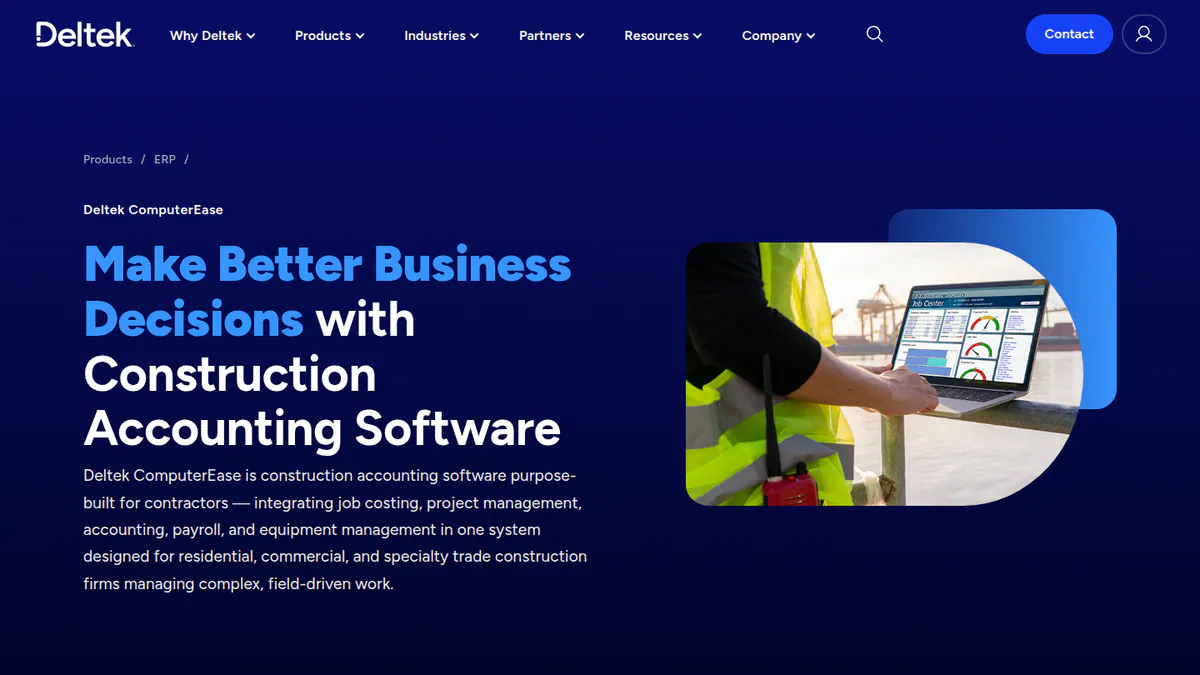
5. Deltek ComputerEase (general construction accounting): best for AIA billing with retainage
Best for: US contractors that bill C&I solar work on AIA, unit or T&M (time and materials) terms with retainage. Score: 72.7/100.
What it is: Deltek owns ComputerEase, a construction accounting package. US contractors use it for job costing, billing and payroll. The company’s page does not mention solar.
Why we picked it: It scored top marks for fit, with job costing, retainage and certified payroll in one package. Reviewers rate its accounting highly.
Key features:
- Real-time job costing and WIP.
- AIA progress, unit and T&M billing with retainage.
- AP (accounts payable) invoice capture matched to purchase orders and subcontracts.
- Prevailing wage and certified payroll.
Pricing: You have to ask for a price, with a demo on request. Capterra, a third party, lists a starting price of USD 5,000 one-time. Checked October 2026 on the ComputerEase page.
Pros (from reviews and our research):
- Reviewers rate its accounting and job costing highly (Capterra).
- It does what contractors need without being too complex.
- Prevailing-wage and certified payroll are built in for public C&I jobs.
Cons (from user reviews):
- The platform feels dated, and IT teams dislike the Citrix remote hosting.
- Custom reports often need help from the company.
- Support reviews are mixed. Some users praise it, but one says it got worse after the Deltek acquisition.
Reviews: Capterra 4.2/5 (133 reviews), checked October 2026. G2 has a listing with no visible rating.
Want to see Deltek ComputerEase (general construction accounting) working? Book a demo with the SolarSoftwares team.
Book a demoYour request goes by email to the SolarSoftwares team. A time is set only after we reply. It does not change any score or ranking.
6. Knowify (general contractor job management): best for small installers billing in stages on QuickBooks
Best for: Small US solar and electrical installers that want estimates, progress billing and job costing on top of QuickBooks. Score: 70.6/100.
What it is: Knowify is job software for trade contractors, with a deep QuickBooks sync. It is not a ledger on its own, and it is not solar-specific. The company has a solar URL, but the page has no solar content.
Why we picked it: It adds staged billing and job costing to QuickBooks at a listed price. Its support rating is the best of any tool here.
Key features:
- Progress billing and AIA pay applications (Core).
- Job costing and real-time WIP (Advanced).
- Sync with QuickBooks Online, QuickBooks Time, Payroll and Payments.
- CompanyCam link for site photos.
Pricing: Core USD 99 or 149 per month (1 user, with progress and AIA billing and change orders). Advanced USD 329 or 399 (10 users, with job costing, WIP, budgets and a client portal). Extra users cost USD 29 per month, and Enterprise is by quote. The page shows two figures per plan without saying which is annual. We assume the lower one is annual billing. Checked October 2026 on the Knowify pricing page.
Pros (from reviews and our research):
- One reviewer calls the QuickBooks sync a must-have (Capterra, September 2025).
- AIA billing was another reviewer’s main reason for buying.
- Capterra customer service is 4.7/5, and onboarding is included.
Cons (from user reviews):
- Gantt scheduling is clunky with task dependencies.
- The interface looks dated (December 2025 review).
- There are few options for entering change orders.
Reviews: Capterra 4.5/5 (110 reviews), checked October 2026.

Want to see Knowify (general contractor job management) working? Book a demo with the SolarSoftwares team.
Book a demoYour request goes by email to the SolarSoftwares team. A time is set only after we reply. It does not change any score or ranking.
7. Jonas Construction Software (general construction accounting): best for install and service crews on one system
Best for: US and Canadian contractors that run installs and service calls and want payroll, billing and dispatch in one place. Score: 69.4/100.
What it is: The Jonas group sells accounting for building and service contractors. Users run payroll, billing and dispatch in one system. There is an "Energy & Solar Contractors" page, but we found no solar-specific features on it.
Why we picked it: It scored top marks for fit and runs accounts, payroll and service dispatch in one system. It also has a page aimed at energy and solar contractors.
Key features:
- Accounting, progress billing and union payroll.
- Job cost and WIP reporting.
- Service work orders, dispatch and on-site invoicing.
- Inventory and equipment management.
Pricing: You have to ask for a price. Checked October 2026 on the Jonas energy and solar page.
Pros (from user reviews):
- You can customise it a lot (Capterra).
- Payroll, billing, job costing and dispatch all sit in one system.
- One reviewer calls the accounting and time-tracking link "top notch".
Cons (from user reviews):
- Support is slow during urgent problems.
- Set-up is hard at first.
- The link to the project management side is weak.
Reviews: Capterra 4.1/5 (145 reviews), checked October 2026.
Want to see Jonas Construction Software (general construction accounting) working? Book a demo with the SolarSoftwares team.
Book a demoYour request goes by email to the SolarSoftwares team. A time is set only after we reply. It does not change any score or ranking.
How do the 7 solar accounting tools compare?
Product | Job costing | Staged billing | Retainage | Payroll rules | Region | Starting price |
|---|---|---|---|---|---|---|
Ultimate (UK), Established (US) | Deposit and progress invoices | Not documented | CIS add-on (UK) | UK, AU, NZ, US | GBP 18/mo | |
WIP cost forecasts | Contract billing | Automated | Not documented | US, CA, UK, AU, ZA | Quote only | |
QuickBooks | Project profitability (Plus) | Not named on pricing page | Not documented | Payroll extra | US (other editions) | Free. USD 38/mo |
Yes, with change orders | AIA progress billing | Not documented | Prevailing wage, certified | US | Quote only | |
ComputerEase | Yes, with WIP | AIA, unit, T&M | Yes | Prevailing wage, certified | US | Quote only |
Advanced plan | Progress and AIA | Not documented | Via QuickBooks Payroll | US | USD 99/mo | |
Jonas | Yes, with WIP | Progress billing | Not documented | Union payroll | US, CA | Quote only |
Also considered
We cap the ranking at 7. These three scored next.
- Oracle NetSuite (general ERP), scored 67.3/100: a modular cloud ERP with SuiteProjects and SuiteBilling. You have to ask for a price. It is more system than most installers need for the books. Reviewers cite a steep learning curve and add-on fees. See our ERP guide.
- Clear Books (general accounting software), scored 66.9/100: UK cloud accounting with MTD (Making Tax Digital) VAT and CIS. Companies start at GBP 16 a month excluding VAT, CIS comes on Medium (GBP 34) and project accounting on Large (GBP 44). It is UK only, and no solar tool in our research names a Clear Books sync.
- Blu Banyan SolarSuccess, scored 66.0/100: the only solar-built option, a suite on NetSuite with milestone invoicing and solar commissions. It has no public reviews. You have to ask for a price, and you also need a NetSuite licence. It ranks third on our solar ERP page.
We did not score solar CRMs with invoicing, such as Payaca and Coperniq, because they feed a ledger rather than replace one. See our solar CRM guide.
How do you choose solar accounting software?
- In the UK or Australia, with a design tool that syncs to Xero? Pick Xero, and budget for Ultimate (GBP 70) if you want job costing.
- A UK sole trader or very small installer? Look at Clear Books (also considered). It covers MTD and CIS from GBP 34 a month on Medium.
- A US residential installer whose CRM or field app lists QuickBooks? Stay on QuickBooks Online. Add Knowify if you need AIA or progress billing.
- Doing US C&I, public or union work? Shortlist FOUNDATION or ComputerEase for certified payroll and retainage.
- Running several companies or SPVs (companies set up for one project)? Pick Sage Intacct for consolidation.
- Outgrowing QuickBooks and want solar billing logic? Compare NetSuite and SolarSuccess (both also considered) using our ERP shortlist.
- Is stock control the real problem? Accounting software will not fix it. See our inventory guide.
Want the wider field? Browse every tool we checked in our operations and project management category.
Solar accounting software FAQs
What accounting software do solar companies use?
Most solar installers use general accounting software, fed by a solar CRM. QuickBooks is common in the US, and Xero in the UK and Australia. Larger EPCs use Sage Intacct, FOUNDATION or an ERP. As of October 2026, SolarSuccess on NetSuite is the only solar-built option we found.
Is QuickBooks good for solar installers?
For many US residential installers, yes. QuickBooks Online Plus (USD 140 a month, checked October 2026) adds project profit and stock tracking for 5 users. Many US field-service apps list a QuickBooks sync. Check how it handles progress or milestone invoices, which its pricing page does not name.
How do solar contractors handle job costing?
Solar contractors set up one project per install. They post kit, labour, permit fees and adders against it, then compare the real cost with the sold price. Xero does this on its Ultimate plan (GBP 70 per month in the UK, checked October 2026). FOUNDATION and ComputerEase add WIP reports.
Which solar CRMs connect to QuickBooks or Xero?
In our October 2026 research, OpenSolar names both Xero and QuickBooks, and Payaca syncs invoices to both. Pylon, Reonic, Solar Proof and SolarPlus name Xero. Scoop Solar lists QuickBooks Online and NetSuite on a TrustRadius listing. Ask each company which records sync before you buy.
When should a solar company move from QuickBooks to NetSuite?
Move when you have several legal entities, stock in more than one warehouse, or finance staff spending days matching the CRM with the books. Blu Banyan targets installers doing 20 or more installs a month. Neither NetSuite nor SolarSuccess publishes prices, so budget for an implementation project.
Do UK solar installers need CIS in their accounting software?
Yes, if you pay or work as a subcontractor under the Construction Industry Scheme (CIS). CIS in your ledger saves hand filing. Xero sells a CIS add-on for GBP 5 per month. Clear Books includes CIS from its Medium plan, GBP 34 per month excluding VAT (checked October 2026).
Sources
All checked 22 to 24 October 2026.
- Xero: UK pricing, Projects, Capterra, G2
- Sage Intacct: 2026 Release 3 notes, G2, Capterra
- QuickBooks: pricing, Capterra, G2
- FOUNDATION: modules guide, Capterra, G2
- Deltek ComputerEase: product page, Capterra, Capterra comparison
- Knowify: pricing, Capterra
- Jonas: energy and solar page, Capterra
- Oracle NetSuite: modules, Capterra, G2
- Clear Books: pricing, tour, Trustpilot, Capterra UK
- Blu Banyan SolarSuccess: SolarSuccess, Solar ERP
- Solar tool integrations: OpenSolar, Payaca, Pylon, Reonic, Solar Proof, SolarPlus, Scoop Solar (TrustRadius), Jobber
Last updated 28 October 2026. Next scheduled review: 23 January 2027.