Solar lead management software collects new solar enquiries, assigns each one to a rep and starts the first call, text or email. Payaca ranks first among the solar tools on this list, at 82.0/100.
The general tool LeadMailbox scored highest of all (82.5) on routing and instant calls. It has no solar features, so we list it separately.
This page covers the first hours after a lead arrives: pulling it in, assigning it and starting the first call or text. For the full pipeline through to install, see our best solar CRM guide. A CRM is software that tracks leads and customers. For managing setters and closers, see CRM for solar sales teams.
Quick picks
Rank | Product | Best for | Starting price (company page, checked October 2026) | Pricing model | Free plan / trial | Score /100 |
|---|---|---|---|---|---|---|
1 | UK and Irish clean-tech installers, enquiry to install | ✓ GBP 299 per month ex VAT (Accelerator, new businesses). Growth GBP 1,199 | Flat monthly, users included | Demo only | 82.0 | |
2 | US residential installers wanting leads and jobs in one suite | ✓ From USD 59 per user per month | Per user, custom modules | None. Trial not confirmed | 62.7 | |
3 | Capturing leads into a free design and proposal tool | ✓ Free core platform. API fees unpublished | Free, paid add-ons | Free plan | 61.5 | |
4 | US teams balancing lead workload across staff (status unconfirmed) | ✓ From USD 90 per licence (3 minimum) | Per licence | Demo only | 56.3 | |
5 | US dealers turning web visitors into quotes | Quote only | Flat monthly by volume | Demo only | 50.5 | |
6 | Small Australian teams on a tight budget | ? Free. Paid from USD 29 per month (Capterra. Currency unconfirmed) | Tiered by designs and users | Free plan | 48.9 |
✓ Verified on the company’s own pricing page. ◐ Published by the company outside its pricing page (help centre, store or press release). ? We could not read the company’s pricing page, so the figure is not confirmed. Prices checked October 2026.
Quote only means the company shows no public price. You ask it for a quote.
How the 12 tools scored
- Use-case fit 35%
- User reviews 20%
- Pricing 15%
- Ease of use 10%
- Support 10%
- Momentum 10%
Tool | Score chart | Score |
|---|---|---|
82 out of 100 | 82.0 | |
62.7 out of 100 | 62.7 | |
61.5 out of 100 | 61.5 | |
56.3 out of 100 | 56.3 | |
50.5 out of 100 | 50.5 | |
48.9 out of 100 | 48.9 | |
LeadMailbox (general) | 82.5 out of 100 | 82.5 |
HubSpot Sales Hub (general) | 78.3 out of 100 | 78.3 |
75.6 out of 100 | 75.6 | |
Zoho CRM (general) | 73.4 out of 100 | 73.4 |
71 out of 100 | 71.0 | |
Demand IQ (general) | 66.7 out of 100 | 66.7 |
Each bar shows the weighted score out of 100. Tools marked (general) are general tools that are not solar-specific.
Sub-scores at a glance (0-10)
Product | Use-case fit | User reviews | Pricing | Ease of use | Support | Momentum | Total /100 |
|---|---|---|---|---|---|---|---|
7.8 | 7.1 | 7.0 | 10.0 | 10.0 | 10.0 | 82.0 | |
7.8 | 5.0 | 7.0 | 5.0 | 5.0 | 5.0 | 62.7 | |
4.4 | 5.0 | 9.0 | 7.5 | 5.0 | 10.0 | 61.5 | |
6.7 | 5.0 | 7.0 | 5.0 | 5.0 | 2.5 | 56.3 | |
5.6 | 5.0 | 4.0 | 5.0 | 5.0 | 5.0 | 50.5 | |
6.1 | 5.0 | 3.0 | 5.0 | 5.0 | 3.0 | 48.9 | |
LeadMailbox (general) | 8.3 | 8.9 | 7.0 | 7.5 | 10.0 | 7.5 | 82.5 |
HubSpot Sales Hub (general) | 9.4 | 7.4 | 7.0 | 7.5 | 7.5 | 5.0 | 78.3 |
10.0 | 7.3 | 4.0 | 7.5 | 5.0 | 7.5 | 75.6 | |
Zoho CRM (general) | 9.4 | 6.2 | 7.0 | 7.5 | 5.0 | 5.0 | 73.4 |
6.7 | 7.3 | 7.0 | 7.5 | 7.5 | 7.5 | 71.0 | |
Demand IQ (general) | 7.2 | 6.7 | 7.0 | 5.0 | 5.0 | 7.5 | 66.7 |
A 5.0 on reviews, ease, support or momentum is our neutral score. We use it when public evidence is thin. It is not a judgement.
We also scored six general tools on the same rubric. They are LeadMailbox 82.5, HubSpot Sales Hub 78.3, Shape 75.6, Zoho CRM 73.4, SalesRabbit 71.0 and Demand IQ 66.7. See General tools installers also use.
How is lead management different from lead generation?
Lead generation firms sell you homeowner enquiries. Lead management software handles those enquiries once they arrive, and it has three jobs.
- Capture: Pull leads from your website, ads, companies and referrals into one queue, with the source logged.
- Assign: Route each lead to the right rep or office by territory, round-robin (each rep gets the next lead in turn) or rules. Reassign it if nobody touches it.
- Respond: Start the first call, text or email automatically, and keep following up.
Solar CRMs are strongest later, at proposals, contracts and install. General lead tools are the reverse, which is why the top general tool just beats the top solar CRM.
How did we rank solar lead management software?
How the score is weighted
- Use-case fit 35%
- User reviews 20%
- Pricing 15%
- Ease of use 10%
- Support 10%
- Momentum 10%
We looked at 14 products and scored 13 from 22 to 25 October 2026: 6 ranked, 6 general and 1 also considered. Solar Pipeline was excluded as inactive.
This was desk research. We used company documents, pricing pages and user reviews. We did not route live leads through any product. We scored six criteria:
- Use-case fit (35%): How well it does this page’s job. Lead management counts most, then CRM pipeline, then automation.
- User reviews (20%): G2, Capterra and Trustpilot ratings. Fewer than 8 reviews gives a middle score of 5 out of 10.
- Pricing (15%): Published prices score higher than prices you must ask for, or third-party figures.
- Ease of use, support, momentum (10% each): Review sub-scores and dated release notes. Neutral without evidence.
Products below our minimum match score (4 out of 10) go to "Also considered". If a product’s core facts come only from third-party sources, it loses 2 points on momentum. General tools use the same rubric but stay out of the solar ranking.
Scores weigh this page’s job, so a tool can score differently on another page. Read the full method: how we score software.
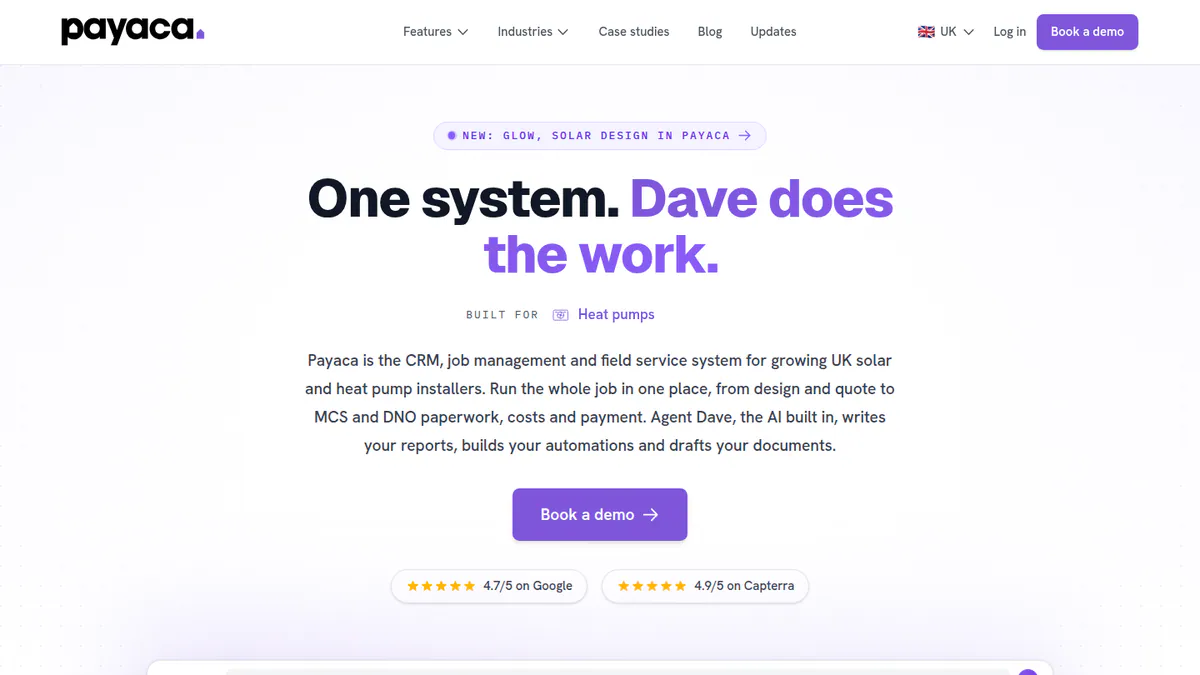
1. Payaca: best for UK and Irish clean-tech installers taking leads from enquiry to install
Best for: Small and mid-sized clean-tech installers in the UK and Ireland. Score: 82.0/100.
What it is: Payaca is a CRM, quoting and job platform built in the UK by Payaca. Installers of solar, batteries, heat pumps and EV chargers use it. It turns an enquiry into a signed proposal in one pipeline.
Why we picked it: It covers the whole lead job, from first enquiry to signed proposal, in one UK-built system. It also has the best review base of the solar tools here, with 19 Capterra reviews.
Key features:
- CRM pipeline from first enquiry to commissioned install.
- Configurable automations and an AI assistant.
- Multi-option proposals with e-signature, customer portal and Stripe deposits.
- Gmail, Zapier and OpenAPI (ways for apps to share data) for bringing in leads from other systems.
- Connections to OpenSolar and EasyPV for design.
Pricing: Accelerator is GBP 299 per month (GBP 249 billed annually). It is for new install businesses only, lasts 12 months and covers up to 25 users. Growth is GBP 1,199 per month (GBP 999 annually) with 25 users, 500 automated actions a month and a GBP 1,500 onboarding fee. Scale is GBP 1,999 per month with 50 users and 3,000 automated actions. Scale Max is GBP 3,199 with 10,000 automated actions. Enterprise is custom. All prices exclude VAT. SMS costs 4p per message. A separate US page starts at USD 444 per month. Checked October 2026 on the Payaca pricing page.
Pros (from user reviews):
- Intuitive and easy to use (Capterra).
- Interactive multi-option quotes. One reviewer cut admin work by over 60% (Capterra).
- Responsive support team that acts on feedback (Capterra).
Cons (from reviews and the pricing page):
- One email per project is awkward for repeat customers (Capterra).
- Some data mapped wrongly in the Xero sync (Capterra, October 2025).
- Automated actions are capped by tier, from 500 a month on Growth (pricing page).
Reviews: Capterra 4.9/5 (19 reviews), G2 4.0/5 (1 review), checked October 2026. Most Capterra reviews date from 2021-2024. None is clearly from a solar installer.
Want to see Payaca working? Book a demo with the SolarSoftwares team.
Book a demoYour request goes by email to the SolarSoftwares team. A time is set only after we reply. It does not change any score or ranking.
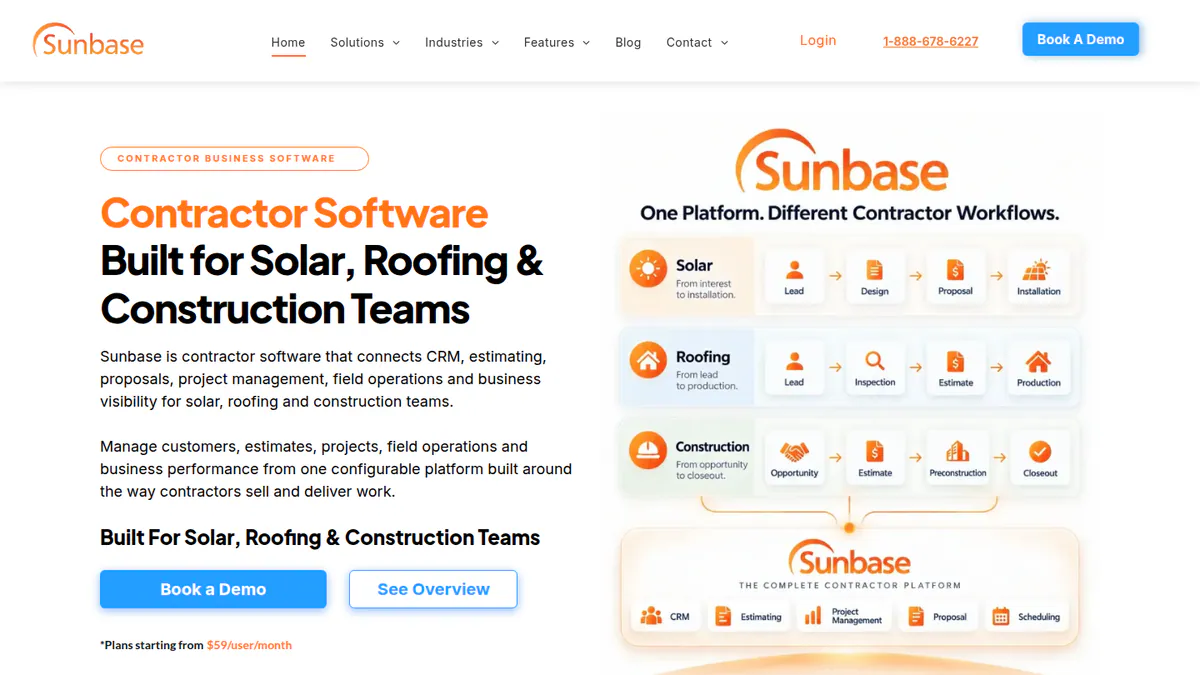
2. Sunbase: best for US residential installers wanting leads and jobs in one suite
Best for: Small and mid-sized US residential installers. Score: 62.7/100.
What it is: Sunbase Data sells Sunbase as a modular CRM and contractor suite for US installers. One record carries a lead from pipeline into proposals, contracts and project management.
Why we picked it: A small US team gets leads, proposals and installs in one system instead of three.
Key features:
- Lead and sales pipeline management.
- Workflow automation for follow-up emails and tasks.
- Proposals, estimates and e-sign contracts.
- Built-in solar design with shading and production estimates.
- Reporting dashboards.
Pricing: From USD 59 per user per month. The final price is a custom quote based on users, modules, workflows and onboarding. Checked October 2026 on the Sunbase pricing page.
Pros (from reviews and our research):
- Published entry price of USD 59 per user per month.
- Automated emails and tasks save time, says the one Capterra reviewer.
- Lead, proposal and install records stay in one system.
Cons (from reviews and our research):
- No named connections to other apps on company pages, so check lead-vendor and ad feeds.
- No documented round-robin routing or instant call or text.
- Setup is hard for non-technical admins (Capterra reviewer).
Reviews: Capterra 4.0/5 (1 review), checked October 2026. G2 shows no rating.
Read our full Sunbase review or our Sunbase alternatives.
Want to see Sunbase working? Book a demo with the SolarSoftwares team.
Book a demoYour request goes by email to the SolarSoftwares team. A time is set only after we reply. It does not change any score or ranking.
3. OpenSolar: best for capturing leads into a free design and proposal tool
Best for: Residential and small commercial installers worldwide who want lead capture tied to free design and proposals. Score: 61.5/100.
What it is: Hardware and finance partners fund OpenSolar, so installers get its design, proposal and sales platform free. OpenSolar Inc. makes it. It added AI lead capture in June 2026, but its CRM is still light.
Why we picked it: The core platform costs nothing, so it is a free place to start. New leads land straight in a design and proposal tool.
Key features:
- AI lead generation and lead capture profile (June 2026).
- Interactive web proposals with e-signature and payment collection.
- Free 2D and 3D rooftop design with shading.
- Built-in finance options.
- API for pushing in leads from other systems (paid).
Pricing: The core platform is free. Since 16 April 2026, API access and Xero or QuickBooks connectors carry charges that are not published. API access has a 30-day free trial. Premium imagery is an optional extra. Checked October 2026 on the OpenSolar pricing update.
Pros (from reviews and our research):
- Adding, removing and changing panels is very easy (G2).
- User-friendly app that gives information in the field (G2).
- No licence fee for the core platform (company website).
Cons (from reviews and our research):
- A G2 reviewer says it is "not completely free", despite the pitch.
- The interface feels dated, though it works (G2).
- API and accounting connector fees are not published.
Reviews: G2 4.8/5 (3 reviews), checked October 2026. That is too few to rely on.
Read our full OpenSolar review or our OpenSolar alternatives.

Want to see OpenSolar working? Book a demo with the SolarSoftwares team.
Book a demoYour request goes by email to the SolarSoftwares team. A time is set only after we reply. It does not change any score or ranking.
4. SolarNexus: best for US teams balancing lead workload across staff
Best for: Existing SolarNexus users in US residential and small commercial solar (status unconfirmed). Score: 56.3/100.
What it is: SolarNexus combines lead capture and a sales pipeline with design, energy modelling, proposals and project workflows. Solo bought SolarNexus, Inc. in September 2023. Its users are US residential and small commercial installers. Note: we could not confirm that it is still sold to new customers.
Why we picked it: It is one of only two solar tools here that documents automatic work assignment. That helps when leads pile up faster than one person can share them out.
Key features:
- Lead capture and sales pipeline.
- Automatic task assignment and workload balancing.
- Automated customer progress emails.
- Open API (per 2024 release notes).
Pricing: From USD 90 per licence with a 3-licence minimum. The billing period is not stated. Checked October 2026 on the SolarNexus solutions page.
Pros (from our research):
- Workload balancing spreads new work across staff automatically.
- Lead, design and proposal data sit in one system.
- Published per-licence entry price.
Cons (from our research):
- The latest release notes we found are from February 2024, so the roadmap is unclear.
- The 3-licence minimum rules out a solo installer.
- No user reviews to judge it by.
Reviews: No user reviews found as of October 2026.
What we could not confirm: Whether new customers can still buy it, and the billing period for the USD 90 licence.
Read our full SolarNexus review.
Want to see SolarNexus working? Book a demo with the SolarSoftwares team.
Book a demoYour request goes by email to the SolarSoftwares team. A time is set only after we reply. It does not change any score or ranking.
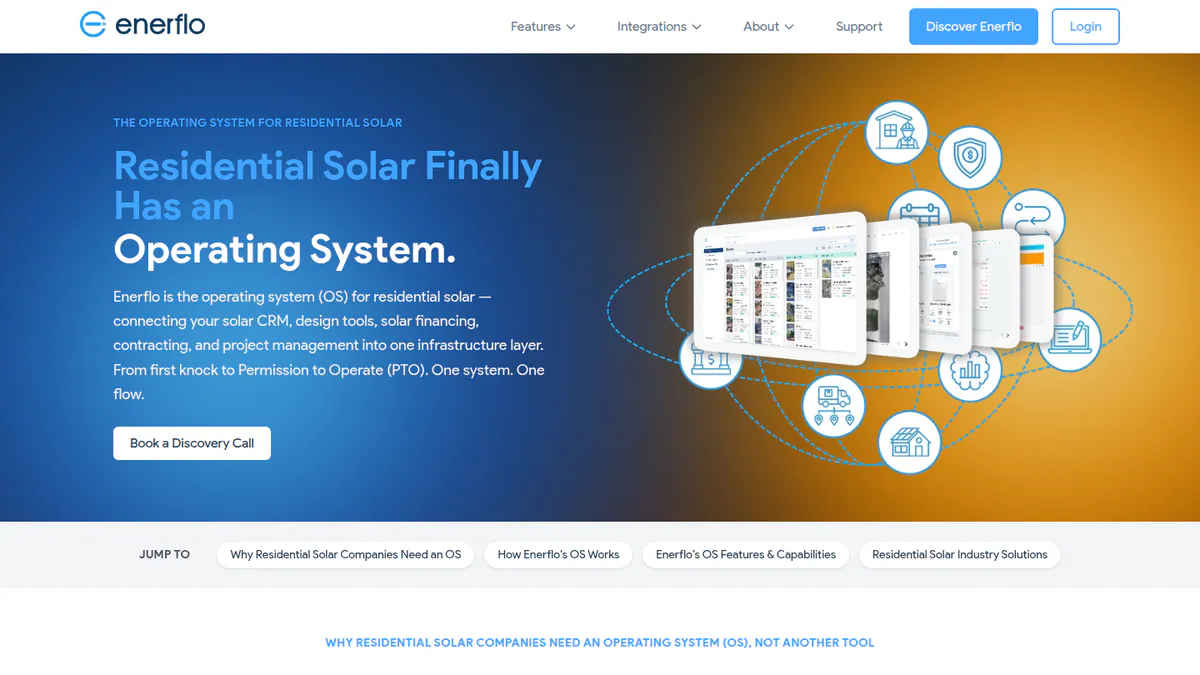
5. Enerflo: best for US dealers turning web visitors into quotes
Best for: Mid-sized and large US residential dealers that already run a CRM. Score: 50.5/100.
What it is: Mid-sized and large US residential dealers use Enerflo to run the steps from sale to install. Most run it next to a CRM such as Salesforce or HubSpot. Its Virtual Sales Rep lets homeowners build a quote themselves.
Why we picked it: Self-serve quoting catches web leads who will not wait for a call back. It also plugs into the CRMs dealers already run.
Key features:
- Virtual Sales Rep for self-serve quoting.
- Sales pipeline, proposals, battery sizing and e-sign.
- Named connections to Salesforce, HubSpot, Zoho and SalesRabbit.
- REST and GraphQL APIs with webhooks.
- Domo-powered reporting.
Pricing: You have to ask Enerflo for a price. You pay a flat monthly subscription based on average monthly volume, with no per-seat or per-proposal fees. There is a one-time implementation fee and a 12-month minimum. Checked October 2026 on the Enerflo FAQ.
Pros (from our research):
- Homeowners can price a system at night, without a rep.
- Named CRM and canvassing connections.
- No per-seat fees.
Cons (from our research):
- Light on lead routing. It relies on the connected CRM.
- 12-month minimum plus an implementation fee.
- US only.
Reviews: G2 5.0/5 (2 reviews), checked October 2026. That is too few to rely on, and the review text is not visible.
Read our full Enerflo review or our Enerflo alternatives.
Want to see Enerflo working? Book a demo with the SolarSoftwares team.
Book a demoYour request goes by email to the SolarSoftwares team. A time is set only after we reply. It does not change any score or ranking.
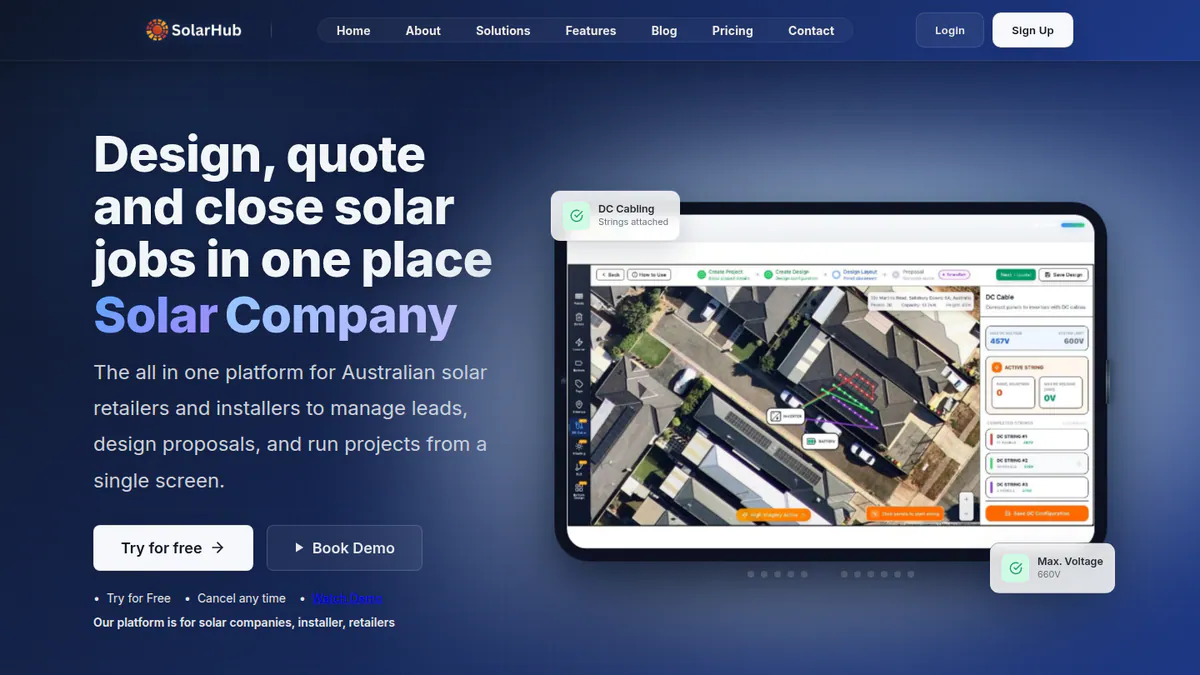
6. SolarHub CRM: best for small Australian teams on a tight budget
Best for: Solo and small residential installers in Australia. Score: 48.9/100.
What it is: Glytrix makes SolarHub CRM, a low-cost solar CRM for solo and small installers in Australia. We could not reach the company’s website, so the details below come from Capterra.
Why we picked it: It is the only solar tool here with a free plan that lists automated lead assignment. That makes it a low-risk first step for a small Australian team.
Key features:
- Lead capture and automated lead assignment.
- Lead source connections, from 3 to unlimited by tier.
- Workflow automations (Pro).
- Proposal templates with e-signature and simple design sketching.
- Web, Android and iOS access.
Pricing: Capterra lists these in USD. The Free plan covers 5 designs a month, up to 3 users and 500 leads. Standard is USD 29 per month, Premium USD 49 and Pro USD 199. Enterprise is on request. An earlier check of the company’s site showed different limits and implied AUD, so confirm with the company. Checked October 2026 on Capterra.
Pros (from our research):
- Free tier with a stated 500-lead allowance.
- Automated assignment at a low price.
- Lead source connections grow by tier.
Cons (from our research):
- Built for Australia only.
- The free plan caps you at 5 designs a month and 3 users (Capterra).
- No user reviews to judge it by.
Reviews: No user reviews found on Capterra as of October 2026.
What we could not confirm: Prices, currency and free-plan limits on the company’s site. We also found no release notes.
Read our full SolarHub CRM review.
Want to see SolarHub CRM working? Book a demo with the SolarSoftwares team.
Book a demoYour request goes by email to the SolarSoftwares team. A time is set only after we reply. It does not change any score or ranking.
Which general tools do solar installers also use?
These six tools are not built for solar. We scored them on the same rubric and list them in score order. They often document more routing and instant response than solar CRMs, but most need a solar proposal tool alongside.
LeadMailbox (general lead management system): 82.5/100
LeadMailbox is a cloud lead management system. It is used mainly in mortgage, insurance and real estate, with solar listed as one vertical.
It pulls in leads from many companies and shares them out by round-robin, pull or rules. Its Insta-Call feature dials a rep the moment a lead arrives.
Pricing: Professional is 50 and Pro Plus 75 per seat per month, month-to-month. Prices are shown with a currency symbol that we read as USD. Professional includes 0 dialer minutes, 0 SMS and 250 emails. Pro Plus includes 100 minutes, 500 SMS and 1,000 emails. We recorded these on the LeadMailbox pricing page in October 2026 but could not reload it for a second check.
Reviews: Trustpilot 4.9/5 (196 reviews), Capterra 4.1/5 (8), G2 4.3/5 (2), checked October 2026. Reviewers praise support but note limited reporting. None is from a solar installer.
HubSpot Sales Hub (general CRM): 78.3/100
HubSpot Sales Hub is a general CRM with contacts, deals, pipelines, email sequences, calling and reporting. Third-party apps sync it with OpenSolar.
Pricing: Free for up to 2 users. Starter is shown as USD 7 and USD 20 per seat per month, without saying which is annual. Professional is USD 90 to 100 per seat with USD 1,500 onboarding. Enterprise is from USD 150 per seat with USD 3,500 onboarding. Checked October 2026 on the HubSpot pricing page.
Reviews: Capterra 4.5/5 (506 reviews), checked October 2026. Reviewers warn that key features sit in higher tiers.
Shape (general sales CRM with a solar configuration): 75.6/100
Shape is a general sales CRM with solar pipelines and templates. It documents more of the lead job than any solar CRM here.
You get lead routing, call, text and email automation for fast replies, and a power dialer (a tool that calls leads one after another). It connects to Google Ads, Meta Ads, Zapier and web form tools.
Pricing: You have to ask Shape for a price. Plan names are published without prices, and calls and texts are pay-as-you-go. Checked October 2026 on the Shape pricing page.
Reviews: Capterra 4.6/5 (46 reviews), G2 4.5/5 (65), checked October 2026. Most come from financial services users. Recent reviews report billing errors (July 2026).
Zoho CRM (general CRM): 73.4/100
Zoho CRM manages leads, contacts, deals and pipelines with workflow automation and blueprints. Aurora publishes an API tutorial for creating projects from Zoho.
Pricing: Free for up to 3 users. Standard is INR 800, Professional INR 1,400, Enterprise INR 2,400 and Ultimate INR 2,600 per user per month, billed annually. We could not confirm USD prices. Checked October 2026 on Zoho’s edition comparison.
Reviews: Capterra 4.3/5 (7,005 reviews), G2 4.1/5 (2,947), checked October 2026. Reviewers praise value but find the interface cluttered.
SalesRabbit (general canvassing app): 71.0/100
SalesRabbit manages door-knock leads on a map. It has territories, rep GPS tracking and appointment booking for setters and closers. It suits leads you create in the field, not leads you buy.
Pricing: Lite is free for one user. Team is USD 59 per user per month billed monthly. Pro is USD 49 annual or USD 75 monthly. Enterprise is by quote. Contracts run one to three years, and an implementation package is required. Checked October 2026 on the SalesRabbit pricing page.
Reviews: G2 4.5/5 (433 reviews), Capterra 4.2/5 (191), App Store 4.5/5 (1,200), checked October 2026. Crashes on large datasets are the common complaint.
Demand IQ (general lead capture platform): 66.7/100
Demand IQ started as a solar instant estimator and now serves home-services trades. It puts a price estimator on your website, then qualifies and books visitors. An add-on texts new leads back in under a minute.
Pricing: Capture is USD 495 per month (5 journeys, 500 prospects a month, canvassing app for 10 reps). Win is USD 775 and Scale USD 995 per month, all billed annually. The AI Texting add-on is USD 395 per month. Checked October 2026 on the Demand IQ pricing page.
Reviews: G2 4.7/5 (19 reviews), checked October 2026. The review text is behind a login.
How do the solar lead management tools compare?
Product | Solar-specific | Lead capture | Automatic assignment | Instant first contact | Lead source connections | Starting price |
|---|---|---|---|---|---|---|
Yes (clean-tech) | Enquiry pipeline | Not documented | Configurable automations, SMS | Gmail, Zapier, OpenAPI | GBP 299/mo | |
Yes | Lead pipeline | Not documented | Automated emails and tasks | None named | USD 59/user/mo | |
Yes | AI lead capture (Jun 2026) | Not documented | Not documented | Paid API | Free | |
Yes | Lead capture | Auto task assignment | Not documented | Open API (2024 release notes) | USD 90/licence | |
Yes | Self-serve quoting | Via connected CRM | Not documented | Salesforce, HubSpot, Zoho, SalesRabbit | Quote only | |
Yes | Lead capture | Automated assignment | Not documented | 3 to unlimited sources by tier | Free (Capterra) | |
LeadMailbox | No | Multi-vendor aggregation | Round-robin, pull, rules | Insta-Call auto-dial, AI agents | None named | USD 50/seat/mo (currency assumed) |
HubSpot Sales Hub | No | Contacts and deals | Not documented | Sequences (paid tiers) | Third-party OpenSolar app | Free |
No (solar setup) | Ads, forms, door-knocks | Lead routing | Call, text and email automation | Google Ads, Meta Ads, Zapier | Quote only | |
Zoho CRM | No | Leads module | Not documented | Workflow automation | Zoho apps, Aurora tutorial | Free |
No | Door-knock leads on a map | By territory | Not documented | API, 60+ integrations | Free (1 user) | |
Demand IQ | No | Website estimator journeys | Not documented | AI texting add-on | Zapier | USD 495/mo |
"Not documented" means we did not find the feature, not that the product lacks it.
Also considered
- Arka 360 (below the minimum match score): A design and proposal platform with a CRM add-on. Lead handling is not its focus. See our all-in-one solar software.
- Solar Pipeline (excluded): Its domain is for sale and we found no sign the product is still active.
- Lead generation marketplaces and agencies: Services, not software, so not ranked.
How do you choose solar lead management software?
- UK or Irish installer wanting enquiries, quotes and installs in one place? Pick Payaca.
- Buying leads from several companies, with speed to first call as your bottleneck? Put LeadMailbox or Shape in front of your CRM.
- Small US installer wanting one solar suite from lead to install? Look at Sunbase.
- Budget close to zero? Start with OpenSolar’s free platform, or SolarHub CRM’s free tier in Australia.
- Most leads come from your website? Compare Demand IQ with Enerflo’s self-serve quoting.
- Already on HubSpot or Salesforce? Add routing rules there before buying another system. See our solar sales software guide.
Want the wider field? Browse every tool we checked in our CRM and lead management category.
Solar lead management software FAQs
What is solar lead management software?
Solar lead management software collects new solar enquiries, assigns each one to a rep and starts the first contact. In our October 2026 scoring, Payaca led the solar tools at 82.0/100, and LeadMailbox led the general tools at 82.5/100.
How is lead management software different from a solar CRM?
Lead management covers the time from enquiry to first appointment. A solar CRM usually carries on to the proposal, contract and install. Our best solar CRM guide ranks the full pipeline, and this page ranks the first steps.
How fast should solar installers respond to new leads?
Reply as fast as you can. We found no solar response-time study we could check, so we quote no figure. As of October 2026, LeadMailbox’s Insta-Call dials a rep when a lead arrives. Demand IQ’s AI Texting add-on (USD 395 per month) texts new leads in under a minute.
Can lead management software route leads from Google, Facebook and lead companies automatically?
Some can. Shape documents Google Ads and Meta Ads connections plus lead routing. LeadMailbox pulls in leads from many companies and shares them out by round-robin or rules (checked October 2026). Among solar tools, SolarHub CRM lists automated lead assignment and several lead source connections.
Does solar lead management software connect to Aurora or OpenSolar?
In some cases, yes. Payaca connects to OpenSolar, and Enerflo connects to both Aurora Solar and OpenSolar. HubSpot reaches OpenSolar through third-party marketplace apps. Aurora publishes an API tutorial for Zoho (checked October 2026). Ask each company which records its connection moves.
Do I need lead management software if I already use HubSpot or Salesforce?
Often not, if you set up routing there. HubSpot’s free plan has no sequences or sales automation (checked October 2026), so automated follow-up needs a paid tier. Add a tool like LeadMailbox only if instant dialling of bought leads is the gap in your setup.
Sources
All checked 22 to 25 October 2026.
- Payaca: pricing, features, integrations, Capterra, G2
- Sunbase: pricing, solar CRM page, Capterra
- OpenSolar: pricing update, news, G2
- SolarNexus: solutions and pricing, 2024 release notes
- Enerflo: FAQ, G2
- SolarHub CRM: Capterra, Capterra Australia
- LeadMailbox: pricing, features, Trustpilot, Capterra, G2
- HubSpot Sales Hub: pricing, Capterra
- Shape: pricing, solar page, Capterra, G2
- Zoho CRM: edition comparison, Capterra, Aurora apps
- SalesRabbit: pricing, G2, Capterra
- Demand IQ: pricing, G2
- Also considered: Arka 360 pricing
Last updated 28 October 2026. Next scheduled review: 23 January 2027.