A solar CRM is customer relationship software (an app that tracks leads, quotes and customers) built for solar sales and installs. Payaca ranks first on this list, at 83.1/100.
We scored 14 CRMs and rank the top 7 built for solar or renewables. HubSpot, Shape, Salesforce and Zoho score well too. They have no solar stages (pipeline steps such as survey, design and permit), so they sit in their own section. HubSpot is the better buy if you sell more than solar and can build your own solar stages. It has a free plan for 2 users.
Jump to free solar CRM options or CRM for solar sales teams. For small-team costs, see best solar CRM for small business.
Quick picks
Rank | Product | Best for | Starting price (company page, checked October 2026) | Pricing model | Free plan / trial | Score /100 |
|---|---|---|---|---|---|---|
1 | UK and Irish installers needing MCS and DNO workflow | ✓ GBP 299 per month ex VAT (new businesses, first 12 months) | Per account, users included | Demo only | 83.1 | |
2 | Design-led installers paying per project | ✓ GBP 4 per project. CRM add-on from GBP 49 per user per month | Per project plus per-user CRM | 5 free project credits | 77.8 | |
3 | US residential firms wanting a modular suite | ✓ From USD 59 per user per month (custom quote) | Per user, modular | Not confirmed | 63.8 | |
4 | Lead-to-proposal tracking at zero licence cost | ✓ Free core platform | Free. Paid API and connectors | Free core platform | 62.7 | |
5 | US installers wanting CRM with energy modelling (status unconfirmed) | ✓ From USD 90 per licence, 3-licence minimum | Per licence | Demo only | 56.3 | |
6 | US and Canadian EPCs running crews and O&M | ✓ USD 90 per field user. USD 200 per office user, per month | Per user | Demo only | 53.8 | |
7 | Large installers and asset owners on NetSuite | Quote only (NetSuite licence required) | Custom | Demo only | 52.7 |
✓ Verified on the company’s own pricing page. ◐ Published by the company outside its pricing page (help centre, store or press release). ? We could not read the company’s pricing page, so the figure is not confirmed. Prices checked October 2026.
Quote only means the company shows no public price. You ask it for a quote.
How did the 11 tools score?
- Use-case fit 35%
- User reviews 20%
- Pricing 15%
- Ease of use 10%
- Support 10%
- Momentum 10%
Tool | Score chart | Score |
|---|---|---|
83.1 out of 100 | 83.1 | |
77.8 out of 100 | 77.8 | |
63.8 out of 100 | 63.8 | |
62.7 out of 100 | 62.7 | |
56.3 out of 100 | 56.3 | |
53.8 out of 100 | 53.8 | |
52.7 out of 100 | 52.7 | |
HubSpot Sales Hub (general) | 73.7 out of 100 | 73.7 |
72.3 out of 100 | 72.3 | |
Salesforce Sales Cloud (general) | 70.3 out of 100 | 70.3 |
Zoho CRM (general) | 68.8 out of 100 | 68.8 |
Each bar shows the weighted score out of 100. Tools marked (general) are general tools that are not solar-specific.
Sub-scores at a glance (0-10)
Product | Use-case fit | User reviews | Pricing | Ease of use | Support | Momentum | Total /100 |
|---|---|---|---|---|---|---|---|
8.1 | 7.1 | 7.0 | 10.0 | 10.0 | 10.0 | 83.1 | |
7.1 | 6.7 | 8.0 | 7.5 | 10.0 | 10.0 | 77.8 | |
8.1 | 5.0 | 7.0 | 5.0 | 5.0 | 5.0 | 63.8 | |
4.8 | 5.0 | 9.0 | 7.5 | 5.0 | 10.0 | 62.7 | |
6.7 | 5.0 | 7.0 | 5.0 | 5.0 | 2.5 | 56.3 | |
5.2 | 5.0 | 7.0 | 5.0 | 5.0 | 5.0 | 53.8 | |
6.2 | 5.0 | 4.0 | 5.0 | 5.0 | 5.0 | 52.7 | |
HubSpot Sales Hub (general) | 8.1 | 7.4 | 7.0 | 7.5 | 7.5 | 5.0 | 73.7 |
9.1 | 7.3 | 4.0 | 7.5 | 5.0 | 7.5 | 72.3 | |
Salesforce Sales Cloud (general) | 8.1 | 7.0 | 7.0 | 5.0 | 7.5 | 5.0 | 70.3 |
Zoho CRM (general) | 8.1 | 6.2 | 7.0 | 7.5 | 5.0 | 5.0 | 68.8 |
A 5.0 on reviews, ease, support or momentum is our neutral score. We use it when public evidence is thin. It is not a judgement.
What does "solar CRM" mean in 2026?
Companies use the label for several kinds of product. Decide which kind you need first.
- Installer operations CRMs: pipeline, quotes, scheduling, compliance paperwork and invoices in one system. Payaca and Coperniq sit here.
- Design-first tools with a CRM layer: roof design and proposals come first. Pylon and OpenSolar sit here. See our all-in-one solar software ranking.
- Sales-to-install layers: these sit on top of your CRM, as Enerflo (also considered) does.
- Mixed suites: Sunbase and SolarNexus sit between the first two types, with CRM, design and project tools in one product.
- ERP-grade suites: SolarSuccess runs inside Oracle NetSuite.
Region matters too. Payaca and Pylon price in GBP. The other five are US-focused. See our UK, Australia and India pages.
How did we rank these solar CRMs?
How the score is weighted
- Use-case fit 35%
- User reviews 20%
- Pricing 15%
- Ease of use 10%
- Support 10%
- Momentum 10%
We reviewed 14 products from 22 to 25 October 2026. We used company documents, pricing pages and user reviews. Each product gets a score out of 10 on six points. We weight those scores to a total out of 100.
- Use-case fit (35%): CRM depth (pipeline, leads, automation) counts most, then quotes, projects and solar workflow.
- User reviews (20%): Ratings from G2 and Capterra, two software review sites. Tools with too few reviews get a middle score.
- Pricing (15%): Free or published prices beat prices you must ask for.
- Ease of use, support and product momentum (10% each): review sub-scores and dated release notes.
We rank 7 of the 14. Four general CRMs sit in their own section, and three more are in "Also considered".
SurgePV is not part of this ranking. Read the full method: how we score software.
1. Payaca: best for UK and Irish installers who need compliance built in
Best for: Small-to-mid renewables installers in the UK and Ireland who handle MCS (UK installer certification) paperwork and DNO (local grid operator) forms. Score: 83.1/100.
What it is: Payaca is a UK-built job platform for solar, battery, heat pump and EV charger installers. It runs each job from first enquiry to commissioned install.
Why we picked it: It builds MCS paperwork and DNO grid forms into the job pipeline, so UK compliance needs no second tool. It also has the highest Capterra rating of the ranked tools and publishes its UK prices.
Key features:
- Pipeline from enquiry to commissioned install.
- Multi-option proposals with e-signature and Stripe deposits.
- MCS paperwork and DNO G98/G99 grid forms via ENA Connect.
- Map-based scheduling and an offline field app.
- Stock per project, plus Xero and QuickBooks (accounting apps) invoice sync.
Pricing: Plans exclude VAT.
- Accelerator: GBP 299 per month (GBP 249 billed annually). It is for new install firms only, for 12 months, with up to 25 users. It then moves to Growth pricing.
- Growth: GBP 1,199 per month (GBP 999 annually) with 25 users. Extra seats cost GBP 30 each, plus GBP 1,500 one-off onboarding.
- Scale: from GBP 1,999 per month with 50 users.
- Enterprise: custom.
US pricing starts at USD 444 per month. Checked October 2026 on the Payaca UK pricing page.
Pros (from user reviews on Capterra):
- Easy to pick up, with a Capterra ease-of-use score of 4.9/5.
- Interactive multi-option quotes. One reviewer cut admin time by over 60%.
- Fast support, with customer service rated 5.0/5.
Cons (from user reviews):
- Some data mapped wrongly in the Xero sync (October 2025 review).
- One email address per project is awkward for repeat customers.
- The mobile app is weaker than the web app, and layouts change often.
Reviews: Capterra 4.9/5 (19 reviews) and G2 4.0/5 (1 review), checked October 2026. Most Capterra reviews date from 2021 to 2024, and none says it is from a solar installer.
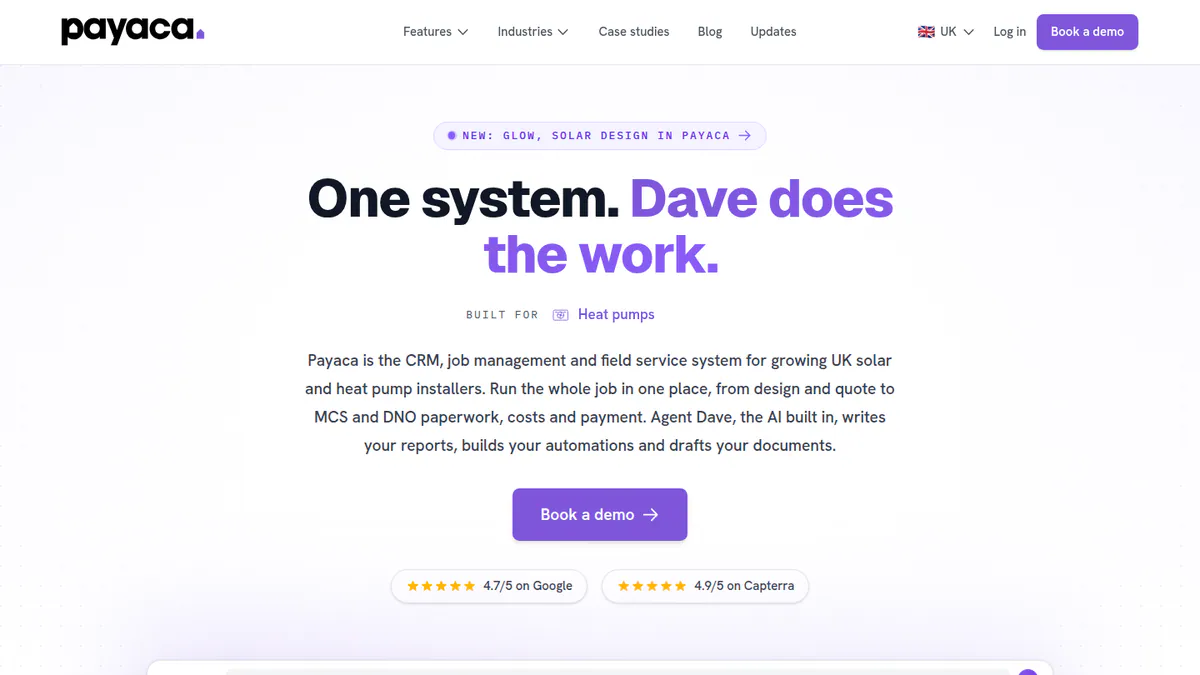
Want to see Payaca working? Book a demo with the SolarSoftwares team.
Book a demoYour request goes by email to the SolarSoftwares team. A time is set only after we reply. It does not change any score or ranking.
2. Pylon: best for design-led installers paying per project
Best for: Home and light commercial installers in Australia, the UK and Ireland whose CRM need starts at the proposal. Score: 77.8/100.
What it is: Pylon is a Sydney firm with a pay-per-project design and proposal tool. Its Solar CRM add-on feeds each lead straight into a proposal.
Why we picked it: Leads and proposals live in one place, and the core tool is paid per project with no monthly minimum. You buy CRM seats only for the staff who work leads.
Key features:
- CRM add-on with email sync, a lead processor, automations, web forms, SMS and AI help.
- Unlimited users on the core platform.
- Web and PDF proposals with eSignature and financial projections.
- Links to Xero, Mailchimp and ServiceM8. It also has an API (a way for other apps to connect) with webhooks.
- Solar and battery layouts, with MCS reports (UK) and STC/PDRS incentive schemes (Australia).
Pricing: Standard GBP 4 per project, up to 30 kW DC. Pro GBP 10 per project, for commercial sizes. Enterprise is quote only. The Solar CRM add-on starts at GBP 49 per user per month.
There is no monthly minimum, and you get 5 free Standard project credits on signup. Checked October 2026 on the Pylon UK pricing page. We could not confirm USD or AUD prices, or the currency of the per-project eSignature fee.
Pros (from user reviews on Capterra and G2):
- Paying per job keeps costs low for small firms with uneven sales.
- Most users find the layout and manual friendly, though some say it takes time to learn.
- Each lead turns into a detailed quote and proposal.
Cons (from reviews and our research):
- Roof image quality varies by location.
- Usage modelling is awkward to use.
- The CRM is a paid add-on on top of the per-project fees.
Reviews: Capterra 4.6/5 (25 reviews) and G2 4.3/5 (2 reviews), checked October 2026. Most Capterra reviews date from 2021 to 2023.
Read our full Pylon review or our Pylon alternatives.

Want to see Pylon working? Book a demo with the SolarSoftwares team.
Book a demoYour request goes by email to the SolarSoftwares team. A time is set only after we reply. It does not change any score or ranking.
3. Sunbase: best for US residential firms wanting a modular suite
Best for: US home solar installers who want CRM, proposals, projects and stock from one company, bought as modules. Score: 63.8/100.
What it is: Sunbase Data sells a modular CRM and contractor suite to US solar, roofing and building firms.
Why we picked it: It covers leads, proposals, built-in design and project tracking in one US suite, with a published starting price per user. It documents more pipeline and workflow automation than OpenSolar, which puts it third.
Key features:
- Lead and sales pipeline.
- Proposals, estimates and e-sign contracts.
- Built-in solar design with shading and a production estimate.
- Project management and workflow automation.
Pricing: "Plans start from" USD 59 per user per month. The final price is a custom quote based on users, modules and onboarding. The company says there are no long-term contracts. Checked October 2026 on the Sunbase pricing page.
Pros (from one Capterra review and our research):
- Automated emails and tasks save time on each project.
- No long-term contract, so you can cancel if it does not fit.
- You can add stock and finance modules as you grow.
Cons (from that review and our research):
- Setup is hard for admins without tech skills.
- The final price is a custom quote, so you cannot compare costs up front.
- Company pages name no connections to other apps.
Reviews: Capterra 4.0/5 (1 review), checked October 2026. G2 has a listing with no rating.
What we could not confirm: a free trial, and rep GPS tracking, which only a company blog shows.
Read our full Sunbase review or our Sunbase alternatives.
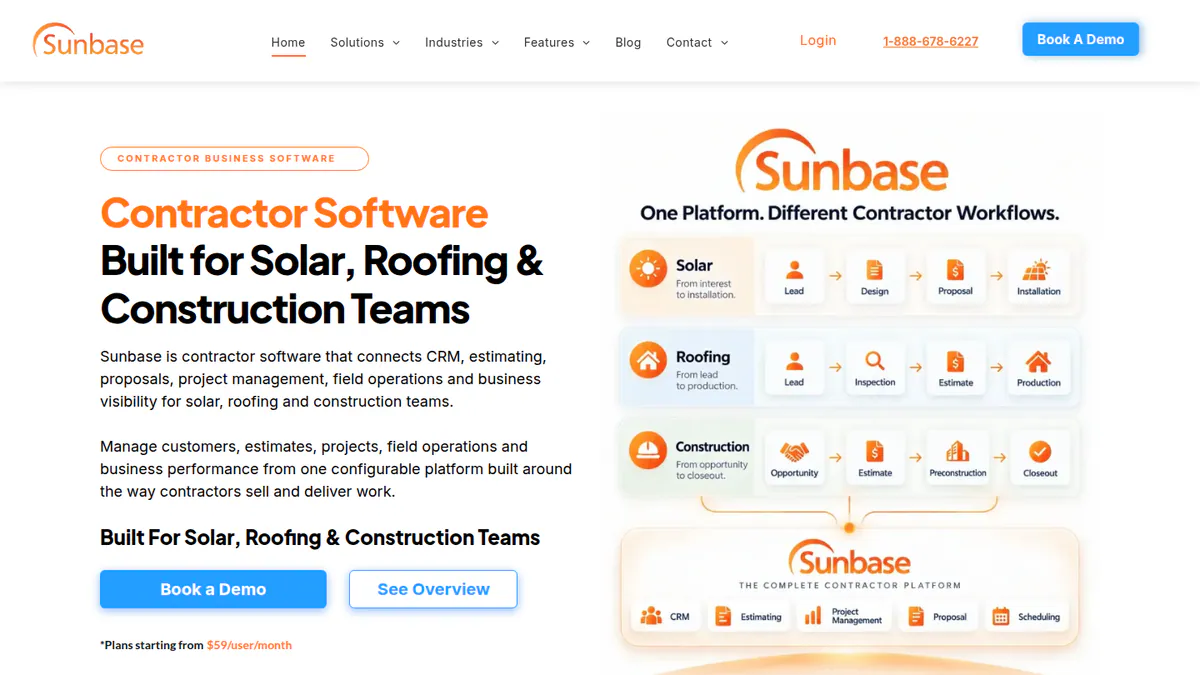
Want to see Sunbase working? Book a demo with the SolarSoftwares team.
Book a demoYour request goes by email to the SolarSoftwares team. A time is set only after we reply. It does not change any score or ranking.
4. OpenSolar: best for lead-to-proposal tracking at zero licence cost
Best for: Home installers who want leads, designs and signed proposals in one free system. Score: 62.7/100.
What it is: OpenSolar is a free design, proposal and sales platform, funded by hardware and finance partners. Its CRM is light: lead capture is documented, but pipeline automation is not.
Why we picked it: It is the only ranked solar tool with no licence fee. It takes a lead from design to a signed, paid proposal. Its light CRM keeps it below Sunbase.
Key features:
- Free 3D/2D rooftop design and shading, with AI design (OS 3.0).
- Interactive web proposals with e-signature and payment collection.
- Built-in finance options and a hardware shop.
- AI lead generation and PROfile lead capture (June 2026).
Pricing: The core platform is free, and the company says it "will always be free". Since 16 April 2026, API access and Xero/QuickBooks connectors cost extra at unpublished rates. Premium imagery is optional. Checked October 2026 on OpenSolar’s pricing announcement.
Pros (from reviews and our research):
- Adding, removing and changing panels is very easy (G2).
- A user-friendly app gives you facts in the field.
- Unlimited users on the free core, so the whole team can log leads.
Cons (from user reviews on G2):
- Designs need engineering review.
- The layout feels dated.
- "Not completely free", as API and connectors now cost extra.
Reviews: G2 4.8/5 (3 reviews), checked October 2026. That is too few to rely on.
Read our full OpenSolar review or our OpenSolar alternatives.

Want to see OpenSolar working? Book a demo with the SolarSoftwares team.
Book a demoYour request goes by email to the SolarSoftwares team. A time is set only after we reply. It does not change any score or ranking.
5. SolarNexus: best for US installers wanting CRM with energy modelling
Best for: US installers who want CRM, energy modelling and proposals in one licence (status unconfirmed). Score: 56.3/100.
What it is: SolarNexus joins a sales pipeline with array design, energy modelling and project workflows for US installers. Solo bought it in September 2023, and its docs now sit on Solo’s help site. Note: we could not confirm that SolarNexus is still sold to new customers.
Why we picked it: It pairs a sales pipeline with hourly full-year energy modelling and cash-flow economics, at a published entry price. Its unclear sales status and lack of reviews keep it fifth.
Key features:
- Lead capture and sales pipeline.
- Array design on aerial imagery with a PV module database.
- Hourly full-year energy modelling and cash-flow economics.
- Custom workflows, automatic task assignment and workload balancing.
Pricing: From USD 90 per licence, with a 3-licence minimum. The billing period is not stated. Checked October 2026 on the SolarNexus solutions page.
Pros (from our research):
- Array design on aerial imagery is in the same product, so reps need no separate design tool.
- A published entry price lets you budget before a sales call.
- Workload balancing spreads tasks across install teams.
Cons (from our research):
- The latest release notes we found are from February 2024.
- You must buy at least 3 licences.
- No user reviews to judge it by.
Reviews: No user reviews found on G2 or Capterra as of October 2026.
Read our full SolarNexus review.
Want to see SolarNexus working? Book a demo with the SolarSoftwares team.
Book a demoYour request goes by email to the SolarSoftwares team. A time is set only after we reply. It does not change any score or ranking.
6. Coperniq: best for US and Canadian EPCs running crews and O&M
Best for: Solar and storage contractors (EPCs, the firms that design and build projects) who need CRM, phase workflows, dispatch and upkeep together. Score: 53.8/100.
What it is: Coperniq Inc., a US firm backed by Y Combinator, makes this platform for solar and storage contractors.
Why we picked it: It is built for crews and upkeep after the sale. It has dispatch, an offline field app and O&M work orders. It is weaker on sales, so it leads our CRM for solar EPCs list but sits sixth here.
Key features:
- Phase workflows: survey, design, permit, install, inspection and PTO (permission to operate).
- Scheduling, dispatch and route planning.
- Offline field app with forms and GPS photos.
- O&M (operations and maintenance) plans, work orders and spare-parts stock.
Pricing: Field USD 90 per user per month. Office USD 200 per user per month. AI tools and add-ons cost extra, with no figures shown. Checked October 2026 on the Coperniq pricing page. Capterra lists a different starting price (USD 180 per user).
Pros (from our research):
- Covers permit to PTO and service in one record.
- Published per-user prices let you budget without a sales call.
- A cheaper field seat keeps crew costs down.
Cons (from our research):
- No user reviews (Capterra shows 0).
- No named connections to other apps on company pages.
- AI tools cost extra, at unpublished prices.
Reviews: No user reviews found on G2 or Capterra as of October 2026.
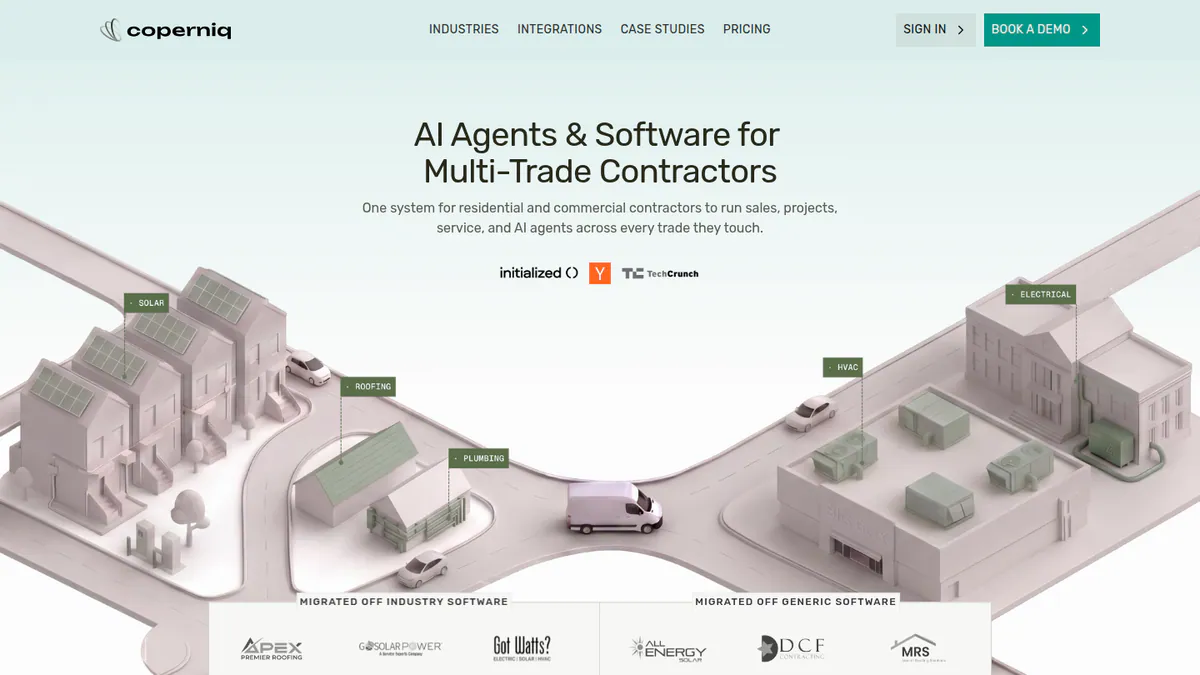
Want to see Coperniq working? Book a demo with the SolarSoftwares team.
Book a demoYour request goes by email to the SolarSoftwares team. A time is set only after we reply. It does not change any score or ranking.
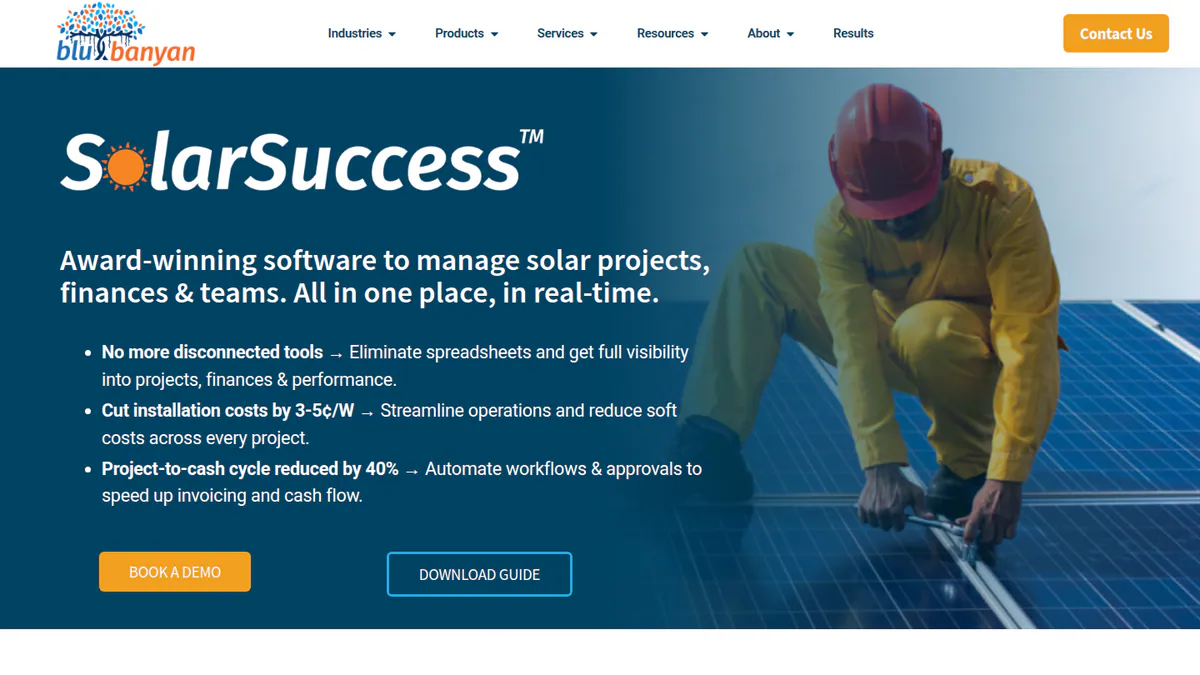
7. SolarSuccess: best for large installers and asset owners on Oracle NetSuite
Best for: US installers doing 20+ installs a month, C&I (commercial and industrial) developers and asset owners. Score: 52.7/100.
What it is: Blu Banyan, an Oracle NetSuite partner, builds SolarSuccess for larger US installers, EPCs and asset owners. It runs CRM, projects, accounts, service and PPA (power purchase agreement) billing in NetSuite. Choosing it is an ERP (full business system) decision.
Why we picked it: It is the one ranked tool that runs CRM, accounts and PPA billing in a full ERP. That suits large installers and asset owners. Quote-only pricing, a NetSuite licence and no reviews keep it seventh.
Key features:
- Lead routing, deal pipeline and an OpenSolar round trip.
- Commission sums that include adders (extra charges), redlines (price floors) and milestones.
- Milestone-triggered invoices and native NetSuite accounting.
- Stock, buying and BOM (parts list) sync to sales orders.
Pricing: Quote only, after a discovery call. You need an Oracle NetSuite licence. Twice-yearly updates are included, and premium support packages cost extra. Checked October 2026 on the Blu Banyan solar solutions page.
Pros (from our research):
- CRM and accounts share one database.
- Solar commission logic is built in, so reps are paid from the same data.
- The company states a templated go-live of 3 to 4 months.
Cons (from our research):
- No published price, and a NetSuite licence on top.
- No user reviews.
- Several modules marked "coming soon" without dates.
Reviews: No user reviews found on G2 or Capterra as of October 2026.
Want to see SolarSuccess working? Book a demo with the SolarSoftwares team.
Book a demoYour request goes by email to the SolarSoftwares team. A time is set only after we reply. It does not change any score or ranking.
How do the 7 solar CRMs compare?
Product | Type | Main region | Pricing model | Design built in | Install and field tracking |
|---|---|---|---|---|---|
Operations CRM | UK, Ireland (US pricing exists) | Per account, users included | Limited release (Glow). Integrates OpenSolar, Easy PV | Scheduling, offline field app | |
Design-first plus CRM add-on | Australia, UK, Ireland | Per project plus per-user CRM | Yes | Not documented | |
Modular suite | US | Per user, custom quote | Yes | Project management | |
Design-first, light CRM | Global | Free. Paid API and connectors | Yes | Not documented | |
CRM plus energy modelling | US | Per licence, 3 minimum | Yes | Workflows, mobile app | |
Operations CRM | US, Canada | Per user (field and office) | No | Dispatch, O&M | |
ERP suite (NetSuite) | US | Quote plus NetSuite licence | No (OpenSolar integration) | Projects, service tickets |
Which general CRMs do installers also use?
These four CRMs are not built for solar, so they sit outside the ranking.
HubSpot Sales Hub (general CRM): 73.7/100
HubSpot scores well on reviews and ease of use. Solar links come from apps such as an OpenSolar sync.
Pricing: Free for up to 2 users. Starter is USD 7 or USD 20 per seat per month. The page does not label which is annual. Professional is USD 90 or USD 100 per seat, plus USD 1,500 required onboarding. Enterprise starts at USD 150 per seat, plus USD 3,500 onboarding. Checked October 2026 on the HubSpot pricing page.
Reviews: Capterra 4.5/5 (506 reviews), checked October 2026. Reviewers like the pipeline but say costs climb fast as you add seats.
Shape (general CRM with a solar configuration): 72.3/100
Shape is a sales CRM sold with solar templates, a power dialer (a tool that calls leads in a row), AI calling and a homeowner portal. It also hands leads from setter to closer (one rep books the visit, another sells). It has no project, permit or commission tracking on its solar page.
Pricing: Quote only on the Shape pricing page (Core, Complete with 5 users, Enterprise), checked October 2026. G2 and Capterra list a USD 119 per user per month start price that is not on the company page.
Reviews: G2 4.5/5 (65 reviews) and Capterra 4.6/5 (46 reviews), checked October 2026. Reviewers like the AI follow-ups, but one-star reviews report billing errors (July 2026) and charges after cancelling (May 2025).
Salesforce Sales Cloud (general CRM): 70.3/100
Salesforce suits larger sales teams with an admin to build flows and reports. Solar links come through partners.
Pricing: A Free Suite is listed, with limits not shown. Starter is AUD 35 and Pro AUD 140 per user per month. Core is USD 195, Advanced USD 395 and Max USD 550 per user per month, billed annually. The USD figures come from the Australian page’s currency list. Checked October 2026 on the Salesforce pricing page.
Reviews: Capterra 4.4/5 (18,816 reviews), checked October 2026. Reviewers rate its reports but say you need an admin.
Zoho CRM (general CRM): 68.8/100
Zoho CRM is a cheaper general CRM you can shape to fit. It is strong in India and has an Aurora Solar API tutorial.
Pricing: Free for up to 3 users. Standard is INR 800, Professional INR 1,400, Enterprise INR 2,400 and Ultimate INR 2,600 per user per month, billed annually (higher monthly). We could not confirm USD prices. Checked October 2026 on Zoho’s edition comparison.
Reviews: G2 4.1/5 (2,947 reviews) and Capterra 4.3/5 (7,005 reviews), checked October 2026. Reviewers praise value, but many needed outside help to set it up.
Which solar CRMs are free?
Free solar CRMs barely exist. Only OpenSolar (ranked) and SolarHub CRM (also considered) have a free tier. Pylon’s 5 free credits cover design only. General CRMs have stronger free tiers, but you build the solar stages yourself.
Product | Solar-specific | Free users | Free usage caps | Missing on free | First paid step (checked October 2026) |
|---|---|---|---|---|---|
Yes | Unlimited (company says so) | None stated for core | Pipeline automation. Paid API and accounting connectors | API and Xero/QuickBooks connectors (rates unpublished) | |
Yes | Up to 3 (third-party) | 5 designs a month, 500 leads (third-party. Sources conflict) | Workflow automations (Pro) | Standard USD 29 per month (Capterra. Company may bill in AUD) | |
HubSpot Sales Hub | No | 2 | 3 templates, 10 dashboards | Sequences, sales automation | Starter USD 7-20 per seat per month |
Zoho CRM | No | 3 | 5,000 records (regional page, unconfirmed) | Paid-edition features | Standard INR 800 per user per month (annual) |
Zoho Bigin | No | 1 | 1 pipeline, 500 records, 3 automations | Extra pipelines, email/WhatsApp, QuickBooks | Express USD 7 per user per month (annual) |
SalesRabbit Lite | No | 1 | Limited features | Team management | Pro USD 49 per user per month (annual) |
Bitrix24 | No | Unclear on company page | 5 GB storage | Telephony and higher-tier tools | Basic USD 49 per month for 5 users (annual) |
SolarHub CRM’s free limits differ by source, so check them with the company before you move your leads.
Moving up costs more than the plan. HubSpot Professional needs USD 1,500 onboarding, and SalesRabbit’s paid plans need a one- to three-year contract.
Which CRM should solar sales teams and canvassers use?
A sales-team CRM holds the pipeline, gives reps a phone app, hands appointments from setters to closers and shows who is selling. No solar-built product documents all four. So the best rep tools are general field-sales apps.
Tool | Type | Rep app / canvassing | Setter-to-closer hand-off | Leaderboards | Starting price (company page, checked October 2026) |
|---|---|---|---|---|---|
Solar CRM suite (ranked 3rd) | Rep GPS in a company blog only | Not documented | Not documented | USD 59 per user per month, then quote | |
Solar sales-to-install layer (also considered) | Proposal and self-serve quoting tools. No canvassing | Not documented | Not documented | Quote only | |
General CRM with solar setup | Door-knock lead capture | Yes, warm transfers | Not documented | Quote only | |
RepCard | General field-sales app | Yes, maps and GPS | Not documented | Yes | USD 24 per user per month (Team Starter) |
General canvassing app | Yes, maps and GPS | Yes, appointment scheduling | Yes (Pro) | USD 59 per user per month (Team, monthly) | |
SPOTIO | General field-sales app | Yes, offline mode | Not documented | Yes | Quote only, teams of 5 or more |
Door-to-door crews. RepCard offers digital business cards, canvassing maps and leaderboards (Team Pro USD 49 per user per month).
SalesRabbit adds territory maps, rep GPS and setter-to-closer booking. SPOTIO suits multi-office teams. Our solar canvassing apps ranking covers these tools in detail.
Phone-led setters. Shape has a power dialer with warm transfers to closers. HubSpot suits inside sales teams that need email sequences more than a map.
Also considered
- Enerflo (scored 51.0/100): a US sales-to-install layer on top of your CRM. Pricing is quote only with a 12-month minimum, and its G2 reviews have no readable text.
- SolarHub CRM (scored 49.2/100): a low-cost Australian CRM with a free tier. We could not reach the company site, its prices come from Capterra only, and it has no reviews.
- Solo (below our minimum match score): a US proposal and finance tool (G2 4.6/5, 12 reviews) that links to CRMs.
How do you choose the best solar CRM?
- Want MCS and DNO paperwork in the CRM? Pick Payaca. See our UK solar CRM page.
- If selling starts with a roof design and you pay per job, pick Pylon.
- When licence cost must be zero, start with OpenSolar. See the free solar CRM options above.
- US EPCs managing crews, permits and upkeep should shortlist Coperniq. Already on NetSuite? Add SolarSuccess.
- Is your team mostly setters and closers? See CRM for solar sales teams above.
- If lead routing is the bottleneck, see solar lead management software.
Want the wider field? Browse every tool we checked in our CRM and lead management category.
Solar CRM FAQs
What is the best CRM for a solar company?
Payaca is the best solar CRM in our October 2026 ranking, at 83.1/100. It suits UK and Irish installers who need compliance forms built in. Pylon (77.8/100) suits design-led installers who pay per project. US EPCs that run crews should look at Coperniq.
Do solar companies need a solar-specific CRM or can they use HubSpot or Salesforce?
No, you can use a general CRM. HubSpot Sales Hub scored 73.7/100 in October 2026, above every ranked solar tool except Payaca and Pylon. But solar stages, design links and compliance documents need partner apps or admin time.
How much does solar CRM software cost?
Solar CRM prices checked in October 2026 run from free to quote only. OpenSolar’s core platform is free. Pylon’s CRM add-on costs GBP 49 per user per month. Payaca Growth costs GBP 1,199 per month. SolarSuccess is quote only.
Is there a free solar CRM?
Barely. As of October 2026, OpenSolar’s core is free but its CRM is light. SolarHub CRM has a free tier for up to 3 users, but we confirmed it only on a third-party listing. General CRMs such as HubSpot, free for 2 users, have stronger free tiers.
What is the best app for door-to-door solar sales?
RepCard and SalesRabbit are the best-documented field-sales apps as of October 2026. Both have canvassing maps, rep GPS and leaderboards. Both also need a CRM behind them. Our solar canvassing apps ranking covers them in more detail.
Can a solar CRM track rep commissions?
Few do. As of October 2026, SolarSuccess documents commission sums with adders, redlines and milestones. SolarNexus’s 2024 release notes also mention commissions. Sunbase, Enerflo and the sales apps we checked do not. See our solar commission tracking software ranking.
Sources
All checked 22 to 25 October 2026.
- Payaca: pricing, features, updates, Capterra, G2
- Pylon: pricing, July 2026 update, Capterra, G2
- Sunbase: pricing, solar CRM page, Capterra
- OpenSolar: pricing announcement, features, news, G2
- SolarNexus: solutions and pricing, 2024 release notes
- Coperniq: pricing, solar page, products
- SolarSuccess: solar solutions, solar ERP
- Enerflo: FAQ, homepage, G2
- SolarHub CRM: Capterra listing
- Solo: pricing, G2
- HubSpot Sales Hub: pricing, Capterra
- Shape: pricing, G2, Capterra
- Salesforce Sales Cloud: pricing, Capterra
- Zoho Bigin: pricing. Bitrix24: pricing
- RepCard: pricing, solar page. SalesRabbit: pricing, features. SPOTIO: plans. Shape: solar page. Sunbase: door-to-door blog post
- Zoho CRM: edition comparison, Capterra, G2
Last updated 28 October 2026. Next scheduled review: 23 January 2027.