Solar commissioning software tracks or reports the tests and checks done before a solar system goes live. Bluerithm ranks first on this list, at 72.4/100.
The term covers two jobs. Some tools turn tester readings into certificates. Others track checklists and punch lists (open fix-it items) for a build.
What are the two kinds of commissioning software?
Commissioning software comes in two kinds. Most installers mean the first. Most utility EPCs (engineering, procurement and construction firms) mean the second.
- Test and report software tied to a tester. You run insulation, Voc (open-circuit voltage), Isc (short-circuit current) and I-V (current-voltage) curve tests with a handheld tester. The maker’s software turns the readings into string reports and certificates. Fluke TruTest, Solmetric PVA, HT Instruments and Seaward SolarCert work this way, so you are choosing a tester.
- Commissioning workflow software. This covers checklists, functional tests, punch items, readiness dashboards and turnover packs. Commissioning agents and EPCs use it on C&I (commercial and industrial) and utility jobs. Bluerithm, Sitemark and SenseHawk sit here. They take no readings but track who tested what and what is still open.
Only seven products reached our minimum match score of 4 out of 10. Four are tester software with no public user reviews.
Want drone thermal scans for acceptance tests? See our drone inspection and thermal inspection rankings. To track the build, see EPC project management software. All of them sit in our monitoring and asset management hub.
Quick picks: best solar commissioning software
Rank | Product | Best for | Starting price (company page, checked October 2026) | Pricing model | Free plan / trial | Score /100 |
|---|---|---|---|---|---|---|
1 | Commissioning agents and EPCs running checklists, punch lists and turnover | Quote only | Subscription, monthly or yearly | 30-day trial | 72.4 | |
2 | Utility EPCs combining drone inspection with construction QC | Quote only | Package by number of sites | Demo only | 64.3 | |
3 | IEC 62446-1 reports from the Fluke SMFT-1000 | ✓ USD 355.99 (Lite licence). Tester USD 5,891.99 | One-time licence plus tester | 60-day watermarked demo | 59.2 | |
4 | I-V curve tracing on large and 1500 V arrays (PVA-1000S status unconfirmed) | ✓ USD 5,695 (PVA-1000S kit, out of stock) | Software included with the analyser | None | 59.2 | |
5 | Utility build QA and punch lists on a site map | Quote only | Quote | Demo only | 49.4 | |
6 | Installers already using HT I-V testers | Quote only (via distributors) | Software included with the tester | None | 48.5 | |
7 | UK installers with Seaward PV testers | Quote only | Licence card | 14-day trial | 48.5 |
✓ Verified on the company’s own pricing page. ◐ Published by the company outside its pricing page (help centre, store or press release). ? We could not read the company’s pricing page, so the figure is not confirmed. Prices checked October 2026.
Quote only means the company shows no public price. You ask it for a quote.
How the 7 tools scored
- Use-case fit 35%
- User reviews 20%
- Pricing 15%
- Ease of use 10%
- Support 10%
- Momentum 10%
Tool | Score chart | Score |
|---|---|---|
72.4 out of 100 | 72.4 | |
64.3 out of 100 | 64.3 | |
59.2 out of 100 | 59.2 | |
59.2 out of 100 | 59.2 | |
49.4 out of 100 | 49.4 | |
48.5 out of 100 | 48.5 | |
48.5 out of 100 | 48.5 |
Each bar shows the weighted score out of 100.
Sub-scores at a glance (0-10)
Product | Use-case fit | User reviews | Pricing | Ease of use | Support | Momentum | Total /100 |
|---|---|---|---|---|---|---|---|
7.5 | 6.3 | 4.0 | 7.5 | 10.0 | 10.0 | 72.4 | |
5.0 | 7.9 | 4.0 | 10.0 | 10.0 | 5.0 | 64.3 | |
7.5 | 5.0 | 7.0 | 5.0 | 5.0 | 2.5 | 59.2 | |
7.5 | 5.0 | 7.0 | 5.0 | 5.0 | 2.5 | 59.2 | |
5.8 | 5.0 | 4.0 | 5.0 | 5.0 | 3.0 | 49.4 | |
5.0 | 5.0 | 4.0 | 5.0 | 5.0 | 5.0 | 48.5 | |
5.0 | 5.0 | 4.0 | 5.0 | 5.0 | 5.0 | 48.5 |
A 5.0 on reviews, ease, support or momentum is our neutral score. We use it when public evidence is thin. It is not a judgement.
How did we rank these commissioning tools?
How the score is weighted
- Use-case fit 35%
- User reviews 20%
- Pricing 15%
- Ease of use 10%
- Support 10%
- Momentum 10%
We reviewed seven products from 22 to 25 October 2026. We used company documents, pricing pages, press releases and public user reviews. This was desk research, with no hands-on tests.
We scored each product on six criteria:
- Use-case fit (35%): How well it does this page’s job. We look for test data capture, I-V analysis, test reports and certificates, checklists, punch lists and turnover. Site survey has a small weight.
- User reviews (20%): G2 and Capterra ratings. Ratings from only a few reviews count for less. Products with no public reviews get a middle score, not a penalty.
- Pricing transparency (15%): Published prices score above prices you must ask for.
- Ease of use, support and product momentum (10% each): Review sub-scores, support channels and dated releases. Each gets a middle score when we find no proof.
Scores are for this page’s job, so the same tool can score differently elsewhere. SurgePV is not part of this ranking. Read the full method: how we score software.
Fluke and Solmetric tie on 59.2, as do HT Instruments and Seaward on 48.5. Tester software is rarely reviewed in public and has few dated releases, so those tools sit mid-table. Read the "Best for" labels.
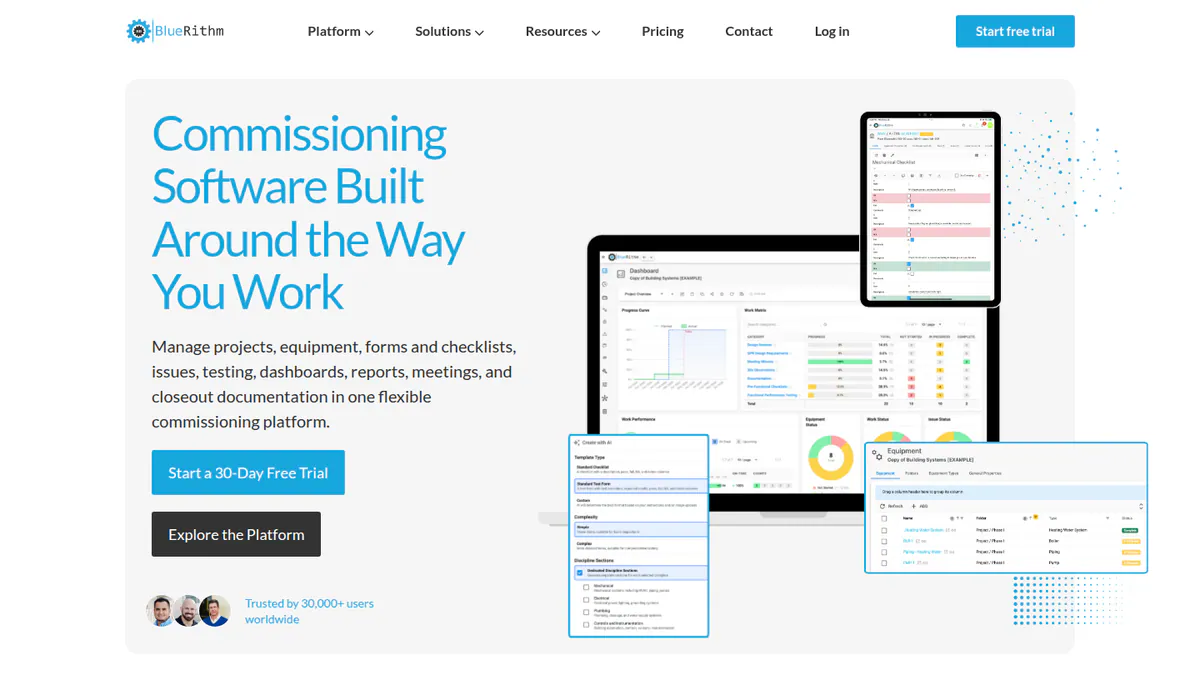
1. Bluerithm: best for commissioning agents running checklists, punch lists and turnover
Best for: Commissioning agents, EPCs and owners managing solar and BESS commissioning across many assets. Score: 72.4/100.
What it is: Bluerithm is a commissioning platform for solar, BESS (battery storage), wind and building projects. RWE is a named customer.
Why we picked it: It covers the whole commissioning workflow, from checklists and functional tests to punch items and turnover reports. It also has a 30-day trial and a 4.8/5 Capterra rating from 10 reviews.
Key features:
- Equipment and asset lists tied to inspections and tests.
- Digital checklists for installation, pre-energisation, start-up and functional tests.
- Punch items you can log, assign and close, with PDF drawing markup linked to assets.
- Dashboards for energisation and operation readiness, plus commissioning and turnover reports.
- Offline field use.
- Connections to Procore, Revit and Autodesk ACC (its construction cloud), plus an API and MCP server (a connector for AI tools).
Pricing: Quote only (you have to ask the company for a price). On 22 October 2026, Bluerithm’s pricing page showed a custom-quoted plan. It was billed monthly or yearly with multi-year discounts. It included all features, unlimited users and storage. Connections to other apps cost extra. We could not re-check the page on 23 October. Older Capterra reviews describe per-seat pricing, so check your quote. 30-day trial.
Pros (from Capterra reviews and our research):
- Reviewers rate customer service 5.0/5, so help is there when a job stalls.
- You can set up a project fast from templates you can change.
- It gets fixes and features often: Bluerithm 2.0 updates and a Dutch version both arrived in October 2026.
Cons (from Capterra reviews and our research):
- You get little control over report layout (page breaks, fonts, headers, filtering).
- Teams moving from paper face a learning curve, and reviewers wanted better guides.
- Pricing is quote only, and connections to other apps cost extra.
Reviews: Capterra 4.8/5 (10 reviews), ease of use 4.3/5, checked October 2026. No G2 listing found. Reviewers commission buildings, not solar, so read the rating as a sign of software quality only.
Want to see Bluerithm working? Book a demo with the SolarSoftwares team.
Book a demoYour request goes by email to the SolarSoftwares team. A time is set only after we reply. It does not change any score or ranking.
2. Sitemark: best for utility EPCs combining drone inspection with construction QC
Best for: EPCs, O&M (operations and maintenance) firms and utility or C&I owners who want commissioning QC (quality control) next to drone inspections. Score: 64.3/100.
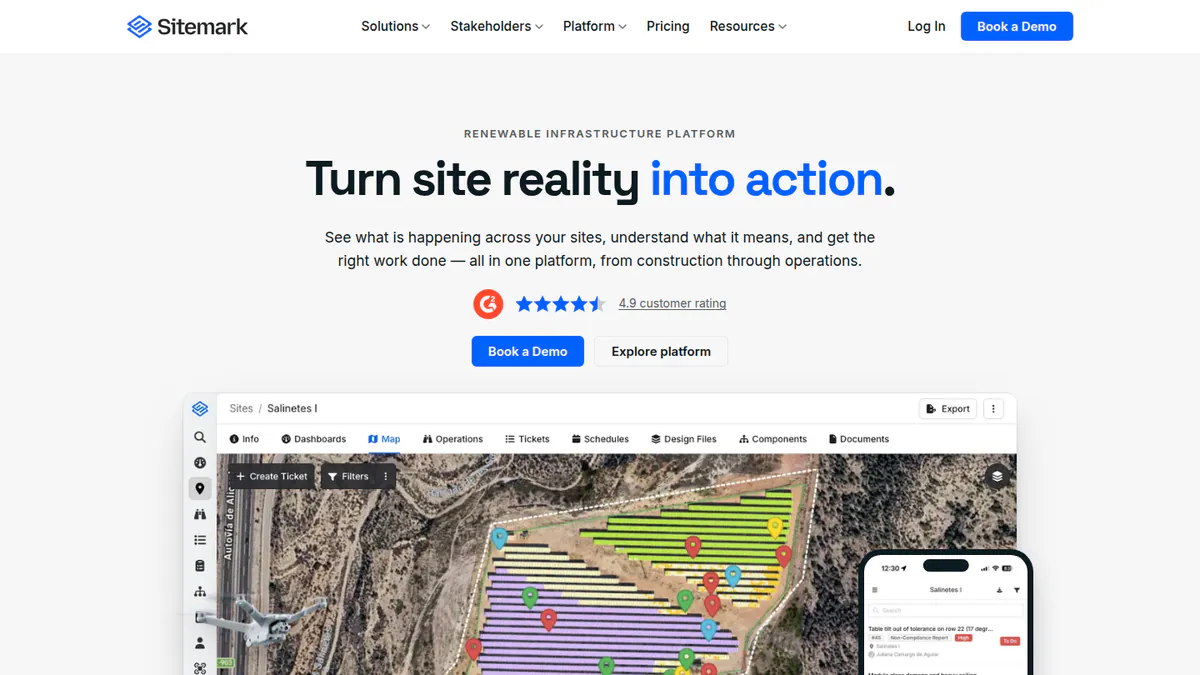
What it is: Sitemark NV, a Belgian firm, runs this drone, robotics and AI analytics platform. It covers solar sites from build into operations, with commissioning as one module. EnBW has been a customer since 2023.
Why we picked it: It adds build QC and commissioning to a drone inspection tool, so one platform follows a site into operations. Its G2 rating is 4.9/5 from 30 reviews.
Key features:
- Build progress tracking, QC and commissioning.
- Drone thermal and visual inspection (MC4, soiling, trackers, cracking, serial numbers), with faults ranked by severity and lost output.
- Use your own drones or Sitemark’s partner capture network.
- Forms and ticketing to manage work.
- Trend tracking and stakeholder reporting.
Pricing: Quote only. The Sitemark pricing page shows no figures. Packages depend on the number of sites and other things. Checked October 2026. Demo only.
Pros (from Capterra reviews):
- One interface works for both techs and managers.
- The support team answers fast and helps.
- One tool covers a site from build through monitoring, including fault detection and thermal analysis.
Cons (from Capterra reviews):
- You cannot download thermal orthomosaic images (stitched aerial maps).
- You must use a minimum package within a year, which is hard for new small firms.
- Reviewers call it quite pricey for firms starting out.
Reviews: G2 4.9/5 (30 reviews) and Capterra 5.0/5 (5 reviews), checked October 2026. Pros and cons are from Capterra, as G2 text sits behind a login.
Want to see Sitemark working? Book a demo with the SolarSoftwares team.
Book a demoYour request goes by email to the SolarSoftwares team. A time is set only after we reply. It does not change any score or ranking.
3. Fluke TruTest: best for IEC 62446-1 reports from the Fluke SMFT-1000
Best for: Home and C&I installers and commissioning techs who test with a Fluke SMFT-1000 and need certificates. Score: 59.2/100.
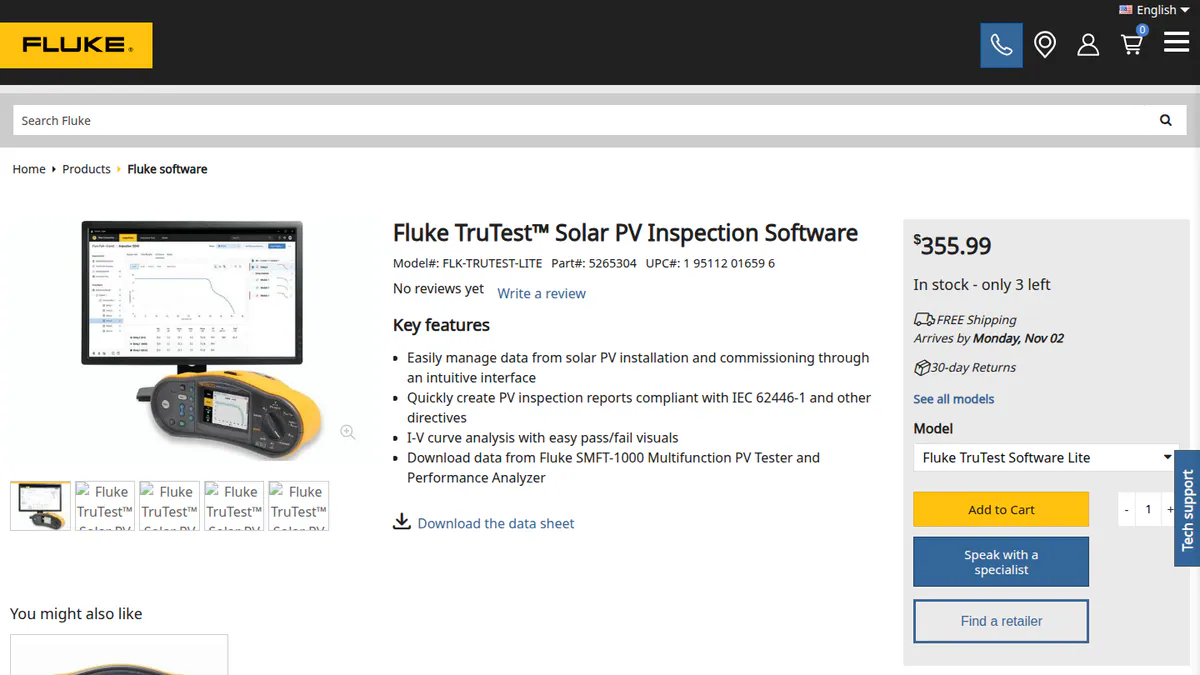
What it is: TruTest Solar PV Inspection Software is Fluke Corporation’s Windows desktop software for the SMFT-1000 multifunction PV tester. That is the only tester Fluke lists as supported. It turns field test data into reports.
Why we picked it: It turns SMFT-1000 readings straight into string-by-string certificates. That is the handover paperwork most installers need.
Key features:
- Direct import of SMFT-1000 readings into a client, site, inverter, combiner and string tree.
- IEC 62446-1 inspection reports and certificates.
- I-V curve analysis with pass/fail visuals, compared with earlier tests.
- PV module database of 120,000+ panels that can be loaded to the tester.
- Regional certificate templates (DIN VDE 0701-0702, NEN3140 and others, German and Dutch test standards) in 9 languages.
Pricing: TruTest Lite is USD 355.99, a one-time licence. It covers one workstation, two users, 10 clients, 5 sites per client and 50 strings, with five years of free updates. TruTest Advanced (unlimited users and clients, custom auto test codes, backup and restore) has no price on Fluke’s page. It comes in the SMFT-1000/KIT. The software needs the SMFT-1000 tester, listed at USD 5,891.99 on Fluke’s blog. A free demo runs 60 days with watermarked reports (1 client, 2 sites, 5 strings). Checked October 2026 on the Fluke TruTest page.
Pros (from our research):
- You get IEC 62446-1 reports and certificates. It is the only tool here whose company names them.
- You know the Lite price up front and can try it free for 60 days.
- The asset tree lets you re-test a string and compare it with commissioning values.
Cons (from our research):
- It works only with the SMFT-1000, so you must buy that tester.
- It runs on Windows only.
- Lite caps you at 10 clients and 50 strings, and Advanced has no public price.
Reviews: No user reviews on G2 or Capterra, and no installer forum threads, as of October 2026.
What we could not confirm: whether TruTest reads Solmetric PVA data, and when Fluke last released an update.
Want to see Fluke TruTest working? Book a demo with the SolarSoftwares team.
Book a demoYour request goes by email to the SolarSoftwares team. A time is set only after we reply. It does not change any score or ranking.
4. Solmetric PVA: best for I-V curve tracing on large and 1500 V arrays
Best for: C&I and utility commissioning teams that need a dedicated I-V curve tracer. Score: 59.2/100.
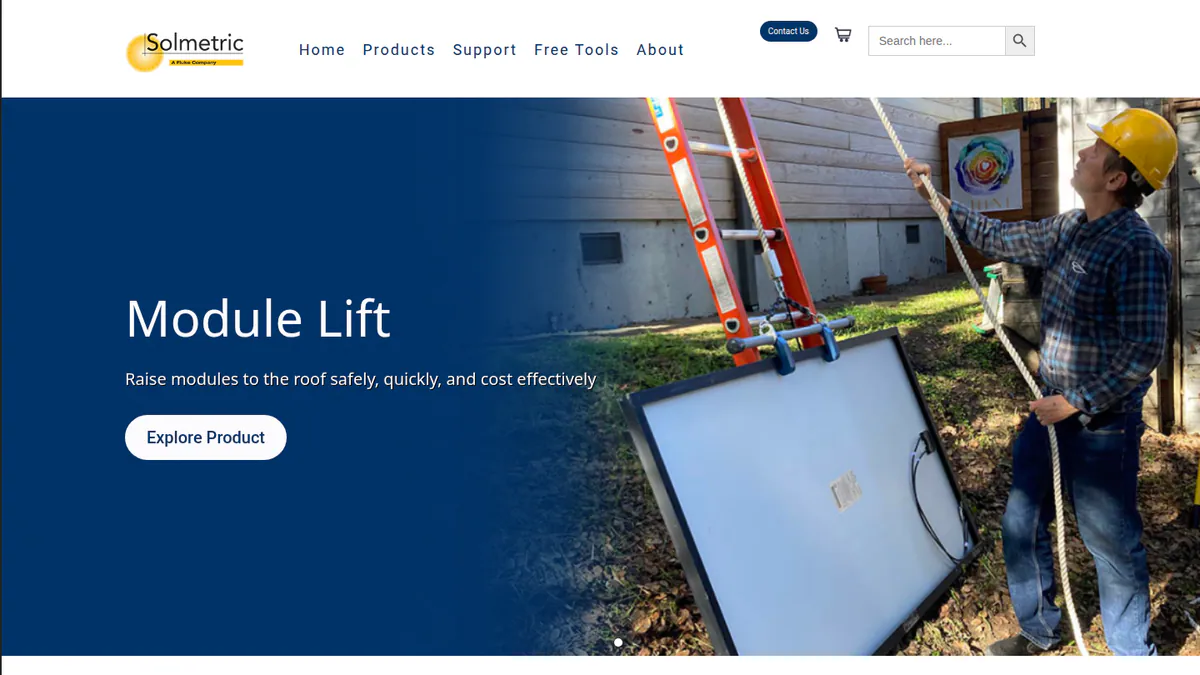
What it is: Solmetric’s PV Analyzer is an I-V curve tracer that comes with Windows PVA software. Fluke announced it was buying Solmetric on 12 September 2023. The line now goes on as the 1500 V PVA-1500 series under Fluke. The 1000 V PVA-1000S we scored is out of stock and missing from Solmetric’s line-up. That line-up lists only the PVA-1500T and PVA-1500HE. Neither firm has said it is discontinued, but new buyers should plan on the PVA-1500.
Why we picked it: It is a dedicated I-V curve tracer for fault-finding on large arrays, with a wireless sun and temperature reference. Fluke now sells the line through its own network.
Key features:
- I-V curve tracing at 1000 V (PVA-1000S) or 1500 V (PVA-1500).
- SolSensor wireless irradiance and temperature reference.
- PVA software for a Windows laptop or tablet.
- I-V Data Analysis Tool for Excel.
- 70,000-module PV database and firmware updates in the field (PVA-1500).
Pricing: The PVA-1000S kit is USD 5,695 (out of stock), including the PVA software and Data Analysis Tool. Solmetric’s page lists the PVA-1500T and PVA-1500HE at USD 12,645 and USD 15,995, but does not clearly pair each price with a model. Fluke’s comparison blog lists the PVA-1500 series at USD 17,482.99. The software is included with the hardware. Checked October 2026 on the Solmetric PV Analyzer page.
Pros (from our research):
- The current PVA-1500 line traces 1500 V utility strings.
- The software comes with the analyser, so there is no extra licence to buy.
- You can buy it through Fluke’s worldwide network.
Cons (from our research):
- With the PVA-1000S out of stock, you will likely pay PVA-1500 prices, about two to three times the old kit.
- We found no IEC 62446-1 certificate output in its docs, so it suits fault-finding more than paperwork.
- The software reads only Solmetric analysers and runs on Windows.
Reviews: No user reviews of the PVA found as of October 2026.
What we could not confirm: which PVA-1500 model each listed price belongs to. The Solmetric page we checked was last changed in August 2024.
Want to see Solmetric PVA working? Book a demo with the SolarSoftwares team.
Book a demoYour request goes by email to the SolarSoftwares team. A time is set only after we reply. It does not change any score or ranking.
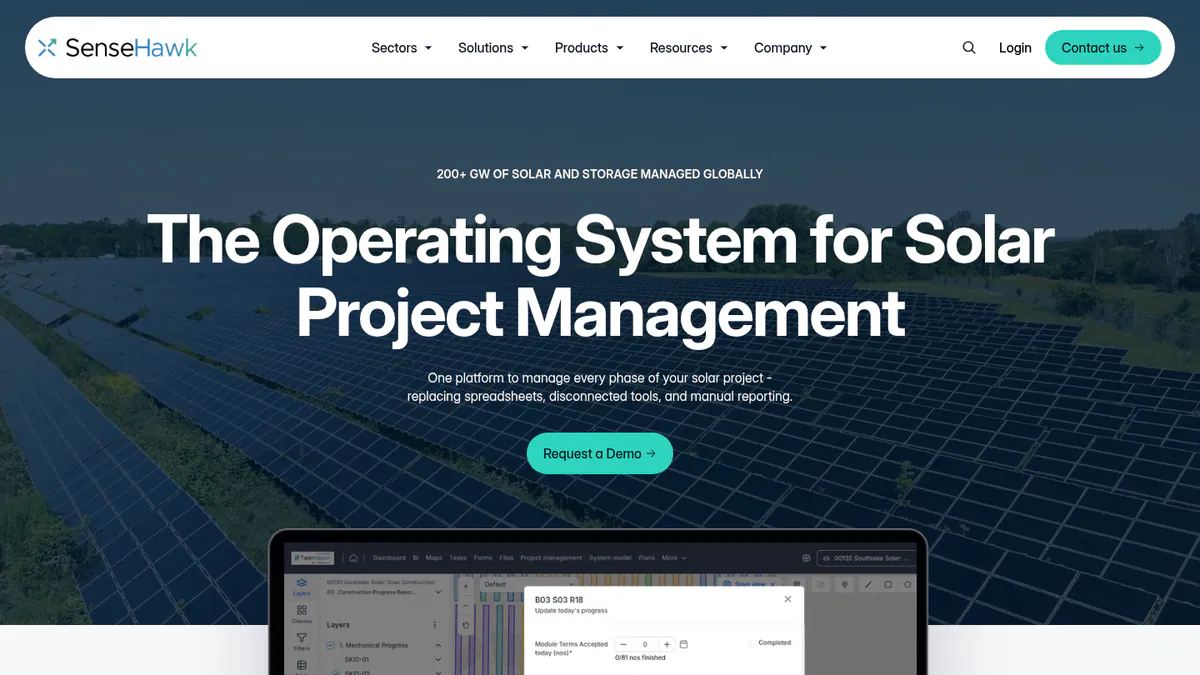
5. SenseHawk (TaskMapper / Therm): best for utility build QA and punch lists on a site map
Best for: Utility-scale developers, EPCs and O&M teams who want install QA (quality assurance), punch lists and drone scans on a GIS (mapping) digital twin. Score: 49.4/100.
What it is: SenseHawk is a solar digital-twin platform based in California. TaskMapper puts build progress, install quality, punch lists, stock and field tasks on a map. Therm adds drone visual and thermal analytics. Reliance Industries agreed to buy a 79.4% stake for USD 32 million in September 2022. We could not open SenseHawk’s own website. So the features below come from G2’s company description and a SoftwareOne listing, and they are unconfirmed.
Why we picked it: It puts install QA, punch lists and drone scans on one map of the build, which suits utility EPCs at handover. Its features come from third-party listings, which keeps it lower on our scores.
Key features:
- Install quality checks with no-code forms, non-conformance and punch lists.
- Build progress dashboards, planned against actual.
- Stock and logistics via barcode scanning.
- Drone visual and thermal scan analytics with defect locations (Therm).
- Web and mobile checklists and task schedules. ISO 27001 (data security standard) certified.
Pricing: Quote only. The SoftwareOne marketplace listing offers "Enquire now". Checked October 2026. Demo only.
Pros (from our research):
- It is used at scale, with 140+ customers in 15 countries at the time of the 2022 deal.
- A large parent, Reliance Industries, has held a majority stake since 2022.
- Its listings put punch lists and drone defects on one map, which would save switching tools. Ask for a demo to check.
Cons (from our research):
- Pricing is quote only.
- Only 4 G2 reviews exist across its two listings, too few to judge it by.
- It takes no electrical readings, so you still need a tester for string tests.
Reviews: G2 4.8/5 for TaskMapper (2 reviews) and 4.5/5 for SenseHawk (2 reviews), checked October 2026.
What we could not confirm: any 2025-2026 product releases, or whether Reliance’s stake has changed.
Want to see SenseHawk (TaskMapper / Therm) working? Book a demo with the SolarSoftwares team.
Book a demoYour request goes by email to the SolarSoftwares team. A time is set only after we reply. It does not change any score or ranking.
6. HT Instruments: best for installers already using HT I-V testers
Best for: Installers and O&M techs who test with HT’s I-V curve tracers, especially in Italy and the rest of Europe. Score: 48.5/100.
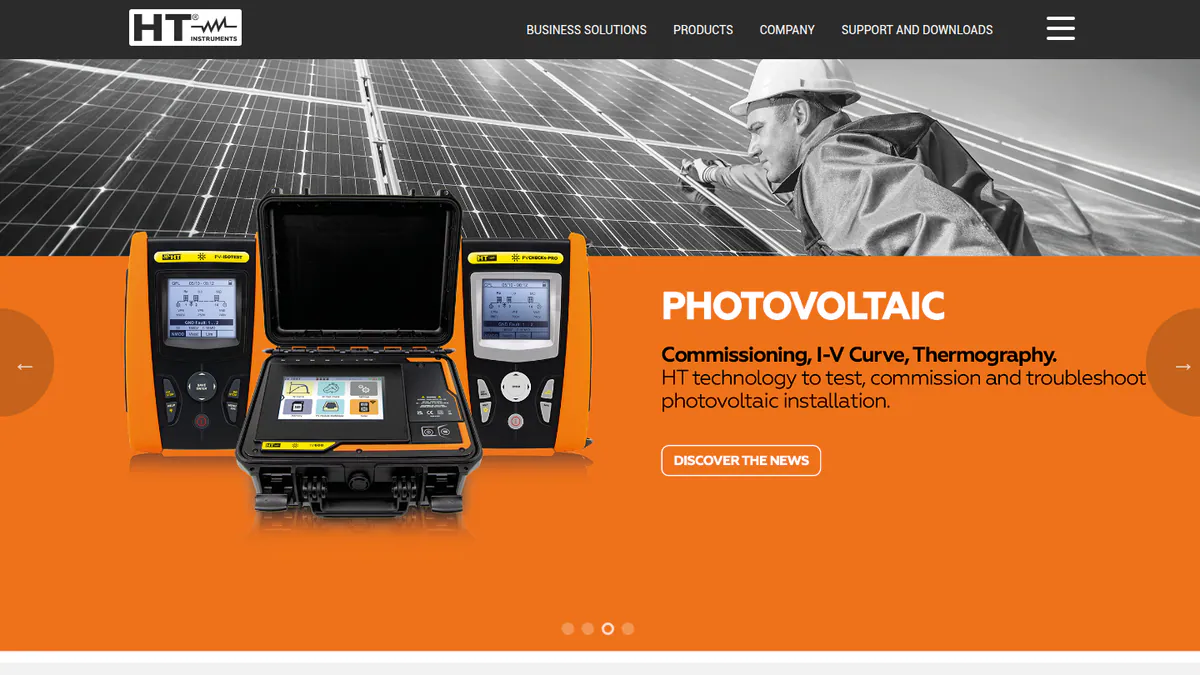
What it is: HT Italia is an Italian maker of PV testers and I-V curve tracers such as the I-V500w. Its testers come with a PC program and the HTAnalysis Wi-Fi app for downloading curves. You are buying the tester.
Why we picked it: If you already own an HT tester, its PC software and HTAnalysis app turn field curves into records at no extra cost. The I-V500w also handles 1500 V strings.
Key features:
- I-V curve measurement up to 1500 V/10 A or 1000 V/15 A (I-V500w).
- Quick IVCK test for Voc and Isc.
- Wireless irradiance and temperature via the SOLAR-02 remote unit.
- OK/NOT OK result per test, 249-curve memory and a module database you can edit.
- HTAnalysis app over Wi-Fi, plus a PC software download.
Pricing: Quote only. HT publishes no prices. Distributors such as Transcat, Valuetronics and Datatec sell the testers. Checked October 2026 against the I-V500w brochure.
Pros (from our research):
- You can trace 1500 V strings with a handheld tester.
- You see pass or fail for each string right away in the field.
- The software comes with the tester, with no separate licence.
Cons (from our research):
- HT publishes no prices, so you must get quotes from distributors.
- The software reads only HT testers, so switching means new kit.
- No public user reviews exist to judge it by.
Reviews: No user reviews on G2 or Capterra as of October 2026.
What we could not confirm: IEC 62446 reports, which the brochure does not mention, or what the PC software’s reports contain. We also found no dated releases or app-store listing.
Want to see HT Instruments working? Book a demo with the SolarSoftwares team.
Book a demoYour request goes by email to the SolarSoftwares team. A time is set only after we reply. It does not change any score or ranking.
7. Seaward SolarCert: best for UK installers with Seaward PV testers
Best for: UK and US installers testing with Seaward PV150+, PV200, PV210 or PV:1525 testers. Score: 48.5/100.
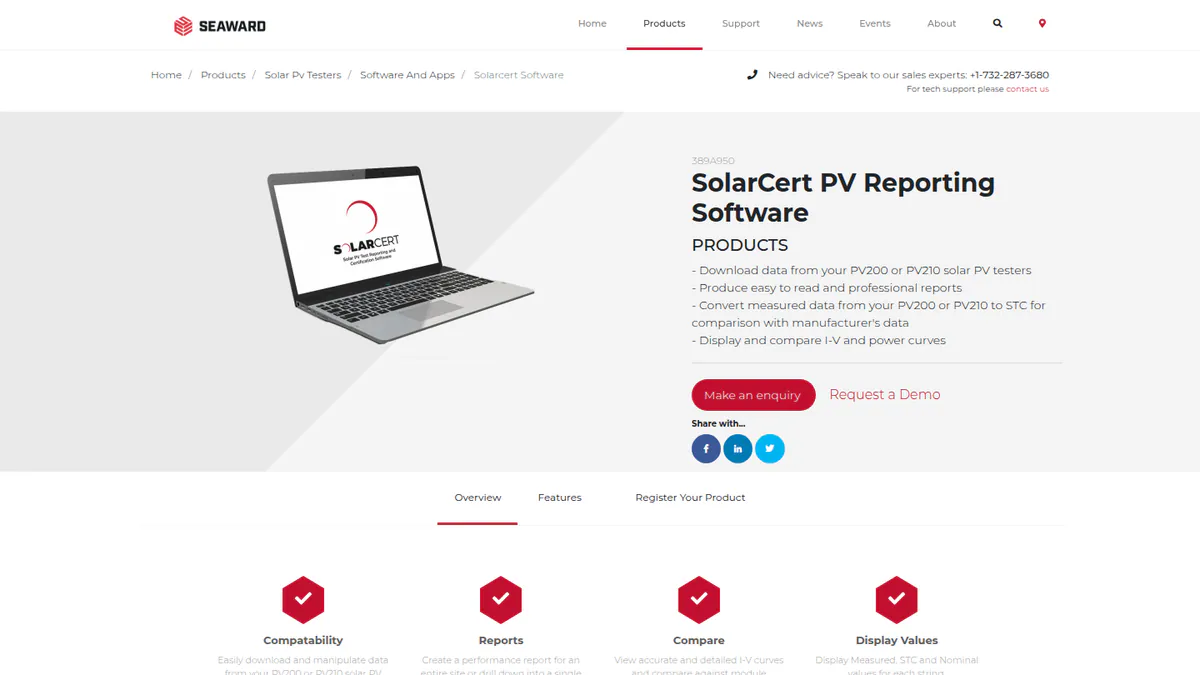
What it is: SolarCert Elements is Windows report software from Seaward, a UK test-kit maker. It downloads tester data and converts PV200 and PV210 I-V results to STC (standard test conditions) against maker data.
Why we picked it: It turns Seaward tester downloads into whole-site or single-string reports, with measured, STC and nominal values side by side. That suits UK installers who already carry Seaward kit.
Key features:
- Downloads from PV150+, PV200, PV210 and PV:1525 testers.
- Whole-site or single-string reports, with measured, STC and nominal values per string.
- STC conversion of PV200/PV210 data against manufacturer data.
- I-V and power curve display and comparison.
Pricing: Quote only ("request a quote"). You activate it with a licence card. 14-day trial. Checked October 2026 on the SolarCert Elements page.
Pros (from our research):
- STC conversion shows if a string falls short of its datasheet.
- It works with the PV:1525 range, since the PV:1525-IV launch on 27 April 2026.
- You can try it for 14 days before you buy a licence.
Cons (from our research):
- It reads only Seaward testers.
- It runs on Windows only.
- Pricing is quote only.
Reviews: No user reviews on G2 or Capterra as of October 2026.
What we could not confirm: IEC 62446 or MCS (UK installer certification scheme) certificates, which the company page does not clearly mention. Users per licence are not stated.
Want to see Seaward SolarCert working? Book a demo with the SolarSoftwares team.
Book a demoYour request goes by email to the SolarSoftwares team. A time is set only after we reply. It does not change any score or ranking.
How do the commissioning tools compare?
Product | Type | Takes measurements? | IEC 62446-1 reports named by the company | Punch lists and turnover | Hardware lock-in | Starting price |
|---|---|---|---|---|---|---|
Workflow platform | No | No (commissioning and turnover reports) | Yes | None | Quote only | |
Inspection and QC platform | Drone imagery | No | Forms and ticketing | None (bring your own drones) | Quote only | |
Tester software | Via SMFT-1000 | Yes | No | Fluke SMFT-1000 only | USD 355.99 + tester | |
I-V tracer software | Via PVA analyser | Not stated | No | Solmetric PVA only | USD 5,695 (kit, out of stock) | |
Digital-twin workflow | Drone imagery (Therm) | No | Yes (third-party listing) | None stated | Quote only | |
Tester software | Via HT testers | Not stated | No | HT testers only | Quote only | |
Tester software | Via Seaward testers | Not stated | No | Seaward testers only | Quote only |
What about the makers’ own commissioning apps?
Every inverter and battery maker has an installer app to commission its own kit. Examples are Enphase’s Installer Toolkit, SolarEdge SetApp, the SPAN installer app and Victron’s VE Configure tools. They are locked to one brand, so we do not rank them.
A few now produce commissioning records:
- Enphase Installer Portal supports remote commissioning, CT (current transformer) checks and grid profile choice. It is free for registered Enphase installers.
- Sol-Ark’s MySolArk Installer App, launched in August 2026, adds guided commissioning and PDF commissioning reports.
- Tigo EI commissions TS4 hardware over Bluetooth. Its Professional tier (USD 199 per company per year, checked October 2026) adds commissioning tracking across sites.
None of these replaces string testing. For monitoring, see our fleet monitoring software for installers ranking.
Also considered
- General construction and form apps: Not scored. They can hold a checklist, but none lists I-V data import. See our solar project management ranking.
- O&M and CMMS (maintenance software) platforms: Not scored here, because their features start after handover. See our solar O&M software ranking.
How do you choose solar commissioning software?
- Home or small C&I installer who needs IEC 62446-1 certificates? Buy the tester first and use its software. Fluke’s SMFT-1000 with TruTest Lite is the only option here with both prices published (USD 5,891.99 plus USD 355.99, checked October 2026).
- If you already own Seaward or HT testers, stay with SolarCert or HT’s software. Switching software means switching testers.
- For curve analysis on 1500 V utility strings, price the Solmetric PVA-1500 through Fluke, not the out-of-stock PVA-1000S.
- Commissioning agents and EPCs juggling checklists and punch lists across subcontractors should pick Bluerithm. Ask if pricing is per seat or for unlimited users.
- If your team already flies drones for acceptance and O&M, Sitemark keeps QC and inspections in one place. SenseHawk is the alternative if you want a GIS digital twin of the build.
- To set up an inverter or battery only, the maker’s own app is enough.
Want more choices? Browse every tool we checked in our operations and project management category.
Solar commissioning software FAQs
What tests are required to commission a solar PV system?
Commissioning starts with visual, continuity and polarity checks. It then covers open-circuit voltage, short-circuit current, insulation resistance, and inverter and protection tests. Your standard, utility and AHJ (local permit office) set the list. Of the tools we ranked in October 2026, only Fluke TruTest names IEC 62446-1 reports.
What is IEC 62446-1 and what does a commissioning report need to include?
IEC 62446-1 is the global standard for records, commissioning tests and inspection of grid-tied PV systems. A report often lists system data, the tester used, string-by-string results and pass or fail against expected values. As of October 2026, Fluke TruTest makes IEC 62446-1 reports and certificates from SMFT-1000 data.
Is there software that generates PV commissioning certificates automatically?
Yes, but it is tied to a tester. Fluke TruTest generates certificates from SMFT-1000 measurements (Lite licence USD 355.99, checked October 2026). Seaward SolarCert makes site and string reports from Seaward testers. Workflow tools such as Bluerithm make commissioning and turnover reports but take no readings.
Do I need an I-V curve tracer to commission a solar system?
Not always. Many home jobs use a multifunction PV tester for Voc, Isc and insulation. The Fluke SMFT-1000 also shows pass/fail I-V curves. A dedicated tracer such as the Solmetric PVA-1500 suits large or 1500 V arrays and fault-finding. It costs USD 17,482.99 on Fluke’s blog (checked October 2026).
How do utility-scale EPCs track commissioning punch lists?
Most use a build QA tool, not spreadsheets. In our October 2026 ranking, Bluerithm handles checklists, punch items and turnover reports. Sitemark and SenseHawk tie QC and punch items to drone images and site maps.
Sources
All checked 22 to 25 October 2026.
- Bluerithm: energy commissioning page, pricing, blog, Capterra
- Sitemark: solar inspections, pricing, drones and robotics, G2, Capterra
- Fluke TruTest: product page, SMFT-1000 vs PVA-1500 blog, SMFT-1000 kit
- Solmetric: PV Analyzer page, line-up page, Fluke acquisition release
- SenseHawk: SoftwareOne listing, G2 TaskMapper, G2 SenseHawk, pv magazine USA, September 2022
- HT Instruments: I-V500w brochure
- Seaward: SolarCert Elements, press releases
- OEM apps: Enphase installer news, July 2023, Sol-Ark Installer App release, Tigo EI pricing
Last updated 28 October 2026. Next scheduled review: 23 January 2027.