Off-grid solar design software helps you size solar panels, batteries and backup power for a site with no grid connection. It models a full year of loads, generation and battery state of charge (how full the battery is). PVsyst ranks first at 73.4/100 for engineered stand-alone systems.
We scored 11 tools and ranked the top 7. Some are full design and simulation suites. Others are free calculators that size around one maker’s hardware.
For a ranking across every design job, see our best solar design software list. For free tools, see our free solar design software guide.
Quick picks
Rank | Product | Best for | Starting price (company page, checked October 2026) | Pricing model | Free plan / trial | Score /100 |
|---|---|---|---|---|---|---|
1 | Engineered stand-alone systems with P50/P90 reporting | ✓ CHF 700 per seat per year | Annual subscription | 30-day evaluation | 73.4 | |
2 | Hybrid microgrids with diesel, wind or hydrogen | ✓ 1,575 per year (USD assumed) | Monthly or annual, module-based | Free trial (length not stated) | 64.5 | |
3 | Free techno-economic modelling of PV plus storage | ◐ Free | Open source (BSD-3-Clause) | Free | 64.0 | |
4 | 3D design of battery-backed homes and small C&I in Europe | ✓ EUR 845 per user per year plus VAT | Named-user licence | 30-day trial | 61.2 | |
5 | Free off-grid yield and battery pre-feasibility | ✓ Free | Free public tool and API | Free, no login | 60.0 | |
6 | Off-grid and hybrid designs on SMA equipment | ✓ Free. PRO EUR 600 per year net | Free core, paid PRO | Free plan. 1-month PRO trial | 55.9 | |
7 | PV plus heat pump and solar-thermal backup systems | Quote only | Purchase or 12-month lease | 30-day trial | 52.9 |
✓ Verified on the company’s own pricing page. ◐ Published by the company outside its pricing page (help centre, store or press release). ? We could not read the company’s pricing page, so the figure is not confirmed. Prices checked October 2026.
Quote only means the company shows no public price. You ask it for a quote.
How the 7 tools scored
- Use-case fit 35%
- User reviews 20%
- Pricing 15%
- Ease of use 10%
- Support 10%
- Momentum 10%
Tool | Score chart | Score |
|---|---|---|
73.4 out of 100 | 73.4 | |
64.5 out of 100 | 64.5 | |
64 out of 100 | 64.0 | |
61.2 out of 100 | 61.2 | |
60 out of 100 | 60.0 | |
55.9 out of 100 | 55.9 | |
52.9 out of 100 | 52.9 |
Each bar shows the weighted score out of 100.
Sub-scores at a glance (0-10)
Product | Use-case fit | User reviews | Pricing | Ease of use | Support | Momentum | Total /100 |
|---|---|---|---|---|---|---|---|
7.5 | 6.3 | 8.0 | 5.0 | 7.5 | 10.0 | 73.4 | |
7.9 | 5.6 | 7.0 | 5.0 | 7.5 | 2.5 | 64.5 | |
5.4 | 5.0 | 10.0 | 5.0 | 7.5 | 7.5 | 64.0 | |
5.4 | 5.4 | 6.0 | 7.5 | 7.5 | 7.5 | 61.2 | |
5.0 | 5.0 | 10.0 | 7.5 | 2.5 | 7.5 | 60.0 | |
6.2 | 5.0 | 6.0 | 5.0 | 5.0 | 5.0 | 55.9 | |
6.2 | 5.0 | 4.0 | 5.0 | 5.0 | 5.0 | 52.9 |
A 5.0 on reviews, ease, support or momentum is our neutral value where public evidence is thin, not a judgement.
What is the difference between off-grid design suites and sizing calculators?
Off-grid tools fall into two groups. Buy the wrong one and you waste money or a site visit.
- Design and simulation suites (PVsyst, HOMER Pro, SAM, PV*SOL premium, Polysun) model a full year of loads, generation and battery state of charge. They are brand-neutral. They give you numbers you can defend to a client or financier.
- Free resource tools (PVGIS) give you location-specific yield and an off-grid battery estimate. They have no layout, stringing (how panels wire into inverters) or loss model.
- Inverter-maker calculators (Sunny Design, plus EG4, Sol-Ark and Victron in Also considered) are free and fast. But they size around their maker’s inverters, chargers or batteries. Use them to check compatibility once you have chosen the hardware, not to compare brands.
Do you mostly fit grid-tied battery retrofits rather than true stand-alone systems? Then our battery storage design software guide is the better fit.
How did we rank these off-grid solar design tools?
How the score is weighted
- Use-case fit 35%
- User reviews 20%
- Pricing 15%
- Ease of use 10%
- Support 10%
- Momentum 10%
We reviewed 11 tools from 22 to 25 October 2026, using company docs, pricing pages and public user reviews. This was desk research, so we did not run projects in any tool. We scored all 11 on six criteria and ranked the top 7:
- Use-case fit (35%): How well the tool does this page’s job. Documented off-grid and hybrid design counts most. Battery storage design, yield simulation and layout come next.
- User reviews (20%): G2, Capterra and app-store ratings. Ratings based on only a few reviews count for less. With fewer than 8 reviews the score is neutral (5 out of 10), not a penalty.
- Pricing (15%): Free and published prices score higher than quote-only. Free tools tied to one maker’s hardware score lower than brand-neutral free tools.
- Ease of use, support and momentum (10% each): Based on review sub-scores, support channels and dated releases. Each is neutral without evidence. Tools whose core facts we could not confirm on the company’s own pages lose 2 points on momentum.
Scores weigh this page’s job, so a tool can score differently on another page. The two Victron tools fell below our minimum match score (4 out of 10), and EG4 and Sol-Ark scored below the top 7. All four are under Also considered. SurgePV is not part of this ranking. Full method: how we score software.
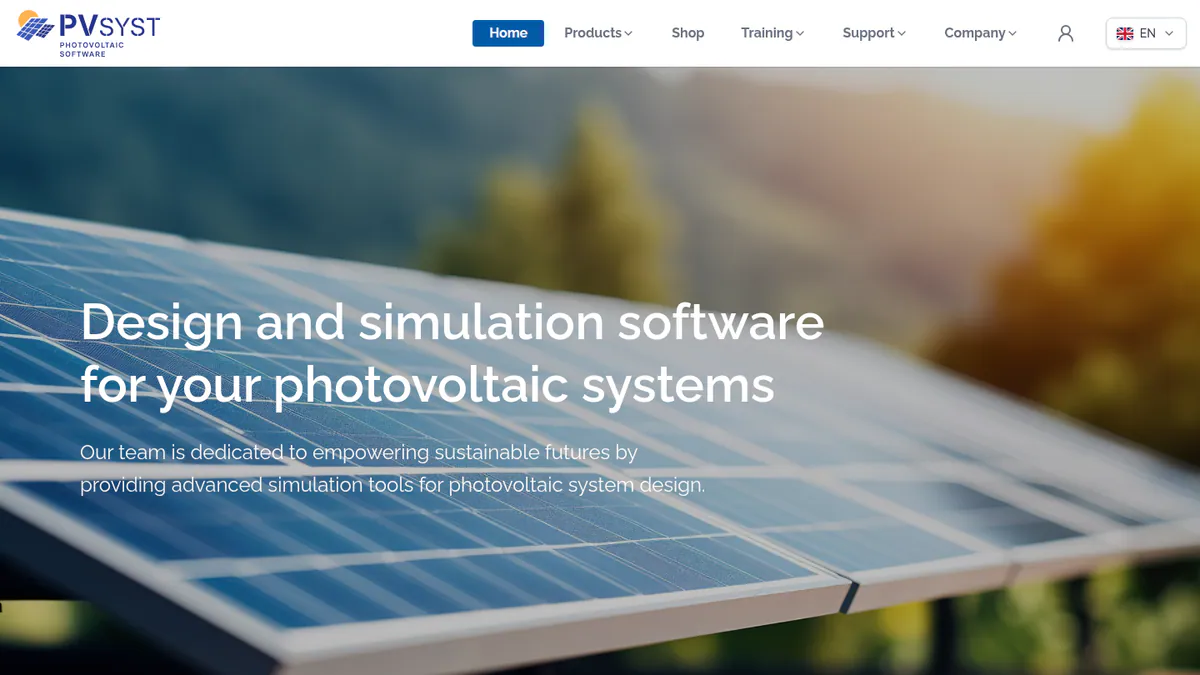
1. PVsyst: best for engineered stand-alone systems with P50/P90 reporting
Best for: Engineers and EPCs (engineering and construction firms) designing remote or stand-alone systems that must pass technical review. Score: 73.4/100.
What it is: PVsyst is Windows desktop simulation software. Swiss firm PVsyst SA makes it. One engine covers grid-connected, stand-alone and pumping systems.
Why we picked it: Its own product page lists stand-alone design and sizing, and its P50/P90 reports hold up in technical review. The price is published, and 22 G2 reviews average 4.5/5.
Key features:
- Stand-alone system design and sizing, next to grid-connected and pumping systems.
- Battery storage and self-consumption strategies.
- Weather data import from Meteonorm 9, PVGIS, NSRDB, Solcast, SolarAnywhere and Solargis.
- 3D near-shading scene with electrical mismatch losses.
- Detailed loss diagram and P50/P90 yield reports (the yield you can count on at set confidence levels).
- Economic results: NPV (net present value), LCOE (levelised cost of energy) and ROI.
Pricing: PVsyst 8 Professional costs CHF 700 per seat per year. That includes updates and access to PVsyst 7. Multi-seat discounts are 5% for 2-4 licences, 15% for 5-9 and 20% for 10 or more. Student and Classroom licences cost CHF 25 per year. PVsystCLI, the command-line engine, is CHF 3,000 per year. Prices are shown only in CHF. There is no perpetual licence, and VAT is not stated. Checked October 2026 on the PVsyst shop.
Pros (from user reviews):
- Detailed, accurate yield simulation that holds up in technical review.
- Loss analysis broken down to mismatch level, so you can see where energy goes.
- SketchUp integration saves time when you build 3D shading scenes.
Cons (from reviews and our research):
- Outdated, complex interface with a steep learning curve. G2 ease of use is 6.7/10 from 14 reviews.
- Managing the 3D scene takes a lot of time.
- Windows only, so Mac and Linux users need a Windows virtual machine.
Reviews: G2 4.5/5 (22 reviews), checked October 2026. We found no Capterra listing. The pros and the first two cons are G2 reviewer themes (G2 comparison).
Read our full PVsyst review or our PVsyst alternatives.
Want to see PVsyst working? Book a demo with the SolarSoftwares team.
Book a demoYour request goes by email to the SolarSoftwares team. A time is set only after we reply. It does not change any score or ranking.
2. HOMER Pro: best for hybrid microgrids with diesel, wind or hydrogen
Best for: Developers and consultants sizing islanded or weak-grid systems with several generation sources. Score: 64.5/100.
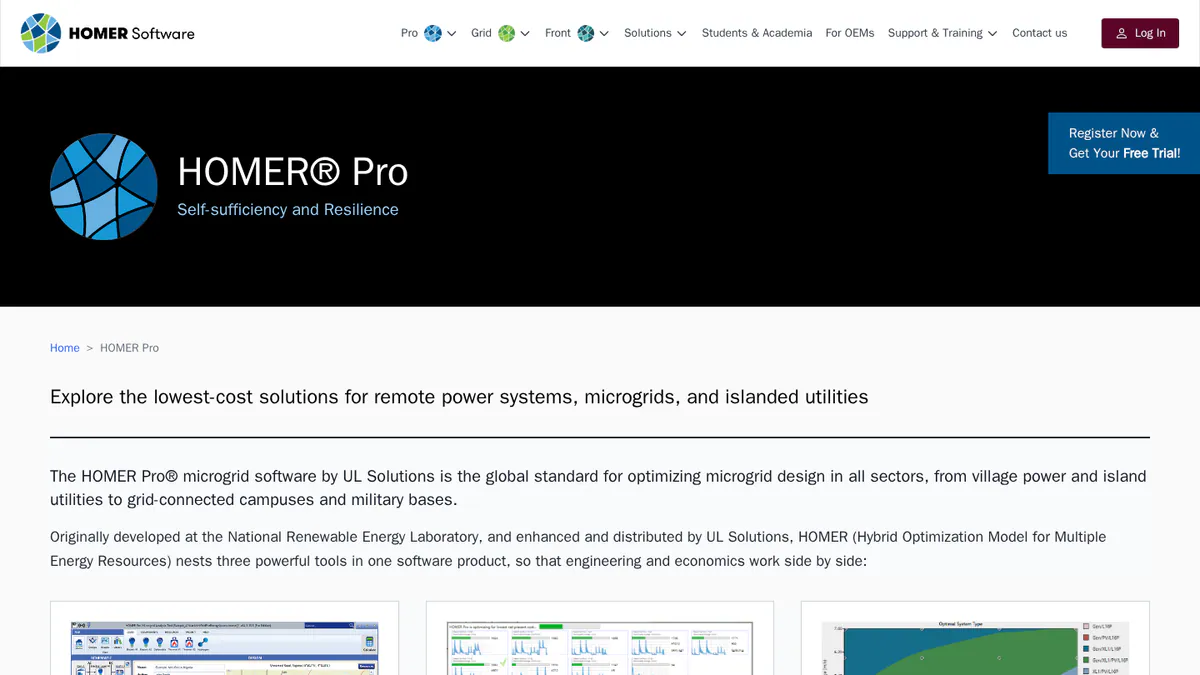
What it is: HOMER Pro is UL Solutions’ optimisation software for off-grid and hybrid microgrids. It simulates many mixes of PV, wind, diesel, hydro, biomass, CHP (combined heat and power), hydrogen and storage, then ranks them by cost. Solar is one input, and it is not a PV layout tool.
Why we picked it: It is built for off-grid and hybrid microgrids and ranks each mix of sources by cost. Prices are published, and the August 2026 release shows it is still being developed.
Key features:
- Least-cost optimisation across hybrid system configurations.
- Generator, wind, hydro, biomass, CHP and hydrogen models alongside PV.
- Storage degradation tables and battery augmentation (v3.18.5, 28 August 2026).
- Sensitivity analysis and multi-year modelling.
- Net present cost and LCOE results.
- MATLAB link for custom dispatch (Expert plan).
Pricing: Base costs 1,575 per year or 187.50 per month, with no modules included. Professional costs 3,100 per year or 373.50 per month, with any 4 modules and 6 hours of training. Expert costs 4,650 per year or 568.50 per month, with all modules including the MATLAB link. The page shows only a dollar sign, so we assume USD. Volume licences of 4 or more get 25% off. Checked October 2026 on the HOMER Pro pricing page.
Pros (from user reviews):
- Technical and financial analysis in one place, so you can show a client the cheapest working mix.
- Solar, wind and other sources sit in one model, with no second tool needed.
- A built-in library of NASA climate and solar data saves you hunting for site data.
Cons (from user reviews):
- Complex interface. The steep learning curve is the most common complaint.
- Reviewers call it expensive next to other optimisation tools. Expert is 4,650 a year (USD assumed).
- Built-in databases are not updated often. One reviewer updated rural data by hand.
Reviews: Capterra 4.4/5 (9 reviews), checked October 2026. G2 shows no reviews. The reviews date from 2019-2023, mostly from engineers, students and lecturers.
Read our full HOMER Pro review.
Want to see HOMER Pro working? Book a demo with the SolarSoftwares team.
Book a demoYour request goes by email to the SolarSoftwares team. A time is set only after we reply. It does not change any score or ranking.
3. SAM: best free techno-economic model for PV plus storage
Best for: Analysts who want a free, scriptable performance and finance model. Score: 64.0/100.
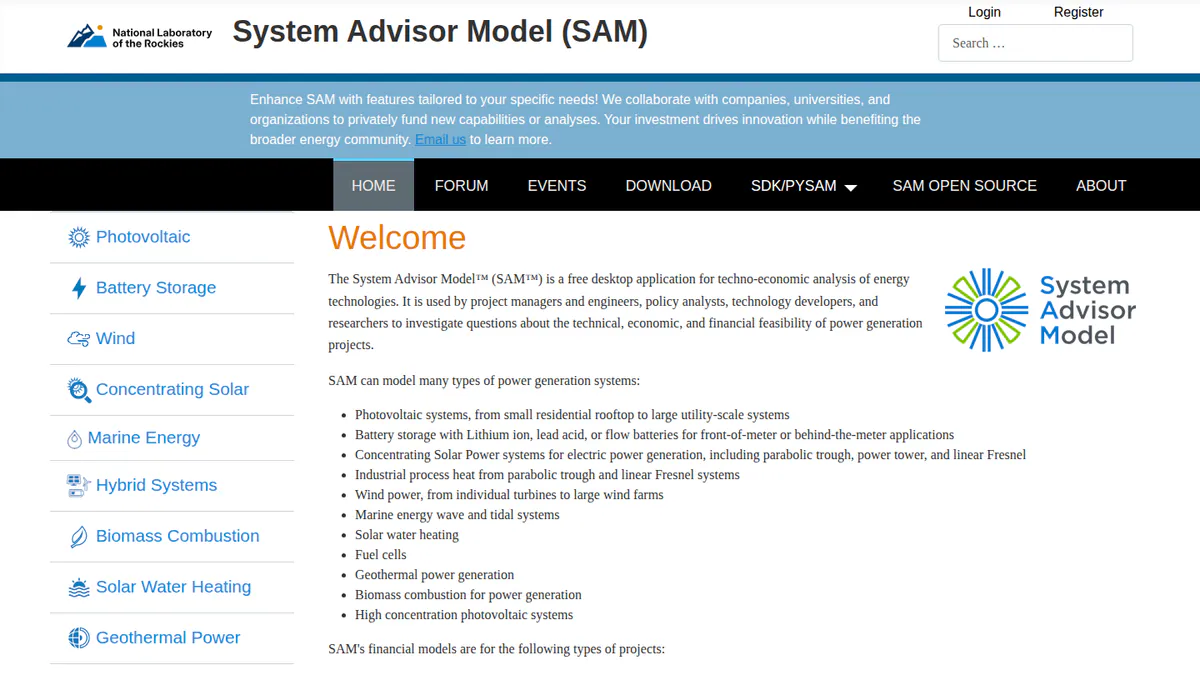
What it is: SAM is free, open-source desktop simulation software. It comes from a US Department of Energy national lab, which the GitHub README now names the National Laboratory of the Rockies (formerly NREL).
Why we picked it: It costs nothing, the code is open, and it models PV with lithium-ion, lead-acid or flow batteries plus the finance. That makes it a strong free check, even without a stand-alone workflow.
Key features:
- Detailed PV performance modelling from rooftop to utility scale.
- Battery storage: lithium-ion, lead-acid and flow.
- Financial models including PPA (power purchase agreement), leaseback and third-party ownership.
- PySAM and SDK for scripting batches of scenarios.
- Published validation studies against measured data.
Pricing: Free for commercial, academic or personal use. A free software key arrives by email on first launch. The source code is BSD-3-Clause. Checked October 2026 on the SAM GitHub README.
Pros (from our research):
- An engineering firm calls it the most capable free tool for grid-tied PV with storage (Pure Power Engineering, December 2022).
- Open source, so you can inspect and script the assumptions.
- Annual releases since 2013. The README cites v2026.7.3.
Cons (from our research):
- The same blog says most financiers do not accept SAM output in place of PVsyst reports.
- Battery models are described for front-of-meter and behind-the-meter systems. We found no layout or stand-alone (off-grid) design workflow, so it is only a fair match for off-grid work.
- Tariff and incentive data is US-centric.
Reviews: No G2 or Capterra listing as of October 2026. Support runs through a user forum, email and bi-weekly open round tables.
Read our full SAM review.
Want to see SAM working? Book a demo with the SolarSoftwares team.
Book a demoYour request goes by email to the SolarSoftwares team. A time is set only after we reply. It does not change any score or ranking.
4. PV*SOL premium: best for 3D design of battery-backed homes and small C&I in Europe
Best for: European installers modelling batteries, heat pumps and EV loads in one 3D project for homes or small C&I (commercial and industrial) sites. Score: 61.2/100.
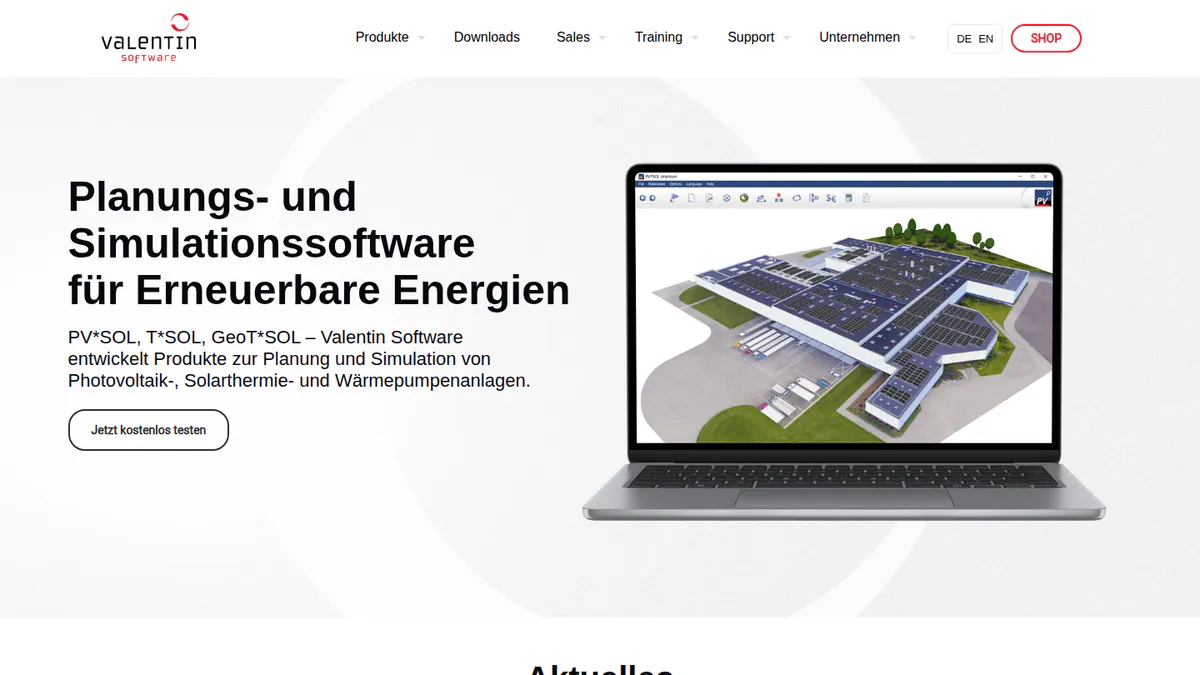
What it is: PV*SOL premium is a 3D design and simulation desktop app. Germany’s Valentin Software released the 2026 version on 24 November 2025. It models AC- and DC-coupled batteries. Note: we could not find a stand-alone (off-grid) mode on the company pages we checked.
Why we picked it: It handles batteries, heat pumps and EV loads in one 3D project, with published prices. We found no stand-alone mode, which is why it sits below the three tools above.
Key features:
- 3D design with detailed shading analysis.
- AC- and DC-coupled battery storage.
- Heat pump, immersion heater and EV load modelling with per-consumer tariffs.
- Load-profile library.
- Customer presentation export (PDF or DOCX) and JSON export.
Pricing: PV*SOL premium 2026 costs EUR 845 per named user per year or EUR 285 for 3 months. The 2D PV*SOL 2026 costs EUR 585 per year. All prices are plus VAT. Checked October 2026 on the Valentin Software shop.
Pros (from our research):
- Easier to learn than the other suites here: G2 ease of use is 8.2/10 (10 reviews).
- You can buy 3 months for a busy season instead of a full year.
- A major release every year keeps the tool current.
Cons (from our research):
- No generator or wind models documented, so it does not fit remote sites with diesel backup.
- Each licence is for one named user, so every designer needs a seat.
- Prices exclude VAT, and the shop does not explain its EUR 802.75 "extension" price.
Reviews: G2 4.2/5 (12 reviews), checked October 2026. G2 support is 7.5/10 (8 reviews). We found no Capterra listing.
What we could not confirm: a stand-alone (off-grid) mode, and user pros and cons, as G2 shows too little review text.
Read our full PV*SOL premium review or our PV*SOL alternatives.
Want to see PV*SOL premium working? Book a demo with the SolarSoftwares team.
Book a demoYour request goes by email to the SolarSoftwares team. A time is set only after we reply. It does not change any score or ranking.
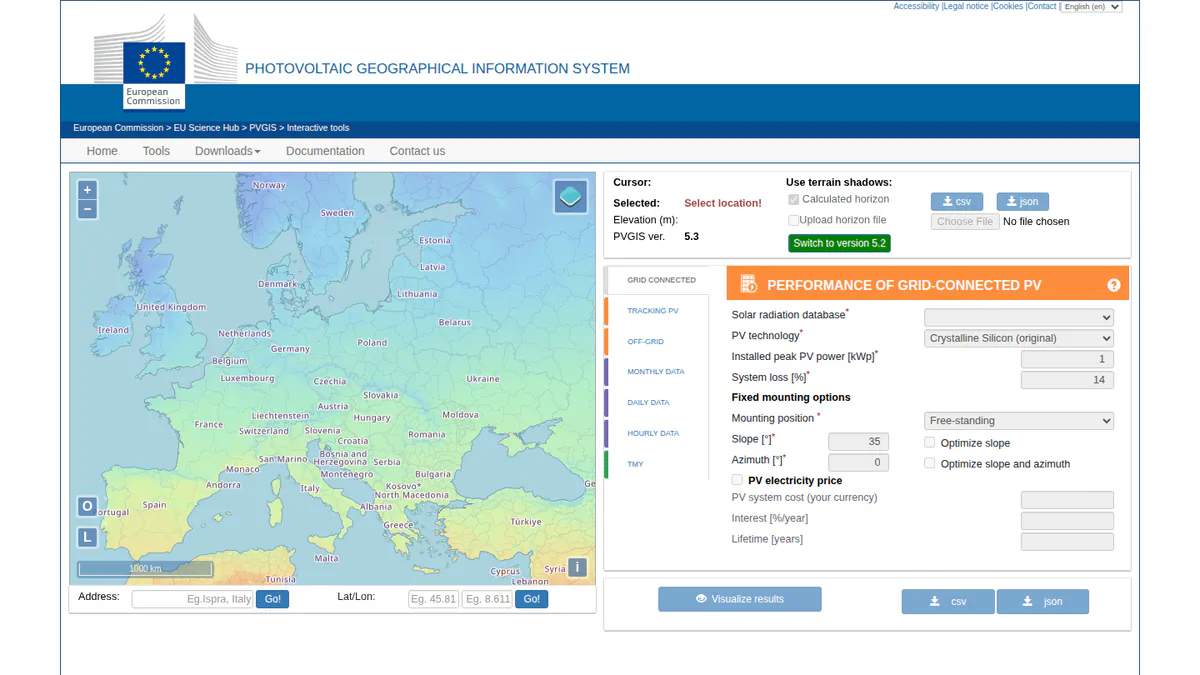
5. PVGIS: best free off-grid yield and battery pre-feasibility check
Best for: Quick, no-cost sanity checks before a site visit or a full model. Score: 60.0/100.
What it is: PVGIS is the European Commission’s free web tool and API. The Joint Research Centre (JRC) runs it, and it covers grid-connected, tracking and off-grid PV with battery estimates anywhere except the poles. PVGIS 5.3 has run since September 2024, and PVGIS 6 (with 2014-2024 solar data) is in public beta.
Why we picked it: It gives a free off-grid PV and battery estimate with no login, from an EU research body. That makes it the quickest way to test a site before you pay for a full model.
Key features:
- Off-grid PV with battery estimate.
- Hourly, daily and monthly radiation time series.
- Typical meteorological year export (CSV, JSON or EPW, the EnergyPlus weather file).
- Horizon profile from SRTM satellite terrain data.
- Free non-interactive API.
Pricing: Free, with no registration. Data is free for public use if credited "PVGIS © European Communities, 2001-2026". The download page does not address commercial use. Checked October 2026 on the JRC PVGIS page. The official tool is only on europa.eu.
Pros (from user reviews and our research):
- Close to real output: one forum user’s estimate was 4.5 MWh against 4.26 MWh measured in year one.
- Hourly output exports to a spreadsheet, which helps when you size inverters across arrays.
- Nothing to install or log in to. It runs in desktop and mobile browsers.
Cons (from our research):
- Hourly data is in UTC, so you must shift it for local time and tariffs.
- No layout, 3D near-shading or detailed electrical loss model.
- No commercial support or SLA (service-level agreement). It is a public research service.
Reviews: No G2, Capterra or app-store listings as of October 2026.
Read our full PVGIS review.
Want to see PVGIS working? Book a demo with the SolarSoftwares team.
Book a demoYour request goes by email to the SolarSoftwares team. A time is set only after we reply. It does not change any score or ranking.
6. Sunny Design: best for off-grid and hybrid designs on SMA equipment (hardware-tied)
Best for: Installers who have already chosen SMA inverters. Score: 55.9/100.
What it is: Sunny Design is SMA’s free planning tool for web, iPad and Android tablets. It is hardware-tied, as every device it names is SMA. We could not confirm whether you can model non-SMA inverters.
Why we picked it: Its free tier covers off-grid and PV-hybrid design and hands you a schematic and device list. It ranks sixth because it only names SMA equipment.
Key features:
- Battery storage, off-grid and PV-hybrid system design.
- Automatic string sizing against SMA inverters.
- Yield and self-consumption forecasts with shading losses.
- Downloadable schematic circuit diagram and SMA device list (CSV).
- PRO: heat pumps, CHP, EV charging and battery peak-shaving simulation.
Pricing: Sunny Design is free, though some features need a registered account. Sunny Design PRO costs EUR 600 per year net, with a 1-month free trial. Checked October 2026 on the SMA Sunny Design page.
Pros (from our research):
- You get off-grid and hybrid design on the free tier, at no cost.
- It gives you a device list and schematic for the chosen SMA kit.
- It runs on tablets, so you can use it on site.
Cons (from our research):
- Built around SMA equipment only.
- Release notes (to v6.10) carry no dates, so you cannot tell how often it changes.
- No user reviews to judge reliability.
Reviews: No G2, Capterra or app-store listing for Sunny Design as of October 2026.
Read our full SMA Sunny Design review or our Sunny Design alternatives.

Want to see Sunny Design working? Book a demo with the SolarSoftwares team.
Book a demoYour request goes by email to the SolarSoftwares team. A time is set only after we reply. It does not change any score or ranking.
7. Polysun: best for PV plus heat pump and solar-thermal backup systems
Best for: Engineering firms designing integrated building energy systems with batteries and backup. Score: 52.9/100.
What it is: Polysun models PV, batteries, heat pumps, solar thermal and CHP together. Vela Solaris in Switzerland develops it for building engineers. It runs as a desktop app on Windows, Mac and Linux.
Why we picked it: It puts PV, batteries, heat pumps, solar thermal and CHP in one model, and it runs on Mac and Linux. Quote-only pricing and no user reviews keep it seventh.
Key features:
- PV self-consumption with battery, hybrid and backup systems.
- More than 1,000 pre-configured system templates with hydraulic schematics.
- Component library of about 150,000 items.
- Variant comparison and profitability reports.
- Cloud simulation API.
Pricing: Quote only. Vela Solaris lists Standard, Designer, SPT and Enterprise & API editions without prices. You can buy a perpetual licence plus service subscription, or lease monthly with a 12-month minimum. There is a 30-day free trial. Checked October 2026 on the Polysun pricing page.
Pros (from our research):
- Electrical and thermal backup sit in one model, so you need only one tool.
- Ready-made templates speed up common system types.
- It runs on Mac and Linux as well as Windows.
Cons (from our research):
- No published prices, so you need a sales call to learn the cost.
- Leasing needs a 12-month minimum.
- No user reviews to judge it by.
Reviews: No G2, Capterra or app-store listings as of October 2026. Paid training courses cost EUR 80.
What we could not confirm: a current version number, release dates, and shading or 3D features.
See our Polysun alternatives.
Want to see Polysun working? Book a demo with the SolarSoftwares team.
Book a demoYour request goes by email to the SolarSoftwares team. A time is set only after we reply. It does not change any score or ranking.
SurgePV (unscored): for readers comparing its solar-plus-storage and off-grid sizing workflow. Test the tariff, load profile and backup assumptions on a real job. The numbered scores above do not include it.
Sources checked 27 October 2026: SurgePV product information · SolarSoftwares SurgePV review
Book a demo of SurgePV with the SolarSoftwares team.
Book a demoYour request goes by email to the SolarSoftwares team. A time is set only after we reply. It does not change any score or ranking.
How do the 7 off-grid solar design tools compare?
This table compares the 7 ranked tools side by side.
Product | Stand-alone / off-grid design (as documented) | Other sources modelled | Hardware lock | Platform | Starting price (October 2026) |
|---|---|---|---|---|---|
Yes: stand-alone design and sizing | Not documented | None | Windows desktop | CHF 700/seat/yr | |
Yes: off-grid and hybrid optimisation | Diesel, wind, hydro, biomass, CHP, hydrogen | None | Not confirmed | 1,575/yr (USD assumed) | |
No stand-alone workflow found | Wind and other technologies | None | Desktop, open source | Free | |
Not confirmed | Heat pump and EV loads | None | Desktop | EUR 845/user/yr | |
Yes: off-grid PV and battery estimate | None | None | Browser and API | Free | |
Yes: off-grid and PV-hybrid | CHP, heat pumps (PRO) | SMA | Web, iPad, Android tablet | Free. PRO EUR 600/yr | |
Yes: hybrid and backup | Heat pumps, solar thermal, CHP | None | Windows, Mac, Linux | Quote only |
Also considered
- EG4 System Design Tools (hardware-locked) scored 49.5/100. EG4’s free String Sizer checks PV strings against each EG4 inverter for US installers. It misses the top 7 because only the String Sizer is confirmed on EG4’s own site. Off-grid load and battery sizing are not confirmed.
- Sol-Ark PV Sizing Tool (hardware-locked) scored 47.0/100. These free web calculators size the PV array, battery bank and hybrid inverter around Sol-Ark products, using US ZIP codes only. It misses the top 7 because it is tied to one brand and its free, no-login status is not confirmed on Sol-Ark’s pages.
- Victron MPPT Sizing Calculator (hardware-locked, below the minimum score). This free web tool matches a PV array to a Victron MPPT (maximum power point tracking) charge controller or EasySolar/RS unit. It draws on a database of 164,000+ modules. It sizes the controller, not the battery bank or loads. So it is a component check, not an off-grid design tool.
- Victron Toolkit app (hardware-locked, well below the minimum score): a free reference app for Victron LED codes, cable voltage drop and inverter temperature derating. It is useful on site but does no system design. App Store 3.2/5 (11 ratings, October 2026).
- Weather datasets (Meteonorm, NSRDB): these feed data into the tools above. They are not design software, so we did not score them.
How do you choose off-grid solar design software?
- If the system must pass an engineering or financier review, pick PVsyst and accept the Windows-only interface.
- If the site mixes PV with a generator, wind or hydrogen and you need the least-cost mix, pick HOMER Pro.
- If the budget is zero and you need a defensible first number, start with PVGIS. Then check it in SAM if you can script.
- If you design European homes with batteries, heat pumps and EV loads, pick PV*SOL premium. Pick Polysun if thermal backup is part of the design.
- If you have already chosen the inverter brand, use that maker’s calculator. That means Sunny Design for SMA, or the EG4, Sol-Ark or Victron tools in Also considered. Treat it as a compatibility check, never as the only design record.
- If you work mostly on grid-tied battery retrofits, see our battery storage design guide. For free options across all system types, see free solar design software.
For broader comparisons, see our best solar design software, solar simulation software and open-source solar design software guides.
Want more choices? Browse every tool we checked in our storage and microgrid category.
Off-grid solar design software FAQs
What software is used to design off-grid solar systems?
Engineers mostly use simulation suites. PVsyst models stand-alone systems, and HOMER Pro optimises hybrid microgrids. In our October 2026 ranking PVsyst scores 73.4/100 and HOMER Pro 64.5. Installers also use free maker calculators such as Sunny Design, which size around one brand’s hardware.
How do you size batteries for an off-grid solar system?
Start with your daily load and the days of autonomy (days the battery runs the site with no sun) you need. Size the bank for the worst month’s generation and the battery’s usable capacity. PVsyst and HOMER Pro test it hourly. Sol-Ark’s free calculator (also considered) gives a first estimate.
Can PVsyst design stand-alone (off-grid) systems?
Yes. PVsyst’s product page lists grid-connected, stand-alone and pumping system design and sizing, plus battery storage strategies. A Professional licence costs CHF 700 per seat per year as of October 2026. It runs on Windows only.
Is HOMER Pro good for off-grid and hybrid microgrid design?
Yes, it is built for that job. It compares many mixes of PV, diesel, wind, hydro, hydrogen and storage, ranked by cost. Version 3.18.5 (28 August 2026) added battery degradation tables. It is not a roof-layout tool, and Capterra reviewers (4.4/5 from 9 reviews) flag a steep learning curve.
Is there free off-grid solar design software?
Yes, with limits. PVGIS gives a free off-grid PV and battery estimate with no login. SAM is free and open source, but we found no stand-alone workflow. Sunny Design is free but tied to SMA. The EG4, Sol-Ark and Victron calculators are free but hardware-locked (also considered, checked October 2026).
Sources
All checked 22 to 25 October 2026.
- PVsyst: shop, product page, G2, G2 comparison
- HOMER Pro: pricing, release notes, Capterra
- SAM: GitHub README, product site, Pure Power Engineering blog
- PV*SOL premium: shop, 2026 release, G2
- PVGIS: JRC page, PVGIS 5.3 release, Buildhub thread
- Sunny Design: SMA product page
- Polysun: pricing, product page
- EG4: String Sizer article, third-party help page
- Sol-Ark: sizing tools, battery and hybrid inverter tool
- Victron: MPPT calculator news, Toolkit on the App Store
Last updated 28 October 2026. Next scheduled review: 23 January 2027.