Energy Toolbase alternatives are tools you can use instead of ETB Developer, the main product from Energy Toolbase. Pylon ranks first at 78.5/100, but it does not model demand charges (fees based on your highest power use). For US commercial and industrial (C&I) storage with a public price, Xendee is the closest ranked match.
ETB Developer models the money side of solar plus storage. C&I developers use it to test tariffs (utility price plans), cut demand charges and build proposals. It is built for the US market, and the price is set on a sales call.
That is the main reason small developers look around. Others work outside the US, where ETB’s tariff data does not help.
Why do developers look for Energy Toolbase alternatives?
- Quote-only pricing. ETB Developer lists no plans or prices. The price is set on a 30-minute call based on team size.
- US only. Its tariff database covers US utilities, and its incentive tools centre on California schemes such as SGIP and DSGS. We found no claim of coverage outside the US.
- No user reviews. We found no G2 or Capterra listing in October 2026, so you cannot check other users’ views.
- Tied to its own controller. The simulation includes a digital twin of ETB’s own battery controller. That helps if you buy ETB’s controller, and helps less if you do not.
What you would give up: a US tariff database of 120k+ tariffs, kept up by an in-house team. You also lose value stacking, which means earning from several grid services at once. Xendee and HOMER Grid (also considered) come closest on tariffs.
Energy Toolbase at a glance
Item | ETB Developer (checked October 2026) |
|---|---|
What it is | Solar plus storage money modelling and proposal platform with a US utility tariff database |
Pricing | Quote only, set on a 30-minute call by team size |
Free plan / trial | None. Demo only |
Ratings | No G2 or Capterra listing found (October 2026) |
Still suits | US C&I storage developers, especially in California, who want demand-charge, value-stacking and grid-services modelling in one place |
Source: Energy Toolbase pricing, checked October 2026. Read our full Energy Toolbase review.
Quick picks
Rank | Product | Best for | Starting price (company page, checked October 2026) | Main region | Score /100 |
|---|---|---|---|---|---|
1 | Solar plus battery proposals, per project | ✓ GBP 4 per project | UK, Australia, Ireland | 78.5 | |
2 | US battery proposals with 3D design | ✓ USD 159 per user a month | US | 72.9 | |
3 | Free solar and storage finance models | ◐ Free | Global (US data) | 69.5 | |
4 | Yield reports lenders know | ✓ CHF 700 a year | Global | 68.1 | |
5 | C&I microgrids and tariff modelling | ✓ USD 440 per user a month | US and global | 66.0 | |
6 | Utility-scale solar plus BESS | Quote only | Global | 65.8 | |
7 | US home and small C&I battery sales | ? USD 2,799 a year | US, Canada | 64.7 | |
8 | Peak shaving and tariffs in Australia | ✓ USD 135 a month (annual) | Australia, NZ | 64.7 | |
9 | Off-grid and hybrid microgrids | ✓ USD 1,575 a year | Global | 62.4 | |
10 | European all-in-one with storage | Quote only | Europe, UK | 61.3 |
✓ Verified on the company’s own pricing page. ◐ Published by the company outside its pricing page (help centre, store or press release). ? We could not read the company’s pricing page, so the figure is not confirmed. Prices checked October 2026.
Quote only means the company shows no public price. You ask it for a quote.
How did the 10 tools score?
- Use-case fit 35%
- User reviews 20%
- Pricing 15%
- Ease of use 10%
- Support 10%
- Momentum 10%
Tool | Score chart | Score |
|---|---|---|
78.5 out of 100 | 78.5 | |
72.9 out of 100 | 72.9 | |
69.5 out of 100 | 69.5 | |
68.1 out of 100 | 68.1 | |
66 out of 100 | 66.0 | |
65.8 out of 100 | 65.8 | |
64.7 out of 100 | 64.7 | |
64.7 out of 100 | 64.7 | |
62.4 out of 100 | 62.4 | |
61.3 out of 100 | 61.3 |
Each bar shows the weighted score out of 100.
Sub-scores at a glance (0-10)
Product | Use-case fit | User reviews | Pricing | Ease of use | Support | Momentum | Total /100 |
|---|---|---|---|---|---|---|---|
7.3 | 6.7 | 8.0 | 7.5 | 10.0 | 10.0 | 78.5 | |
7.3 | 7.9 | 6.0 | 7.5 | 7.5 | 7.5 | 72.9 | |
7.0 | 5.0 | 10.0 | 5.0 | 7.5 | 7.5 | 69.5 | |
6.0 | 6.3 | 8.0 | 5.0 | 7.5 | 10.0 | 68.1 | |
8.0 | 5.0 | 7.0 | 5.0 | 7.5 | 5.0 | 66.0 | |
6.0 | 6.9 | 4.0 | 7.5 | 7.5 | 10.0 | 65.8 | |
8.3 | 3.3 | 6.0 | 5.0 | 5.0 | 10.0 | 64.7 | |
8.3 | 5.0 | 7.0 | 5.0 | 5.0 | 5.0 | 64.7 | |
7.3 | 5.6 | 7.0 | 5.0 | 7.5 | 2.5 | 62.4 | |
6.3 | 6.6 | 4.0 | 7.5 | 7.5 | 5.0 | 61.3 |
A 5.0 on reviews, ease, support or momentum is our neutral score. We use it when public evidence is thin. It is not a judgement.
How did we choose and score these Energy Toolbase alternatives?
How the score is weighted
- Use-case fit 35%
- User reviews 20%
- Pricing 15%
- Ease of use 10%
- Support 10%
- Momentum 10%
Our desk research ran from 22 to 25 October 2026, using company pages, price lists and user reviews. We did not test anything hands-on. All 13 alternatives cleared the minimum fit score, so the top 10 are ranked and three sit under Also considered. Energy Toolbase itself is left out of the ranking.
- Use-case fit (35%): How well a tool does ETB’s job. That means money modelling, storage design, yield (how much power the system will make) and proposals.
- User reviews (20%): Ratings on G2, Capterra and Trustpilot. Products with under eight reviews get the midpoint.
- Pricing (15%): We reward published prices and free options over quote-only.
- Ease of use, support and momentum (10% each): Judged on review sub-scores and how often dated updates ship.
Fit is only 35% of the score, so a tool with strong reviews and a public price can outrank a closer match. Read the full method.
1. Pylon: best for solar plus battery proposals priced per project
Best for: UK, Irish and Australian installers selling solar and batteries to homes and small businesses. Score: 78.5/100.
vs Energy Toolbase: Pylon publishes a price per project, where ETB is quote only. But we found no demand-charge, tariff database or value-stacking tools in Pylon.
What it is: Pylon is a design and proposal tool from a Sydney firm. It sells in the UK, Ireland and Australia.
Why we picked it: It ranks first on public per-project prices, strong support reviews and steady updates, not on modelling depth. Choose it for battery proposals, not tariff work.
Key features:
- Solar plus battery layouts over aerial imagery.
- Custom load profiles and commercial sizes from 99 kW on Pro.
- Web and PDF proposals with eSignature.
Pricing: Standard is GBP 4 per project (up to 30 kW DC). Pro is GBP 10 per project. Enterprise is quote only. The CRM add-on starts from GBP 49 per user per month. Five free Standard credits come with sign-up, no card needed. Checked October 2026 on the Pylon UK pricing page.
Pros (from user reviews):
- You pay only for the jobs you design, so the cost per job stays low (Capterra).
- Beginners find it friendly, with a clear manual (Capterra).
- Its proposals are detailed (G2).
Cons (from reviews and our research):
- Usage modelling is awkward to set up (Capterra), which matters when you size batteries.
- We found no demand-charge or tariff-database modelling.
- We found only UK prices in GBP, so US buyers need a quote.
Reviews: Capterra 4.6/5 (25 reviews, customer service 4.9/5) and G2 4.3/5 (2 reviews), checked October 2026.
Read our full Pylon review or see our Pylon alternatives.

Want to see Pylon working? Book a demo with the SolarSoftwares team.
Book a demoYour request goes by email to the SolarSoftwares team. A time is set only after we reply. It does not change any score or ranking.
2. Aurora Solar: best for US battery proposals with 3D design
Best for: US home and light-commercial installers who sell batteries alongside solar. Score: 72.9/100.
vs Energy Toolbase: Aurora publishes per-seat prices and adds 3D design. Its battery modelling covers backup, self-consumption (using the solar power you make on site) and arbitrage (storing cheap power to use or sell when prices are high), but we found no demand-charge or grid-services tools.
What it is: Aurora Solar Inc. makes this browser-based design, shading and proposal tool. Its customers are mostly US home and light-commercial installers.
Why we picked it: It pairs a public per-seat price with 121 G2 reviews. Premium models batteries for backup, self-consumption and arbitrage.
Key features:
- Premium battery models for backup, self-consumption and arbitrage.
- Sales proposals with financing options.
- Cloud 3D design with shade analysis.
Pricing: One Basic seat costs USD 159 a month, or USD 135 a month billed annually, with 50 projects a month. Premium, which adds battery modelling, is USD 259 (USD 220 billed annually). Enterprise is custom, priced per project. Checked October 2026 on the Aurora Solar pricing page.
Pros (from user reviews):
- Reviewers find its shade reports and output figures accurate (Capterra).
- Customer service is strong (G2 review).
- Videos and help articles make it quick to learn (Capterra).
Cons (from reviews and our research):
- Proposal and finance features feel limited for the cost (Capterra).
- Integrations with other tools are limited (G2 review).
- Battery modelling needs Premium, at USD 259 per user a month.
Reviews: G2 4.7/5 (121 reviews) and Capterra 4.1/5 (7 reviews), checked October 2026.
Read our full Aurora Solar review or see our Aurora Solar alternatives.

Want to see Aurora Solar working? Book a demo with the SolarSoftwares team.
Book a demoYour request goes by email to the SolarSoftwares team. A time is set only after we reply. It does not change any score or ranking.
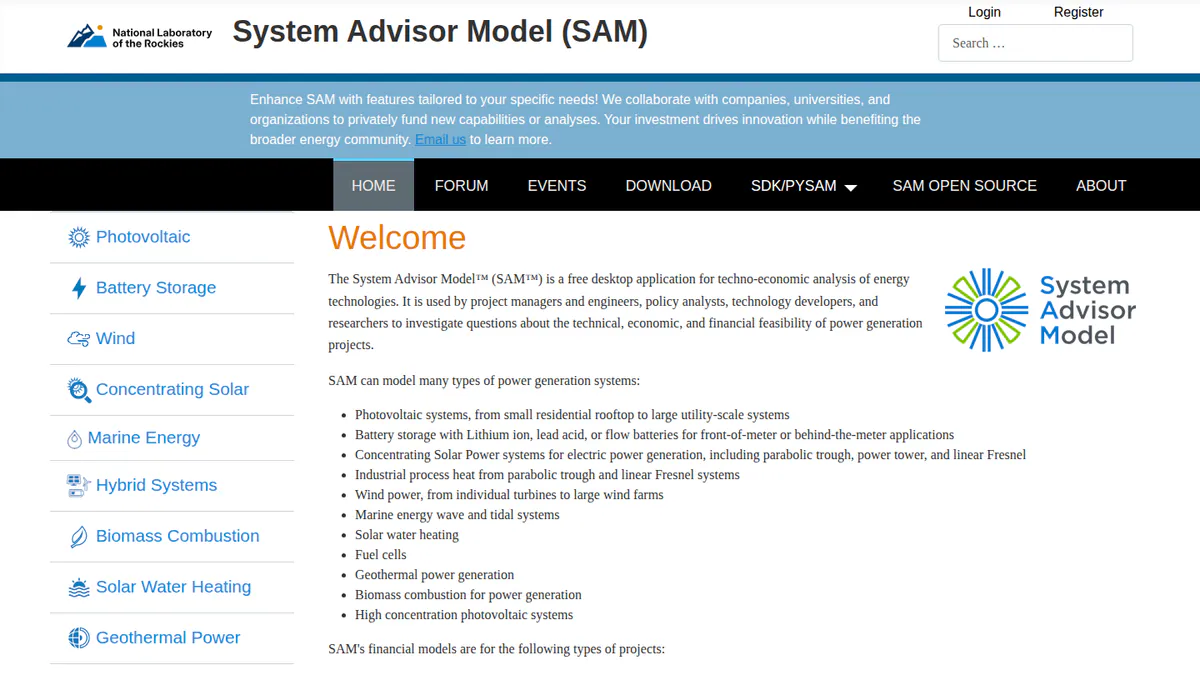
3. SAM: best free solar and storage finance model
Best for: Analysts and engineers who want free, detailed money models for solar and batteries. Score: 69.5/100.
vs Energy Toolbase: SAM is free where ETB is quote only. It models storage and project finance in depth, but it makes no customer proposals.
What it is: SAM (System Advisor Model) is free, open-source desktop software from a US national lab. The lab, formerly NREL, is now called the National Laboratory of the Rockies in SAM’s GitHub notes.
Why we picked it: It is the only free tool ranked here, and it models storage and project finance in depth.
Key features:
- Batteries in front of or behind the meter (on the grid or the customer side).
- Finance models for home and commercial sites, PPAs (power purchase agreements) and third-party ownership.
- PV modelling from rooftops to utility scale.
- Python scripting through PySAM.
Pricing: Free for commercial, academic or personal use, under the BSD-3-Clause open-source licence. You get a free key by email on first launch. Checked October 2026 in the SAM README.
Pros (from our research):
- An engineering firm calls it the strongest free tool for grid-tied PV with storage (Pure Power blog).
- It costs nothing, so a small team can model deals without a licence.
- New versions come out every year, with v2026.7.3 the latest cited.
Cons (from our research):
- Most lenders do not accept SAM in place of PVsyst reports (Pure Power blog).
- It makes no proposals, layouts or SLDs (single-line diagrams, simple drawings of how the wires connect).
- Its tariff and incentive data centre on the US.
Reviews: No user reviews found as of October 2026.
Read our full SAM review or see our SAM alternatives.
Want to see SAM working? Book a demo with the SolarSoftwares team.
Book a demoYour request goes by email to the SolarSoftwares team. A time is set only after we reply. It does not change any score or ranking.
4. PVsyst: best for yield reports lenders know
Best for: Developers and engineers who need P50/P90 yield reports (the expected and the cautious yield figure) for financing. Score: 68.1/100.
vs Energy Toolbase: PVsyst publishes its price and works worldwide. It is stronger on yield, but it has no tariff database and no sales proposals.
What it is: PVsyst is Swiss desktop software for Windows that simulates PV yield in detail. Engineers, EPCs (firms that design and build solar projects) and consultants treat it as the standard for bankable yield work.
Why we picked it: Its P50/P90 reports are the ones lenders ask for, and its price is public.
Key features:
- P50/P90 yield reports with a detailed loss diagram.
- Battery storage and self-consumption options.
- Money checks: NPV, LCOE (lifetime cost per kWh) and ROI.
Pricing: PVsyst 8 Professional is CHF 700 a year per seat, with multi-seat discounts from 5% to 20%. Prices are shown only in Swiss francs. Checked October 2026 in the PVsyst shop. A 30-day evaluation mode is included.
Pros (from user reviews):
- Reviewers praise its detailed, accurate yield modelling (G2 theme).
- Loss analysis goes deep (G2 theme).
- SketchUp scenes can be imported for 3D shading (G2 theme).
Cons (from user reviews):
- Users call the interface dated and complex (G2 theme).
- Learning it takes a long time (G2 theme).
- 3D scene work is slow (G2 theme).
Reviews: G2 4.5/5 (22 reviews), with ease of use 6.7/10, checked October 2026.
Read our full PVsyst review or see our PVsyst alternatives.
Want to see PVsyst working? Book a demo with the SolarSoftwares team.
Book a demoYour request goes by email to the SolarSoftwares team. A time is set only after we reply. It does not change any score or ranking.
5. Xendee: best for C&I microgrids and tariff modelling
Best for: C&I microgrid (small local power system) developers, engineers and EPCs who model tariffs, incentives and outage cover. Score: 66.0/100.
vs Energy Toolbase: Xendee publishes its main prices, where ETB is quote only. It also models tariffs and incentives (NEM 3.0 on Platinum), and goes further into microgrid design.
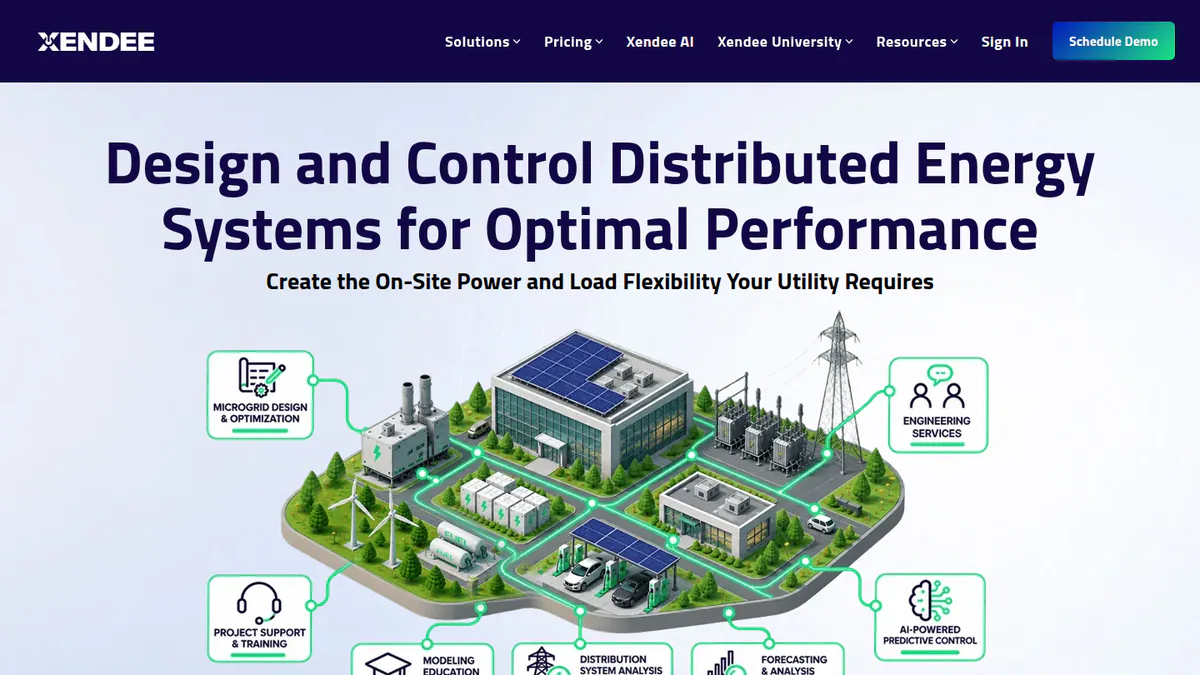
What it is: Xendee is a cloud microgrid and DER (distributed energy) design platform from Xendee Corporation in San Diego.
Why we picked it: It is the closest ranked match to ETB’s tariff and incentive modelling, and it shows its prices up front.
Key features:
- Design across 25+ DER technologies, solved for cost or carbon.
- Utility tariff, grant and incentive modelling, plus NEM 3.0 on Platinum.
- One-line diagrams and powerflow, with cable and transformer sizing.
- Tariff data through Genability.
Pricing: DESIGN Gold is USD 440 per user per month and Platinum USD 540, both billed annually. Enterprise is quote only. On Gold, each custom tariff costs 200. Platinum includes three free custom tariffs a year. The page shows a dollar sign without naming the currency, and there is no monthly billing option. There is no free trial, only a 30-day paid demo. Checked October 2026 on the Xendee pricing page.
Pros (from our research):
- You can see the price before a sales call.
- Platinum adds three hours of modelling help and three free custom tariffs a year.
- One tool covers savings, outage cover and the one-line diagram.
Cons (from our research):
- It costs more per seat than most tools here.
- Custom tariffs cost extra on Gold.
- We found no user reviews. Its G2 page has none.
Reviews: No user reviews found as of October 2026.
Want to see Xendee working? Book a demo with the SolarSoftwares team.
Book a demoYour request goes by email to the SolarSoftwares team. A time is set only after we reply. It does not change any score or ranking.
6. RatedPower: best for utility-scale solar plus BESS
Best for: Developers, EPCs and IPPs (independent power producers) planning large ground-mount solar with BESS (battery energy storage systems). Score: 65.8/100.
vs Energy Toolbase: RatedPower works on the grid side at utility scale, where ETB works behind the customer’s meter. It is quote only too, but it has hundreds of user reviews.
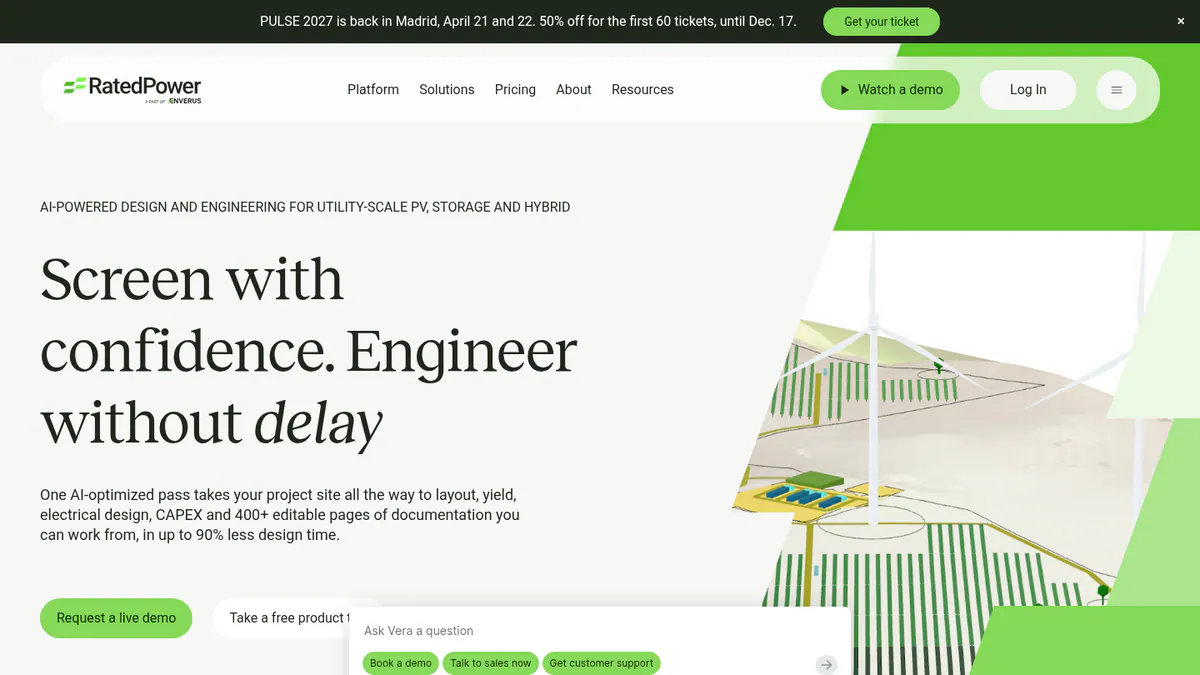
What it is: RatedPower, also sold as pvDesign, is a cloud design and engineering platform for large solar, BESS and hybrid plants. It is an Enverus company.
Why we picked it: It designs storage and hybrid plants at utility scale, backed by 305 G2 reviews.
Key features:
- Storage and hybrid plant design, with dispatch simulation.
- CAPEX (build cost) and LCOE (lifetime cost per kWh) studies.
- Rule-based plant layout on real terrain.
- MV/LV electrical design and single-line diagrams.
Pricing: Quote only. Basic, Advanced and Enterprise tiers are listed with no prices. Checked October 2026 on the RatedPower pricing page. Demo only.
Pros (from user reviews):
- Ease of use is the most-cited strength (G2, 22 mentions).
- It saves time on early layouts, with automatic electrical diagrams (G2).
- Support gets good marks (G2, 11 mentions).
Cons (from user reviews):
- Layout and land-constraint handling is the top complaint (G2, 14 mentions).
- Some BESS and PCS pairings are missing (G2).
- Design and drawing options are limited (G2).
Reviews: G2 4.4/5 (305 reviews), checked October 2026.
Read our full RatedPower review or see our RatedPower alternatives.
Want to see RatedPower working? Book a demo with the SolarSoftwares team.
Book a demoYour request goes by email to the SolarSoftwares team. A time is set only after we reply. It does not change any score or ranking.
7. Solargraf: best for US home and small C&I battery sales
Best for: US and Canadian installers selling solar plus batteries to homes and small businesses. Score: 64.7/100.
vs Energy Toolbase: Solargraf publishes annual bundle prices and adds design and permits. Its savings models cover solar and batteries, but we found no demand-charge tools.
What it is: Solargraf is Enphase’s platform for design, proposals, finance and permits. Enphase gained it when it bought Sofdesk in 2021.
Why we picked it: It covers solar and battery savings, finance and permits in one tool, with yearly prices on its site.
Key features:
- Proposals with solar and battery savings modelling.
- Built-in TPO (a deal where the customer pays for power instead of buying the panels) and loan finance (Concert, LightReach, EnFin).
- Permit-ready SLDs and plan sets (permit drawing packages).
Pricing: Starter is USD 2,799 a year (240 projects, 2 users). Small Business is USD 4,799 and Teams USD 6,399. Enterprise is USD 12,999 (1,500 projects, unlimited users). Checked October 2026 on the Solargraf pricing page.
Pros (from user reviews):
- Good shading and 3D tools (Capterra).
- One tool covers proposal to permit (Capterra).
- Clients find the proposals and contracts easy to follow (Capterra).
Cons (from user reviews):
- Reviewers report crashes and wrong property data in the 3D tool (Capterra).
- Reviewers find it expensive, and support waits have grown (Capterra).
- Some users face a learning curve at the start (Capterra).
Reviews: Capterra 3.2/5 (15 reviews), checked October 2026.
Read our full Solargraf review or see our Solargraf alternatives.
Want to see Solargraf working? Book a demo with the SolarSoftwares team.
Book a demoYour request goes by email to the SolarSoftwares team. A time is set only after we reply. It does not change any score or ranking.
8. SolarPlus: best for peak shaving and tariffs in Australia
Best for: Australian and New Zealand installers who quote batteries, peak shaving (cutting your highest power use) and off-grid systems. Score: 64.7/100.
vs Energy Toolbase: SolarPlus models battery peak shaving and tariffs with a public price. It covers Australia and New Zealand, where ETB’s US data does not help.
What it is: SolarPlus is a design, quoting and sales platform from Victoria, Australia, founded in 2011. It serves home and C&I installers.
Why we picked it: It models peak shaving and tariffs for Australia and New Zealand, where ETB’s US data does not help, at a public price.
Key features:
- Peak shaving, tariff and battery sizing models.
- Performance simulation with interval data.
- Off-grid load and generator design.
- Proposals clients can accept and finance online.
Pricing: Starter is USD 135 a month (annual) or USD 150 monthly. Pro is USD 260 or 300, and Complete USD 450 or 520. Each plan caps the kW you can quote, for example 300 kW home or 900 kW commercial on Starter. Onboarding packs run to AUD 500 or AUD 1,000. Checked October 2026 on the SolarPlus pricing page.
Pros (from our research):
- Plans are priced per company, with five designer accounts on Starter.
- One tool covers grid-tied, battery and off-grid jobs.
- Links with Xero, HubSpot and Simpro.
Cons (from our research):
- Plans cap the kW you can quote each month.
- It is built for Australian rules and GST (Australia’s sales tax).
- One G2 review is too few to judge it.
Reviews: G2 4.5/5 (1 review), checked October 2026.
What we could not confirm: The feature split between plans, and whether onboarding is compulsory.

Want to see SolarPlus working? Book a demo with the SolarSoftwares team.
Book a demoYour request goes by email to the SolarSoftwares team. A time is set only after we reply. It does not change any score or ranking.
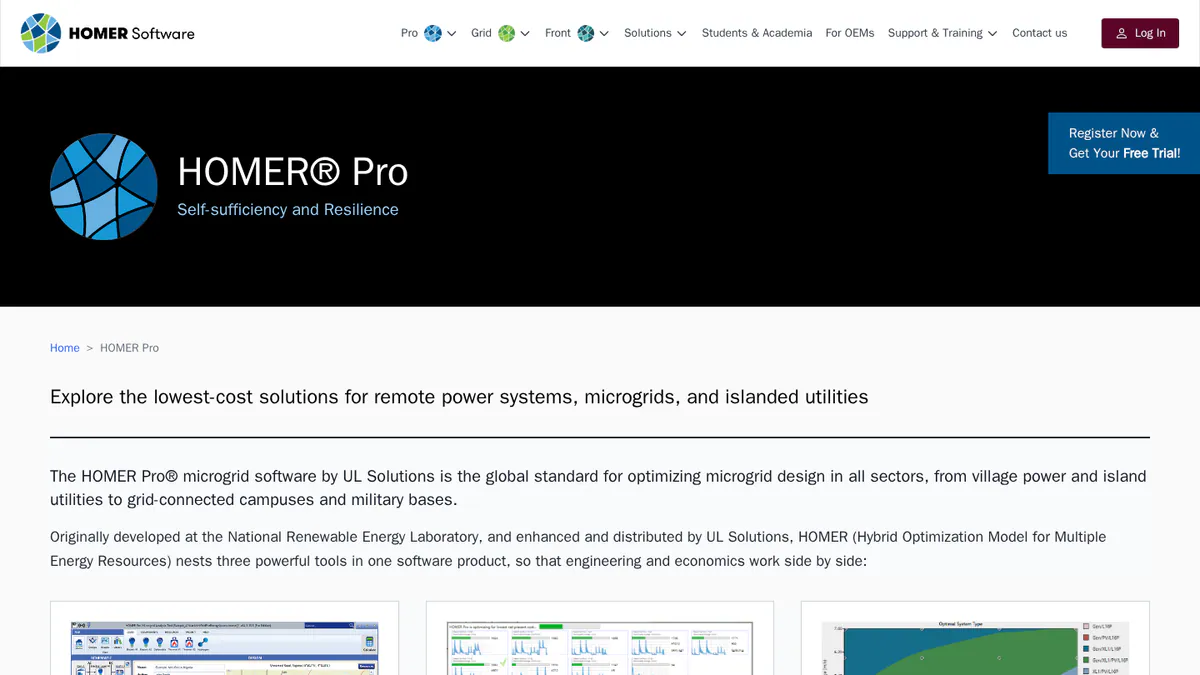
9. HOMER Pro: best for off-grid and hybrid microgrids
Best for: Engineers and developers sizing off-grid and hybrid systems with solar, wind, diesel and storage. Score: 62.4/100.
vs Energy Toolbase: HOMER Pro publishes its prices and works worldwide. It finds the cheapest hybrid mix, but it is not a tariff-savings proposal tool.
What it is: HOMER Pro is hybrid microgrid software from UL Solutions. Engineers and consultants use it to size remote and islanded systems. It is not a PV layout tool.
Why we picked it: It finds the least-cost mix for hybrid and off-grid systems, with public prices and a free trial.
Key features:
- Least-cost search across many hybrid setups.
- PV, wind, diesel, hydro, hydrogen and storage in one model.
- Battery wear tables and augmentation (v3.18.5).
Pricing: Base is USD 1,575 a year or USD 187.50 a month. Professional is USD 3,100 a year and Expert USD 4,650 a year. Four or more licences get 25% off. The page shows a dollar sign without naming the currency. A free trial is offered. Checked October 2026 on the HOMER Pro pricing page.
Pros (from user reviews):
- Strong optimisation for hybrid projects, with technical and money results together (Capterra).
- Many energy sources fit in one model (Capterra).
- Results export easily to MATLAB (Capterra). The MATLAB link needs Expert.
Cons (from user reviews):
- The interface is complex and slow to learn (Capterra).
- Reviewers find it pricey next to other optimisation tools (Capterra).
- Built-in data is not updated often, so rural data may need manual fixes (Capterra).
Reviews: Capterra 4.4/5 (9 reviews), checked October 2026.
Read our full HOMER Pro review.
Want to see HOMER Pro working? Book a demo with the SolarSoftwares team.
Book a demoYour request goes by email to the SolarSoftwares team. A time is set only after we reply. It does not change any score or ranking.
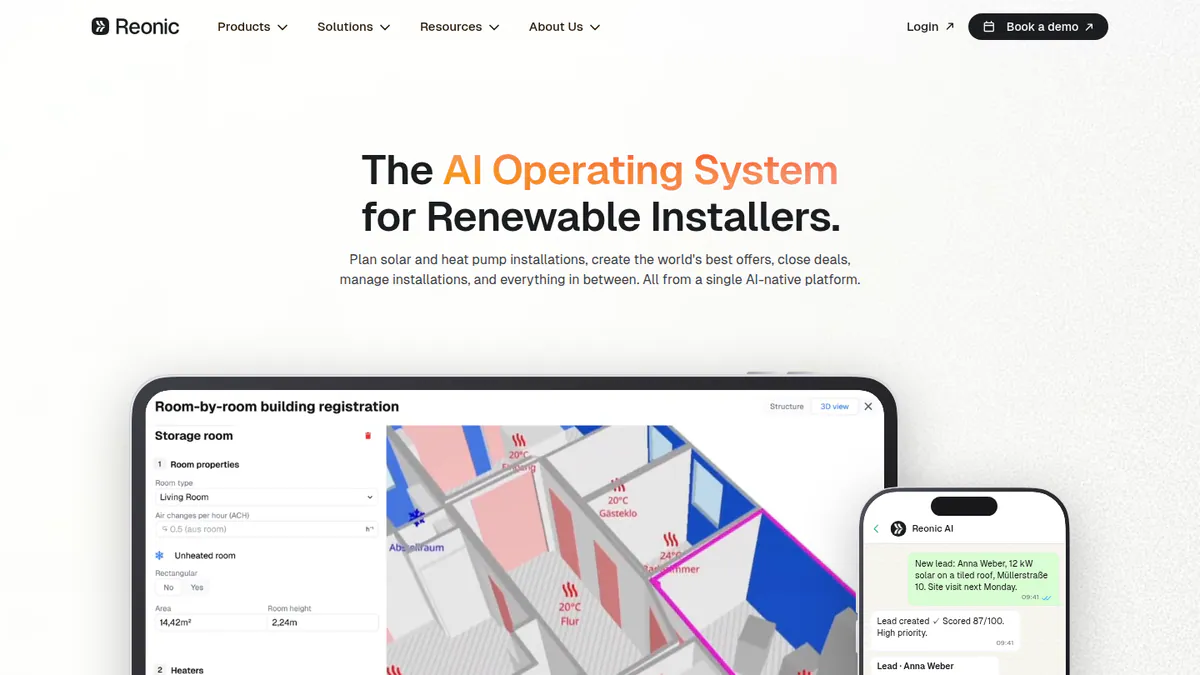
10. Reonic: best for European all-in-one storage sales
Best for: European and UK installers selling solar, batteries, wallboxes (home EV chargers) and heat pumps. Score: 61.3/100.
vs Energy Toolbase: Reonic works in Europe, where ETB’s US tariffs do not apply. It adds a CRM and project tools, but its storage modelling is lighter.
What it is: Reonic GmbH, a German company, sells this all-in-one installer platform. Germany, Austria and Switzerland are its core markets, and it has a UK site.
Why we picked it: It brings storage, heat pumps, CRM and proposals together for European installers, and Trustpilot reviewers praise its onboarding.
Key features:
- Branded PDF proposals with profit sums and e-sign.
- Hourly yield forecasts down to each module.
- CRM, tasks and a customer portal.
- Heat pump planning beside PV and batteries.
Pricing: Quote only. You start with a free demo. Checked October 2026 on the Reonic product page.
Pros (from user reviews):
- A German firm says energy-flow simulation and quick proposals lifted its sales (Trustpilot, September 2024).
- Onboarding support is strong (Trustpilot, March 2026).
- The interface is clean and easy to use (Trustpilot, March 2026).
Cons (from our research):
- There is no public price, just like ETB.
- We found no demand-charge or value-stacking tools.
- Its grid registration service covers Germany only.
Reviews: Trustpilot 4.5/5 (33 reviews), checked October 2026.
What we could not confirm: Any critical review text, or whether Trustpilot’s sample is representative.
See our Reonic alternatives guide.
Want to see Reonic working? Book a demo with the SolarSoftwares team.
Book a demoYour request goes by email to the SolarSoftwares team. A time is set only after we reply. It does not change any score or ranking.
SurgePV (unscored): for readers comparing solar-plus-storage sizing and project economics. It is not a fleet dispatch or energy-trading platform. The numbered scores above do not include it.
Sources checked 27 October 2026: SurgePV product information · SolarSoftwares SurgePV review
Book a demo of SurgePV with the SolarSoftwares team.
Book a demoYour request goes by email to the SolarSoftwares team. A time is set only after we reply. It does not change any score or ranking.
How do the 10 Energy Toolbase alternatives compare?
Product | Entry price (checked October 2026) | Tariff and demand-charge modelling | Client proposals | Main region | Platform |
|---|---|---|---|---|---|
ETB Developer (reference) | Quote only | Yes, 120k+ US tariffs | Yes, white-label | US | Cloud |
GBP 4 per project | Not found | Yes | UK, AU, IE | Cloud | |
USD 159 per user a month | Battery arbitrage only | Yes | US | Cloud | |
Free | US tariff data | No | Global | Desktop | |
CHF 700 a year | Not found | No | Global | Windows | |
USD 440 per user a month | Yes (NEM 3.0 on Platinum) | Branded reports | US, global | Cloud | |
Quote only | No (utility scale) | No | Global | Cloud | |
USD 2,799 a year | Not found | Yes | US, Canada | Cloud | |
USD 135 a month | Peak shaving and tariffs | Yes | AU, NZ | Cloud | |
USD 1,575 a year | Not its focus | No | Global | Desktop | |
Quote only | Not found | Yes | Europe, UK | Cloud |
Also considered
- HOMER Grid: Scored 61.0/100, just below the top 10. It is the closest match to ETB: behind-the-meter storage sizing for demand charges, tariffs and arbitrage, with a client report. It costs USD 4,200 a year on the annual plan or USD 665 monthly. No user reviews or dated release notes held its score back.
- Solar Proof: Scored 60.5/100. An Australian tool with interval data, commercial tariffs and IRR/NPV, from 4 per project (AUD implied, as the page shows only a dollar sign). It has no user reviews and serves Australia only.
- Sunny Design: Scored 55.0/100. SMA’s free planner. Sunny Design PRO (EUR 600 a year) adds battery peak shaving and tariff tools. It centres on SMA kit and has no user reviews. See our Sunny Design alternatives.
How do you choose an Energy Toolbase alternative?
- If you left ETB over hidden pricing and model US demand charges, look at HOMER Grid (also considered) or Xendee.
- If you build microgrids with outage cover, pick Xendee. For off-grid and hybrid sites, pick HOMER Pro.
- If you want a free model and can live without proposals, pick SAM.
- If lenders need P50/P90 yield reports, pick PVsyst.
- If you work outside the US, pick SolarPlus (Australia, NZ), Reonic (Europe) or Pylon (UK, Ireland, Australia).
- If you sell home and small business batteries in the US, pick Aurora Solar or Solargraf.
- If your storage projects are utility scale, pick RatedPower.
For wider shortlists, see our battery energy storage software, battery storage design software and solar financial modelling software pages. Also see C&I solar software and the storage and microgrid category.
Want more choices? Browse every tool we checked in our proposals and sales category.
How do you switch from Energy Toolbase?
- Export the proposals and savings reports for live deals, and keep a copy of each client’s inputs.
- Save each active site’s load data and tariff choices, and check the new tool covers those tariffs.
- Run two or three live deals in both tools side by side and compare the savings figures.
- Rebuild your proposal templates and branding, then move fully once the numbers line up.
Energy Toolbase alternatives FAQs
What is the best alternative to Energy Toolbase for storage modelling?
Xendee is the closest ranked match for behind-the-meter C&I storage. It models tariffs and incentives from USD 440 per user a month (checked October 2026). HOMER Grid (also considered) is also close. Pylon has the top overall score, but it does not model demand charges.
How much does Energy Toolbase (ETB Developer) cost?
ETB Developer is quote only. As of October 2026, its pricing page lists no plans, and the price is set on a 30-minute call based on team size. There is no free trial, only a demo.
Energy Toolbase vs HOMER Grid: which is better for C&I storage?
Both size behind-the-meter storage around tariffs and demand charges. HOMER Grid publishes its price (USD 4,200 on the annual plan) with a free trial. ETB has a large US tariff database and grid-services tools, but it is quote only. Neither has user reviews on G2 or Capterra (October 2026).
Is there a free alternative to Energy Toolbase, like SAM?
Yes. SAM is free and open source, and it models batteries and project finance in depth (checked October 2026). It makes no client proposals, and most lenders prefer PVsyst reports. A US national lab builds SAM, and its tariff data centres on the US.
Does Energy Toolbase work outside the US?
We found no claim of coverage outside the US as of October 2026. Its tariff database covers US utilities, and its incentive tools centre on California. Outside the US, look at SolarPlus, Reonic, Pylon, PVsyst or HOMER Pro.
Which alternative has a utility tariff database as good as Energy Toolbase?
None we ranked claims a database of ETB’s size (120k+ tariffs). Xendee pulls tariffs from Genability and sells custom tariffs, and HOMER Grid models tariffs including future changes. SAM uses US-centred tariff data. ETB keeps its own database up to date with an in-house team.
Sources
All read 22 October 2026. We re-checked Xendee pricing on 25 October 2026.
- Energy Toolbase: pricing, ETB Developer
- Pylon: UK pricing, Capterra, G2
- Aurora Solar: pricing, G2, Capterra, G2 review
- SAM: README, Pure Power Engineering blog (December 2022)
- PVsyst: shop, product page, G2, G2 comparison
- Xendee: pricing, G2
- RatedPower: pricing, G2, G2 pros and cons
- Solargraf: pricing, Capterra
- SolarPlus: pricing, G2
- HOMER Pro: pricing, Capterra
- Reonic: product page, Trustpilot
- Also considered: HOMER Grid pricing, Solar Proof pricing, Sunny Design
Last updated 28 October 2026. Next scheduled review: 23 January 2027.