Free solar design software lets you plan panels on a roof without paying a licence fee. You draw the layout, check shade and plan the wiring. OpenSolar is the best free solar design software for most installers. Its core design, shading and proposal app costs nothing and works with any inverter brand.
Some jobs need more detail. For small jobs that need 3D shading and yield (how much power the panels will make), pick Archelios Pro. It is free up to 9 kWp (peak kilowatts of panels), per the product page. UK MCS (installer certification) firms should pick Easy PV. Its free Basic plan fills in DNO (grid operator) forms for you.
SolarEdge, SMA and Sungrow installers can use that maker’s free designer for stringing (planning how panels connect to the inverter). If you want open-source code, SAM and pvlib python lead the open-source libraries below. This is a thin field. Only seven of the 13 tools we checked reached our minimum match score (4 out of 10) as free tools that draw a layout. For paid tools, see our best solar design software ranking.
Quick picks
Rank | Product | Best for | Starting price (company page, checked October 2026) | Free plan / trial | Score /100 |
|---|---|---|---|---|---|
1 | Free all-round design and proposals, any brand | ✓ Free core platform. API and accounting connectors paid (rates not published) | Free core platform | 70.5 | |
2 | 3D shading and yield on small projects | ✓ Free up to 9 kWp. Silver EUR 990/yr excl. VAT | Free tier with limits | 63.0 | |
3 | UK domestic MCS installers | ✓ Basic GBP 0. Pro GBP 35/user/month + VAT | Free tier with limits | 57.0 | |
4 | SolarEdge installers (status unconfirmed) | ✓ Free (per SolarEdge 2018 launch release) | Free, SolarEdge-locked | 56.5 | |
5 | Designers already working in SketchUp | ✓ Pro USD 200/yr per licence (plus SketchUp) | Free version with limits | 53.5 | |
6 | SMA installers, storage and hybrid systems | ✓ Free. PRO EUR 600/yr net | Free, SMA-centric. PRO 1-month trial | 51.5 | |
7 | Sungrow installers | ✓ Free (registration required) | Free, Sungrow-locked | 50.8 |
✓ Verified on the company’s own pricing page. ◐ Published by the company outside its pricing page (help centre, store or press release). ? We could not read the company’s pricing page, so the figure is not confirmed. Prices checked October 2026.
How the 7 tools scored
- Use-case fit 35%
- User reviews 20%
- Pricing 15%
- Ease of use 10%
- Support 10%
- Momentum 10%
Tool | Score chart | Score |
|---|---|---|
70.5 out of 100 | 70.5 | |
63 out of 100 | 63.0 | |
57 out of 100 | 57.0 | |
56.5 out of 100 | 56.5 | |
53.5 out of 100 | 53.5 | |
51.5 out of 100 | 51.5 | |
50.8 out of 100 | 50.8 |
Each bar shows the weighted score out of 100.
Sub-scores at a glance (0-10)
Product | Use-case fit | User reviews | Pricing | Ease of use | Support | Momentum | Total /100 |
|---|---|---|---|---|---|---|---|
7.0 | 5.0 | 9.0 | 7.5 | 5.0 | 10.0 | 70.5 | |
7.0 | 5.0 | 9.0 | 5.0 | 5.0 | 5.0 | 63.0 | |
6.0 | 5.0 | 9.0 | 5.0 | 5.0 | 2.5 | 57.0 | |
7.0 | 5.0 | 6.0 | 5.0 | 5.0 | 3.0 | 56.5 | |
5.0 | 5.0 | 9.0 | 5.0 | 2.5 | 5.0 | 53.5 | |
5.0 | 5.0 | 6.0 | 5.0 | 5.0 | 5.0 | 51.5 | |
4.7 | 5.0 | 6.0 | 5.0 | 5.0 | 5.5 | 50.8 |
A 5.0 on reviews, ease, support or momentum is our neutral score. We use it when public evidence is thin. It is not a judgement.
What does "free" mean for solar design software?
"Free" can mean three kinds of deal.
- Free with no cap or tie. It has no published size cap and no hardware tie. Among layout tools, only OpenSolar’s core fits. Even so, it has charged for API access (a link that lets other software connect) and accounting connectors since 16 April 2026. The simulators SAM, PVGIS and pvlib python are also free in full. A simulator models how much power a system makes. These three draw no layouts.
- Free tier with limits. This is a free version that stays free, but with a cap or missing features. Archelios Pro (up to 9 kWp per the product page) and Easy PV (Basic plan) fit here. So does Skelion, a plug-in for the SketchUp 3D drawing program. A user reports a panel limit on its free version.
- Free but locked to one inverter brand. Inverter makers give these away to sell kit. SolarEdge Designer, SMA Sunny Design and Sungrow iSolarDesign are ranked. We also looked at KACO blueplanet PV-designer and Fronius Solar.creator. They suit stringing for that brand’s inverters and little else.
How did we rank the best free solar design software?
How the score is weighted
- Use-case fit 35%
- User reviews 20%
- Pricing 15%
- Ease of use 10%
- Support 10%
- Momentum 10%
We checked 13 products from 22 to 25 October 2026: 7 ranked and 6 also considered. This was desk research. We did not test any tool hands-on. We used company docs, pricing pages, release notes, trade press and user reviews.
- Use-case fit (35%): how well the tool does free layout design. Layout and 3D count most. Tools that are not free lose most of this score.
- User reviews (20%).
- Pricing (15%): tools that are free in full score best. Free tiers come next, and brand-locked tools score lower.
- Ease of use, support and product momentum (10% each).
Scores are for this page’s job only. Products below the minimum score sit under "Also considered".
Only OpenSolar has G2 reviews among the seven, and just three. A product with fewer than eight reviews gets a middle review score. We show third-party ratings for context only. We never use them in rating markup (the code that shows star ratings in search results).
SurgePV is not part of this ranking. Read our full method.
1. OpenSolar: best for free all-round design and proposals
Best for: Installers who want to go from design to proposal for free, with no inverter lock-in. Score: 70.5/100.
What it is: OpenSolar Inc makes OpenSolar, a browser tool for design, proposals and sales. Home and small C&I (commercial and industrial) installers use it. Partners, imagery and its hardware shop pay for the free core.
Why we picked it: Its core layout tool is free, with no size cap and no inverter tie. It also takes you from design to signed proposal without a licence fee.
Key features:
- Free 3D and 2D rooftop design with shading.
- AI auto-design (OS 3.0, launched September 2025).
- Web proposals that the customer can click through, sign and pay from.
- Links to permit tools, such as SolarAPP+ in the US.
Pricing: The core platform is free, and OpenSolar says it "will always be free for you to use". From 16 April 2026, you pay for API Access by use through the OpenSolar Wallet, with a 30-day free trial. Xero and QuickBooks connectors cost a monthly fee per company. OpenSolar does not publish either amount. Premium HD imagery is an optional partner add-on. Checked October 2026, opensolar.com.
Pros (from reviews and our research):
- Adding, removing and changing panels is very easy.
- The hands-on app gives you the facts you need on site.
- You can quote any hardware brand, and the company says the free core has unlimited users.
Cons (from user reviews):
- Panel design lacks automatic custom settings, so an engineer still needs to check it.
- The screens look dated, though they work.
- A reviewer says it is "not completely free", even though it sells itself as free.
Reviews: G2 4.8/5 from 3 reviews (G2, checked October 2026).
Read our full OpenSolar review or our OpenSolar alternatives.

Want to see OpenSolar working? Book a demo with the SolarSoftwares team.
Book a demoYour request goes by email to the SolarSoftwares team. A time is set only after we reply. It does not change any score or ranking.
2. Archelios Pro: best for 3D shading and yield on small projects
Best for: Installers and design offices doing home jobs up to 9 kWp who want deep modelling for free. Score: 63.0/100.
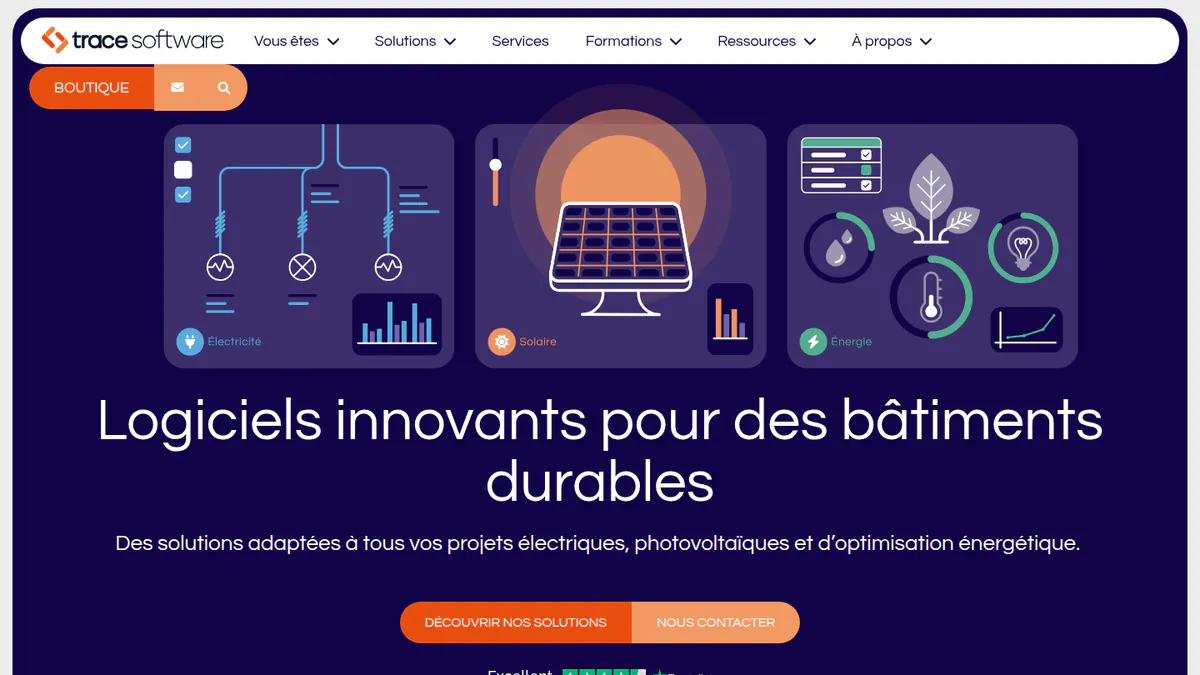
What it is: Archelios Pro is French software for 3D PV design. It models yield, self-consumption (the share of solar power a building uses itself) and cash flow. It has SketchUp and Revit plug-ins. Trace Software International sells it to installers and design offices. Trace says the free version is not a trial.
Why we picked it: It brings 3D modelling, near and far shading and P50 yield to small jobs at no cost. Paid tiers have published prices if you outgrow the free cap.
Key features:
- 3D modelling that pulls in nearby buildings and trees for you.
- Auto table layout and inverter and string set-up, with micro-inverters and optimisers (small devices that sit on each panel).
- Near and far shading, with weather data from Meteonorm, PVGIS, Solargis and others.
- P50 yield (the central estimate), self-consumption with French Enedis/Linky (grid operator and smart meter) or German BDEW load profiles, and batteries.
Pricing: Free up to 9 kWp, per the product page. archelios PRO Silver is EUR 990 per year excl. VAT, for up to 100 kWp per project. Gold is EUR 1,490 per year excl. VAT, up to 1 MWp, and adds P75/P90 (yield confidence levels) and DXF (CAD drawing file) export. Platinum is EUR 1,990 per year excl. VAT, with no power limit and a Revit plug-in. You buy lifetime licences through the sales team. French-language shop, checked October 2026, trace-software.com.
Pros (from our research):
- You can set up strings for any inverter brand, including micro-inverters and optimisers.
- Near and far shading with yield modelling gives small jobs a detailed production estimate.
- Published Silver, Gold and Platinum prices let you budget for the day your jobs outgrow the free cap.
Cons (from our research):
- The free cap (9 kWp per the product page) rules out most business jobs.
- It is built for France, with an Enedis/Linky link and company pages that are mostly in French.
- Full electrical design needs archelios CALC, sold separately. The PRO tiers export only a simple SLD (single-line diagram).
Reviews: No user reviews on G2 or Capterra as of October 2026 (the G2 listing has none).
What we could not confirm: the exact free cap (sources disagree, so check it when you sign up) and which shading and yield features the free version keeps.
Read our Archelios alternatives guide.
Want to see Archelios Pro working? Book a demo with the SolarSoftwares team.
Book a demoYour request goes by email to the SolarSoftwares team. A time is set only after we reply. It does not change any score or ranking.
3. Easy PV: best for UK domestic MCS installers
Best for: UK home MCS installers who want design, sums and DNO paperwork in one free tool. Score: 57.0/100.
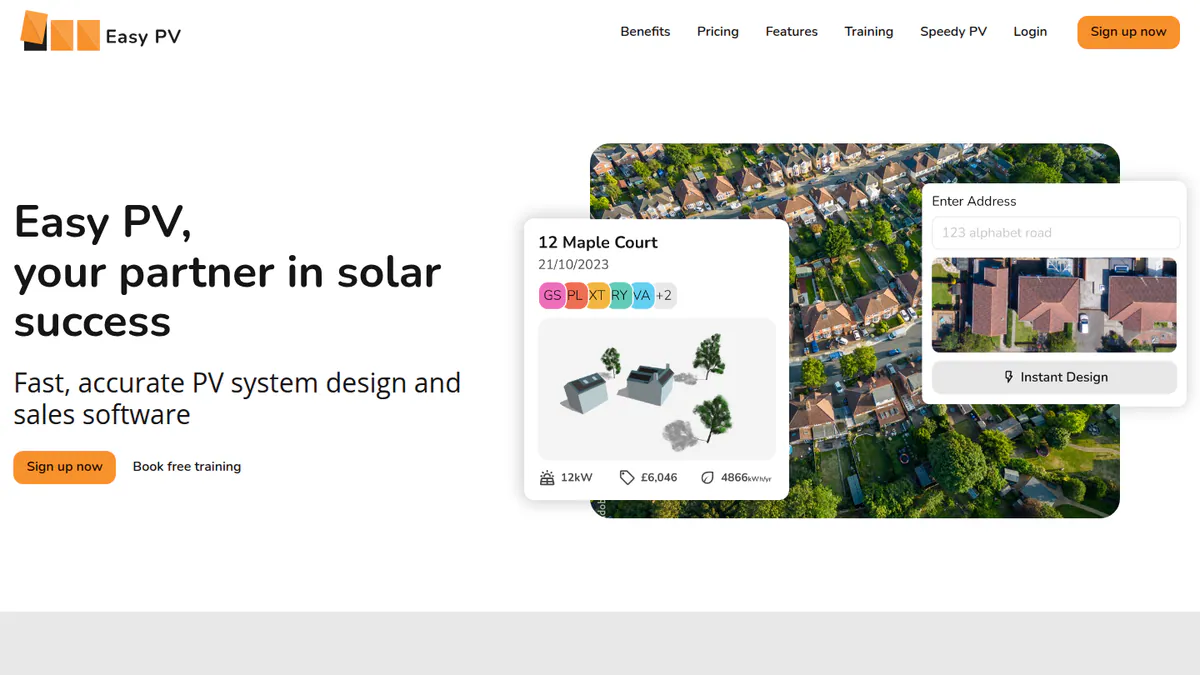
What it is: Easy PV is a browser tool for design, MCS calculations, DNO forms and proposals. Midsummer, a UK solar wholesaler, makes it. It can do C&I designs, but it is mainly for home jobs.
Why we picked it: Its free Basic plan covers the whole UK home job in one place. It handles MCS calculations and DNO forms.
Key features:
- Four design modes, including a 3D studio and "Magic" auto-design (unlimited Magic use is a Pro feature).
- MCS structural (wind and snow), performance and self-consumption calculations.
- Automatic electrical schematic, stringing and electrical checks.
- DNO forms filled in for you, and DNO applications sent for you in Pro.
Pricing: Basic is GBP 0. It covers 2D/3D design, MCS calculations, an automatic schematic, financial projections, a pricing calculator, a proposal and automated DNO forms. Pro is GBP 35 plus VAT per user per month, with no contract (per the Easy PV help centre). Enterprise is on request. Checked October 2026, easy-pv.co.uk.
Pros (from our research):
- The free Basic plan covers the full MCS home job, from design to DNO forms.
- MCS wind and snow calculations sit next to performance figures.
- When you outgrow Basic, Pro adds branding, CRM integration and e-signing at a published monthly price.
Cons (from our research):
- It is UK only in practice, because it is built around MCS and DNO steps.
- The last dated public update we found was the 3D design release in February 2023.
- It is tied to Midsummer’s wholesale business for pricing and stock.
Reviews: No user reviews on G2 or Capterra as of October 2026. Trustpilot lists Midsummer’s shop, not the software.
What we could not confirm: how detailed the free automatic schematic is.
Read our full Easy PV review or our Easy PV alternatives.
Want to see Easy PV working? Book a demo with the SolarSoftwares team.
Book a demoYour request goes by email to the SolarSoftwares team. A time is set only after we reply. It does not change any score or ranking.
4. SolarEdge Designer: best for SolarEdge installers
Best for: Installers who standardise on SolarEdge inverters and optimisers. Score: 56.5/100.
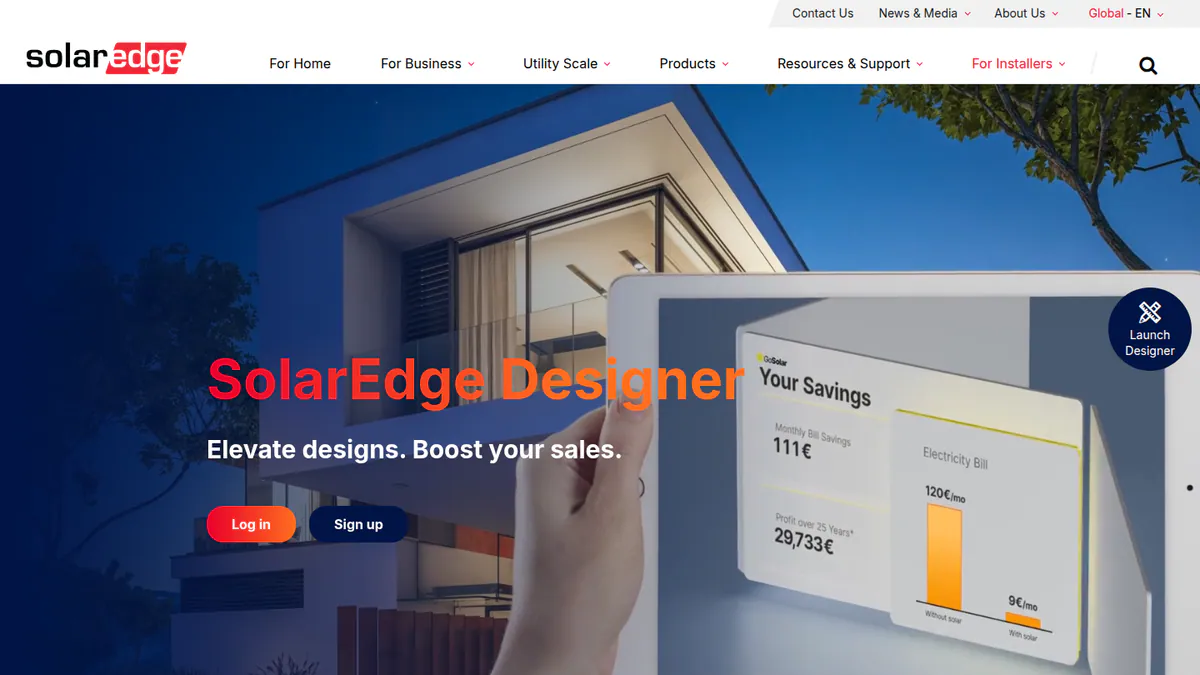
What it is: SolarEdge Designer is SolarEdge’s web tool for layout, modelling and proposals. It launched in 2018, and SolarEdge added commercial features in 2020. It is made for installers who fit SolarEdge inverters and optimisers. Note: we could not open SolarEdge’s product page, so we could not confirm that it is still free and live.
Why we picked it: It is free and strings to SolarEdge’s own rules, for both home and commercial layouts. That makes it useful for SolarEdge installers, if it is still live.
Key features: Per the 2018 release and a 2020 Solar Power World article.
- Web layout on satellite imagery and 3D site modelling.
- Automatic one-click stringing to SolarEdge rules.
- Energy modelling with shading and losses, plus sunlight checks.
- Commercial load profiles (factory, retail, office).
Pricing: Free, per SolarEdge’s 2018 launch press release, which calls it a "free Designer tool" (press release on pv-magazine-usa.com, checked October 2026).
Pros (from our research, based on 2018-2020 sources):
- One-click stringing follows SolarEdge’s own rules, so strings fit its kit.
- One tool handles both home and commercial layouts.
- Designs link with SolarEdge monitoring.
Cons (from our research):
- It is locked to SolarEdge equipment.
- The newest source we found dates from 2020, and there are no release notes.
- There are no user reviews to judge it by.
Reviews: No user reviews on G2 or Capterra as of October 2026.
Read our full SolarEdge Designer review or our SolarEdge Designer alternatives.
Want to see SolarEdge Designer working? Book a demo with the SolarSoftwares team.
Book a demoYour request goes by email to the SolarSoftwares team. A time is set only after we reply. It does not change any score or ranking.
5. Skelion: best for designers already working in SketchUp
Best for: Designers who model in SketchUp and want to check shading on that model. Score: 53.5/100.
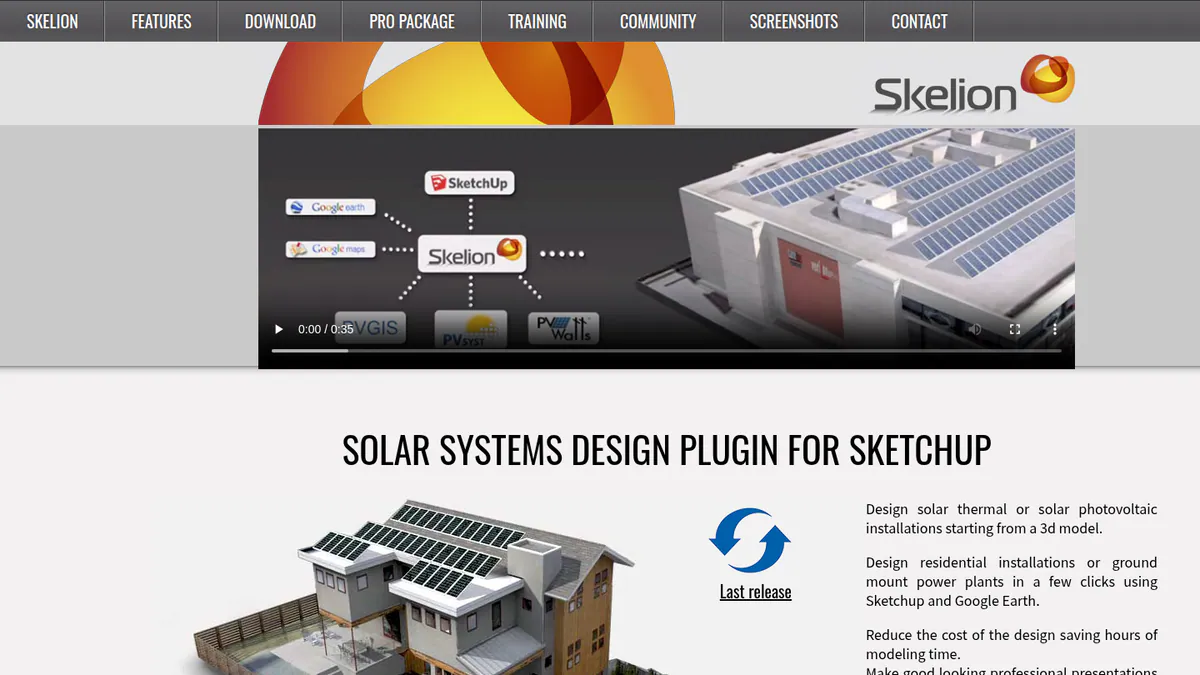
What it is: Skelion is a SketchUp plug-in. It places PV and solar thermal panels on 3D roof and ground surfaces. It adds shading checks and energy estimates.
Why we picked it: It adds panel layout and shading checks to the SketchUp models you already build. The Pro licence has a low published price, with volume deals.
Key features: From the Skelion Pro page, as the features pages would not load.
- Places PV and solar thermal panels on SketchUp roof and ground surfaces.
- Shading checks on the 3D model.
- Energy estimates.
- Runs inside SketchUp, which you pay for separately.
Pricing: Skelion Pro + Support is USD 200 per year for one licence. Two licences cost USD 350, three USD 400, four USD 500 and five USD 600, all as annual serials. SketchUp is paid separately. Checked October 2026, skelion.com. A free version exists. A SketchUp forum user says it stops at 10 panels. The company did not confirm this.
Pros (from our research):
- At USD 200 a year, it is a low-cost paid licence (SketchUp extra).
- Volume prices cut the cost per seat: five licences cost USD 600 a year.
- The free version doubles as a trial before you buy a Pro serial.
Cons (from a user report and our research):
- The free version’s 10-panel limit confused a user, and the company did not reply (SketchUp forum, June 2025).
- You need a paid SketchUp licence on top.
- It has no stringing, proposals or electrical output.
Reviews: No user reviews on G2 or Capterra as of October 2026. We found one SketchUp forum thread.
What we could not confirm: version numbers, release dates and which SketchUp versions it supports, because Skelion’s feature pages would not load.
Read our Skelion alternatives guide.
Want to see Skelion working? Book a demo with the SolarSoftwares team.
Book a demoYour request goes by email to the SolarSoftwares team. A time is set only after we reply. It does not change any score or ranking.
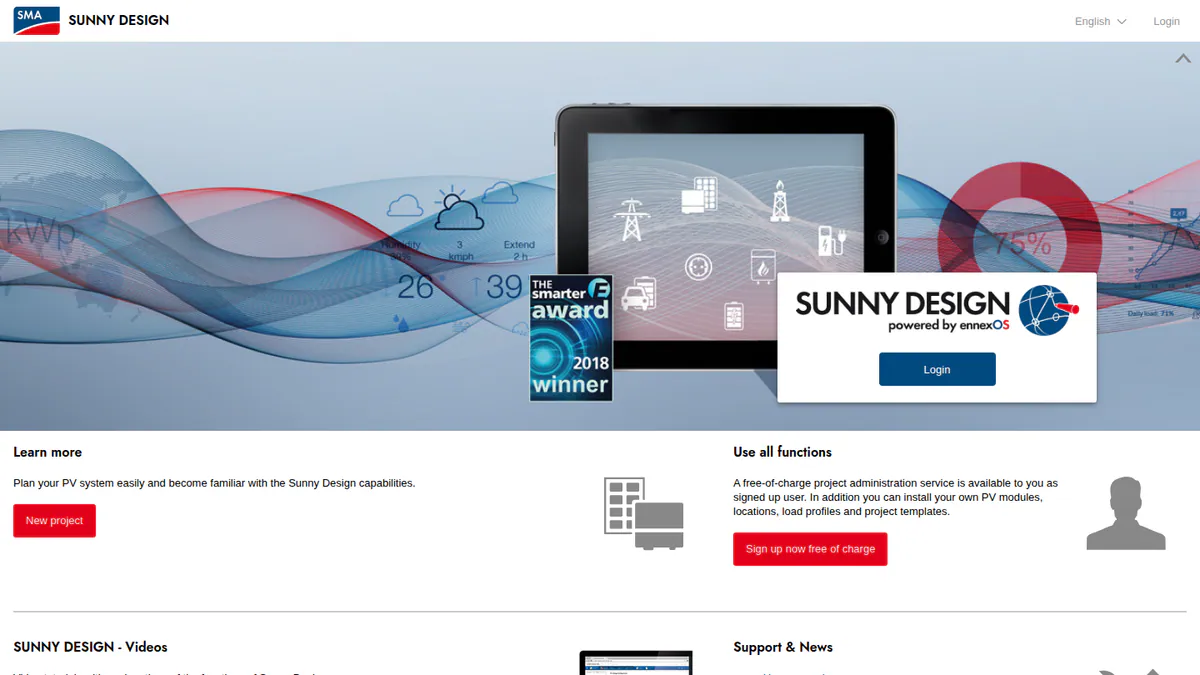
6. Sunny Design: best for SMA installers designing storage and hybrid systems
Best for: SMA installers who work with batteries or off-grid and hybrid designs. Score: 51.5/100.
What it is: Sunny Design is SMA’s free web tool for planning PV, storage and hybrid systems. It also runs on iPad and Android tablets. It is for installers who pick SMA inverters.
Why we picked it: It is one of the few free tools here that design battery, off-grid and hybrid systems. SMA keeps releasing new versions.
Key features:
- PV string sizing with automatic string alignment against SMA inverters.
- Visual roof planning with shading analysis.
- Yield and self-consumption forecasts, including shading losses.
- Battery storage, off-grid and PV-hybrid design.
Pricing: Sunny Design is free, though some features need you to sign up. Sunny Design PRO is EUR 600 per year net, excl. VAT, with a one-month free trial. PRO adds heat pumps, CHP (combined heat and power) and EV charging. It also adds battery peak-shaving, load profiles, 3D model import and job costing. Checked October 2026, sma.de.
Pros (from our research):
- The free version covers storage, off-grid and hybrid systems.
- SMA keeps shipping new versions: its release notes run from 5.00 to 6.10, though they are not dated.
- You can test PRO free for a month before you pay for it.
Cons (from our research):
- It is built around SMA devices, and SMA does not say if other brands work.
- Roof layout is basic next to tools built just for design.
- Electrical output is a schematic circuit diagram, not a permit-ready SLD.
Reviews: No user reviews on G2 or Capterra as of October 2026.
Read our full Sunny Design review or our Sunny Design alternatives.
Want to see Sunny Design working? Book a demo with the SolarSoftwares team.
Book a demoYour request goes by email to the SolarSoftwares team. A time is set only after we reply. It does not change any score or ranking.
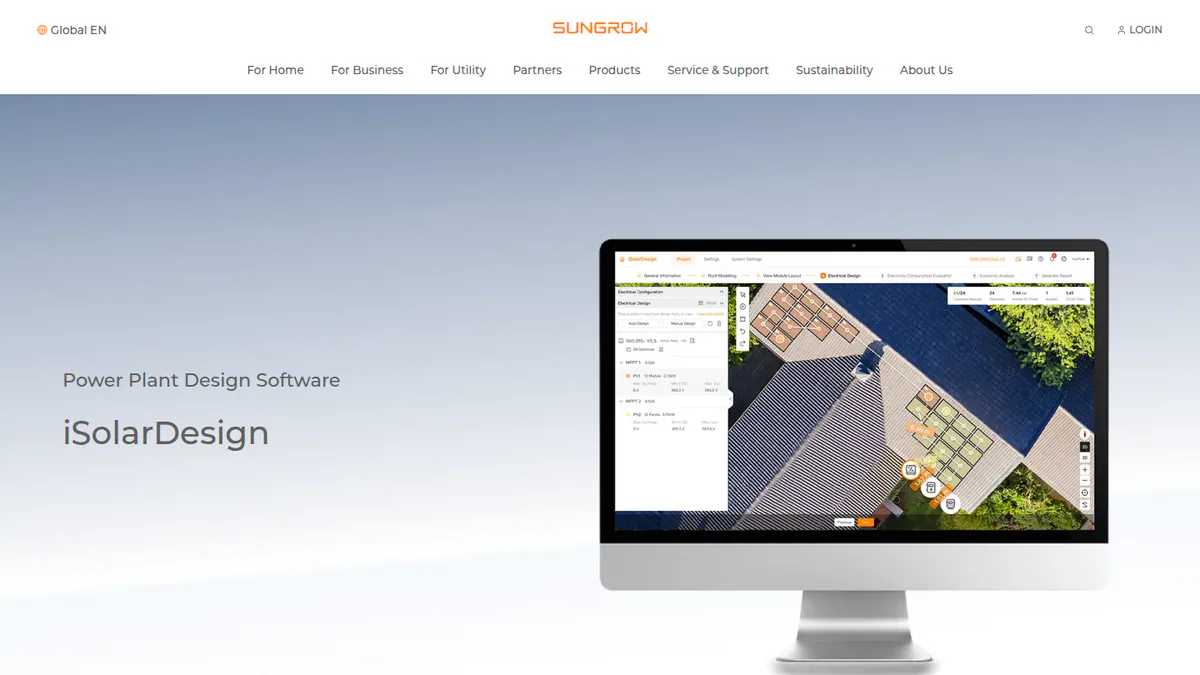
7. iSolarDesign: best for Sungrow installers
Best for: Sungrow installers who want a free tool from layout to report, on web and mobile. Score: 50.8/100.
What it is: iSolarDesign is Sungrow’s web and app design tool for PV and storage. It does layout, stringing, wiring and yield reports for Sungrow inverters and batteries. Note: only trade press (pv Europe) says it is free, as Sungrow’s own pages do not mention price.
Why we picked it: It runs from layout and stringing through to wiring and yield reports at no cost. Sungrow relaunched it in November 2025, so it is still being developed.
Key features:
- Automatic and manual module layout, with 3D modelling and a 3D report.
- Suggested or custom inverter and string set-up.
- Electrical wiring and cable design canvas.
- Yield, revenue and loss reports, plus side-by-side options for DC/AC ratio and economics.
Pricing: Free. You sign up by email or log in with iSolarCloud. A visitor login covers Quick Design. pv Europe called it a tool that "always was and will be a free-of-charge tool from Sungrow". Checked October 2026, pveurope.eu.
Pros (from our research):
- Kept up to date, with an AI relaunch in November 2025 and a December 2025 manual.
- Has a wiring and cable design canvas and lets you compare options side by side.
- Works on the web and a mobile app.
Cons (from our research):
- It is built for Sungrow kit: the manual lists only Sungrow devices plus MLPE (panel-level power devices such as optimisers).
- Full use needs an account, as the visitor login covers Quick Design only.
- There are no user reviews to judge it by.
Reviews: No user reviews on G2 or Capterra as of October 2026.
What we could not confirm: whether it models shading in detail, and whether other inverter brands work.
Want to see iSolarDesign working? Book a demo with the SolarSoftwares team.
Book a demoYour request goes by email to the SolarSoftwares team. A time is set only after we reply. It does not change any score or ranking.
How do the 7 free solar design tools compare?
This table shows each free version’s limit and any inverter lock-in.
Product | Type of free | Free-version limit | Inverter lock-in | 3D and shading | Proposals | Region focus |
|---|---|---|---|---|---|---|
Free core platform | API and connectors paid from Apr 2026 | None | Yes (3D/2D, shading) | Yes, web proposals with e-signature | Global | |
Free tier | Up to 9 kWp (product page) | None | Yes (3D, near/far shading) | Limited | France/EU | |
Free tier | Basic plan. Unlimited Magic mode and branding in Pro | None stated (linked to Midsummer trade pricing) | 2D/3D. Shading limited | Yes | UK | |
Free, brand-locked | Not confirmed on the company site | SolarEdge | Yes (3D, shading) | Yes | Global | |
Free version | 10 panels (user report). SketchUp needed | None | Yes, inside SketchUp | No | Global | |
Free, SMA-centric | Sector coupling and 3D import in PRO | SMA (others not stated) | Basic roof planning with shading | Limited | Global | |
Free, brand-locked | Registration required | Sungrow (others not stated) | 3D yes. Shading not explicit | Quotation via distributors | Global, AU, EU |
Which open-source PV modelling libraries can you use?
Free is not the same as open source. OpenSolar, SolarEdge Designer and Sunny Design are free but closed. Open source means anyone can read and reuse the code. Open-source solar software means code libraries for engineers and coders. None draws a roof layout or a permit SLD (single-line diagram of the wiring). For a ranked list, see our best open source solar design software guide.
We checked licence, language and upkeep for nine libraries on 22 and 23 October 2026. We used code repos, package lists and the Open Source Tools for PV Modeling index. We did not install or run them.
Tool | What it models | Licence | Language / runtime | Latest release found (checked October 2026) | Maintenance status |
|---|---|---|---|---|---|
PV, storage and project finance, with a desktop GUI | BSD-3-Clause | Desktop app. PySAM for Python | v2026.7.3 | Active | |
pvlib python | Full PV performance chain | BSD 3-Clause | Python | v0.16.1 (26 Sep 2026) | Active |
Ladybug / Honeybee | Radiation, shadow and PV studies on building geometry | AGPL-3.0-or-later (copyleft) | Grasshopper plugins. Needs a paid Rhino 6, 7 or 8 | 1.10.0 (Mar 2026, forum) | Active |
bifacial_radiance | Ray-traced bifacial and agrivoltaic irradiance | BSD 3-Clause | Python plus RADIANCE | v0.5.4 (25 Sep, year inferred 2026) | Active |
CASSYS | Grid-tied system yield | BSD 3-Clause (per index) | Excel front end, C# engine | Could not confirm | Unknown: repository could not be checked |
pvfactors / solarfactors | View-factor rear-side irradiance | BSD 3-Clause | Python | solarfactors v1.6.1 (15 Jan 2026) | Active fork. Original pvfactors unmaintained since 2022 |
PVMismatch | IV curves and electrical mismatch | BSD 3-Clause | Python | 4.1 (11 May 2019) | Dormant (last push April 2022) |
pvlib MATLAB | PV performance functions | BSD 3-Clause (per index) | MATLAB (paid licence) | v1.3 record (2015). Nothing after 2018 plans found | Dormant |
feedinlib | PV and wind feed-in time series | MIT (GPL-3 in older listings) | Python | 0.1.0rc4 (12 Feb 2020). Last stable 0.0.12 (2017) | Archived 16 Sep 2025 (read-only) |
pvlib python is a code library for engineers who write code. Installers who do not code should skip it. It models sun position, irradiance transposition (converting sunlight to the panel angle), cell heat, DC and AC power, and losses. It has no screens and 100+ contributors. Version 0.16.1 came out on 26 September 2026, per PyPI.
For bifacial (two-sided panels) and tracker (panels that follow the sun) studies, two libraries are still kept up. bifacial_radiance uses ray tracing and suits carports and agrivoltaics (solar over crops). solarfactors uses view factors and is faster on regular rows.
The BSD-licensed tools let you use them in paid products. Ladybug’s AGPL-3.0 is copyleft (it passes its licence terms on). Check its rules before you ship a product built on it.
Use feedinlib, PVMismatch and pvlib MATLAB only to reproduce old work, or fork them. bifacial_radiance still depends on PVMismatch.
None is lender-grade on its own. An engineering firm notes that most lenders do not accept SAM output in place of PVsyst reports (Pure Power).
Which other free tools did we consider?
These fell below the minimum score, so we did not rank them. Several are good at a different job.
Free simulation tools (no layout design)
- SAM: a free desktop simulator from a US Department of Energy national lab, formerly NREL. SAM’s current GitHub README names it the National Laboratory of the Rockies. It models PV and battery yield from rooftop to utility scale, with costs, but draws no layouts. Use it for cost-and-yield modelling and second opinions. Free, checked October 2026 (SAM README).
- PVGIS: a free, no-login web tool and API from the European Commission’s Joint Research Centre (JRC). It gives sunlight data and PV yield estimates. Use it for early checks on whether a job works, and for TMY (typical weather year) files. One UK self-builder reported a 4.5 MWh prediction against 4.26 MWh actual in year one (Buildhub forum). Hourly data is in UTC. Free, checked October 2026 (JRC).
Other free or nearly free tools
- KACO blueplanet PV-designer: a free web tool that runs on Valentin Software’s PV*SOL premium engine. KACO says it is free "when designing with KACO new energy inverters" (KACO, checked October 2026). It has only basic layout and no 3D design, so it is a weak fit.
- Fronius Solar.creator: a free browser tool that suggests Fronius inverters and batteries and models yield. It needs a Fronius account and allows unlimited projects (Fronius, checked October 2026). The company’s pages describe no roof layout or shading modelling.
- Renvu: a US distributor whose free Solar Design & Quote Tool builds a BOM (bill of materials, the parts list) and quote from its own catalogue (Renvu, checked October 2026). It is a shop quote tool, not design software.
- Pylon: well reviewed (Capterra 4.6/5 from 25 reviews, G2 4.3/5 from 2, October 2026), but not free. After 5 free Standard project credits, it charges GBP 4 per project (Standard, up to 30 kW DC) or GBP 10 (Pro). Prices from getpylon.com UK pricing, checked October 2026.
How do you choose a free solar design tool?
- Need free design and customer proposals across many kit brands? Pick OpenSolar.
- Small home jobs where 3D shading and yield matter most? Use Archelios Pro’s free version.
- UK home MCS installers should start with Easy PV Basic.
- Fit one inverter brand almost all the time? Use that brand’s tool for stringing checks.
- Already model in SketchUp? Try Skelion’s free version.
- For yield figures without a layout, use PVGIS for a quick check and SAM for cost-and-yield modelling.
- No free tool on this page replaces PVsyst for a lender-grade P50/P90 report (yield estimates a lender will accept). See our PVsyst alternatives and solar simulation software pages.
- For steady C&I or ground-mount work, compare paid tools on our best solar design software and HelioScope alternatives pages.
- For home jobs, compare paid tools in our residential solar design software ranking.
Want more choices? Browse every tool we checked in our design and simulation category, or see our list of free solar software.
Free solar design software FAQs
Is there any free solar design software?
Yes. As of October 2026, OpenSolar’s core platform is free with no brand lock-in. Archelios Pro and Easy PV have free tiers that stay free but have limits. SolarEdge, SMA, Sungrow, KACO and Fronius each have free tools built around their own inverters.
Is PVsyst free?
No. A fresh install runs 30 days in Evaluation mode with watermarked reports, then drops to a Demo mode with most features removed. The cheapest licences, PVsyst 8 Student and Classroom, cost CHF 25 per year with marked reports. PVsyst 8 Professional costs CHF 700 per year per seat (pvsyst.com, checked October 2026).
Is HelioScope free?
No. HelioScope has no free plan, though it has a free trial (length not stated). Basic costs USD 159 per month, or USD 1,620 per year if billed yearly, for one user and up to 1.25 MW DC. Pro is USD 259 per month (HelioScope pricing, checked October 2026).
Is OpenSolar free to use?
The core design and proposal app is free. Since 16 April 2026, you pay for API access and the Xero and QuickBooks connectors. The company does not publish the rates. That is why one G2 reviewer calls it "not completely free".
What is the best free program for designing photovoltaic installations?
For most installers it is OpenSolar, which scored 70.5/100 in our October 2026 review. It is free, works with any brand and covers layout, shading and proposals. For small projects that need detailed modelling, Archelios Pro’s free version (up to 9 kWp) is stronger.
Which free solar design tools are locked to one inverter brand?
SolarEdge Designer, SMA Sunny Design and Sungrow iSolarDesign are ranked, and each suits its own maker’s inverters. KACO blueplanet PV-designer and Fronius Solar.creator work the same way. OpenSolar and Archelios Pro have no inverter tie.
Sources
All sources checked 22 October 2026 (open-source library sources 22 and 23 October 2026).
- OpenSolar pricing and connector charges: opensolar.com/?p=15493. Features: opensolar.com/free, opensolar.com/news. Reviews: G2
- Archelios Pro pricing: trace-software.com/fr/boutique. Features: archelios PRO product page
- Easy PV pricing and features: easy-pv.co.uk, help centre (Pro price, checked 25 October 2026). 3D release: Solar Power Portal
- SolarEdge Designer: SolarEdge press release (pv-magazine-usa.com), Solar Power World
- Skelion pricing: skelion.com. Free-version limit: SketchUp forum
- Sunny Design pricing and features: sma.de
- iSolarDesign pricing: pv Europe. Features: Sungrow product page, iSolarDesign v4.0 manual
- SAM: GitHub README, Pure Power
- PVGIS: European Commission JRC, Buildhub forum
- pvlib python: Zenodo, documentation
- Open-source libraries: Open Source Tools for PV Modeling index (CASSYS, pvlib MATLAB licences). Ladybug / Honeybee: Food4Rhino, release announcements. bifacial_radiance: GitHub releases, ecosyste.ms. solarfactors: repository. PVMismatch: PyPI, ecosyste.ms. pvlib MATLAB: OSTI record. feedinlib: GitHub (archived), PyPI
- KACO blueplanet PV-designer: kaco-newenergy.com
- Fronius Solar.creator: fronius.com
- Renvu: renvu.com
- Pylon pricing: getpylon.com/uk/pricing. Reviews: Capterra, G2
- PVsyst pricing: pvsyst.com/en/shop
- HelioScope pricing: helioscope.aurorasolar.com
Last updated 28 October 2026. Next scheduled review: 23 January 2027.