PVsyst alternatives are design and yield tools you can use instead of PVsyst. PVsyst is a Swiss program that forecasts how much power a solar plant will make. HelioScope ranks first at 72.6/100. PV*SOL premium ranks second at 70.0/100, and SAM is the best free option.
This guide is for installers, EPCs (firms that design and build solar plants) and yield analysts. PVsyst is the usual reference for yield reports. We found no public lender policy naming it or any rival. So we say what bankability evidence each tool has, and who produced it. Bankability means a lender trusts the report enough to fund the project.
For more, see our solar simulation software and utility-scale design software rankings. Leaving Aurora’s home tool instead? See our Aurora Solar alternatives.
Why do people look for PVsyst alternatives?
PVsyst comes from PVsyst SA in Switzerland. It is the reference for P50/P90 yield reports on C&I and utility projects. P50 is the expected output and P90 is the cautious case. G2 reviewers rate it 4.5/5 from 22 reviews (checked October 2026) and praise its modelling and loss analysis. People look elsewhere for four reasons:
- Cost per seat. PVsyst 8 Professional costs CHF 700 per year per licence. Multi-seat discounts are 5% for 2-4 licences, 15% for 5-9 and 20% for 10+. There is no perpetual licence (PVsyst shop, checked October 2026).
- No free licence. Student and Classroom licences cost CHF 25 per year, with marked reports and generic manufacturers. A fresh install runs a 30-day evaluation with generic components and watermarked reports. After that, it falls back to a limited Demo mode.
- Windows only. PVsyst needs Windows 8/10/11 Home or Pro, not Windows Server. Mac and Linux users need a Windows virtual machine. The workspace cannot sit in a synced OneDrive, Dropbox or Google Drive folder.
- Usability. G2 reviewers call the interface outdated and complex, with a steep learning curve and slow 3D scene handling. Ease of use scores 6.7/10 from 14 reviews (G2 comparison, checked October 2026).
If your report goes to a lender, keep one PVsyst seat for the final run and use an alternative for early drafts.
PVsyst at a glance
Item | PVsyst (checked October 2026) |
|---|---|
Pricing | PVsyst 8 Professional CHF 700/year per licence. Student and Classroom CHF 25/year. No perpetual licence |
Free plan / trial | No free licence. 30-day evaluation, then a limited Demo mode |
Ratings | G2 4.5/5 (22 reviews). Ease of use 6.7/10, support 7.7/10 |
Platform | Windows 8/10/11 only. Mac and Linux via a Windows virtual machine |
Latest release | 8.1.5 patch, 10 August 2026 |
Source: PVsyst shop, checked October 2026. Read our PVsyst review.
Quick picks
Rank | Product | Best for | Starting price (company page, checked October 2026) | Free plan / trial | Score /100 |
|---|---|---|---|---|---|
1 | Web-based C&I design and yield up to 30 MW DC | ✓ USD 159/month or 1,620/year (Basic) | No free plan. Free trial (length not stated) | 72.6 | |
2 | European residential and C&I with storage, heat pumps, EV | ✓ EUR 845/year per named user + VAT | No free plan. 30-day trial | 70.0 | |
3 | Utility-scale feasibility, layout and electrical design | Quote only | Demo only | 69.5 | |
4 | Free yield and project-finance modelling | ◐ Free (open source) | Free | 66.9 | |
5 | Cloud yield assessment on Solargis data | ✓ From EUR 12,000/year | Demo only | 63.8 | |
6 | Utility-scale yield with IE pedigree | Quote only | Free trial/evaluation (length not stated) | 63.7 | |
7 | Teams already in PVcase Ground Mount | Quote only | Demo only | 62.9 |
✓ Verified on the company’s own pricing page. ◐ Published by the company outside its pricing page (help centre, store or press release). ? We could not read the company’s pricing page, so the figure is not confirmed. Prices checked October 2026.
Quote only means the company shows no public price. You ask it for a quote.
How the 7 tools scored
- Use-case fit 35%
- User reviews 20%
- Pricing 15%
- Ease of use 10%
- Support 10%
- Momentum 10%
Tool | Score chart | Score |
|---|---|---|
72.6 out of 100 | 72.6 | |
70 out of 100 | 70.0 | |
69.5 out of 100 | 69.5 | |
66.9 out of 100 | 66.9 | |
63.8 out of 100 | 63.8 | |
63.7 out of 100 | 63.7 | |
62.9 out of 100 | 62.9 |
Each bar shows the weighted score out of 100.
Sub-scores at a glance (0-10)
Product | Use-case fit | User reviews | Pricing | Ease of use | Support | Momentum | Total /100 |
|---|---|---|---|---|---|---|---|
8.8 | 6.2 | 8.0 | 7.5 | 5.0 | 5.0 | 72.6 | |
7.1 | 5.4 | 8.0 | 7.5 | 7.5 | 7.5 | 70.0 | |
7.1 | 6.9 | 4.0 | 7.5 | 7.5 | 10.0 | 69.5 | |
6.2 | 5.0 | 10.0 | 5.0 | 7.5 | 7.5 | 66.9 | |
7.1 | 5.0 | 6.0 | 5.0 | 5.0 | 10.0 | 63.8 | |
7.9 | 5.0 | 4.0 | 5.0 | 5.0 | 10.0 | 63.7 | |
6.2 | 5.0 | 4.0 | 7.5 | 7.5 | 10.0 | 62.9 |
A 5.0 on reviews, ease, support or momentum is our neutral value where public evidence is thin, not a judgement.
How did we choose and score these PVsyst alternatives?
How the score is weighted
- Use-case fit 35%
- User reviews 20%
- Pricing 15%
- Ease of use 10%
- Support 10%
- Momentum 10%
We scored 13 tools from 22 to 25 October 2026 and ranked the top 7. This was desk research (company docs, pricing pages, release notes and user reviews), not hands-on testing. PVGIS and Polysun fell below our minimum match score (4 out of 10). Archelios Pro, pvlib python, PlantPredict and Solarius PV passed it but scored below the top 7. All six sit under Also considered. PVsyst itself is not ranked.
- Use-case fit (35%): How well a tool does PVsyst’s job: yield, shading, P50/P90 outputs, layout and storage.
- User reviews (20%): G2 and Capterra ratings. Thin ratings count for less, and under eight reviews gets a middle score of 5 out of 10.
- Pricing (15%): Free and published prices beat quote-only.
- Ease of use, support and momentum (10% each): These use review sub-scores, support channels and dated releases. With no evidence, a tool gets a middle score of 5 out of 10.
Scores weigh this page’s job, so a tool can score differently elsewhere. We left out Aurora’s core home product but kept HelioScope, its separate C&I and utility tool. SurgePV is not part of this ranking. Read the full method.
1. HelioScope: best for web-based C&I design and yield
Best for: C&I EPCs designing systems up to 30 MW DC. Score: 72.6/100.
vs PVsyst: Browser-based instead of Windows-only. It costs from USD 159 a month against CHF 700 a year. It is capped at 30 MW DC (30 megawatts of direct-current panel power).
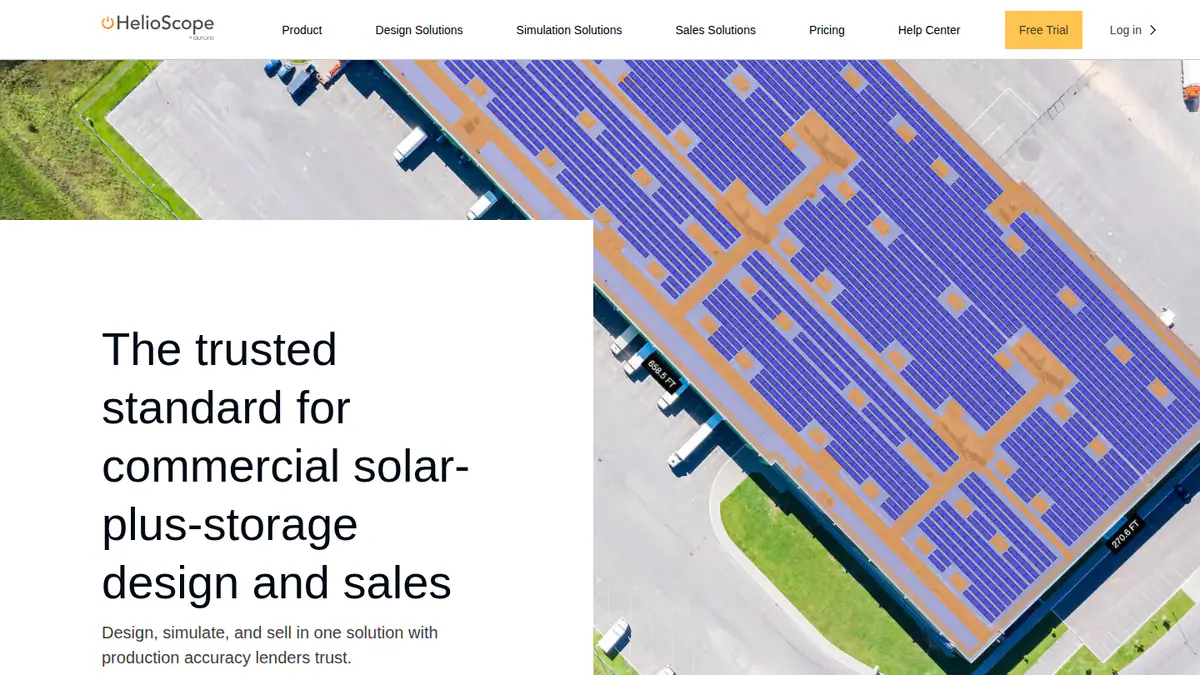
What it is: HelioScope is a browser-based design and performance tool for commercial PV. Aurora Solar has owned it since 2019 but sells it separately, with its own login. Its main buyers are C&I EPCs designing rooftop, carport and ground-mount systems.
Why we picked it: It has the highest fit score of the tools we ranked. It gives layout, shading, wiring losses and P90 values in a browser. It also publishes its prices, which three of the seven do not.
Key features:
- Rooftop, carport and ground-mount layout in the browser.
- Shading and wiring-loss modelling.
- Production estimates within 1% of PVsyst, according to the company.
- P90/P95/P99 values on Pro.
- Single-axis trackers, PVsyst export and API on Enterprise.
Pricing: Basic is USD 159/month, or USD 1,620/year if billed yearly: 1 user, 10 projects a month or 120 a year, up to 1.25 MW DC. Pro is USD 259/month or USD 2,640/year, adding LIDAR and P90/P95/P99 values up to 5 MW DC. Enterprise is custom, priced per project, up to 30 MW DC. Checked October 2026 on the HelioScope pricing page.
Pros (from user reviews):
- New designers learn it fast, thanks to a simple interface.
- Layouts, shading and wiring-loss numbers come out fast and accurate.
- You can turn out reports and SLDs (single-line diagrams) quickly.
Cons (from reviews and our research):
- The subscription is expensive, and the tiers don’t suit occasional users (G2).
- Project limits bite on large systems (G2).
- Trackers, PVsyst export and the API need Enterprise, which is custom-priced.
Reviews: G2 4.5/5 from 19 reviews, with ease of use at 8.8/10 (checked October 2026).
Read our full HelioScope review or our HelioScope alternatives.
Want to see HelioScope working? Book a demo with the SolarSoftwares team.
Book a demoYour request goes by email to the SolarSoftwares team. A time is set only after we reply. It does not change any score or ranking.
2. PV*SOL premium: best for European residential and C&I with storage and heat pumps
Best for: European installers modelling self-consumption with batteries, heat pumps and EVs. Score: 70.0/100.
vs PVsyst: EUR 845 a year per named user against CHF 700, and built for self-consumption design rather than lender reports.
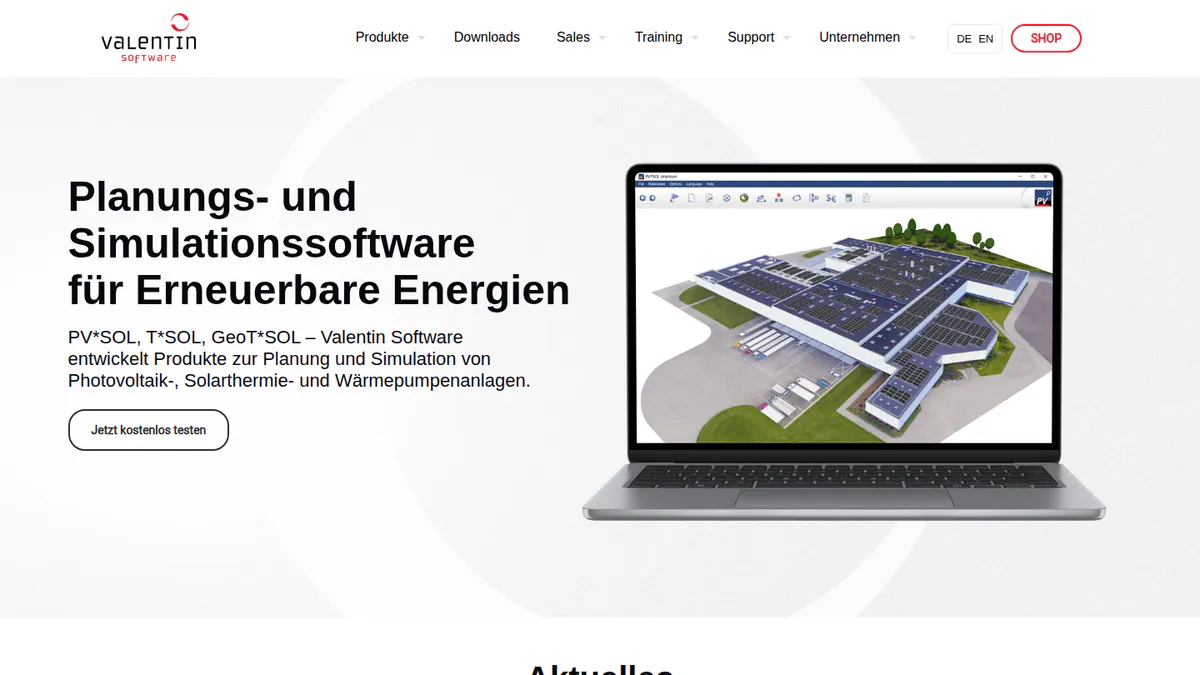
What it is: PV*SOL premium is a desktop 3D design and simulation tool from Valentin Software, built for European residential and C&I design. Load profiles and per-consumer tariffs are built in.
Why we picked it: It is the closest desktop swap for European self-consumption work, with batteries, heat pumps and EVs built in. Prices are published, and G2 users rate it easier than PVsyst.
Key features:
- 3D design with detailed shading analysis.
- Yield simulation with Meteonorm 9 climate data.
- AC- and DC-coupled battery storage.
- Heat pump, immersion heater and EV loads.
- Tariffs set per consumer.
Pricing: PV*SOL premium 2026 costs EUR 845 per year per named user plus VAT. A three-month licence is EUR 285. The 2D PV*SOL 2026 costs EUR 585 per year. Checked October 2026 in the Valentin shop.
Pros (from our research):
- You can buy a three-month licence (EUR 285) for a single project or busy season.
- Users find it easier than PVsyst: G2 ease of use is 8.2/10 from 10 reviews, against 6.7/10.
- It is kept current: the 2026 version arrived on 24 November 2025.
Cons (from our research):
- It is not built for lender reports, and we found no IE (independent engineer) or lender acceptance.
- Each named user needs a licence, priced in EUR plus VAT.
- It is desktop software, with no browser version.
Reviews: G2 4.2/5 from 12 reviews (checked October 2026).
What we could not confirm: Mac support and stringing or SLD depth.
Read our full PV*SOL premium review or our PV*SOL alternatives.
Want to see PV*SOL premium working? Book a demo with the SolarSoftwares team.
Book a demoYour request goes by email to the SolarSoftwares team. A time is set only after we reply. It does not change any score or ranking.
3. RatedPower: best for utility-scale feasibility and layout
Best for: Teams screening and engineering utility-scale PV, BESS (battery storage) and hybrid plants. Score: 69.5/100.
vs PVsyst: A whole-plant engineering platform rather than a yield simulator, and quote-only where PVsyst publishes CHF 700 a year.
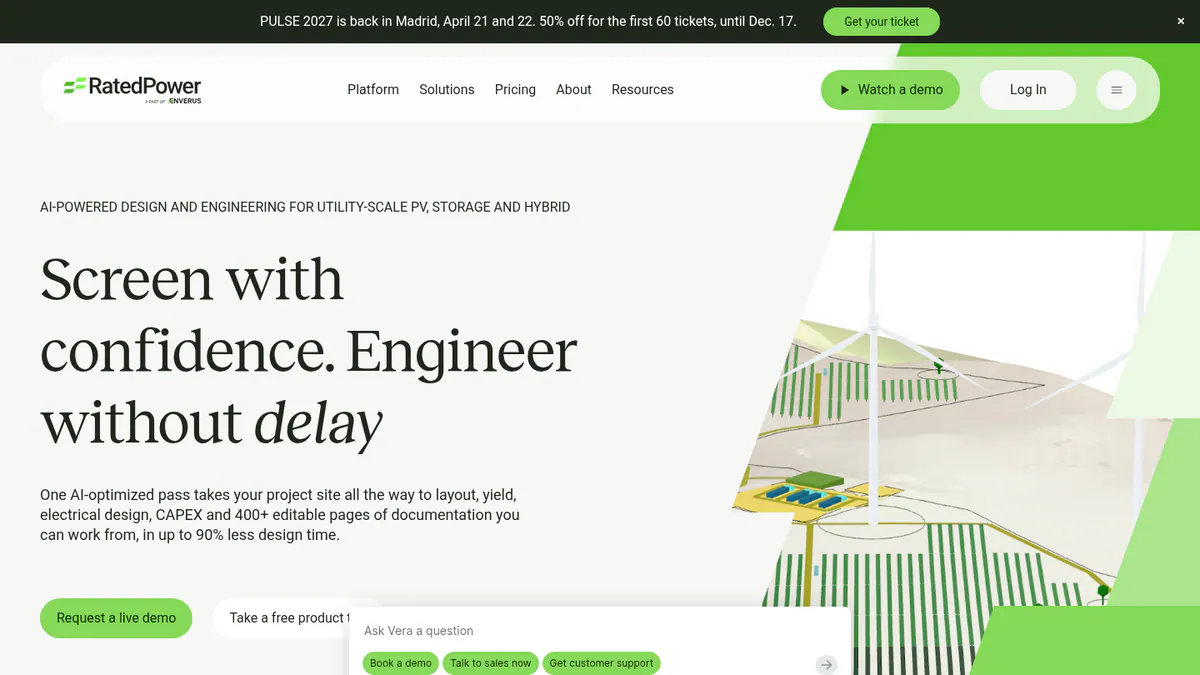
What it is: RatedPower is a cloud platform from RatedPower, an Enverus company. It covers site screening, layout, electrical design, yield and CAPEX/LCOE (build cost and levelised cost of energy). Developers, EPCs and IPPs (independent power producers) use it for utility-scale plants.
Why we picked it: It takes a utility plant from layout to substations, which PVsyst does not do. It also has the most user reviews among the ranked tools here (305 on G2).
Bankability evidence: The company links a Black & Veatch yield comparison against PVsyst, but we found no lender acceptance.
Key features:
- Rule-based layout with setbacks, roads, slope and cut-and-fill.
- A simplified yield model reconciled with PVsyst.
- A 3D ray-traced mode with terrain shading.
- MV/LV (medium and low voltage) electrical design, SLDs and substation engineering.
- BESS and hybrid design with dispatch simulation.
Pricing: Quote only. All three tiers (Basic, Advanced and Enterprise) say "talk to sales". Checked October 2026 on the RatedPower pricing page.
Pros (from user reviews):
- Teams find it easy to use, the most-cited pro on G2 with 22 mentions.
- It saves a lot of time on feasibility layouts, with auto electrical diagrams.
- Support gets praise, with 11 mentions.
Cons (from user reviews):
- Layout splits opinion: 11 reviewers praise the clear design, but layout issues top the complaints (14 mentions), mostly land and constraint handling.
- Some features are missing (8 mentions), such as some BESS and PCS (power conversion system) combinations.
- Design customisation and drawing flexibility are limited.
Reviews: G2 4.4/5 from 305 reviews (checked October 2026). Capterra lists it as pvDesign with no reviews.
Read our full RatedPower review or our RatedPower alternatives.
Want to see RatedPower working? Book a demo with the SolarSoftwares team.
Book a demoYour request goes by email to the SolarSoftwares team. A time is set only after we reply. It does not change any score or ranking.
4. SAM: best free PVsyst alternative
Best for: Engineers and analysts who want validated yield and finance models for free. Score: 66.9/100.
vs PVsyst: Free instead of CHF 700 a year, and scriptable through PySAM. PVsyst’s own automation engine, PVsystCLI, costs CHF 3,000 a year.
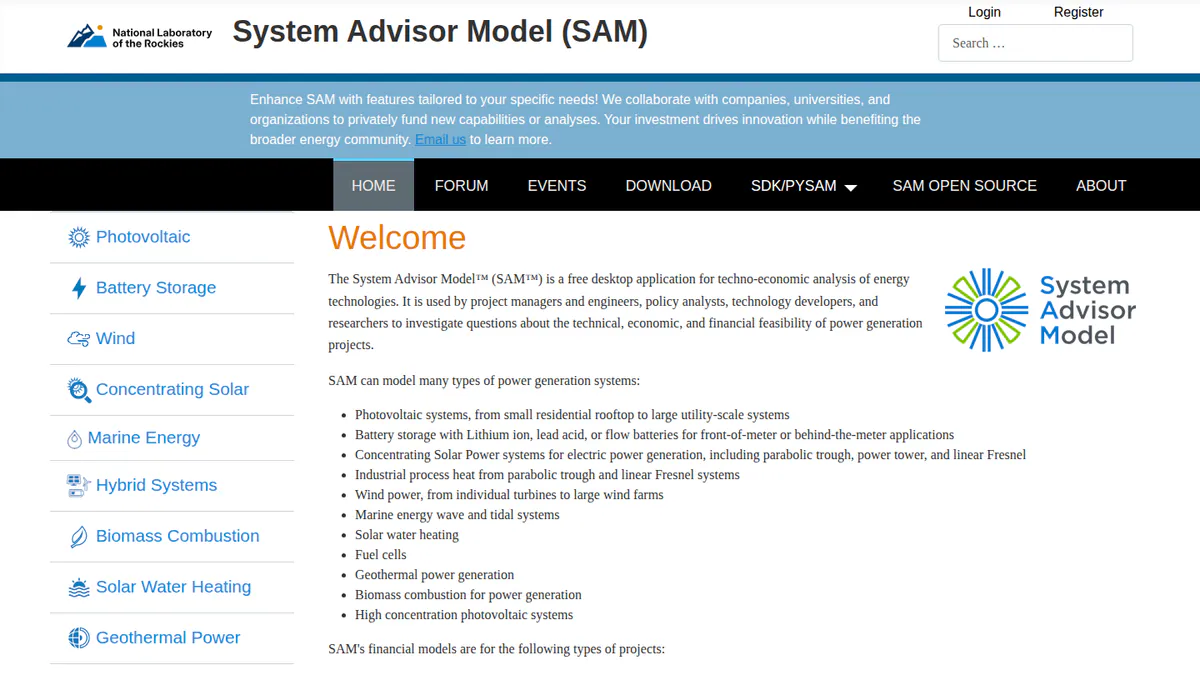
What it is: SAM is a free, open-source desktop simulator from the US Department of Energy lab formerly known as NREL. SAM’s GitHub README now names that lab the National Laboratory of the Rockies. Engineers, consultants and researchers use it for yield and finance models.
Why we picked it: It is the only free tool in the top 7, with published validation studies against measured data. It also adds PPA and tax-equity finance models to the yield run.
Key features:
- Residential, commercial and PPA (power purchase agreement) financial models.
- Finance structures including PPA flip, leaseback and third-party ownership.
- PySAM and an SDK for scripting batch runs.
- Published validation studies against measured data, including the PVPMC 2021 blind comparison.
Pricing: Free for commercial, academic or personal use. A free software key arrives by email when you first launch it. The source code is BSD-3-Clause. Checked October 2026 in the SAM README.
Pros (from our research):
- An engineering firm calls it the most capable free tool for grid-tied PV with storage, and sees it as validated and independent.
- You can use it on paid client work at no cost, and the source code is open (BSD-3-Clause).
- Analysts can script batch runs through PySAM and an SDK.
Cons (from our research):
- Most financiers do not accept SAM output in place of PVsyst reports for underwriting (same blog).
- It only simulates, so you need another tool for layout and SLDs.
- Tariff data is US-centric.
Reviews: No user reviews found on G2 or Capterra (checked October 2026).
Read our full SAM review or our SAM alternatives. You can also see our free solar design software ranking.
Want to see SAM working? Book a demo with the SolarSoftwares team.
Book a demoYour request goes by email to the SolarSoftwares team. A time is set only after we reply. It does not change any score or ranking.
5. Solargis Evaluate: best for cloud yield assessment on Solargis data
Best for: Teams that already rely on Solargis resource data. Score: 63.8/100.
vs PVsyst: Priced per project package rather than per seat, at EUR 12,000 a year for 60 early-stage projects against CHF 700 per licence.
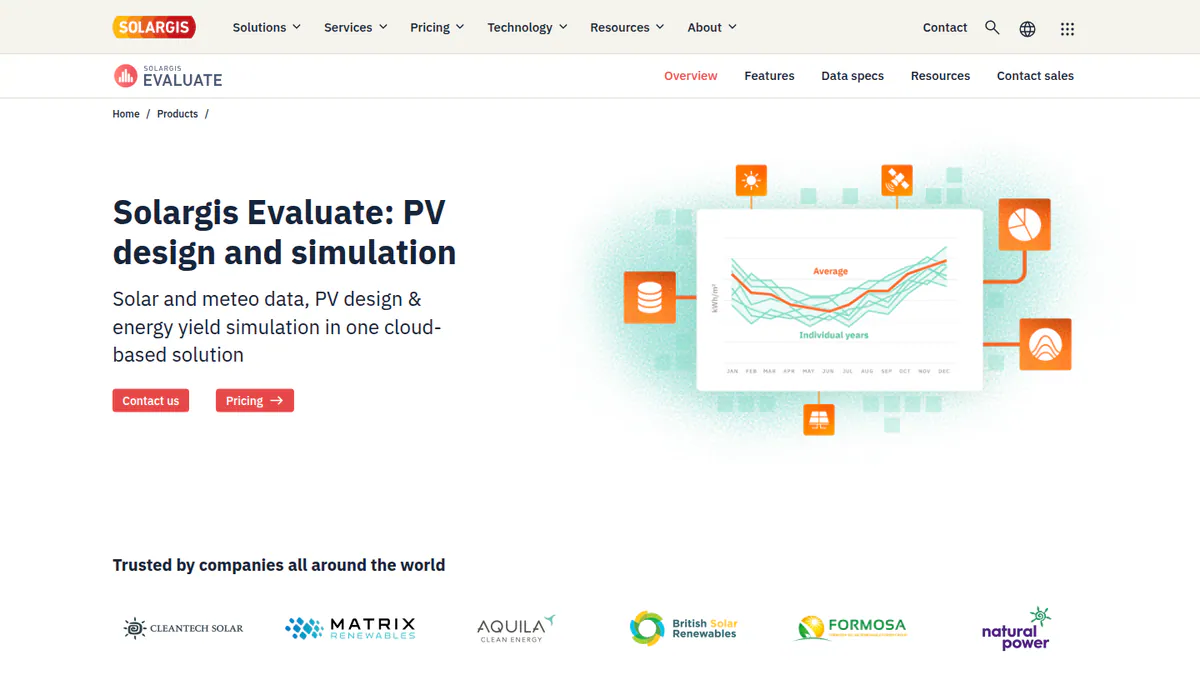
What it is: Solargis Evaluate is a web app from Solargis. It adds 3D design and ray-tracing simulation (a way to follow light paths) to Solargis satellite resource data. Developers, IPPs, investors and consultants use it for C&I and utility-scale yield work.
Why we picked it: It pairs ray-traced yield with Solargis’s own satellite resource data in one web app. Its price is also published on the company’s site.
Key features:
- 3D designer with 150+ parameters and terrain-adapted layout.
- Ray tracing with the Perez sky model, terrain, albedo (how much light the ground reflects), soiling and snow.
- Automated resource, loss and yield reports.
- TMY (typical meteorological year) and Time Series APIs.
Pricing: From EUR 12,000 per year on a 12-month subscription, for 60 early-stage projects with unlimited P50 runs. Larger packages with volume discounts come through sales. Checked October 2026 on the Solargis Evaluate pricing page.
Pros (from our research):
- It runs in a browser, so Mac users need no virtual machine.
- New features ship often, from 2.7.0 in March 2026 to 2.9.0 in September 2026.
- You can invite as many collaborators to a project as you need.
Cons (from our research):
- The EUR 12,000 entry price rules out occasional use.
- Demo only, with no trial mentioned.
- Bankability is the company’s own claim. It names no lender or IE.
Reviews: No user reviews found on G2 or Capterra (checked October 2026).
Read our full Solargis Evaluate review.
Want to see Solargis Evaluate working? Book a demo with the SolarSoftwares team.
Book a demoYour request goes by email to the SolarSoftwares team. A time is set only after we reply. It does not change any score or ranking.
6. DNV SolarFarmer: best for utility-scale yield with IE pedigree
Best for: Utility-scale teams who want an IE-grade yield engine with an API. Score: 63.7/100.
vs PVsyst: The same Windows-only desktop limit, but backed by DNV’s own due-diligence use and a cloud API, with no published price.
What it is: SolarFarmer comes from DNV, one of the large independent engineers. It is a Windows desktop application plus a cloud yield API. Utility-scale developers, owners and consultants buy it for IE-grade yield estimates.
Why we picked it: It has the second-highest fit score here and more bankability evidence than any other alternative. That evidence comes from DNV and its partner, so treat it with care.
Key features:
- 2D and 3D shade modelling on regular and irregular terrain.
- Full electrical mismatch, plus bifacial (panels that catch light on both sides), thin-film and HIT (heterojunction) modules.
- Sub-hourly and multi-year climate time series.
- Tracker time-history import.
- Cloud yield API with Python workflows and a PVsyst emulation mode.
Pricing: Quote only. You buy it, or start a free trial, through DNV’s Veracity store. Licences can move between team members up to four times a year (DNV SolarFarmer, checked October 2026).
Pros (from our research):
- It has the most bankability evidence on this list, though all of it comes from DNV and its partner. DNV used it on six US financing due-diligence projects (1,195 MW) in 2024, and partner Solesca says it has supported underwriting of 2 GW+.
- PVsyst emulation mode makes side-by-side checks easier.
- It gets regular dated releases, from 1.6 in June 2025 to 1.7.1 in March 2026.
Cons (from our research):
- The desktop app is Windows only (16 GB RAM advised), with no Mac version.
- There is no published price, so you need to contact DNV to budget.
- With no user reviews, you cannot check other buyers’ experience.
Reviews: No user reviews found on G2 or Capterra (checked October 2026).
What we could not confirm: The trial length, and any third-party lender that names it.
Read our full DNV SolarFarmer review.
Want to see DNV SolarFarmer working? Book a demo with the SolarSoftwares team.
Book a demoYour request goes by email to the SolarSoftwares team. A time is set only after we reply. It does not change any score or ranking.
7. PVcase Yield: best for teams already in PVcase Ground Mount
Best for: Engineers who lay out sites in Ground Mount and want yield on every draft. Score: 62.9/100.
vs PVsyst: Yield on every Ground Mount layout with no separate model build, but quote-only and only useful inside PVcase.
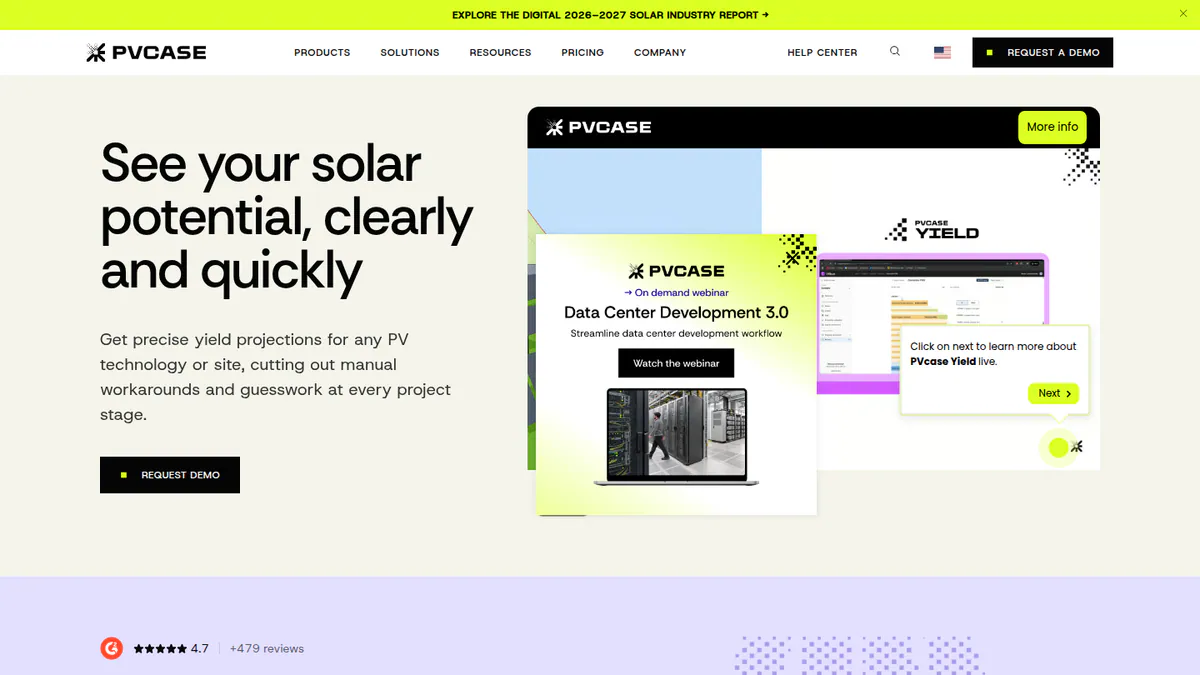
What it is: PVcase Yield is a cloud ray-tracing simulator from PVcase. It pulls 3D layouts and electrical design straight from PVcase Ground Mount, an AutoCAD plug-in. Its users are utility-scale and large C&I developers already in PVcase.
Why we picked it: It adds ray-traced yield to every Ground Mount layout without a separate model build. Monthly release notes and good support scores helped it into the top 7.
Bankability evidence: "bankability-grade" is the company’s own wording. No lender, IE or validation results are named.
Key features:
- Ray-tracing simulation on CAD-accurate 3D geometry.
- Bifacial and complex-terrain modelling.
- 15-minute simulation.
- Module current mismatch and DC cabling loss (Professional).
- Cloud batch runs comparing DC/AC ratio and pitch.
Pricing: Quote only. Two tiers, Essentials and Professional, are priced on request (PVcase Yield pricing, checked October 2026).
Pros (from user reviews):
- Tight Ground Mount integration makes it quick to check each layout’s yield.
- A useful 3D view shows the best and worst areas of a site.
- It feels intuitive, with responsive support and prompt bug fixes.
Cons (from reviews and our research):
- Accuracy reports are mixed: one reviewer found it comparable to PVsyst, but another saw DC capacity overestimated (G2).
- Runs are slow on very large, complex sites, and it is only practical inside PVcase (G2).
- Both tiers are quote only, so you cannot compare prices up front.
Reviews: G2 4.5/5 from 5 reviews (checked October 2026).
Read our full PVcase Yield review or our PVcase alternatives.
Want to see PVcase Yield working? Book a demo with the SolarSoftwares team.
Book a demoYour request goes by email to the SolarSoftwares team. A time is set only after we reply. It does not change any score or ranking.
How do the 7 PVsyst alternatives compare?
This table compares bankability evidence, platform and price.
Product | Bankability evidence | Platform | Free or trial | Starting price (checked October 2026) | Segment |
|---|---|---|---|---|---|
Market reference for P50/P90 reports | Windows only | 30-day evaluation. Student CHF 25/yr | CHF 700/yr | C&I, utility | |
Company claims only (within 1% of PVsyst. P90/P95/P99) | Web | Free trial | USD 159/month | C&I, utility to 30 MW DC | |
None found | Desktop (OS not confirmed) | 30-day trial | EUR 845/yr + VAT | Residential, C&I | |
Company-linked Black & Veatch comparison. No lender acceptance found | Web | Demo only | Quote only | Utility | |
Validation studies. Financiers generally prefer PVsyst (engineering-firm blog) | Desktop (OS not confirmed). Python via PySAM | Free | Free | All, analyst use | |
Company claim. No named lender or IE | Web | Demo only | EUR 12,000/yr | C&I, utility | |
DNV’s own 2024 US due-diligence use (1,195 MW). Partner underwriting claim | Windows desktop. Cloud API (Python) | Free trial/evaluation | Quote only | Utility, C&I | |
Company wording only | Web (inputs from AutoCAD plug-in) | Demo only | Quote only | Utility, C&I |
Also considered
- Archelios Pro (scored 58.9/100): Trace Software’s tool is free up to 9 kWp, with P75/P90 from EUR 1,490 a year. It misses the top 7 on project size caps, France-centric data and no user reviews.
- pvlib python (scored 57.5/100): a free BSD 3-Clause code library for Windows, macOS and Linux. It needs Python skills, with community support only and no bankability evidence. See open-source PV modelling libraries.
- PlantPredict (scored 50.0/100): a browser-based utility-scale engine with an API, now owned by Terabase Energy. First Solar commissioned both 2017 reviews, and it has no published price or release notes.
- Solarius PV (scored 45.0/100): ACCA Software’s Italian BIM and electrical sizing tool. We could not reach its product page, it has no published price and it follows Italian norms.
- PVGIS (below the minimum score): a free web tool and API from the European Commission’s JRC (Joint Research Centre), with no login. Good for early checks and TMY files, but it has no layout, near-shading or detailed electrical modelling (JRC PVGIS, checked October 2026).
- Polysun (below the minimum score): Vela Solaris’s multi-energy simulator for building energy systems. It runs on Windows, Mac and Linux, with a 30-day trial. Prices are unpublished and shading is unconfirmed (Polysun pricing, checked October 2026).
How do you choose a PVsyst alternative?
- If your report goes to a lender or IE, keep PVsyst, or shortlist DNV SolarFarmer and ask your financier first.
- Designing C&I systems under 30 MW DC and want speed? Pick HelioScope.
- For European residential and C&I work with storage, heat pumps and EVs, pick PV*SOL premium.
- Need a free tool? Pick SAM, or pvlib python (also considered) if your team codes.
- For utility-scale feasibility and layout, pick RatedPower. If you already lay out in PVcase Ground Mount, add PVcase Yield.
- On a Mac, choose a browser tool (HelioScope, RatedPower or Solargis Evaluate). PlantPredict and pvlib python (both also considered) also work.
- On a tight budget with small projects, try Archelios Pro’s free 9 kWp tier (also considered).
For wider shortlists, see our commercial solar design software and utility-scale design software rankings. You can also browse the design and simulation category.
Want more choices? Browse every tool we checked in our design and simulation category.
PVsyst alternatives FAQs
Is there a free alternative to PVsyst?
Yes. SAM is free for commercial use and open source. pvlib python is a free code library, PVGIS is a free web tool with no login, and Archelios Pro is free up to 9 kWp. We found no public lender policy accepting any of them (October 2026).
Is PVsyst free?
No. PVsyst 8 Professional costs CHF 700 per year, and Student or Classroom licences cost CHF 25 per year (checked October 2026). A new install gets a 30-day evaluation with watermarked reports, then drops to a limited Demo mode.
Is PV*SOL better than PVsyst?
For home and C&I self-consumption with storage, heat pumps and EVs, PV*SOL premium is stronger. It costs EUR 845 per year plus VAT, or EUR 285 for three months. PVsyst (CHF 700 per year) is still the usual reference for P50/P90 reports, and we found no lender acceptance for PV*SOL.
Is there a PVsyst alternative that runs on Mac?
Yes. HelioScope, RatedPower and Solargis Evaluate all run in a browser, so Mac users need no virtual machine. PlantPredict (also considered) runs in a browser too, and pvlib python runs natively on macOS. PVsyst itself is Windows only.
Will a lender accept a yield report from software other than PVsyst?
Public evidence is thin, so ask your lender or IE before you switch. The strongest case is DNV SolarFarmer, which DNV itself used on six US financing due-diligence projects (1,195 MW) in 2024. The rest have only claims from the companies.
Is PVsyst still the standard for utility-scale?
Yes, on the evidence we found in October 2026. RatedPower’s own comparison page calls PVsyst the bankable standard. RatedPower, HelioScope Enterprise and DNV SolarFarmer all offer PVsyst export, reconciliation (checking against PVsyst) or emulation (a mode that mimics it).
Sources
Checked 22 to 25 October 2026.
- PVsyst: shop, product page, forum on Mac (2013), G2
- G2 comparisons: PV*SOL vs PVsyst, HelioScope vs PVsyst vs PV*SOL
- HelioScope: pricing, G2
- PV*SOL premium: shop, 2026 release, G2
- RatedPower: pricing, G2, Capterra
- SAM: README, about, Pure Power Engineering (Dec 2022)
- Solargis Evaluate: pricing, release notes
- DNV SolarFarmer: product page, DNV news (Sep 2024), Solar Builder (Sep 2025), releases
- PVcase Yield: pricing, G2
- Archelios Pro: shop, G2
- pvlib python: Zenodo, docs, JOSS paper
- PlantPredict: Terabase, First Solar (Nov 2017), Solar Builder (Aug 2021)
- Solarius PV: ACCA brochure
- PVGIS: JRC, Buildhub forum (Apr 2023). Polysun: pricing
Last updated 28 October 2026. Next scheduled review: 23 January 2027.