NREL SAM alternatives are tools you can use instead of SAM (System Advisor Model), a free, open-source program that a US national lab builds. People rarely look for an NREL SAM alternative to save money. They look because of what SAM cannot do for their next project.
The biggest reason is finance, because a December 2022 post says most lenders prefer PVsyst reports. SAM also does not draw arrays (layouts of solar panels) or build sales proposals, and its tariff and incentive data centre on the US.
Pylon ranks first at 76.2/100, but it is a proposal tool. For yield reports (forecasts of how much power a project will make) that lenders know, PVsyst ranks second at 74.8/100.
Why do analysts and developers look for SAM alternatives?
- Lenders want PVsyst. Pure Power Engineering calls SAM validated and independent. It also says most financiers prefer PVsyst for underwriting (the lender’s risk check). We found no lender policy that accepts SAM P50/P90 (likely and conservative) yield figures.
- No design or sales output. SAM models performance and cash flow. We found no array layout, SLD (single-line diagram, a simple drawing of how the wires connect) or proposal tools in its docs.
- US-centric money data. Its weather data and models work anywhere. Its tariff and incentive data are built round the US.
- Desktop only. SAM is a desktop app, and we found no shared cloud workspace for a team. Scripting goes through PySAM, its Python library.
What you would give up: a free licence, PPA, flip and leaseback models, an open simulation core and published validation studies.
SAM at a glance
Item | SAM (checked October 2026) |
|---|---|
What it is | Free desktop simulator for PV, batteries and other renewables, with project-finance models |
Pricing | Free for commercial, academic or personal use. Source code under BSD-3-Clause. Free key by email on first launch |
Ratings | No G2 or Capterra listing found (October 2026) |
Status | Active. README cites v2026.7.3. Code repository last updated 24 March 2026 |
Still suits | Analysts and researchers who want free, scriptable PV and storage cash-flow models, mostly for US projects |
Source: SAM README on GitHub, checked October 2026. Read our full SAM review.
Are data inputs alternatives to SAM?
Meteonorm and NSRDB are weather data sources. They feed a simulator rather than replace one, so we do not rank them. PVsyst can import NSRDB files too.
A "PySAM alternative" usually means another engine you can script. PVsyst sells PVsystCLI, HOMER Pro Expert links to MATLAB and Xendee sells API access.
Quick picks
Rank | Product | Best for | Starting price (company page, checked October 2026) | Free plan / trial | Score /100 |
|---|---|---|---|---|---|
1 | Solar plus battery proposals | ✓ GBP 4 per project (UK) | 5 free project credits | 76.2 | |
2 | Yield reports lenders know | ✓ CHF 700 a year | 30-day evaluation | 74.8 | |
3 | Utility-scale PV and BESS layouts | Quote only | Demo only | 72.5 | |
4 | Microgrid and DER optimisation | ✓ USD 440 per user a month (annual) | Paid 30-day demo | 68.6 | |
5 | Off-grid and hybrid sizing | ✓ USD 1,575 a year | Free trial | 67.4 | |
6 | Pre-feasibility, with a free Viewer mode | ◐ Free Viewer. CAD 869 a year | Free Viewer mode | 65.8 | |
7 | European self-use with heat pumps and EVs | ✓ EUR 845 a year + VAT | 30-day trial | 65.6 | |
8 | Demand-charge storage studies | ✓ USD 4,200 a year | Free trial | 63.6 | |
9 | US home proposals and permits | ? USD 2,799 a year | Not stated | 63.3 | |
10 | Australian battery and off-grid quotes | ✓ USD 135 a month (annual) | None stated | 61.8 |
✓ Verified on the company’s own pricing page. ◐ Published by the company outside its pricing page (help centre, store or press release). ? We could not read the company’s pricing page, so the figure is not confirmed. Prices checked October 2026.
Quote only means the company shows no public price. You ask it for a quote.
How did the 10 tools score?
- Use-case fit 35%
- User reviews 20%
- Pricing 15%
- Ease of use 10%
- Support 10%
- Momentum 10%
Tool | Score chart | Score |
|---|---|---|
76.2 out of 100 | 76.2 | |
74.8 out of 100 | 74.8 | |
72.5 out of 100 | 72.5 | |
68.6 out of 100 | 68.6 | |
67.4 out of 100 | 67.4 | |
65.8 out of 100 | 65.8 | |
65.6 out of 100 | 65.6 | |
63.6 out of 100 | 63.6 | |
63.3 out of 100 | 63.3 | |
61.8 out of 100 | 61.8 |
Each bar shows the weighted score out of 100.
Sub-scores at a glance (0-10)
Product | Use-case fit | User reviews | Pricing | Ease of use | Support | Momentum | Total /100 |
|---|---|---|---|---|---|---|---|
6.7 | 6.7 | 8.0 | 7.5 | 10.0 | 10.0 | 76.2 | |
7.9 | 6.3 | 8.0 | 5.0 | 7.5 | 10.0 | 74.8 | |
7.9 | 6.9 | 4.0 | 7.5 | 7.5 | 10.0 | 72.5 | |
8.8 | 5.0 | 7.0 | 5.0 | 7.5 | 5.0 | 68.6 | |
8.8 | 5.6 | 7.0 | 5.0 | 7.5 | 2.5 | 67.4 | |
7.1 | 5.0 | 9.0 | 7.5 | 7.5 | 2.5 | 65.8 | |
6.7 | 5.4 | 6.0 | 7.5 | 7.5 | 7.5 | 65.6 | |
8.8 | 5.0 | 7.0 | 5.0 | 5.0 | 2.5 | 63.6 | |
7.9 | 3.3 | 6.0 | 5.0 | 5.0 | 10.0 | 63.3 | |
7.5 | 5.0 | 7.0 | 5.0 | 5.0 | 5.0 | 61.8 |
A 5.0 on reviews, ease, support or momentum is our neutral score. We use it when public evidence is thin. It is not a judgement.
How did we choose and score these SAM alternatives?
How the score is weighted
- Use-case fit 35%
- User reviews 20%
- Pricing 15%
- Ease of use 10%
- Support 10%
- Momentum 10%
We scored 13 tools from 22 to 25 October 2026, using company pages, pricing and user reviews. This was desk research. We did not test any tool hands-on. All 13 passed our minimum fit score of 4.0, so we rank the top 10 and list three under Also considered. SAM is not ranked on its own page.
- Use-case fit (35%): How well a tool covers SAM’s job. That means yield (how much power the system will make), money and storage modelling.
- User reviews (20%): Ratings on G2 and Capterra. Fewer than eight reviews gets a middle score.
- Pricing (15%): Free and published prices beat quote-only.
- Ease of use, support and momentum (10% each): Review sub-scores, support channels and dated releases.
1. Pylon: best for teams that need solar plus battery proposals, not studies
Best for: UK, Irish and Australian installers who used SAM for quick yield checks and now need to sell. Score: 76.2/100.
vs SAM: Pylon draws the system and builds a priced proposal, which SAM cannot do. We found no PPA or tax-equity finance models in it.
What it is: Pylon, based in Sydney, sells design and proposal software priced per project.
Why we picked it: It scored highest here on reviews, support and frequent updates, and its per-project price is public. Pick it only if your work has moved from studies to selling.
Key features:
- Solar and battery design on aerial images.
- Financial projections and load profiles.
- Editable single-line diagrams (July 2026 update).
- Web and PDF proposals with eSignature.
Pricing: Standard is GBP 4 per project (up to 30 kW DC). Pro is GBP 10 per project and adds custom load profiles. Enterprise is quote only. The CRM add-on starts from GBP 49 per user per month. You get five free Standard credits with no card. Checked October 2026 on the Pylon UK pricing page.
Pros (from user reviews):
- A pay-per-project model suits small installers, reviewers say (Capterra).
- Beginners say the screens and the manual are friendly (Capterra).
- A G2 reviewer praises how full and detailed the proposals are.
Cons (from reviews and our research):
- Building a usage profile is awkward (Capterra).
- Aerial image quality varies by area (Capterra).
- We found no PPA, flip or debt-sizing models of the kind SAM offers.
Reviews: Capterra 4.6/5 (25 reviews) and G2 4.3/5 (2 reviews), checked October 2026.
What we could not confirm: US-dollar and Australian-dollar prices.
Read our full Pylon review or our Pylon alternatives.

Want to see Pylon working? Book a demo with the SolarSoftwares team.
Book a demoYour request goes by email to the SolarSoftwares team. A time is set only after we reply. It does not change any score or ranking.
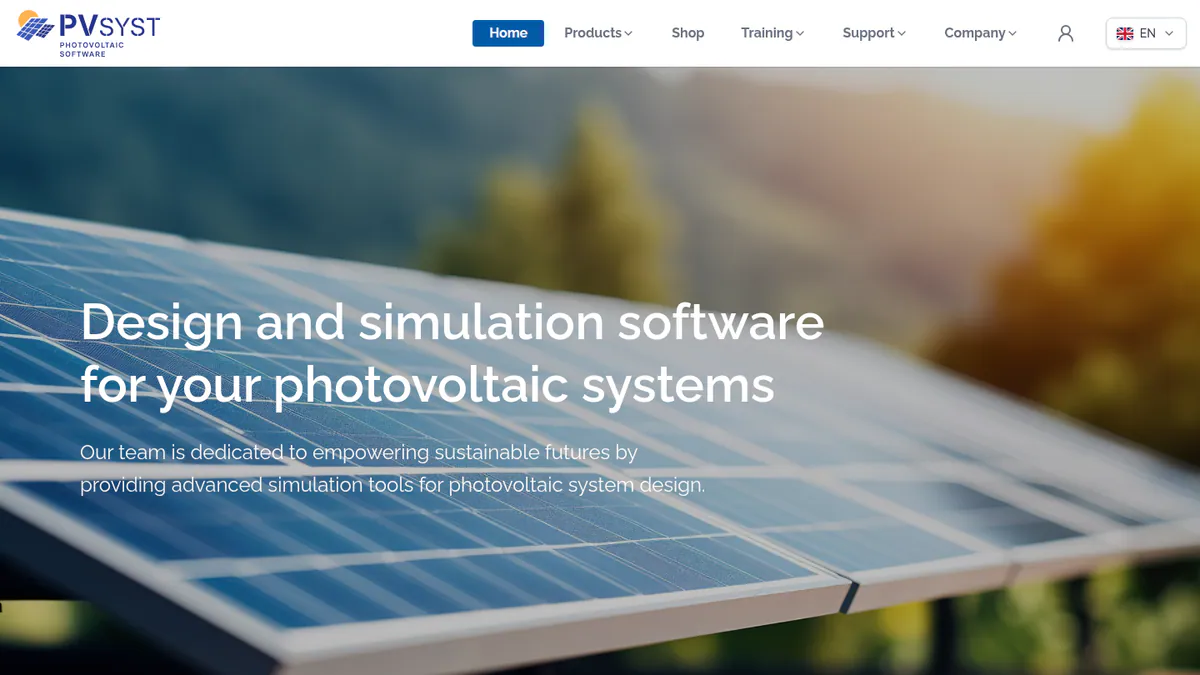
2. PVsyst: best for yield reports that lenders know
Best for: Engineers and developers who need a yield report for project finance. Score: 74.8/100.
vs SAM: Financiers prefer PVsyst for underwriting. It costs CHF 700 a year where SAM is free. Its money tools are basic next to SAM’s PPA and flip models. They cover NPV, ROI and LCOE (lifetime cost per kWh).
What it is: This Windows program comes from PVsyst SA, a Swiss company. Engineers, EPCs (firms that design and build solar projects) and lenders’ advisers use it as the reference for PV yield.
Why we picked it: It is the yield tool lenders know best, which is the main reason analysts leave SAM. Its price is public and new versions ship often.
Key features:
- P50/P90 yield reports with a detailed loss diagram.
- 3D near-shading scene with electrical mismatch losses.
- Batteries, self-use and a basic money check (NPV, LCOE, ROI).
- PVsystCLI for scripted, server-side runs.
Pricing: PVsyst 8 Professional costs CHF 700 a year per seat. Multi-seat discounts are 5% for 2-4 licences, 15% for 5-9 and 20% for 10 or more. PVsystCLI Standard costs CHF 3,000 a year. Prices are in CHF only. Checked October 2026 in the PVsyst shop. 30-day evaluation mode.
Pros (from user reviews):
- Reviewers say its yield modelling is precise and detailed (G2).
- The loss breakdown is thorough (G2).
- SketchUp links help build 3D shade scenes (G2).
Cons (from user reviews):
- The screens look dated and complex (G2).
- It takes a long time to learn (G2).
- Managing 3D scenes eats time (G2).
Reviews: G2 4.5/5 (22 reviews), checked October 2026.
Read our full PVsyst review or our PVsyst alternatives.
Want to see PVsyst working? Book a demo with the SolarSoftwares team.
Book a demoYour request goes by email to the SolarSoftwares team. A time is set only after we reply. It does not change any score or ranking.
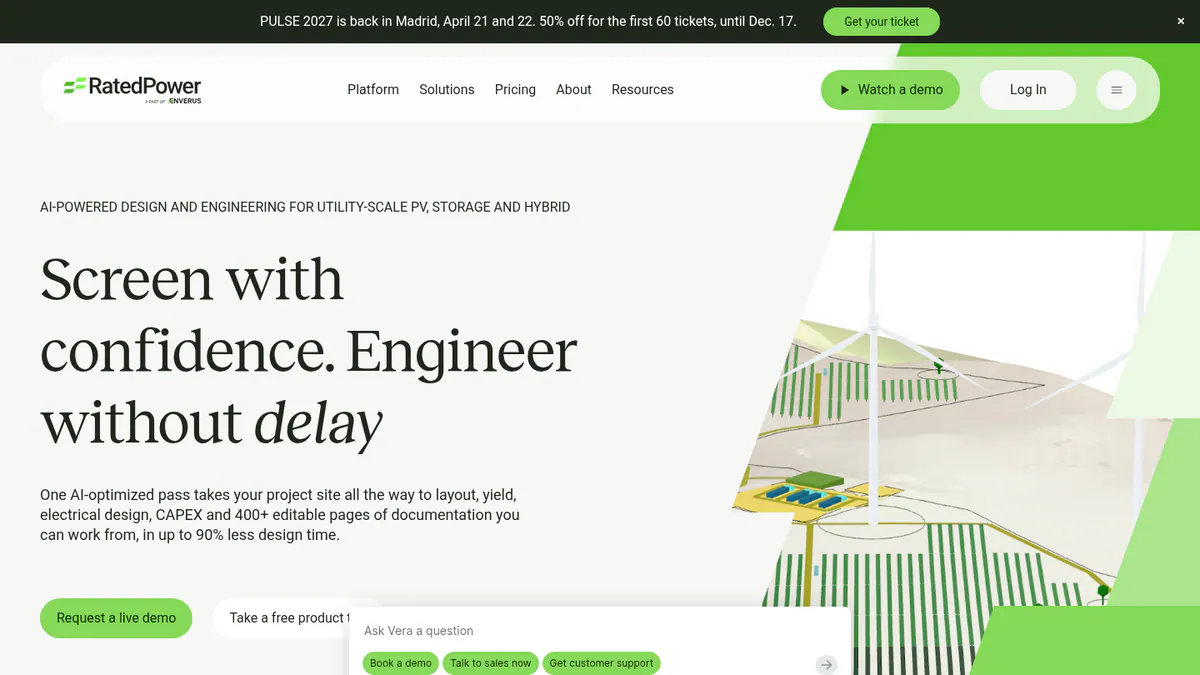
3. RatedPower: best for utility-scale PV and BESS layouts in the cloud
Best for: Utility-scale developers and EPCs who want layout, yield and costs in one place. Score: 72.5/100.
vs SAM: RatedPower lays out the plant, designs the MV and LV side and prices the build. SAM only simulates a plant you describe. RatedPower is quote only.
What it is: RatedPower, an Enverus company, makes a cloud platform for large solar, BESS (battery energy storage systems) and hybrid plants. Developers, EPCs and IPPs (independent power producers) use it for early studies and engineering.
Why we picked it: It has the biggest review base here (305 G2 reviews) and turns a plant study into a buildable layout.
Key features:
- Rule-based layouts with setbacks, roads, slope and cut-and-fill.
- Yield from a PVsyst-reconciled model, or a 3D ray-traced mode with terrain shade.
- MV and LV (medium and low voltage) design, SLDs and substation engineering.
- BESS and hybrid design with dispatch simulation.
- CAPEX (build cost), LCOE and over 400 editable documents.
Pricing: Quote only. Basic, Advanced and Enterprise tiers are listed with no prices. Checked October 2026 on the RatedPower pricing page. Demo only.
Pros (from user reviews):
- Reviewers name ease of use as its best point (22 G2 mentions).
- First layouts come fast, and electrical diagrams are drawn for you.
- Support gets good marks (11 G2 mentions).
Cons (from user reviews):
- Reviewers most often complain about land and constraint handling.
- A few BESS and PCS pairings are not on offer yet.
- Reviewers want more control over drawings.
Reviews: G2 4.4/5 (305 reviews), checked October 2026.
What we could not confirm: Any lender acceptance of its P50/P90 output.
Read our full RatedPower review or our RatedPower alternatives.
Want to see RatedPower working? Book a demo with the SolarSoftwares team.
Book a demoYour request goes by email to the SolarSoftwares team. A time is set only after we reply. It does not change any score or ranking.
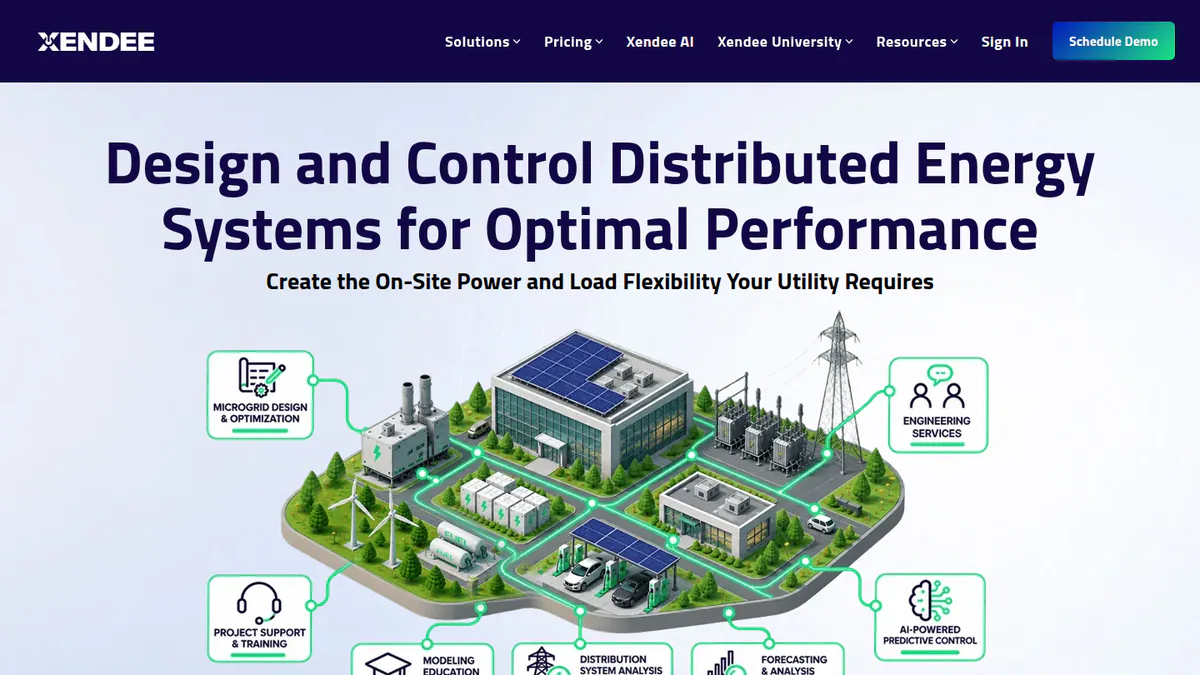
4. Xendee: best for microgrid and DER optimisation with tariffs
Best for: C&I and utility microgrid developers who size many energy sources at once. Score: 68.6/100.
vs SAM: Xendee picks the best mix of over 25 DER (distributed energy resources, such as solar and batteries) technologies for cost or carbon. SAM models the system you set up. Xendee is a paid cloud tool.
What it is: Xendee is a San Diego firm with a cloud microgrid design platform. Eaton led its Series B funding round in September 2025.
Why we picked it: It scored near the top on fit for storage and tariff work, and both main plan prices are public.
Key features:
- Multi-objective, multi-year optimisation.
- One-line diagrams and powerflow with cable and transformer sizing.
- Utility tariffs, NEM 3.0, grants and incentives.
- Outage ride-through checks.
- DISCOVER API to screen many sites.
Pricing: DESIGN Gold costs USD 440 per user per month and Platinum USD 540. Both are billed annually, with no monthly option. Platinum includes 3 free custom tariffs a year. Enterprise is quote only. The company page does not name the currency. Checked October 2026 on the Xendee pricing page. You pay for a 30-day demo. There is no free trial.
Pros (from our research):
- Gold and Platinum prices are on the website.
- It sizes 25+ DER types together, not one at a time.
- Live onboarding and in-app engineering help are listed.
Cons (from our research):
- One seat costs more a year than many desktop tools on this page.
- You must pay to trial it.
- No user reviews exist to judge it by.
Reviews: G2 lists Xendee with no reviews yet (October 2026).
Want to see Xendee working? Book a demo with the SolarSoftwares team.
Book a demoYour request goes by email to the SolarSoftwares team. A time is set only after we reply. It does not change any score or ranking.
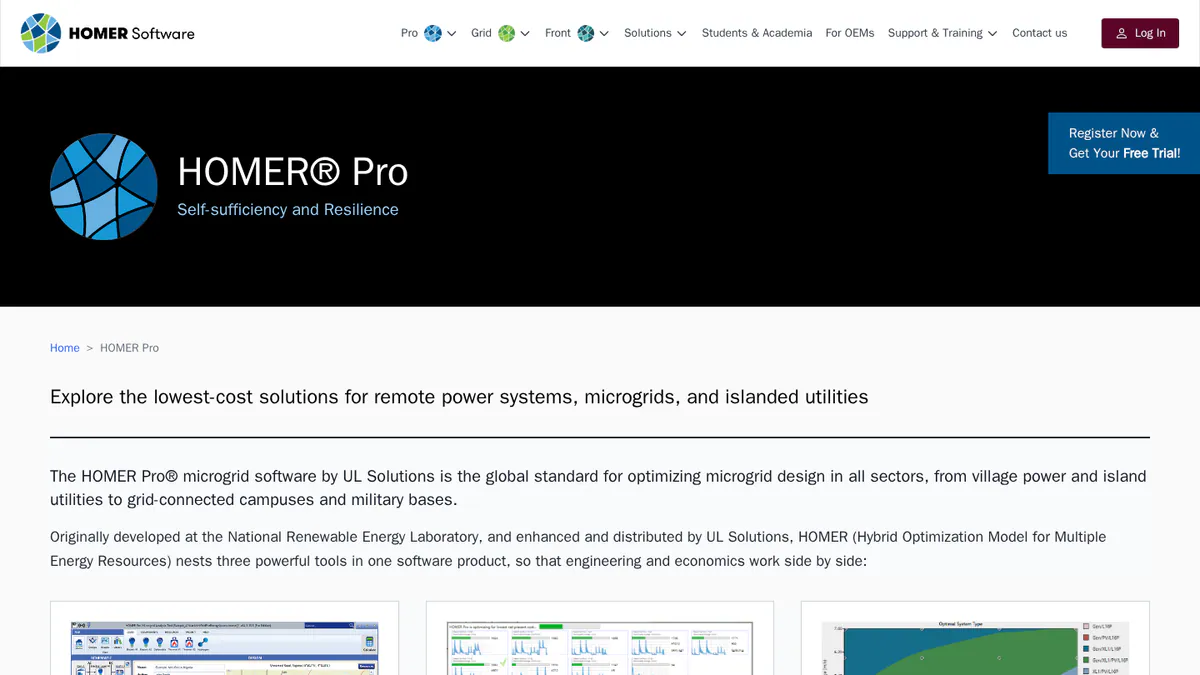
5. HOMER Pro: best for off-grid and hybrid system sizing
Best for: Engineers and consultants sizing remote, island or diesel-hybrid systems. Score: 67.4/100.
vs SAM: HOMER Pro searches many system mixes for the lowest cost. SAM gives deeper PV and project-finance detail for one design, and it is free.
What it is: UL Solutions now owns HOMER Pro, which sizes hybrid microgrids. Solar is one input among wind, diesel, hydro and hydrogen.
Why we picked it: It scored near the top on fit for storage and hybrid sizing, with public prices and a free trial.
Key features:
- Least-cost search across many hybrid designs.
- Battery wear tables and augmentation (v3.18.5).
- Sensitivity and multi-year runs.
- NPC and LCOE results.
- MATLAB link for custom dispatch on Expert.
Pricing: Base costs USD 1,575 a year or 187.50 a month. Professional (any 4 modules) costs USD 3,100 a year and Expert (all modules) USD 4,650. Four or more licences get 25% off. The page does not name the currency. Checked October 2026 on the HOMER Pro pricing page. Free trial.
Pros (from user reviews):
- Reviewers rate its mix of technical and cost results for hybrid projects (Capterra).
- Solar, wind and other sources go into a single model (Capterra).
- NASA solar data comes built in, and MATLAB export is simple (Capterra).
Cons (from user reviews):
- The most common complaint is busy screens that take long to learn (Capterra).
- Reviewers say it costs more than other sizing tools (Capterra).
- Its built-in data is not refreshed often, so some users update rural data by hand (Capterra).
Reviews: Capterra 4.4/5 (9 reviews, dated 2019-2023), checked October 2026.
Read our full HOMER Pro review.
Want to see HOMER Pro working? Book a demo with the SolarSoftwares team.
Book a demoYour request goes by email to the SolarSoftwares team. A time is set only after we reply. It does not change any score or ranking.
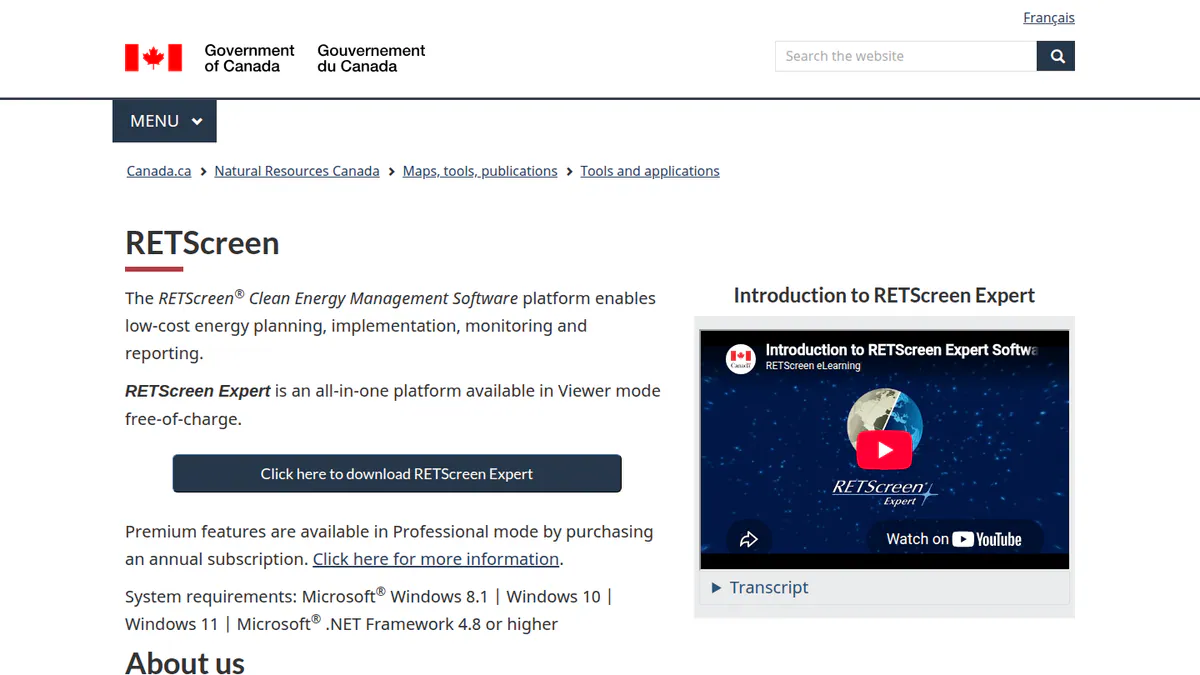
6. RETScreen Expert: best for government-backed pre-feasibility with a free Viewer
Best for: Consultants and public bodies screening many clean energy projects early. Score: 65.8/100.
vs SAM: Both come from governments. RETScreen adds efficiency and CHP (combined heat and power), but you must pay to save or export.
What it is: RETScreen Expert comes from Natural Resources Canada. It checks the technical and money case for clean energy projects, not detailed PV design.
Why we picked it: It is the only other government tool here, and its Viewer mode costs nothing.
Key features:
- Feasibility studies for renewables, efficiency and CHP.
- Benchmarks against similar sites.
- Portfolio analysis.
- NASA climate data built in.
- About 36 languages on Windows.
Pricing: Viewer mode is free but cannot save, print or export. Professional mode costs CAD 869 per 12-month subscription, plus taxes in Canada. Checked October 2026 on the RETScreen subscription page.
Pros (from reviews and our research):
- Easy to use, with a large library of energy systems (Capterra).
- You can run feasibility studies at no cost in Viewer mode (Capterra).
- One tool covers solar, wind, efficiency and CHP.
Cons (from reviews and our research):
- Some equipment prices look out of date (Capterra).
- Free mode cannot save or export your work.
- It does not model PV layouts or shading in detail.
Reviews: Capterra 4.5/5 (2 reviews), checked October 2026.
What we could not confirm: The current version number.
Want to see RETScreen Expert working? Book a demo with the SolarSoftwares team.
Book a demoYour request goes by email to the SolarSoftwares team. A time is set only after we reply. It does not change any score or ranking.
7. PV*SOL premium: best for European self-use with heat pumps and EVs
Best for: European planners who model home and C&I self-use with batteries, heat pumps and EV loads. Score: 65.6/100.
vs SAM: PV*SOL adds 3D shading and European load and tariff modelling. It has no PPA-style finance models, and it costs EUR 845 a year.
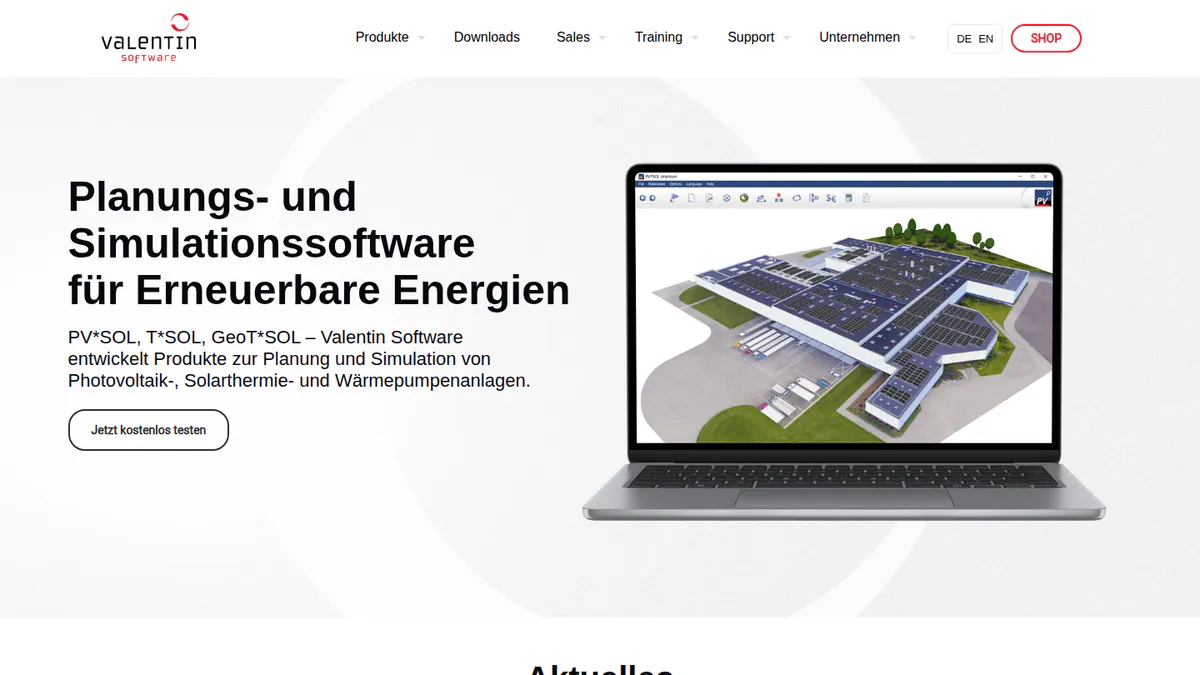
What it is: PV*SOL premium is a German desktop program, from Valentin Software, that designs PV systems in 3D and simulates their output.
Why we picked it: It covers European home loads, such as heat pumps and EVs, that SAM’s US data does not. Prices are public, and a new version comes out each year.
Key features:
- 3D design with detailed shading.
- Yield on Meteonorm 9 data.
- AC- and DC-coupled batteries.
- Heat pumps and per-consumer tariffs, including EVs.
- JSON export of project and results.
Pricing: EUR 845 a year per named user plus VAT, or EUR 285 for three months. The 2D PV*SOL costs EUR 585 a year. Checked October 2026 in the Valentin shop. 30-day trial.
Pros (from our research):
- A three-month licence covers a short study.
- JSON export lets you move results into your own tools.
- Valentin ships a new version each year. The 2026 release landed on 24 November 2025.
Cons (from our research):
- Each named user needs a licence.
- It runs on a desktop only.
- We found no utility-scale or project-finance models.
Reviews: G2 4.2/5 (12 reviews), checked October 2026. G2 shows too little review text to judge.
Read our full PV*SOL premium review or our PV*SOL alternatives.
Want to see PV*SOL premium working? Book a demo with the SolarSoftwares team.
Book a demoYour request goes by email to the SolarSoftwares team. A time is set only after we reply. It does not change any score or ranking.
8. HOMER Grid: best for behind-the-meter demand-charge studies
Best for: C&I developers and consultants sizing storage to cut demand charges. Score: 63.6/100.
vs SAM: SAM models batteries behind the meter. HOMER Grid also tests many sizes for the lowest cost and builds a client report.
What it is: UL Solutions’ tool for behind-the-meter solar plus storage economics.
Why we picked it: It fits SAM’s behind-the-meter storage job closely, with a public price and a free trial.
Key features:
- Storage and solar sizing for demand-charge cuts.
- Tariff modelling, including future tariff changes.
- Arbitrage (storing cheap power to use or sell when prices are high) and peak-shaving (cutting your highest power use) dispatch.
- Client-facing sales report you can edit.
- EV charging, outage and CHP cases.
Pricing: The annual plan costs USD 4,200 a year (350 a month). The monthly plan costs USD 665 a month. Enterprise is quote only. The company page does not name the currency. Checked October 2026 on the HOMER Grid pricing page. Free trial.
Pros (from our research):
- A monthly plan is available.
- Training is included on the annual plan.
- The report helps you explain savings to a client.
Cons (from our research):
- It covers behind-the-meter C&I only, not utility-scale plants.
- Its focus is US-style demand tariffs.
- No user reviews exist to judge it by.
Reviews: G2 lists HOMER Grid with no reviews (October 2026).
Want to see HOMER Grid working? Book a demo with the SolarSoftwares team.
Book a demoYour request goes by email to the SolarSoftwares team. A time is set only after we reply. It does not change any score or ranking.
9. Solargraf: best for US home proposals and permit packages
Best for: US residential installers who used SAM for savings checks and now need permits and proposals. Score: 63.3/100.
vs SAM: Solargraf turns a design into a proposal, financing offer and plan set. SAM stops at the simulation.
What it is: Solargraf is Enphase’s design-to-permit platform for US and Canadian installers.
Why we picked it: It suits US teams who now sell rather than study, with proposals, financing and permits in one plan. It also ships updates often.
Key features:
- Auto roofline and obstacle detection.
- Shading that the company says NREL and NYSERDA validated.
- Permit-ready SLDs and plan sets (permit drawing packages) to NEC 2026 (the US electrical code).
- Financing through Concert, LightReach and EnFin.
Pricing: Starter costs USD 2,799 a year (240 projects, 2 users). Small Business costs USD 4,799 and Teams USD 6,399. Enterprise costs USD 12,999 (1,500 projects, unlimited users, API). Checked October 2026 on the Solargraf pricing page.
Pros (from user reviews):
- Reviewers like the shading and 3D design tools (Capterra).
- Proposal, contract and permit work all happen in one place (Capterra).
- Homeowners can follow the proposals easily, reviewers say (Capterra).
Cons (from user reviews):
- Crashes come up in reviews, as does wrong property data in the 3D view (Capterra).
- Several reviewers call it pricey next to other options (Capterra).
- Waits for support have got longer (Capterra).
Reviews: Capterra 3.2/5 (15 reviews), checked October 2026.
Read our full Solargraf review or our Solargraf alternatives.
Want to see Solargraf working? Book a demo with the SolarSoftwares team.
Book a demoYour request goes by email to the SolarSoftwares team. A time is set only after we reply. It does not change any score or ranking.
10. SolarPlus: best for battery and off-grid quoting in Australia and New Zealand
Best for: Installers in Australia and New Zealand who now need quotes with batteries and off-grid kit, not studies. Score: 61.8/100.
vs SAM: SolarPlus models tariffs and peak shaving inside a quote tool built for Australia. SAM’s money data centre on the US.
What it is: SolarPlus, founded in 2011 in Victoria, Australia, combines design, quoting and sales with a light CRM.
Why we picked it: It puts battery, tariff and off-grid modelling inside a quote tool built for Australian rules. Plan prices are public.
Key features:
- Battery sizing, peak shaving (cutting your highest power use) and tariff modelling.
- Off-grid load profiles and generator design.
- 3D shading viewer with tree modelling.
- Proposals with online acceptance.
Pricing: Starter costs USD 135 a month paid yearly or USD 150 monthly. Pro costs USD 260 or 300, and Complete USD 450 or 520. Plans cap the kW you can quote. Onboarding packs cost AUD 500 or AUD 1,000. Checked October 2026 on the SolarPlus pricing page.
Pros (from our research):
- Priced per plan, not per user, with 5 designers on Starter.
- Off-grid and generator design sit next to grid-tied work.
- It links to Xero, HubSpot and Simpro.
Cons (from our research):
- Your plan sets a monthly ceiling on quoted kW.
- It is built for Australian rules and markets.
- With a single G2 review, there is little user evidence.
Reviews: G2 4.5/5 (1 review), checked October 2026.

Want to see SolarPlus working? Book a demo with the SolarSoftwares team.
Book a demoYour request goes by email to the SolarSoftwares team. A time is set only after we reply. It does not change any score or ranking.
How do the 10 SAM alternatives compare?
Product | Entry price (checked October 2026) | Main job | Storage modelling | Scripting or API |
|---|---|---|---|---|
Free | PV, storage and project-finance simulation | Yes, in and behind the meter | PySAM and SDK | |
GBP 4 per project | Design and proposals | Battery design | API with webhooks | |
CHF 700 a year | Yield reports | Batteries and self-use | PVsystCLI (CHF 3,000) | |
Quote only | Utility-scale layout and yield | BESS and hybrid dispatch | Not documented (DWG round-trip only) | |
USD 440 per user a month | Microgrid optimisation | Yes | DISCOVER API | |
USD 1,575 a year | Hybrid least-cost sizing | Yes, with wear tables | MATLAB link (Expert) | |
Free Viewer | Pre-feasibility | Not documented | Not documented | |
EUR 845 a year + VAT | 3D design and self-use | AC and DC batteries | JSON export | |
USD 4,200 a year | Demand-charge storage | Yes | Not documented | |
USD 2,799 a year | US proposals and permits | Savings in proposals | Public API | |
USD 135 a month | Australian quotes | Peak shaving, off-grid | Not documented |
Also considered
- Energy Toolbase (ETB Developer): Scored 61.6/100. It models US C&I storage against 120k+ tariffs, but it is quote only with no user reviews. See our Energy Toolbase alternatives.
- Sunny Design: Scored 57.3/100. SMA’s free planner sizes strings and storage, but every device it names is SMA kit. See our Sunny Design alternatives.
- Polysun: Scored 54.3/100. It models PV with heat pumps and solar thermal, but it is quote only with no user reviews. See our Polysun alternatives.
- Meteonorm and NSRDB: Weather data inputs, not simulators, so not ranked.
How do you choose a SAM alternative?
- If you left SAM because lenders want PVsyst, pick PVsyst.
- If you need to lay out and price a utility-scale plant, pick RatedPower.
- If you size microgrids with many energy sources, pick Xendee for C&I and grid work, or HOMER Pro for off-grid sites.
- If your job is cutting demand charges with batteries, pick HOMER Grid, or ask Energy Toolbase for a quote.
- If you must stay free, keep SAM or try RETScreen Expert’s Viewer mode.
- If you work in Europe with heat pumps and EVs, pick PV*SOL premium.
- If you have moved from studies to selling rooftop systems, pick Pylon (UK, Ireland, Australia), Solargraf (US) or SolarPlus (Australia).
See also our rankings of solar simulation software, solar financial modelling software, battery storage software and off-grid design software. You can also browse the design and simulation category.
How do you switch from SAM?
- Save what you have. Keep your SAM case files and export the hourly results and cash-flow tables you rely on.
- List your inputs. Note each project’s weather file, losses, degradation and tariff to enter again.
- Run one project in both. Model a recent job in SAM and the new tool. Explain any yield gap before you trust the new numbers.
- Check scripts. If you use PySAM, find the new tool’s API or command line first, and budget for it.
NREL SAM alternatives FAQs
What is the best alternative to NREL SAM?
There is no single best one. For lender-ready yield, PVsyst is the usual choice at CHF 700 a year (checked October 2026). For microgrids and storage, pick Xendee or HOMER Pro. Pylon scored highest (76.2/100), but it is a proposal tool.
Is SAM as accurate as PVsyst?
Accuracy is not the main issue. SAM’s team publishes validation studies against measured data, and SAM took part in the PVPMC 2021 blind comparison. The issue is lender acceptance. We did not test either tool hands-on.
Do banks accept SAM energy reports?
Mostly not. Pure Power Engineering says in a December 2022 post that most financiers do not accept SAM output in place of PVsyst for underwriting. As of October 2026, we found no lender policy that accepts SAM P50/P90 figures.
What is the difference between SAM and HOMER Pro?
SAM is free and models one PV or storage design in detail, with project-finance structures such as PPAs and flips. HOMER Pro searches many hybrid mixes for the lowest cost, including diesel, wind and hydrogen. It costs from USD 1,575 a year (checked October 2026).
Is there a commercial alternative to SAM for battery and tariff modelling?
Yes. Xendee (from USD 440 per user a month) and HOMER Grid (USD 4,200 a year) both model tariffs and storage dispatch, checked October 2026. Neither page names the currency. Energy Toolbase is quote only.
Is SAM still supported after NREL was renamed?
Yes. The lab is now the National Laboratory of the Rockies, and the README cites version 2026.7.3. The code was last updated on 24 March 2026. Users still get a forum, email support and bi-weekly round tables.
Sources
All read 22 to 25 October 2026.
- SAM: README, about, PV validation, repository activity, Pure Power Engineering (December 2022)
- Pylon: UK pricing, Capterra, G2
- PVsyst: shop, G2, G2 comparison
- RatedPower: pricing, G2, G2 pros and cons
- Xendee: pricing, features, G2
- HOMER Pro: pricing, releases, Capterra
- RETScreen Expert: subscription, Capterra
- PV*SOL premium: shop, G2
- HOMER Grid: pricing, demand charges, G2
- Solargraf: pricing, Capterra
- SolarPlus: pricing, G2
- Energy Toolbase: pricing
- Sunny Design: product page
- Polysun: pricing
Last updated 28 October 2026. Next scheduled review: 23 January 2027.