Arka 360 alternatives are solar design and proposal tools you can use instead of Arka 360, a cloud design tool once called The Solar Labs. Aurora Solar ranks first at 83.1/100. Pylon ranks second at 79.4/100.
Arka 360 is a well-reviewed tool, with 137 reviews on G2. Still, installers look for alternatives for a few clear reasons. The first is price clarity. In October 2026, Arka’s India pricing page showed two different INR (Indian rupee) price sets and an INR 10,000 onboarding fee. There is no free plan or trial, only a demo. The second is scale: G2 reviewers report lag and hangs on projects of 3 MWp (megawatts peak) and above. Others mention missing features, a steep start and limits on multiple users.
Region matters too. Arka sells in India and the US. Installers in Europe, the UK or Australia may want a tool built for local rules. For a ranked list across every segment, see our best solar design software ranking.
Arka 360 at a glance
Item | Arka 360 (checked October 2026) |
|---|---|
What it is | Cloud design, proposal and light CRM tool, formerly The Solar Labs, with offices in Bengaluru and Allen, Texas |
US pricing | Basic USD 159/month or USD 1,699/year (unlimited home and commercial projects). Premium USD 199/month or USD 1,999/year. Enterprise USD 999/month or USD 9,999/year |
India pricing | From INR 46,000/year + 18% GST. Page shows two conflicting INR price sets. INR 10,000 onboarding fee |
Free plan / trial | None. Demo only |
Ratings | G2 4.3/5 (137 reviews). No Capterra listing found |
Still suits | Indian and US installers on home and mid-size C&I jobs who want unlimited projects for one fee |
Source: Arka 360 pricing, checked October 2026. Read our full Arka 360 review.
Quick picks
Rank | Product | Best for | Starting price (company page, checked October 2026) | Free plan / trial | Score /100 |
|---|---|---|---|---|---|
1 | US home and light commercial | ✓ USD 159 per user per month | None stated | 83.1 | |
2 | Unlimited users, pay per job | ✓ GBP 4 per project (UK) | 5 free project credits | 79.4 | |
3 | Desktop shading and yield | ✓ EUR 845 per year + VAT | 30-day trial | 76.0 | |
4 | Free tool, India push | ✓ Free core platform | Free plan | 72.5 | |
5 | C&I up to 30 MW DC | ✓ USD 159 per month per licence | Free trial | 70.6 | |
6 | Lender-grade yield reports | ✓ CHF 700 per year | 30-day evaluation | 70.5 | |
7 | Utility-scale plants | Quote only | Demo only | 69.2 | |
8 | US permit plan sets | ? USD 2,799 per year (2 users) | Not stated | 66.3 | |
9 | Team CRM with design (Europe) | Quote only | Demo only | 64.6 | |
10 | Clear user counts (Australia) | ✓ USD 135 per month (annual prepay) | Demo webinars | 64.1 |
✓ Verified on the company’s own pricing page. ◐ Published by the company outside its pricing page (help centre, store or press release). ? We could not read the company’s pricing page, so the figure is not confirmed. Prices checked October 2026.
Quote only means the company shows no public price. You ask it for a quote.
How the 10 tools scored
- Use-case fit 35%
- User reviews 20%
- Pricing 15%
- Ease of use 10%
- Support 10%
- Momentum 10%
Tool | Score chart | Score |
|---|---|---|
83.1 out of 100 | 83.1 | |
79.4 out of 100 | 79.4 | |
76 out of 100 | 76.0 | |
72.5 out of 100 | 72.5 | |
70.6 out of 100 | 70.6 | |
70.5 out of 100 | 70.5 | |
69.2 out of 100 | 69.2 | |
66.3 out of 100 | 66.3 | |
64.6 out of 100 | 64.6 | |
64.1 out of 100 | 64.1 |
Each bar shows the weighted score out of 100.
Sub-scores at a glance (0-10)
Product | Use-case fit | User reviews | Pricing | Ease of use | Support | Momentum | Total /100 |
|---|---|---|---|---|---|---|---|
9.4 | 7.9 | 8.0 | 7.5 | 7.5 | 7.5 | 83.1 | |
7.6 | 6.7 | 8.0 | 7.5 | 10.0 | 10.0 | 79.4 | |
8.8 | 5.4 | 8.0 | 7.5 | 7.5 | 7.5 | 76.0 | |
7.6 | 5.0 | 9.0 | 7.5 | 5.0 | 10.0 | 72.5 | |
8.2 | 6.2 | 8.0 | 7.5 | 5.0 | 5.0 | 70.6 | |
6.7 | 6.3 | 8.0 | 5.0 | 7.5 | 10.0 | 70.5 | |
7.0 | 6.9 | 4.0 | 7.5 | 7.5 | 10.0 | 69.2 | |
8.8 | 3.3 | 6.0 | 5.0 | 5.0 | 10.0 | 66.3 | |
7.3 | 6.6 | 4.0 | 7.5 | 7.5 | 5.0 | 64.6 | |
8.2 | 5.0 | 7.0 | 5.0 | 5.0 | 5.0 | 64.1 |
A 5.0 on reviews, ease, support or momentum is our neutral value where public evidence is thin, not a judgement.
How did we rank these Arka 360 alternatives?
How the score is weighted
- Use-case fit 35%
- User reviews 20%
- Pricing 15%
- Ease of use 10%
- Support 10%
- Momentum 10%
We looked at 13 possible Arka 360 replacements from 22 to 25 October 2026 and rank the best 10 here. Three more appear under Also considered. We worked from company pages and user reviews, not hands-on tests, so we did not time large projects ourselves. Arka 360 is not ranked, and SurgePV is not part of the ranking.
- Use-case fit (35%): How well a tool does Arka’s job: layout, 3D, shading, yield and proposals.
- User reviews (20%): Ratings weighted by review count. Under eight reviews gets a middle score.
- Pricing (15%): Published prices and free entry beat quote only.
- Ease of use, support and momentum (10% each): Review sub-scores and dated releases.
1. Aurora Solar: best for US home and light-commercial teams
Best for: US installers who want the best-rated design and sales tool and can pay per seat. Score: 83.1/100.
vs Arka 360: Both start at USD 159 a month. Aurora’s price is per user with 50 projects a month, while Arka’s Basic lists unlimited projects.
What it is: Aurora Solar Inc. makes this cloud platform for design, simulation and proposals. It serves US home and light-commercial installers. For large C&I (commercial and industrial) and utility work, the company points buyers to HelioScope.
Why we picked it: It scored highest for Arka’s jobs: 3D design, shading, yield and proposals. It also has a 4.7/5 rating from 121 reviews on G2.
Key features:
- LIDAR-assisted modelling and bankable (lender-accepted) shade reports on Premium.
- On-demand and AI-assisted site models.
- Battery modelling for backup, self-consumption and arbitrage (buy cheap, use when dear).
- Proposals with tax-credit estimates (US credit rules change, check current law) and TPO (third-party ownership, where the customer pays for power instead of buying panels) finance.
- Plan sets and engineering stamps (Enterprise).
Pricing: Basic is USD 159 per user per month, or USD 135 billed annually. It covers one user and 50 projects a month. Premium is USD 259, or USD 220 billed annually. Enterprise is custom and priced per project. Checked October 2026 on the Aurora pricing page.
Pros (from user reviews):
- LIDAR shows obstructions, and shade reports are accurate (Capterra).
- Customer service is strong (G2).
- Videos and a knowledge base help new staff learn (Capterra).
Cons (from reviews and our research):
- Basic caps you at 50 projects a month, where Arka’s Basic has no cap.
- Reviewers say proposal and finance features are thin for the price (Capterra).
- A G2 reviewer found its links to other software limited.
Reviews: G2 4.7/5 (121 reviews) and Capterra 4.1/5 (7 reviews), checked October 2026.
Read our full Aurora Solar review or our Aurora Solar alternatives.

Want to see Aurora Solar working? Book a demo with the SolarSoftwares team.
Book a demoYour request goes by email to the SolarSoftwares team. A time is set only after we reply. It does not change any score or ranking.
2. Pylon: best for teams that need unlimited users
Best for: Small and mid installers in the UK, Australia and Ireland who outgrew per-user limits. Score: 79.4/100.
vs Arka 360: Every Pylon plan has unlimited users and no monthly minimum. You pay per job instead of a flat monthly fee.
What it is: Pylon is a Sydney-made design and proposal tool with an optional solar CRM (software that tracks leads and customers). It serves home and small commercial installers. It posts dated product updates, most recently in July 2026.
Why we picked it: Unlimited users on every plan fix the user limits that Arka reviewers mention. Its support rating (4.9/5 on Capterra) also lifted its score.
Key features:
- Solar and battery design on aerial images.
- Editable single-line diagrams (July 2026 update).
- Web and PDF proposals with eSignature.
- MCS (UK certification scheme) reports and STC/PDRS (Australian incentive) support.
- An API with webhooks.
Pricing: Standard is GBP 4 per project (up to 30 kW DC). Pro is GBP 10 per project and adds custom load profiles and commercial sizes from 99 kW. Enterprise is quote only. The CRM add-on starts from GBP 49 per user per month. You get five free Standard credits with no card. Checked October 2026 on the Pylon UK pricing page.
Pros (from user reviews):
- Small operators like paying only for the jobs they quote (Capterra).
- Most users find it friendly, though some say it takes time to learn (Capterra, G2).
- Proposals are detailed (G2).
Cons (from reviews and our research):
- Imagery quality and age differ by location, and the Nearmap link is unreliable (Capterra).
- Usage modelling is awkward (Capterra).
- Prices are published only in GBP.
Reviews: Capterra 4.6/5 (25 reviews, customer service 4.9/5) and G2 4.3/5 (2 reviews), checked October 2026.
What we could not confirm: Pylon’s USD and AUD price lists.
Read our full Pylon review or our Pylon alternatives.

Want to see Pylon working? Book a demo with the SolarSoftwares team.
Book a demoYour request goes by email to the SolarSoftwares team. A time is set only after we reply. It does not change any score or ranking.
3. PV*SOL premium: best for desktop shading and yield work
Best for: Designers in Europe and beyond who want detailed 3D shading and yield on their own PC. Score: 76.0/100.
vs Arka 360: One clear price in one currency: EUR 845 a year per named user. Arka’s INR page showed two price sets.
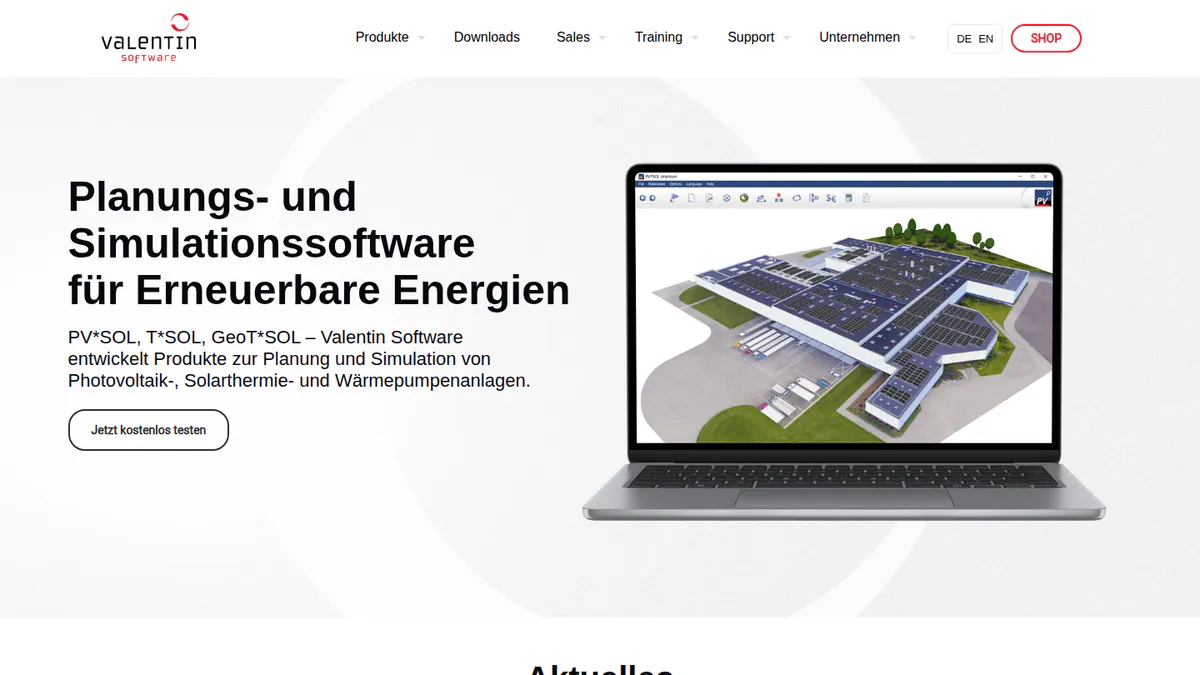
What it is: Valentin Software in Germany makes this desktop tool for 3D PV design and simulation. It is used for home and C&I systems, and the 2026 edition was released on 24 November 2025.
Why we picked it: It ties for the second-best fit score here, thanks to detailed 3D shading and yield. Its price is public, in one currency, with a 30-day trial.
Key features:
- 3D design with detailed shading analysis.
- Yield simulation on Meteonorm 9 climate data.
- AC- and DC-coupled batteries.
- Heat pump and EV loads with per-consumer tariffs.
- Customer reports as PDF or DOCX.
Pricing: EUR 845 a year per named user plus VAT, or EUR 285 for three months. The 2D version costs EUR 585 a year. Checked October 2026 in the Valentin shop. 30-day trial.
Pros (from reviews and our research):
- You can trial it for 30 days before you buy.
- A three-month licence covers a short, busy season.
- G2 users rate ease of use 8.2/10 (10 reviews).
Cons (from our research):
- It runs on a desktop, not in a browser.
- Each named user needs their own licence.
- We found no web proposals or e-signature in its feature list.
Reviews: G2 4.2/5 (12 reviews), checked October 2026. There is no review text to summarise.
Read our full PV*SOL premium review or our PV*SOL alternatives.
Want to see PV*SOL premium working? Book a demo with the SolarSoftwares team.
Book a demoYour request goes by email to the SolarSoftwares team. A time is set only after we reply. It does not change any score or ranking.
4. OpenSolar: best free alternative, with a push into India
Best for: Indian and global installers who want to cut software cost to zero. Score: 72.5/100.
vs Arka 360: The core tool is free, with unlimited users per the company. Arka starts at INR 46,000 a year plus GST.
What it is: OpenSolar Inc. gives installers its design, proposal and sales platform for free and earns from partners, imagery and a hardware shop. OS 3.0 arrived in September 2025. Its news page lists India partnerships in October 2026.
Why we picked it: It covers design, shading and proposals at no licence cost. Its India partnerships also matter for Arka’s Indian users.
Key features:
- Free 3D and 2D rooftop design with shading.
- AI design (OS 3.0).
- Web proposals with e-signature and payment collection.
- Finance options and a distributor hardware shop.
Pricing: The core platform is free. Since 16 April 2026, API Access (usage-based, 30-day free trial) and the Xero and QuickBooks connectors (monthly per company) are paid. Rates are not published. Premium imagery is optional and paid. Checked October 2026 on the OpenSolar pricing notice.
Pros (from reviews and our research):
- Panels are easy to add, remove and move (G2).
- The app gives reps useful details in the field (G2).
- Extra users cost nothing, per the company.
Cons (from user reviews):
- Layouts need an engineer’s check, as there are no automatic tweaks (G2).
- The interface looks dated (G2).
- It is "not completely free" (G2).
Reviews: G2 4.8/5 (3 reviews), checked October 2026. That is too few to judge.
What we could not confirm: API and connector fees, and shading depth beyond marketing pages.
Read our full OpenSolar review or our OpenSolar alternatives.

Want to see OpenSolar working? Book a demo with the SolarSoftwares team.
Book a demoYour request goes by email to the SolarSoftwares team. A time is set only after we reply. It does not change any score or ranking.
5. HelioScope: best for C&I projects above 3 MWp
Best for: Commercial designers whose projects are too big for Arka. Score: 70.6/100.
vs Arka 360: HelioScope Pro handles up to 5 MW DC (megawatts of direct-current panel power) and Enterprise up to 30 MW DC. Arka reviewers report lag at 3 MWp and above.
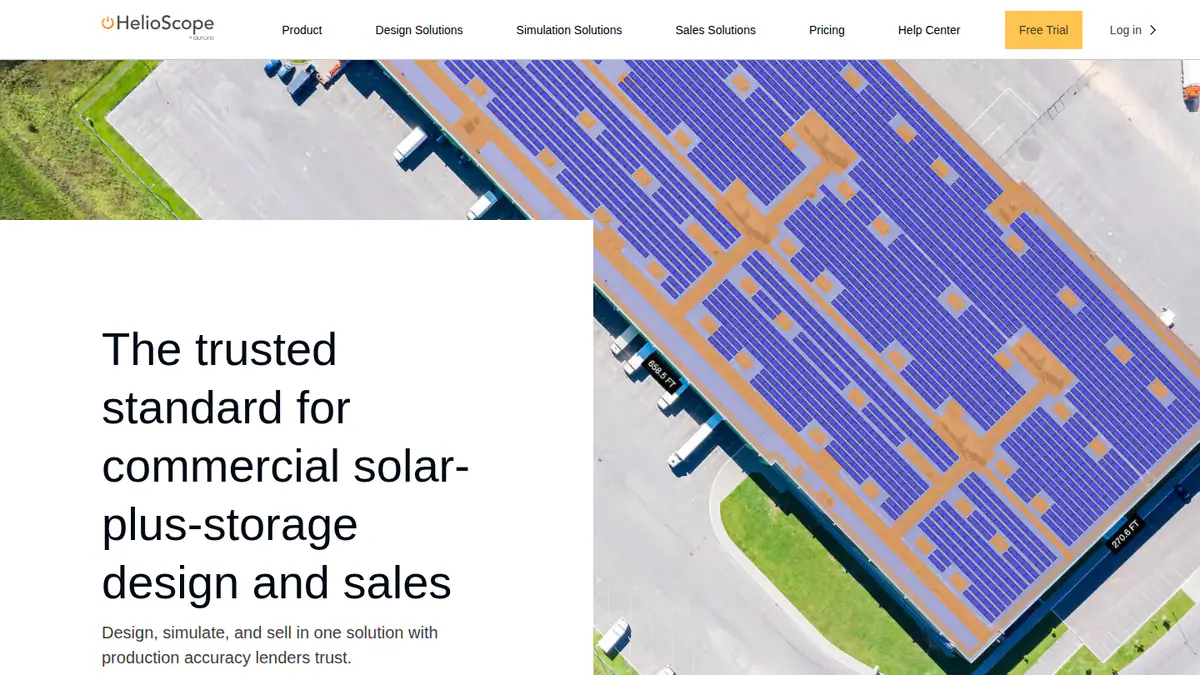
What it is: HelioScope is a browser-based tool for commercial layout and yield. Aurora Solar Inc. has owned it since 2019, and it keeps its own login.
Why we picked it: It handles the large C&I jobs where Arka reviewers report lag. Each plan shows its price and size limit up front.
Key features:
- Rooftop, carport and ground-mount layout.
- Yield the company says is within 1% of PVsyst.
- Shading and wiring-loss modelling.
- P90/P95/P99 values (cautious yield estimates) and LIDAR (laser height data) on Pro.
- Single-axis trackers and PVsyst export (Enterprise).
Pricing: Basic is USD 159 a month, or USD 1,620 a year if billed yearly per licence. It covers one user and 10 projects a month, up to 1.25 MW DC. Pro is USD 259 a month or USD 2,640 a year. Enterprise is custom and priced per project. Checked October 2026 on the HelioScope pricing page. A free trial is offered.
Pros (from user reviews):
- New users pick up its simple interface fast.
- Layouts and loss maths are fast and accurate.
- It turns out reports and SLDs (single-line diagrams) fast.
Cons (from user reviews):
- It is costly, and the tiers do not suit occasional users.
- Annual project caps get tight on big systems.
- Reviewers in India and Mexico say units and prices default to US settings.
Reviews: G2 4.5/5 (19 reviews), with ease of use 8.8/10 and support 7.9/10, checked October 2026.
Read our full HelioScope review or our HelioScope alternatives.
Want to see HelioScope working? Book a demo with the SolarSoftwares team.
Book a demoYour request goes by email to the SolarSoftwares team. A time is set only after we reply. It does not change any score or ranking.
6. PVsyst: best for lender-grade yield reports
Best for: Engineers and EPCs (firms that design and build solar plants) who need P50/P90 (expected and cautious) yield reports for banks on large projects. Score: 70.5/100.
vs Arka 360: Arka Premium already exports 3D scenes to PVsyst. PVsyst replaces Arka’s yield work, not its proposals or CRM.
What it is: PVsyst SA, from Satigny in Switzerland, makes this Windows desktop tool for PV simulation. Engineers, EPCs and lenders’ advisors treat it as the standard for bankable yield. It is not a sales tool.
Why we picked it: It fills Arka’s gap on large-project yield, with the P50/P90 reports banks ask for. Its yearly price is public, with a 30-day evaluation.
Key features:
- P50/P90 yield reports with a detailed loss diagram.
- 3D near-shading with electrical mismatch losses.
- Bifacial modules (panels that catch light on both sides) and trackers with backtracking.
- Weather data from Meteonorm 9, PVGIS, NSRDB, Solcast and Solargis.
- Battery storage and LCOE (lifetime cost per kWh) maths.
Pricing: PVsyst 8 Professional costs CHF 700 a year per seat. Multi-seat discounts run from 5% to 20%. Student and Classroom licences cost CHF 25 a year. There is no perpetual licence. Checked October 2026 in the PVsyst shop. 30-day evaluation.
Pros (from user reviews):
- Modelling and yield results are detailed and accurate (G2 themes).
- Loss analysis is thorough (G2 themes).
- SketchUp scenes can feed its 3D shading (G2 themes).
Cons (from reviews and our research):
- Reviewers call the interface old-fashioned and hard to learn (G2 themes).
- Building 3D scenes takes time (G2 themes).
- It runs on Windows only and makes no proposals.
Reviews: G2 4.5/5 (22 reviews), with ease of use 6.7/10 and support 7.7/10, checked October 2026.
Read our full PVsyst review or our PVsyst alternatives.
Want to see PVsyst working? Book a demo with the SolarSoftwares team.
Book a demoYour request goes by email to the SolarSoftwares team. A time is set only after we reply. It does not change any score or ranking.
7. RatedPower: best for utility-scale plants
Best for: Developers and EPCs who have moved from rooftops to utility-scale PV and storage. Score: 69.2/100.
vs Arka 360: RatedPower is built for utility plants, with site screening, substations and BESS (battery storage). Arka focuses on rooftop and C&I work.
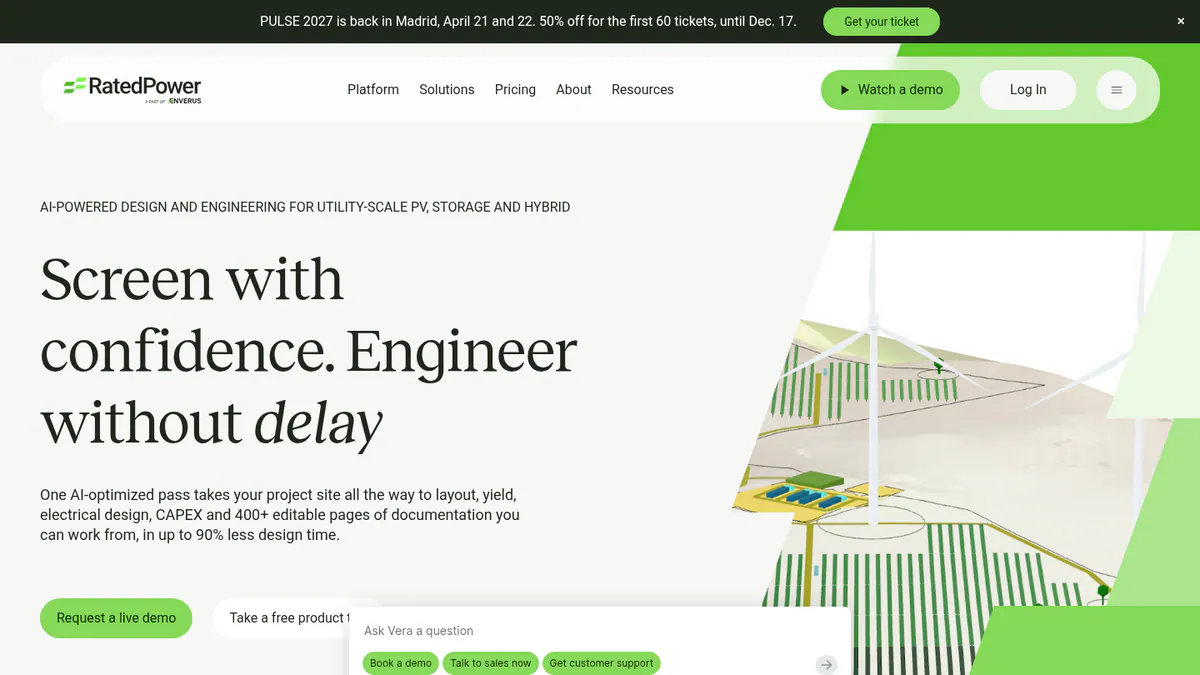
What it is: RatedPower, an Enverus company, makes this cloud platform for utility-scale design and engineering. Developers, EPCs and IPPs (independent power producers) use it for siting, layout, yield and cost studies.
Why we picked it: It has the biggest review base on this page, at 4.4/5 from 305 G2 reviews. Quote-only pricing held its score down.
Key features:
- Layouts with setbacks, roads, slope and cut-and-fill.
- Yield from a PVsyst-reconciled model or 3D ray tracing with terrain shading.
- MV/LV electrical design, SLDs and substation engineering.
- BESS and hybrid design with dispatch simulation.
- CAPEX (build cost), LCOE (lifetime cost per kWh) and 400+ editable documents, with DWG round-trip to AutoCAD.
Pricing: Quote only. Basic, Advanced and Enterprise tiers are listed, all "talk to sales". Checked October 2026 on the RatedPower pricing page. Demo only.
Pros (from user reviews):
- Ease of use is the top G2 theme (22 mentions).
- Feasibility layouts and electrical diagrams come out fast.
- Support gets praise (11 mentions).
Cons (from user reviews):
- Land and constraint handling in layouts is the top complaint (14 mentions).
- Reviewers miss some features, such as certain BESS-PCS pairings.
- Drawings allow little customisation.
Reviews: G2 4.4/5 (305 reviews), checked October 2026.
What we could not confirm: Whether lenders accept its P50/P90 output.
Read our full RatedPower review or our RatedPower alternatives.
Want to see RatedPower working? Book a demo with the SolarSoftwares team.
Book a demoYour request goes by email to the SolarSoftwares team. A time is set only after we reply. It does not change any score or ranking.
8. Solargraf: best for US permit plan sets
Best for: US home installers who want permits and finance in the design tool. Score: 66.3/100.
vs Arka 360: Arka offers AI permit checks. Solargraf goes further, with permit-ready plan sets on every plan, but starts at USD 2,799 a year.
What it is: Solargraf is Enphase’s design, proposal, finance and permit platform. Enphase got it through the 2021 Sofdesk purchase. It sells in the US, Canada, Brazil, Germany and Austria.
Why we picked it: It ties PV*SOL premium for second-best fit, as it covers design, proposals, finance and permits. Weak Capterra scores (3.2/5) pulled it down the list.
Key features:
- SLDs, three-line diagrams and plan sets to NEC 2026.
- A database of 14,000+ AHJs (local permit offices).
- Concert, LightReach and EnFin finance.
- Shading the company says NREL and NYSERDA validated.
Pricing: Starter is USD 2,799 a year (240 projects, 2 users). Small Business is USD 4,799 (4 users) and Teams is USD 6,399 (6 users). Enterprise is USD 12,999 with unlimited users. Checked October 2026 on the Solargraf pricing page.
Pros (from user reviews):
- Good shading and 3D tools.
- One tool covers proposal through permit.
- Homeowners get clear proposals and contracts.
Cons (from user reviews):
- Crashes and wrong property data hit the 3D tool.
- Reviewers find it expensive.
- Support waits have grown.
Reviews: Capterra 3.2/5 (15 reviews), with ease of use 3.7/5 and support 3.4/5, checked October 2026.
Read our full Solargraf review or our Solargraf alternatives.
Want to see Solargraf working? Book a demo with the SolarSoftwares team.
Book a demoYour request goes by email to the SolarSoftwares team. A time is set only after we reply. It does not change any score or ranking.
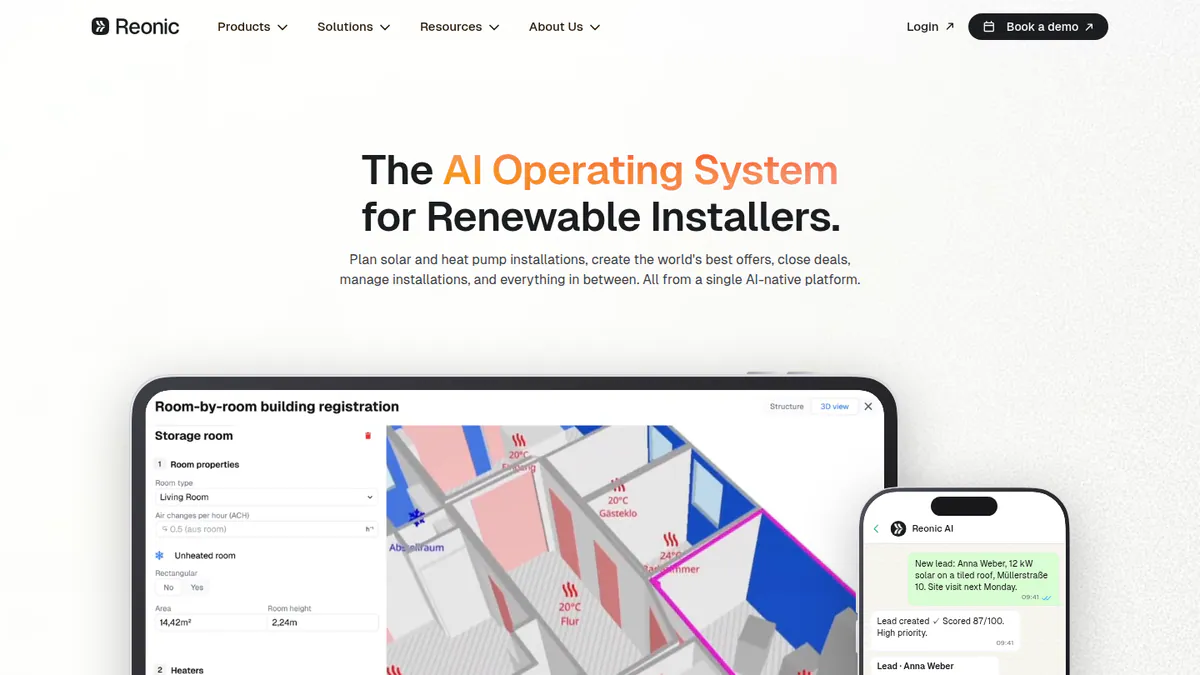
9. Reonic: best for European teams that want CRM and design together
Best for: European installers with sales, design and project staff on one system. Score: 64.6/100.
vs Arka 360: Arka has a light lead CRM add-on. Reonic runs CRM, project management and a customer portal next to design, but shows no prices.
What it is: Reonic GmbH (Augsburg and Berlin) builds one platform for the whole installer workflow. It serves solar, storage, wallbox and heat pump installers, mainly in Germany, Austria and Switzerland, plus the UK.
Why we picked it: It pairs design with a full CRM and project tools, which suits teams that outgrew Arka’s light CRM. Trustpilot users rate it 4.5/5 from 33 reviews.
Key features:
- 3D roof models from satellite, orthophoto or drone scans.
- Hourly yield forecasts with per-module analysis.
- CRM linked to Microsoft 365 or Google.
- Tasks, site visits, documents and a customer portal.
- Heat pump planning next to PV and storage.
Pricing: Quote only, with a free demo. Checked October 2026 on the Reonic product page.
Pros (from user reviews):
- The interface is clean (Trustpilot, UK, March 2026).
- A UK user praised the onboarding help (Trustpilot, March 2026).
- A German firm says energy-flow simulation and quick proposals helped it sell more (Trustpilot, September 2024).
Cons (from our research):
- You need a sales call to learn the price.
- Extras like grid registration only work in Germany.
- Trustpilot holds all its reviews. Capterra shows none.
Reviews: Trustpilot 4.5/5 (33 reviews), checked October 2026.
See our Reonic alternatives.
Want to see Reonic working? Book a demo with the SolarSoftwares team.
Book a demoYour request goes by email to the SolarSoftwares team. A time is set only after we reply. It does not change any score or ranking.
10. SolarPlus: best for clear user counts in Australia
Best for: Australian and New Zealand teams that need to know how many users each plan allows. Score: 64.1/100.
vs Arka 360: Each SolarPlus plan states its user count, from 5 designers to unlimited. Arka reviewers cite limits on multiple users.
What it is: SolarPlus, from Healesville in Victoria, makes solar, battery and off-grid design and quoting software. It adds a light CRM and install job packs for home and C&I installers.
Why we picked it: It fits Arka’s design and proposal job well and states user counts on every plan. A single G2 review and kW caps kept it in tenth place.
Key features:
- RoofMap auto layout on aerial images.
- 3D shading view with tree modelling.
- Battery sizing, peak shaving and tariff modelling.
- Off-grid load profiles and generator design.
- Proposals with online acceptance and finance payments.
Pricing: Starter is USD 135 a month on annual prepay (USD 150 monthly), with 5 designer accounts. Pro is USD 260 (10 accounts) and Complete is USD 450 (unlimited users), both on annual prepay. Complete allows up to 3.9 MW of commercial quotes. Onboarding packs cost AUD 500 or AUD 1,000. Checked October 2026 on the SolarPlus pricing page.
Pros (from our research):
- You know your user count before you buy.
- Off-grid and generator design come built in.
- Install job packs and checklists carry the job past the sale.
Cons (from our research):
- Plans cap the kW you quote, measured as a 3-month average.
- Onboarding packs are extra, at AUD 500 or AUD 1,000.
- With a single G2 review, user feedback is too thin to judge.
Reviews: G2 4.5/5 (1 review), checked October 2026.
What we could not confirm: The feature split between plans, and if onboarding is compulsory.
Want to see SolarPlus working? Book a demo with the SolarSoftwares team.
Book a demoYour request goes by email to the SolarSoftwares team. A time is set only after we reply. It does not change any score or ranking.
SurgePV (unscored): for readers comparing roof modelling, array layout and proposals in one browser project. Compare required imports, design depth and local outputs on your own project. The numbered scores above do not include it.
Sources checked 27 October 2026: SurgePV product information · SolarSoftwares SurgePV review
Book a demo of SurgePV with the SolarSoftwares team.
Book a demoYour request goes by email to the SolarSoftwares team. A time is set only after we reply. It does not change any score or ranking.
How do the 10 Arka 360 alternatives compare?
This table shows what changes when you leave Arka 360.
Product | Entry price (checked October 2026) | Users | Largest jobs documented | Proposals | Main regions |
|---|---|---|---|---|---|
USD 159/month. INR 46,000/year + GST | Not stated. Reviewers cite limits | Lag reported at 3 MWp+ | Yes | India, US | |
USD 159/user/month | Per seat | Light commercial | Yes, with US finance | US | |
GBP 4/project | Unlimited | Commercial from 99 kW (Pro) | Yes | AU, UK, IE, US | |
EUR 845/year + VAT | Per named user | Home and C&I | PDF or DOCX report | Europe, global | |
Free | Unlimited (company says so) | Home and small commercial | Yes | Global, incl. India | |
USD 159/month | 1 per licence | 30 MW DC (Enterprise) | Pro only | US, global | |
CHF 700/year | Per seat | Utility scale | No | Global | |
Quote only | Team tools (Enterprise) | Utility scale | No | Global | |
USD 2,799/year | 2 to unlimited | Home and small C&I | Yes, with permits | US, Canada | |
Quote only | Not published | Home and C&I | Yes | DACH, EU, UK | |
USD 135/month | 5 to unlimited | 3.9 MW quoted (Complete) | Yes | AU, NZ |
Also considered
- Scanifly: Scored 62.5/100. A US drone-survey and 3D modelling platform, with no public prices and only three G2 reviews.
- Solo: Scored 61.6/100. It suits US home sales teams with lender finance, but it is quote only and works with US lenders and utilities only.
- SolarEdge Designer: Scored 55.3/100. A free tool per SolarEdge’s 2018 launch release, tied to SolarEdge inverters and optimisers. Its current status is unconfirmed, as the company page did not load for us.
How do you choose an Arka 360 alternative?
- If you left Arka over unclear pricing, pick a tool with one published price: Aurora Solar, Pylon or PV*SOL premium.
- If large C&I projects lag, pick HelioScope (up to 30 MW DC on Enterprise).
- If you need lender-grade yield reports, pick PVsyst. For utility plants, pick RatedPower.
- If user limits held you back, pick Pylon or OpenSolar, both with unlimited users.
- If you are in India and want to cut cost, pick OpenSolar.
- If you sell in the US and need permit plan sets, pick Solargraf.
- If you work in Europe or Australia, look at Reonic or SolarPlus.
For wider lists, see the best solar design software in India, our commercial design software picks and the utility-scale ranking. Our design and simulation category lists more.
Want more choices? Browse every tool we checked in our design and simulation category.
How do you switch from Arka 360?
- Export your designs. On Premium, save SLDs and 3D exports (SketchUp or PVsyst) for live jobs before your plan ends.
- Save sales records. Download proposals and generation reports, and export leads from the CRM add-on.
- Time it to your billing. Arka bills monthly or yearly, so check your renewal date first.
- Rebuild your library. Add your panels, inverters, mounting and price lists to the new tool.
- Test a big job. Run your largest live project in both tools and compare speed and yield.
Arka 360 alternatives FAQs
What is the best alternative to Arka 360 (The Solar Labs)?
Aurora Solar is the best Arka 360 alternative in our October 2026 ranking, at 83.1/100. It starts at the same USD 159 a month as Arka’s Basic plan, but that price is per user with 50 projects a month. Pylon (79.4/100) is next, with unlimited users.
Is there a cheaper alternative to Arka 360 for small installers?
Yes. OpenSolar’s core platform is free, though some add-ons have been paid since 16 April 2026. Pylon charges GBP 4 a project with no monthly minimum (checked October 2026). Both suit small teams better than a flat monthly fee.
Which Arka 360 alternative handles large (3 MW+) projects without lag?
HelioScope Pro covers up to 5 MW DC and Enterprise up to 30 MW DC (checked October 2026). PVsyst and RatedPower are built for utility-scale work. We did not time these tools ourselves, so test your largest project in a trial or demo.
Is Arka 360 better than Aurora Solar?
It depends on your team. Arka’s Basic plan includes unlimited projects for USD 159 a month. Aurora charges USD 159 per user, caps Basic at 50 projects and adds LIDAR on Premium. Aurora rates 4.7/5 on G2 from 121 reviews, against Arka’s 4.3/5 from 137 (October 2026).
Does Arka 360 charge an onboarding fee?
Its India pricing page listed an INR 10,000 onboarding fee in October 2026. We could not confirm whether the fee applies to US plans. Ask Arka for a written quote that lists every one-off fee before you sign.
Which Arka 360 alternative supports multiple users on one account?
Pylon includes unlimited users on every plan, and OpenSolar says its free core has unlimited users. SolarPlus Complete and Solargraf Enterprise also include unlimited users. Aurora charges per user, so each extra designer adds a seat (checked October 2026).
Sources
All read 22 to 25 October 2026.
- Arka 360: pricing, commercial design, G2
- Aurora Solar: pricing, G2, Capterra, G2 review
- Pylon: UK pricing, July 2026 update, Capterra, G2
- PV*SOL premium: shop, 2026 release, G2, G2 comparison
- OpenSolar: pricing notice, free platform, news, G2
- HelioScope: pricing, G2
- PVsyst: shop, product, G2, G2 comparison
- RatedPower: pricing, site, G2
- Solargraf: pricing, Capterra, Enphase release
- Reonic: product, Trustpilot, Capterra
- SolarPlus: pricing, features, G2
- Scanifly: site, G2
- Solo: pricing
- SolarEdge Designer: press release (2018)
Last updated 28 October 2026. Next scheduled review: 23 January 2027.