SunEye alternatives are tools that measure or model shade on a roof, so you can skip the Solmetric SunEye-210. Shade analysis shows how much sun a roof loses to trees and nearby buildings. Scanifly ranks first at 71.0/100, and Aurora Solar ranks second at 67.8/100.
The SunEye-210 is a handheld shade tool. It pairs a fisheye camera (a camera with a very wide lens), compass, tilt sensor and GPS with Windows software called PV Designer. It is not discontinued. But in October 2026, Solmetric’s store showed it out of stock, with a 10-12 week lead time due to supply issues.
That wait worries buyers, because Solmetric dropped the SunEye once before, in 2015, and it only came back in June 2016. The price is the other worry. It costs USD 2,195 for one device with a 6-month warranty. Drone and remote shade tools now skip the roof climb altogether. So many installers now weigh other options, both devices and software.
Why do installers look for SunEye alternatives?
Installers give these reasons for leaving the SunEye:
- Long waits. The store lists it as out of stock, with a 10-12 week lead time. That page was last changed in May 2024.
- Supply history. Solmetric stopped selling it in 2015 and brought it back in June 2016, says Solar Power World.
- Cost for one device. It costs USD 2,195 one-time in North America, plus shipping. The warranty runs 6 months. A 2012 forum user called it "pretty pricey".
- Windows only. PV Designer runs on Windows. Macs need emulation (software that pretends to be Windows).
- Someone must go on site. Remote shade tools in design software, and drone models, can avoid that trip.
What you would give up: measured readings at the exact spot, taken in minutes, with level and heading corrected for you. Its output also goes straight into PVsyst and PV*SOL.
Solmetric SunEye-210 at a glance
Item | SunEye-210 (checked October 2026) |
|---|---|
What it is | Handheld device (fisheye camera, compass, tilt sensor, GPS) plus PV Designer software for Windows |
Pricing | USD 2,195 one-time (North America), includes a lifetime PV Designer licence. Shipping extra. Online shade training USD 179 |
Status | Still listed. Out of stock with a 10-12 week lead time. No discontinuation notice found |
Warranty and returns | 6-month warranty. 30-day return with a 10% restocking fee |
Ratings | No G2, Capterra, Trustpilot or app store listing found (October 2026) |
Still suits | Installers and assessors who need measured, on-site solar access readings and can wait for stock |
Source: Solmetric store, checked October 2026.
Quick picks
Rank | Product | Best for | Starting price (company page, checked October 2026) | Type | Score /100 |
|---|---|---|---|---|---|
1 | Drone and remote shade models (US) | Quote only | Software | 71.0 | |
2 | Remote shade plus design and proposals | ✓ USD 159 per user a month | Software | 67.8 | |
3 | Turning shade into bankable yield | ✓ CHF 700 a year | Software | 64.6 | |
4 | 3D shade modelling in Europe | ✓ EUR 845 a year + VAT | Software | 62.8 | |
5 | Remote TSRF values (select US states) | ✓ From 60 per report (dollars) | Per-report data | 62.3 | |
6 | Low-cost on-site device | ✓ USD 299-349 + software | Hardware + software | 62.2 | |
7 | C&I shade and yield from the desk | ✓ USD 159 a month | Software | 59.4 | |
8 | European all-in-one with 3D shading | Quote only | Software | 56.6 | |
9 | Measured horizon for Meteonorm | ✓ CHF 1,400 one-time | Hardware + software | 53.8 | |
10 | Terrain shading on utility plants | Quote only | Software | 53.5 |
✓ Verified on the company’s own pricing page. ◐ Published by the company outside its pricing page (help centre, store or press release). ? We could not read the company’s pricing page, so the figure is not confirmed. Prices checked October 2026.
Quote only means the company shows no public price. You ask it for a quote.
How the 10 tools scored
- Use-case fit 35%
- User reviews 20%
- Pricing 15%
- Ease of use 10%
- Support 10%
- Momentum 10%
Tool | Score chart | Score |
|---|---|---|
71 out of 100 | 71.0 | |
67.8 out of 100 | 67.8 | |
64.6 out of 100 | 64.6 | |
62.8 out of 100 | 62.8 | |
62.3 out of 100 | 62.3 | |
62.2 out of 100 | 62.2 | |
59.4 out of 100 | 59.4 | |
56.6 out of 100 | 56.6 | |
53.8 out of 100 | 53.8 | |
53.5 out of 100 | 53.5 |
Each bar shows the weighted score out of 100.
Sub-scores at a glance (0-10)
Product | Use-case fit | User reviews | Pricing | Ease of use | Support | Momentum | Total /100 |
|---|---|---|---|---|---|---|---|
10.0 | 5.0 | 4.0 | 5.0 | 5.0 | 10.0 | 71.0 | |
5.0 | 7.9 | 8.0 | 7.5 | 7.5 | 7.5 | 67.8 | |
5.0 | 6.3 | 8.0 | 5.0 | 7.5 | 10.0 | 64.6 | |
5.0 | 5.4 | 8.0 | 7.5 | 7.5 | 7.5 | 62.8 | |
6.7 | 5.5 | 7.0 | 7.5 | 5.0 | 5.0 | 62.3 | |
8.3 | 5.0 | 7.0 | 5.0 | 5.0 | 2.5 | 62.2 | |
5.0 | 6.2 | 8.0 | 7.5 | 5.0 | 5.0 | 59.4 | |
5.0 | 6.6 | 4.0 | 7.5 | 7.5 | 5.0 | 56.6 | |
6.7 | 5.0 | 7.0 | 5.0 | 5.0 | 0.0 | 53.8 | |
5.0 | 5.0 | 4.0 | 5.0 | 5.0 | 10.0 | 53.5 |
A 5.0 on reviews, ease, support or momentum is our neutral score. We use it when public evidence is thin. It is not a judgement.
How did we choose and score these SunEye alternatives?
How the score is weighted
- Use-case fit 35%
- User reviews 20%
- Pricing 15%
- Ease of use 10%
- Support 10%
- Momentum 10%
We scored 13 alternatives from 22 to 25 October 2026 from company pages, pricing and user reviews. This was desk research. We did not test any tool hands-on, and we did not compare accuracy in the field. All 13 passed our minimum fit score, so we rank the top 10 and list three under Also considered. The SunEye is not ranked on its own page.
- Use-case fit (35%): How well a tool does the SunEye’s job, which is shade analysis and site survey data.
- User reviews (20%): G2, Capterra and Trustpilot ratings. A tool with under eight reviews gets a middle score.
- Pricing (15%): Tools with a published price score higher than tools where you have to ask for a price.
- Ease of use, support and momentum (10% each): Review sub-scores and dated releases.
We mix devices, software and report data, because installers swap the SunEye for all three kinds. Read the full method.
1. Scanifly: best for drone and remote shade models in the US
Best for: US installers who want shade data without a handheld device on every roof. Score: 71.0/100.
vs SunEye: Scanifly is software, not a device. It works out shading from a drone 3D model or from remote imagery, while the SunEye measures one spot at a time.
What it is: Scanifly is a US platform for site models, shade and field surveys. It builds 3D models from remote imagery or from drone photos you take or pay for.
Why we picked it: It scored highest for fit on shade work, and it can cut the site visit from early shade checks. That tackles the SunEye’s stock wait and the roof climb at once.
Key features:
- Sales-stage shade and design from satellite, Nearmap or LiDAR (laser height data).
- DroneDesign: 3D site models from drone photos.
- Viewshed shading, which the company says several regulators and lenders accept.
- AI obstruction detection on the model.
- iOS and Android field app with checklists and photo notes.
Pricing: You have to ask the company for a price. Design work runs on credits. Outsourced drone surveys and design services cost extra. Demo only. Checked October 2026 on the Scanifly website.
Pros (from our research):
- Remote designs can save a site trip at the sales stage.
- A drone model covers the whole roof, ready in under 30 minutes.
- It is under active work, with product posts dated up to October 2026.
Cons (from our research):
- There is no published price, so you cannot compare it with the SunEye’s one-time cost up front.
- Credits mean costs keep coming as you design.
- It is US-focused.
Reviews: G2 4.7/5 (3 reviews), checked October 2026, with no review text visible.
Read our full Scanifly review or our Scanifly alternatives.
Want to see Scanifly working? Book a demo with the SolarSoftwares team.
Book a demoYour request goes by email to the SolarSoftwares team. A time is set only after we reply. It does not change any score or ranking.
2. Aurora Solar: best for remote shade plus design and proposals
Best for: US home and light-commercial sales teams that want shade, layout and proposals without a site visit. Score: 67.8/100.
vs SunEye: Aurora is software only. It models shade from imagery. Premium adds LIDAR-assisted models and bankable shade reports (reports lenders accept). You pay per user each month instead of once for a device.
What it is: Aurora Solar Inc. runs this platform in the cloud for design, simulation and proposals. Its pricing page is in USD and built for North American buyers.
Why we picked it: It has the largest review base on this page, with 121 G2 reviews, and its prices are published. Sales teams get shade without buying or waiting for a device.
Key features:
- Shade analysis and production simulation from imagery.
- Premium adds LIDAR-assisted models and bankable shade reports.
- Battery modelling for backup and self-use.
- Proposals with financing.
- Order a site model from USD 9.99 on Basic, with no roof visit.
Pricing: Basic is USD 159 per user per month, or USD 135 billed annually (USD 1,620 a year), with 50 projects a month. Premium is USD 259, or USD 220 billed annually. Enterprise is custom and priced per project. No free plan. Checked October 2026 on the Aurora pricing page.
Pros (from user reviews):
- Capterra users rate its shade reports as accurate, with LiDAR showing what blocks the sun.
- A G2 reviewer calls the designs accurate and the service strong.
- Capterra users say videos make it easy to pick up.
Cons (from reviews and our research):
- Bankable shade reports need Premium, at USD 259 per user a month.
- Capterra users expected more from the proposal and finance side at this price.
- It has few links to other software (G2).
Reviews: G2 4.7/5 (121 reviews) and Capterra 4.1/5 (7 reviews), checked October 2026.
What we could not confirm: whether a free trial is offered.
Read our full Aurora Solar review or our Aurora Solar alternatives.

Want to see Aurora Solar working? Book a demo with the SolarSoftwares team.
Book a demoYour request goes by email to the SolarSoftwares team. A time is set only after we reply. It does not change any score or ranking.
3. PVsyst: best for turning shade into bankable yield
Best for: Engineers and EPCs (firms that design and build solar projects) who turn shade data into yield reports for lenders. A yield report forecasts how much power a project will make. Score: 64.6/100.
vs SunEye: The SunEye exports its readings to PVsyst. PVsyst itself is software. It models near shading from a 3D scene rather than a photo of the sky.
What it is: PVsyst is a Windows program from PVsyst SA, Switzerland. Engineers, EPCs and lenders’ advisers treat it as the yield reference.
Why we picked it: Many SunEye workflows already end in PVsyst, so you lose a step, not a tool. A 30-day evaluation lets you test it first.
Key features:
- Near shading from a 3D scene, including mismatch losses (power lost when panels perform unequally).
- Loss diagrams and P50/P90 yield (forecasts lenders use to judge risk).
- Tracker backtracking (trackers turn to avoid shading each other) and bifacial gain (extra power from panels that catch light on both sides).
- Imports weather files from Meteonorm 9, PVGIS, NSRDB, Solcast or Solargis.
Pricing: PVsyst 8 Professional costs CHF 700 a year per seat. Multi-seat discounts run from 5% to 20%. Student and Classroom licences cost CHF 25 a year. A 30-day evaluation mode comes with a fresh install. Checked October 2026 in the PVsyst shop.
Pros (from user reviews):
- G2 reviewers find the modelling and yield output detailed and accurate.
- They value the depth of its loss analysis.
- They like using SketchUp to build 3D shade scenes.
Cons (from user reviews):
- Reviewers find the interface old and hard to follow.
- Learning it takes time.
- 3D scene work is slow.
Reviews: G2 4.5/5 (22 reviews), checked October 2026.
Read our full PVsyst review or our PVsyst alternatives.
Want to see PVsyst working? Book a demo with the SolarSoftwares team.
Book a demoYour request goes by email to the SolarSoftwares team. A time is set only after we reply. It does not change any score or ranking.
4. PV*SOL premium: best for 3D shade modelling in Europe
Best for: European designers who model shade, yield and self-use in one desktop program. Score: 62.8/100.
vs SunEye: The SunEye also exports to PV*SOL. PV*SOL premium models shade in 3D with no device, but on a yearly licence, not a one-time buy.
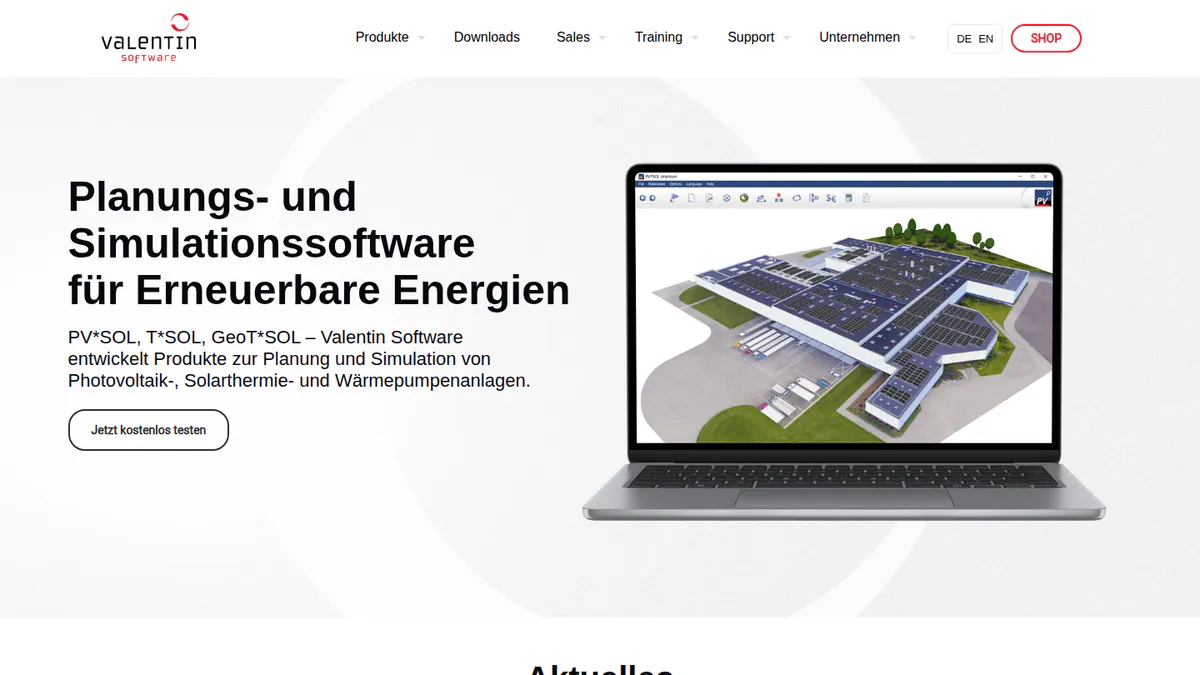
What it is: PV*SOL premium is a German desktop program from Valentin Software. Planners in Europe use it to model shade, yield and self-use for homes and C&I (commercial and industrial) sites.
Why we picked it: Its price is published, and a 30-day trial lets you check its shade results against past SunEye jobs. A new version ships every year.
Key features:
- Detailed shade from a 3D model of the site.
- Meteonorm 9 weather data built in.
- AC- and DC-coupled batteries.
- Self-use with heat pumps and EVs, each on its own tariff.
- Shade and yield results in a PDF or DOCX report.
Pricing: EUR 845 a year per named user plus VAT, or EUR 285 for three months. The 2D PV*SOL costs EUR 585 a year. 30-day trial. Checked October 2026 in the Valentin shop.
Pros (from our research):
- Short projects can use the EUR 285 three-month licence.
- Ten G2 reviewers rate ease of use 8.2/10.
- A new version comes out each year. The 2026 version shipped on 24 November 2025.
Cons (from our research):
- Shade comes from your 3D model, not a measured reading.
- Every user needs their own yearly licence, priced in EUR plus VAT.
- Customer output is a presentation file, not a web proposal.
Reviews: G2 4.2/5 (12 reviews), checked October 2026.
Read our full PV*SOL premium review or our PV*SOL alternatives.
Want to see PV*SOL premium working? Book a demo with the SolarSoftwares team.
Book a demoYour request goes by email to the SolarSoftwares team. A time is set only after we reply. It does not change any score or ranking.
5. EagleView: best for remote TSRF values in select US states
Best for: US installers who want shade numbers for a roof without sending anyone. Score: 62.3/100.
vs SunEye: EagleView is not a device or a design suite. You buy a report made from aerial imagery. Inform Advanced adds TSRF (total solar resource fraction) and solar access values. These are the kind of numbers a SunEye reads on site. TSRF says how much of the possible sun a roof spot gets.
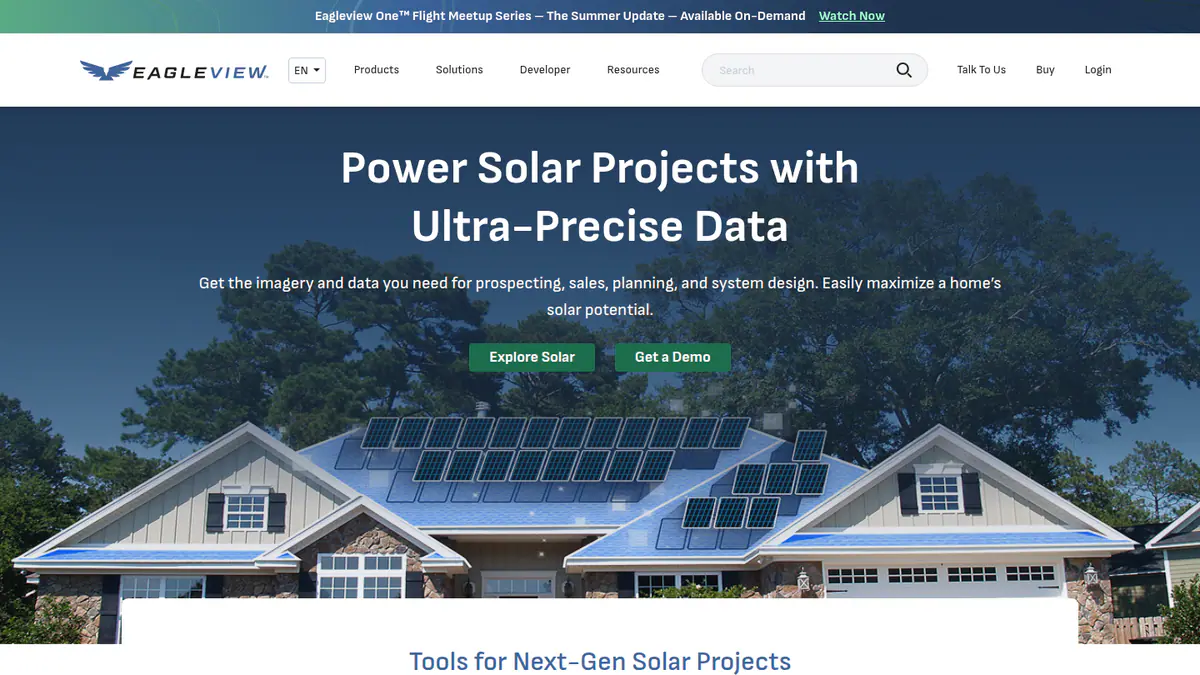
What it is: EagleView Technologies sells aerial roof measurement reports and pre-built PV designs, paid per report. It also serves roofers and insurers.
Why we picked it: It is the closest remote match to SunEye output, because it sells TSRF and solar access values. You pay only for the reports you order.
Key features:
- Remote roof measurement from aerial imagery.
- 3D roof geometry with pitch, azimuth (compass direction) and obstructions.
- TSRF and solar access values (Inform Advanced, select US states).
- Ready-made TrueDesign PV layouts for sales or planning.
- DXF, JSON, XML and PDF files, plus APIs (ways for other software to connect).
Pricing: A residential Inform Advanced report costs 79 (Bronze) or 75 (Silver and Gold). Residential Inform Essentials+ costs 63.25 or 60. TrueDesign for Sales costs 30, 25 or 20 per design, and TrueDesign for Planning 105.50, 90 or 85. Platinum is call for pricing. The page shows a dollar sign without naming the currency, so we assume USD. Checked October 2026 on the EagleView solar pricing page.
Pros (from reviews and our research):
- Capterra reviewers find the measurements accurate and rarely hit problems.
- Reports arrive quickly without a site visit (Capterra).
- Files load into other tools as DXF, JSON or XML.
Cons (from user reviews):
- It is expensive on small jobs (value for money 3.7/5).
- Coverage has gaps for new builds and tree cover.
- Some reviewers describe long phone holds and billing disputes.
Reviews: Capterra 4.3/5 (44 reviews) and G2 3.6/5 (14 reviews), checked October 2026. Most reviewers are roofers, not solar installers.
Want to see EagleView working? Book a demo with the SolarSoftwares team.
Book a demoYour request goes by email to the SolarSoftwares team. A time is set only after we reply. It does not change any score or ranking.
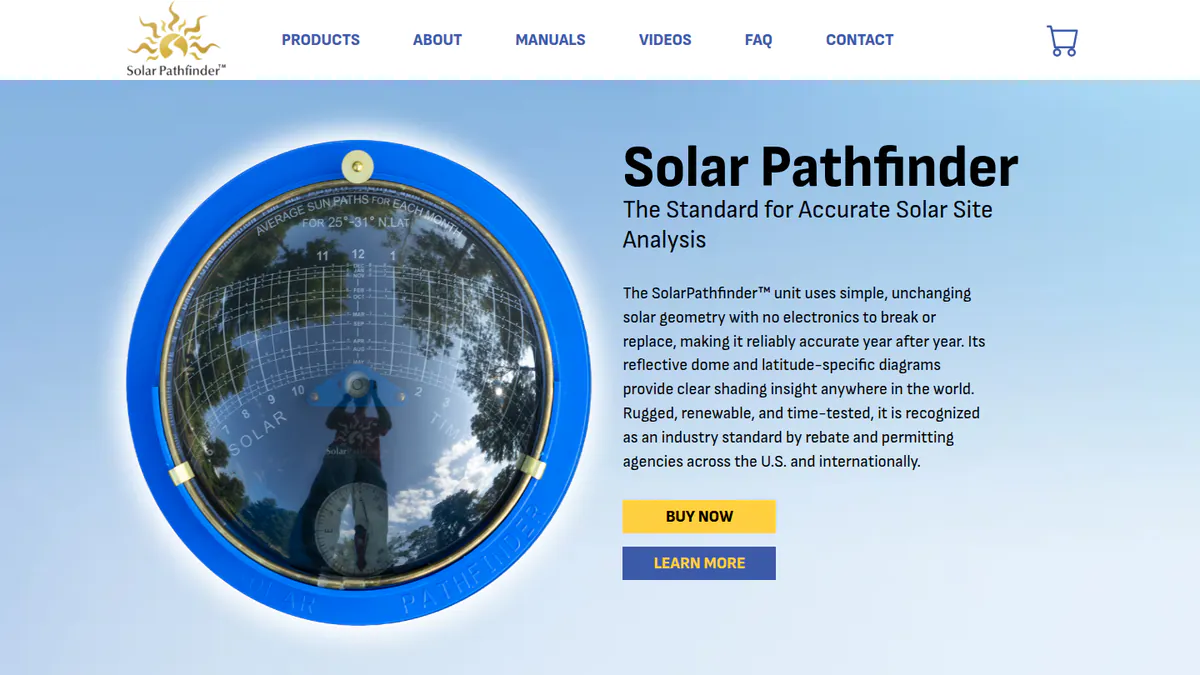
6. Solar Pathfinder: best low-cost on-site shade device
Best for: Small installers, assessors and trainers who want a measured reading on site for far less money. Score: 62.2/100.
vs SunEye: This is also hardware, but it has no electronics. A shiny dome reflects the sky. You trace the shade onto a sunpath chart (a map of where the sun travels). It costs USD 299-349, against USD 2,195 for a SunEye.
What it is: Solar Pathfinder is a US optical shade tool on a tripod. Paid desktop software (Assistant or PV Studio 2) turns the tracing into shade and output reports.
Why we picked it: It is the lowest-priced on-site device we found, at a fraction of the SunEye’s price. Nothing is sold as a subscription.
Key features:
- Reflective dome traces horizon shade onto a sunpath chart.
- Charts made for your latitude band.
- Assistant software: PV, solar thermal and ecological site reports.
- PV Studio 2: roof layouts, shade heat maps and output reports.
Pricing: The Solar Pathfinder with tripod and case costs USD 299-349.00, one-time. Assistant Software costs USD 189 (on sale, list price USD 219). PV Studio 2 costs USD 289 (on sale, list price USD 319). The page shows a dollar sign only. Checked October 2026 on the Solar Pathfinder store.
Pros (from reviews and our research):
- It is simple and far cheaper than electronic tools (Mike Holt forum).
- Installers have used it for years as a "trusty" tool (forum).
- Everything is a one-time buy, with no subscription.
Cons (from reviews and our research):
- Setup is slow, and readings suffer if it is off level (forum).
- Tracing the shade on a pitched roof is awkward (forum).
- The software is sold separately from the device.
Reviews: No user reviews found on G2, Capterra or app stores as of October 2026. Forum threads date from 2012.
What we could not confirm: which operating systems the software runs on.
Want to see Solar Pathfinder working? Book a demo with the SolarSoftwares team.
Book a demoYour request goes by email to the SolarSoftwares team. A time is set only after we reply. It does not change any score or ranking.
7. HelioScope: best for C&I shade and yield from the desk
Best for: C&I designers who want shading and wiring losses on larger roofs and sites. Score: 59.4/100.
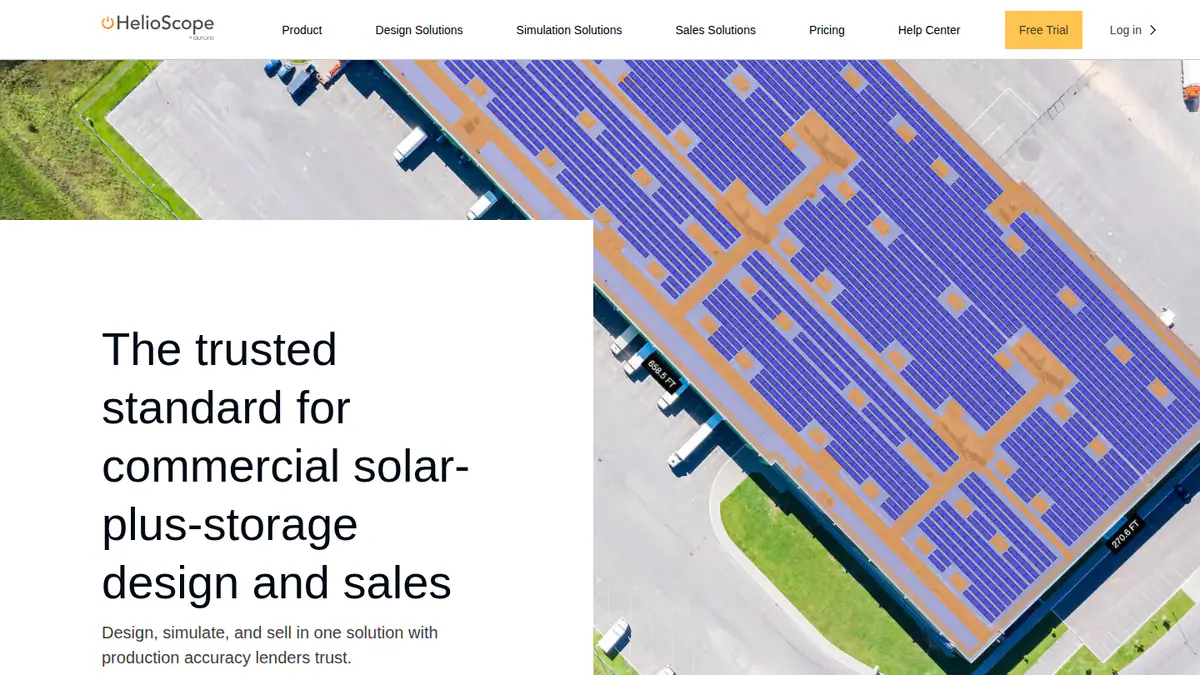
vs SunEye: HelioScope is browser software. It models shade across a whole array, with LIDAR and AI obstruction detection on Pro, instead of point readings on site.
What it is: HelioScope is Aurora Solar’s browser tool for commercial and small utility design, up to 30 MW DC (a measure of array size) on Enterprise.
Why we picked it: It covers whole C&I arrays from the desk, at a published price with a free trial. That suits sites where point readings would take too long.
Key features:
- Shading and wiring-loss modelling.
- Rooftop, carport and ground-mount layout.
- Pro adds LIDAR models and AI obstruction detection.
- P90/P95/P99 values (Pro).
- The company says its yield is within 1% of PVsyst’s.
Pricing: Basic is USD 159 a month, or USD 1,620 a year if billed yearly (1 user, up to 1.25 MW DC). Pro is USD 259 a month or USD 2,640 a year (up to 5 MW DC). Enterprise is custom, priced per project. Free trial offered, length not stated. Checked October 2026 on the HelioScope pricing page.
Pros (from user reviews):
- It is easy to learn.
- Shading and wiring-loss results come fast and accurate.
- Reports are quick to produce.
Cons (from reviews and our research):
- Light users find the monthly fee high.
- Big systems run into project caps.
- LIDAR shading needs Pro, at USD 259 a month.
Reviews: G2 4.5/5 (19 reviews), checked October 2026.
Read our full HelioScope review or our HelioScope alternatives.
Want to see HelioScope working? Book a demo with the SolarSoftwares team.
Book a demoYour request goes by email to the SolarSoftwares team. A time is set only after we reply. It does not change any score or ranking.
8. Reonic: best for European all-in-one sales with 3D shading
Best for: Installers in Germany, Austria and Switzerland who sell solar, storage and heat pumps. Score: 56.6/100.
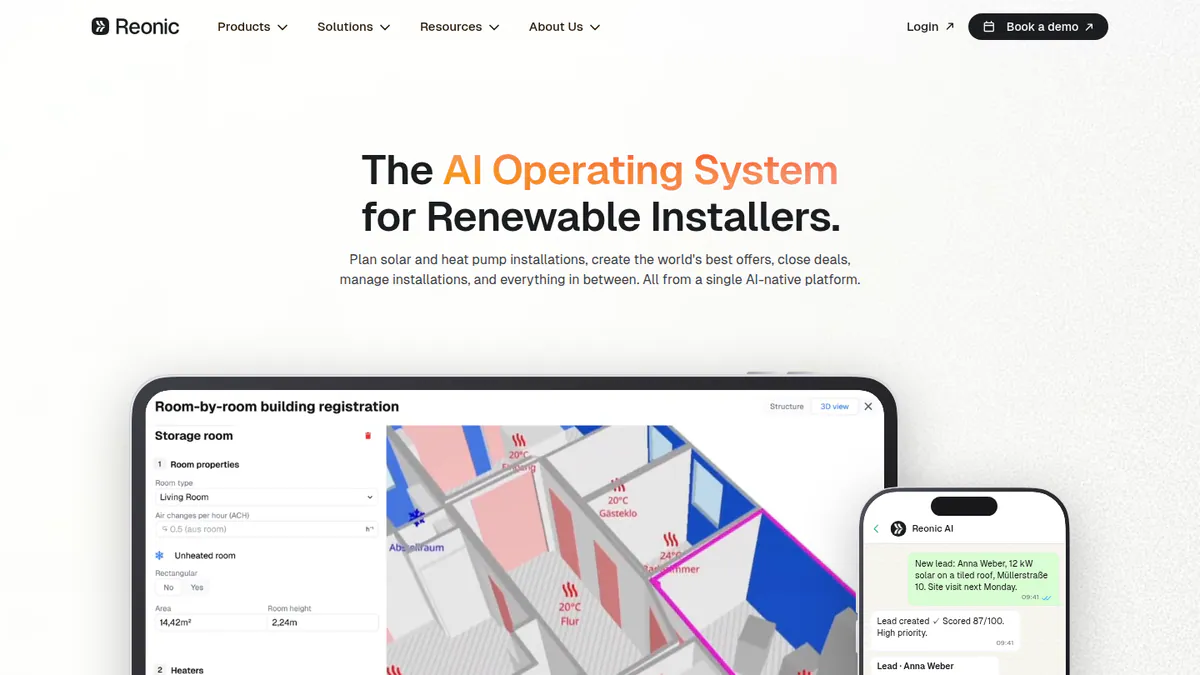
vs SunEye: Reonic is software. It builds a 3D roof from satellite, aerial or drone scans and models shade from nearby buildings and trees. No device is needed.
What it is: Reonic GmbH in Germany makes this all-in-one installer platform. Shading sits next to design, yield, proposals, CRM and project management.
Why we picked it: It models shade from nearby buildings and trees without a site visit. Trustpilot reviewers rate it 4.5/5 from 33 reviews.
Key features:
- Roof models built from satellite, orthophoto (a corrected aerial photo) or drone data.
- Shade cast by neighbouring buildings, trees and roof objects.
- Hour-by-hour yield, down to each module.
- Branded PDF proposals with payback figures and e-signature.
Pricing: No prices published. You have to ask the company for a demo. Checked October 2026 on the Reonic product page.
Pros (from user reviews):
- A UK user likes the clean design screens (Trustpilot, March 2026).
- A second UK review praises the onboarding help (Trustpilot, March 2026).
- A German user says quick proposals lifted sales (Trustpilot, September 2024).
Cons (from our research):
- There is no published price.
- Some services, such as grid registration, are German-only.
- Shading is one part of a sales platform, not a survey tool.
Reviews: Trustpilot 4.5/5 (33 reviews), checked October 2026. Its Capterra listing has no reviews.
What we could not confirm: any negative review text, and dated release notes.
See our Reonic alternatives.
Want to see Reonic working? Book a demo with the SolarSoftwares team.
Book a demoYour request goes by email to the SolarSoftwares team. A time is set only after we reply. It does not change any score or ranking.
9. HORIcatcher: best for a measured horizon in Meteonorm
Best for: Planners and consultants who already use Meteonorm climate data. Score: 53.8/100.
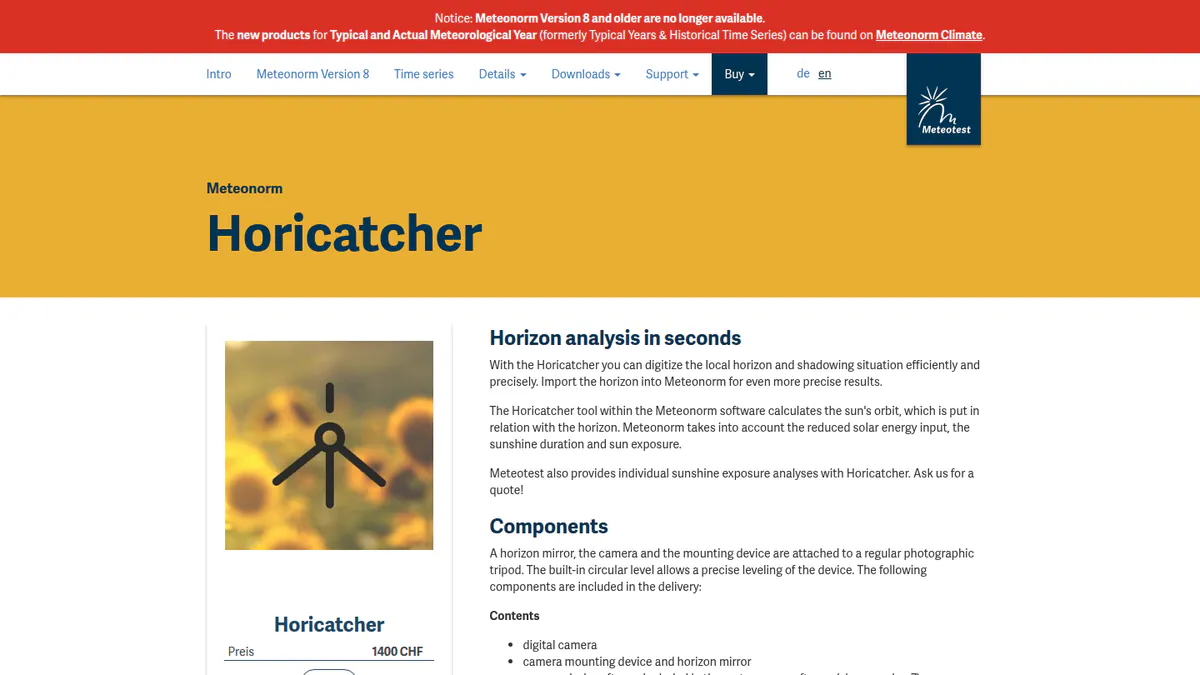
vs SunEye: This is hardware too: a horizon mirror, digital camera and tripod mount. Meteonorm software reads the photo. It costs CHF 1,400 one-time.
What it is: HORIcatcher is a horizon capture kit from Meteotest in Switzerland. Note: it is listed on Meteonorm’s old version 8 site, which says Meteonorm 8 is no longer sold. So we could not confirm it is still supported today.
Why we picked it: It is one of only two on-site devices on this page, and it costs less than a SunEye. It suits teams that still want a measured horizon.
Key features:
- Horizon mirror and camera on a standard photo tripod.
- Built-in circular level for set-up.
- Captures the local horizon and shade.
- Horizon import into Meteonorm for site-specific sunlight data.
Pricing: CHF 1,400 one-time for the kit, with analysis inside Meteonorm. VAT is not stated. Checked October 2026 on the Meteonorm buy page.
Pros (from our research):
- It is a one-time buy, cheaper than a SunEye.
- Its readings feed straight into Meteonorm data.
- A built-in level helps set-up.
Cons (from our research):
- Its sale and support status is unclear.
- We found no user reviews.
- Prices are in CHF only.
Reviews: No user reviews found as of October 2026.
What we could not confirm: support in current Meteonorm products, and export to PVsyst or other tools.
Want to see HORIcatcher working? Book a demo with the SolarSoftwares team.
Book a demoYour request goes by email to the SolarSoftwares team. A time is set only after we reply. It does not change any score or ranking.
10. DNV SolarFarmer: best for terrain shading on utility plants
Best for: Developers and consultants of very large solar farms (utility-scale) who need shade and yield from an independent engineer’s tool. Score: 53.5/100.
vs SunEye: SolarFarmer is software. It models 2D and 3D shade across a whole plant on real terrain, rather than reading one point.
What it is: DNV SolarFarmer is PV design and yield software from DNV, for Windows and the cloud.
Why we picked it: It models shade across whole plants on real terrain, and it comes from DNV, a known independent engineer. DNV reports it in use on US due-diligence work.
Key features:
- 2D and 3D shade modelling on regular and uneven terrain.
- Full electrical mismatch calculation.
- Tracker and backtracking modelling.
- A cloud API (a way for other software to connect) for yield runs, scriptable in Python.
- PVsyst emulation mode.
Pricing: You have to ask DNV for a price. DNV sells it through its Veracity store, with a free trial and discounted research licences. Checked October 2026 on the SolarFarmer page.
Pros (from our research):
- DNV reports it was used on six US due-diligence projects in 2024, totalling 1,195 MW.
- Releases are regular, up to 1.7.1 in March 2026.
- Teams can move licences between members up to 4 times a year.
Cons (from our research):
- There is no published price.
- The desktop app runs on Windows only.
- We found no user reviews.
Reviews: No user reviews found as of October 2026.
Read our full DNV SolarFarmer review.
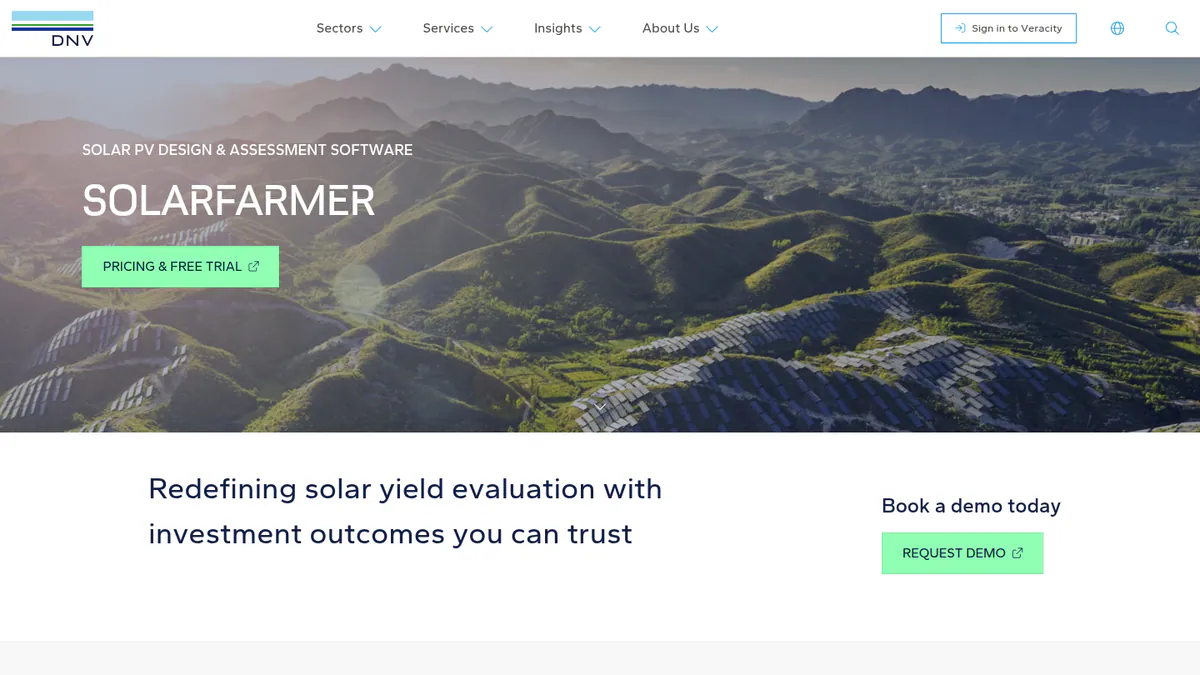
Want to see DNV SolarFarmer working? Book a demo with the SolarSoftwares team.
Book a demoYour request goes by email to the SolarSoftwares team. A time is set only after we reply. It does not change any score or ranking.
SurgePV (unscored): for readers comparing software-based shade studies tied to a roof model. It is not a handheld shade-measurement instrument. The numbered scores above do not include it.
Sources checked 27 October 2026: SurgePV product information · SolarSoftwares SurgePV review
Book a demo of SurgePV with the SolarSoftwares team.
Book a demoYour request goes by email to the SolarSoftwares team. A time is set only after we reply. It does not change any score or ranking.
How do the 10 SunEye alternatives compare?
This table shows what changes when you leave the SunEye.
Product | Type | Site visit needed | Shade output |
|---|---|---|---|
SunEye-210 (reference) | Handheld device + Windows software | Yes | Measured solar access per point |
Software (drone or remote data) | Only for drone flights | Viewshed shading on 3D model | |
Software | No | Shade reports. Bankable on Premium | |
Software (Windows) | No | 3D near shading, P50/P90 | |
Software (desktop) | No | 3D shading | |
Per-report data | No | TSRF, solar access (select US states) | |
Optical device + software | Yes | Traced sunpath shade | |
Software (browser) | No | Shading and wiring losses | |
Software | No | Shading from buildings and trees | |
Mirror, camera and mount + Meteonorm | Yes | Horizon profile | |
Software (Windows and cloud) | No | 2D/3D terrain shading |
Also considered
- SiteCapture: Scored 53.5/100. A mobile survey and photo app used for solar site surveys. We could not reach its website, so its facts come from review sites.
- Solargraf: Scored 53.1/100. Enphase’s US design-to-permit tool, with shading the company says NREL and NYSERDA validated. It is a sales platform rather than a survey tool. See our Solargraf alternatives.
- SolarPlus: Scored 53.0/100. An Australian design and quoting tool with a 3D shading viewer that models trees. It has one G2 review.
How do you choose a SunEye alternative?
- If you left the SunEye because of the wait and want to skip roof visits, pick Scanifly (US) or Aurora Solar.
- If you still want a measured reading on site for less money, pick Solar Pathfinder.
- If you only need shade numbers for a roof, try an EagleView Inform Advanced report.
- If you sent SunEye data into PVsyst or PV*SOL, model shade there directly instead.
- If you work in Germany, Austria or Switzerland and sell more than solar, look at Reonic.
- If you use Meteonorm and want a measured horizon, consider HORIcatcher, once you confirm it is still supported.
For more options, see our shading analysis software, site survey apps and drone software rankings, and our shading analysis feature guide.
Want more choices? Browse every tool we checked in our design and simulation category.
How do you switch from the SunEye?
- Save past PV Designer reports for every job, in case an inspector or customer asks.
- Check what your incentive program or lender needs before you drop on-site readings.
- Run the new method next to the SunEye on a few sites and compare solar access results.
SunEye alternatives FAQs
Is the Solmetric SunEye discontinued?
No. Solmetric still listed the SunEye-210 at USD 2,195 in October 2026. It showed the device out of stock, with a 10-12 week lead time due to supply issues. Solmetric did drop it once, in 2015, and brought it back in June 2016.
What can I use instead of a SunEye for shade analysis?
Scanifly is our top pick for remote shade, using drone or remote models. Solar Pathfinder is the on-site option, at USD 299-349 plus software (October 2026). Aurora Solar uses imagery and LIDAR (laser height data). EagleView sells shade values per report in select US states.
Is remote shade analysis as accurate as a SunEye?
We do not know. We did not test accuracy, and we found no independent head-to-head study. Scanifly says several regulators and lenders accept its shading. Aurora reviewers call its shade reports accurate. EagleView reviewers note gaps for new builds and tree cover.
Do utilities and incentive programs still accept SunEye readings?
We found no current list of programs that name the SunEye, as of October 2026. So we cannot say. Check what your incentive program or lender needs before you drop on-site readings. Save past PV Designer reports in case an inspector or customer asks.
Is Solar Pathfinder better than the SunEye?
It costs far less, at USD 299-349 plus software against USD 2,195 (October 2026). But it has no electronics, so setup is slower. Readings suffer if it is off level. Forum users say the SunEye corrects level and heading for you.
Sources
All read 22 to 25 October 2026.
- Solmetric SunEye-210: store page, Solar Power World (June 2016), installer forum (2012), Mike Holt forum
- Scanifly: site, product post, G2
- Aurora Solar: pricing, G2, Capterra, G2 review
- PVsyst: shop, product page, G2, G2 comparison
- PV*SOL premium: shop, 2026 release, G2
- EagleView: solar pricing, Inform, Capterra, G2
- Solar Pathfinder: Assistant software, PV Studio 2, device page
- HelioScope: pricing, G2
- Reonic: product page, Trustpilot
- HORIcatcher: product page, buy page
- DNV SolarFarmer: product page, DNV news (September 2024), release list
- SiteCapture: Software Advice
- Solargraf: pricing
- SolarPlus: features, G2
Last updated 28 October 2026. Next scheduled review: 23 January 2027.