Solar site survey apps and tools help your surveyor record the roof and the plant room (where the electrical equipment sits) on a visit. CompanyCam ranks first on this list, at 73.9/100, for photo-documented surveys with checklists and reports.
This page covers the visit itself: what your surveyor captures on the roof and in the plant room. Get it right and design, permit and install crews do not have to come back.
It is a thin category. Only seven products cleared our minimum match score (4 out of 10). Three of them are shade-measurement hardware with desktop software, not apps. To measure a roof without visiting, see our solar roof measurement software ranking instead.
Quick picks
Rank | Product | Best for | Starting price (company page, checked October 2026) | Pricing model | Free plan / trial | Score /100 |
|---|---|---|---|---|---|---|
1 | Photo-documented surveys with checklists and reports | ✓ USD 63 per month (Core, billed annually) | Per account plus per extra user | Free trial (length not stated by company) | 73.9 | |
2 | Drone-based 3D site surveys with onsite shading | Quote only | Credit-based design work, quoted | Demo only | 71.0 | |
3 | Custom survey templates that feed Aurora designs | Not confirmed on the company site | Per user per month (review sites) | Trial on request | 62.2 | |
4 | Measured solar access readings on site | ✓ USD 2,195 one-time | Device with lifetime software licence | None (30-day return, 10% restocking fee) | 59.2 | |
5 | Surveys inside a field service workflow | Quote only | Subscription by modules and volume, unlimited users | Demo only | 51.0 | |
6 | Low-cost manual shade tracing | ✓ USD 299 hardware plus USD 189 software | One-time purchases | None stated | 50.5 | |
7 | Horizon capture for Meteonorm users (status unconfirmed) | ✓ CHF 1,400 one-time | One-time kit | None | 48.0 |
✓ Verified on the company’s own pricing page. ◐ Published by the company outside its pricing page (help centre, store or press release). ? We could not read the company’s pricing page, so the figure is not confirmed. Prices checked October 2026.
Quote only means the company shows no public price. You ask it for a quote.
How the 7 tools scored
- Use-case fit 35%
- User reviews 20%
- Pricing 15%
- Ease of use 10%
- Support 10%
- Momentum 10%
Tool | Score chart | Score |
|---|---|---|
73.9 out of 100 | 73.9 | |
71 out of 100 | 71.0 | |
62.2 out of 100 | 62.2 | |
59.2 out of 100 | 59.2 | |
51 out of 100 | 51.0 | |
50.5 out of 100 | 50.5 | |
48 out of 100 | 48.0 |
Each bar shows the weighted score out of 100. Tools marked (general) are general tools that are not solar-specific.
Sub-scores at a glance (0-10)
Product | Use-case fit | User reviews | Pricing | Ease of use | Support | Momentum | Total /100 |
|---|---|---|---|---|---|---|---|
5.8 | 9.0 | 7.0 | 10.0 | 7.5 | 7.5 | 73.9 | |
10.0 | 5.0 | 4.0 | 5.0 | 5.0 | 10.0 | 71.0 | |
7.5 | 6.8 | 3.0 | 7.5 | 7.5 | 3.0 | 62.2 | |
7.5 | 5.0 | 7.0 | 7.5 | 5.0 | 0.0 | 59.2 | |
5.0 | 5.0 | 4.0 | 5.0 | 5.0 | 7.5 | 51.0 | |
5.0 | 5.0 | 7.0 | 5.0 | 5.0 | 2.5 | 50.5 | |
5.0 | 5.0 | 7.0 | 5.0 | 5.0 | 0.0 | 48.0 |
A 5.0 on reviews, ease, support or momentum is our neutral score. We use it when public evidence is thin. It is not a judgement.
How did we rank these solar site survey tools?
How the score is weighted
- Use-case fit 35%
- User reviews 20%
- Pricing 15%
- Ease of use 10%
- Support 10%
- Momentum 10%
We considered 10 products from 22 to 24 October 2026. We scored 9: 7 ranked and 2 also considered. We dropped one before scoring because we could not confirm it exists.
This was desk research from company documents, pricing pages, help centres and public user reviews. We did not run surveys with any app or device. We scored each product on six criteria.
- Use-case fit (35%): How well it does this job: forms and checklists, photo capture, offline use, measured or modelled shade, and hand-off to design.
- User reviews (20%): G2, Capterra and app-store ratings. Ratings based on only a few reviews count for less. No public reviews means a middle score of 5 out of 10, not a penalty.
- Pricing transparency (15%): Published prices score above prices you must ask for, or prices we could not check.
- Ease of use, support and product momentum (10% each): Review sub-scores and dated releases. Without evidence, each gets a middle score.
Products below 4 out of 10 on fit go to "Also considered". Scores are specific to this page’s job, so a tool can score differently elsewhere. Crews survey with general field apps as often as solar tools, so we rank both and label the general ones.
SurgePV is not part of this ranking. Read the full method: how we score software.
What kinds of solar survey tools are there?
Each product solves a different part of the visit. Most installers combine two.
- Form and photo apps (CompanyCam, SiteCapture, Scoop Solar’s field app): the surveyor fills in a checklist. They take geotagged photos of the roof, main panel and meter, and the office gets a report. These apps do not measure shade or model the roof.
- Drone and 3D capture (Scanifly): a drone flight becomes a 3D model the designer works from. Shade is calculated from the model. On complex jobs this replaces tape measures and a lot of roof time.
- Shade-measurement hardware (Solmetric SunEye-210, Solar Pathfinder, HORIcatcher): a device records the skyline from a point on the roof. Desktop software turns that into solar access or horizon data. Use this hardware if a lender or incentive programme asks for measured shade.
For modelled shade from imagery or LIDAR (laser height data), see our solar shading analysis software ranking and the shading analysis feature guide.
1. CompanyCam (general contractor photo app): best for photo-documented surveys with checklists and reports
Best for: Residential installers who want every survey photo timestamped, geotagged and in one job file. Score: 73.9/100.
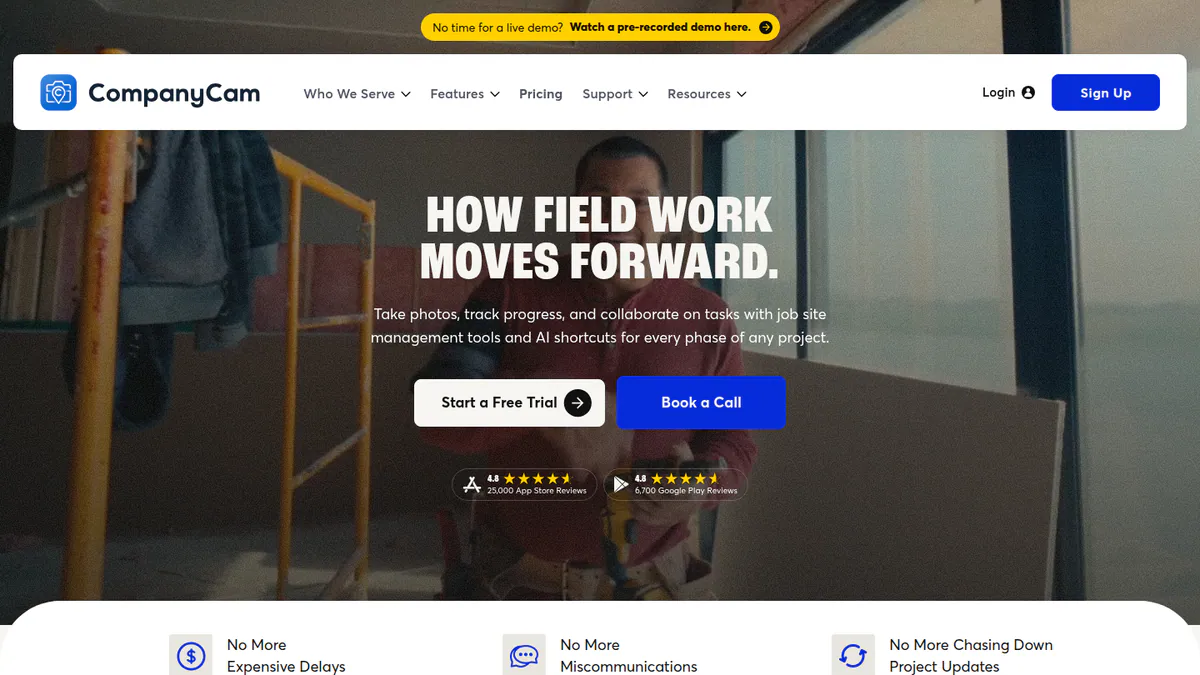
What it is: CompanyCam, Inc. makes this job-site photo, checklist and reporting app for contractors in every trade. It has a solar landing page, but it is not solar software.
Why we picked it: It has the most App Store ratings here, about 31,000. Its price is published. Checklists, offline capture and PDF reports cover what most survey visits need.
Key features:
- Timestamped, geotagged photo and video capture.
- Photo markup and comments.
- Checklists and automated job reports as PDF or link.
- Offline capture with later sync.
- Connections to JobNimbus, AccuLynx, HOVER, Jobber and QuickBooks Online.
Pricing: Core is USD 63 per month (1 user included, 2-user limit). Crew is USD 129 per month (3 users) and adds checklists, job map and proposals. Scale is USD 199 per month (3 users) with unlimited templates and measurement via camera. Extra users cost USD 29 each per month. Enterprise is quote only (you have to ask the company for a price) for 50+ users. All prices are billed annually, which the company says is 20% off monthly. Checked October 2026 on the CompanyCam pricing page. Checklists come with Crew, so a survey setup starts there.
Pros (from user reviews):
- Easy to learn on web and mobile (Capterra).
- Before-and-after photo reports that customers like.
- Sends photos straight into JobNimbus and AccuLynx job records, so nobody re-uploads them.
Cons (from reviews and our research):
- Pricey for small teams, with minimum seats (App Store).
- Struggles in low-signal areas, with occasional crashes (Capterra).
- We found no solar-specific survey templates on its solar page, so you build your own checklist.
Reviews: Capterra 4.7/5 (103 reviews). G2 4.7/5 (32 reviews, shown on a G2 comparison page). App Store 4.8/5 (around 31,000 ratings). All checked October 2026. Reviewers praise ease of use and complain about sync in poor signal.
Want to see CompanyCam (general contractor photo app) working? Book a demo with the SolarSoftwares team.
Book a demoYour request goes by email to the SolarSoftwares team. A time is set only after we reply. It does not change any score or ranking.
2. Scanifly: best for drone-based 3D site surveys with onsite shading
Best for: US residential and commercial installers who fly a drone on every site visit. Score: 71.0/100.
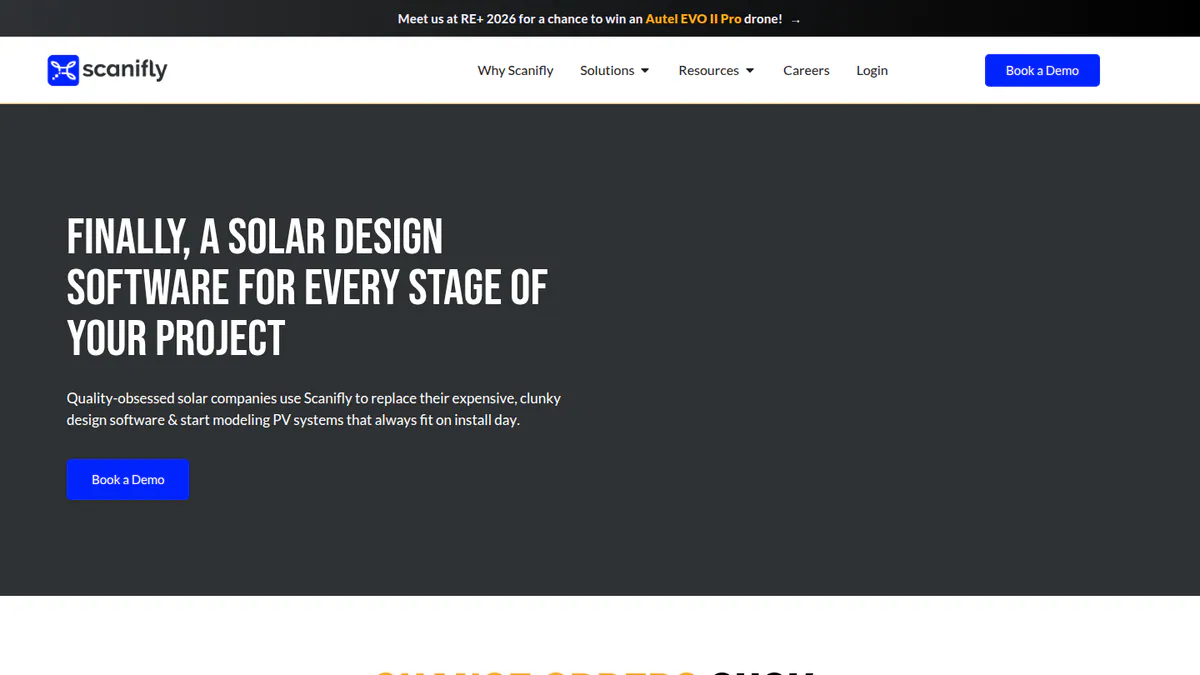
What it is: Scanifly Inc. makes this design and field platform for US home and commercial installers. It combines remote sales designs, drone 3D models, a mobile survey app and outsourced design services.
Why we picked it: It is the only ranked tool that turns a survey visit into a 3D design model. It scored top marks for fit to this job. Dated product posts show steady work on it through 2026.
Key features:
- DroneDesign: 3D models built from drone photos (photogrammetry, which means measuring from photos), ready in under 30 minutes after upload (company figure).
- Onsite shading (Viewshed), which the company says several regulators and lenders accept.
- iOS and Android field app with shared checklists and photo notes.
- PrelimDesign: remote sales designs from satellite, Nearmap and LIDAR before the visit.
- AI obstruction detection, roof layout with fire setbacks, and CAD export.
- Permit-ready plan sets (permit drawing packages) in about 48 hours as an outsourced service.
Pricing: Quote only. The company site offers a demo, and design work is credit-based. Outsourced drone surveys and design services cost extra. Checked October 2026 on the Scanifly website.
Pros (from our research):
- One platform from pre-visit design to drone survey to plan set.
- Actively developed, with dated product posts through October 2026, including mobile collaboration in July 2026.
- The field app is free to download for account holders.
Cons (from our research):
- No published prices or credit rates on the company site.
- Plan sets come from a human service that costs extra, not from the software.
- US-focused, with no stated availability elsewhere.
Reviews: G2 4.7/5 (3 reviews), checked October 2026. That is too few to rely on, and no review text was visible.
Read our full Scanifly review or our Scanifly alternatives.
Want to see Scanifly working? Book a demo with the SolarSoftwares team.
Book a demoYour request goes by email to the SolarSoftwares team. A time is set only after we reply. It does not change any score or ranking.
3. SiteCapture (multi-trade survey app): best for custom survey templates that feed Aurora designs
Best for: US installers running high survey volumes who design in Aurora Solar. Score: 62.2/100.
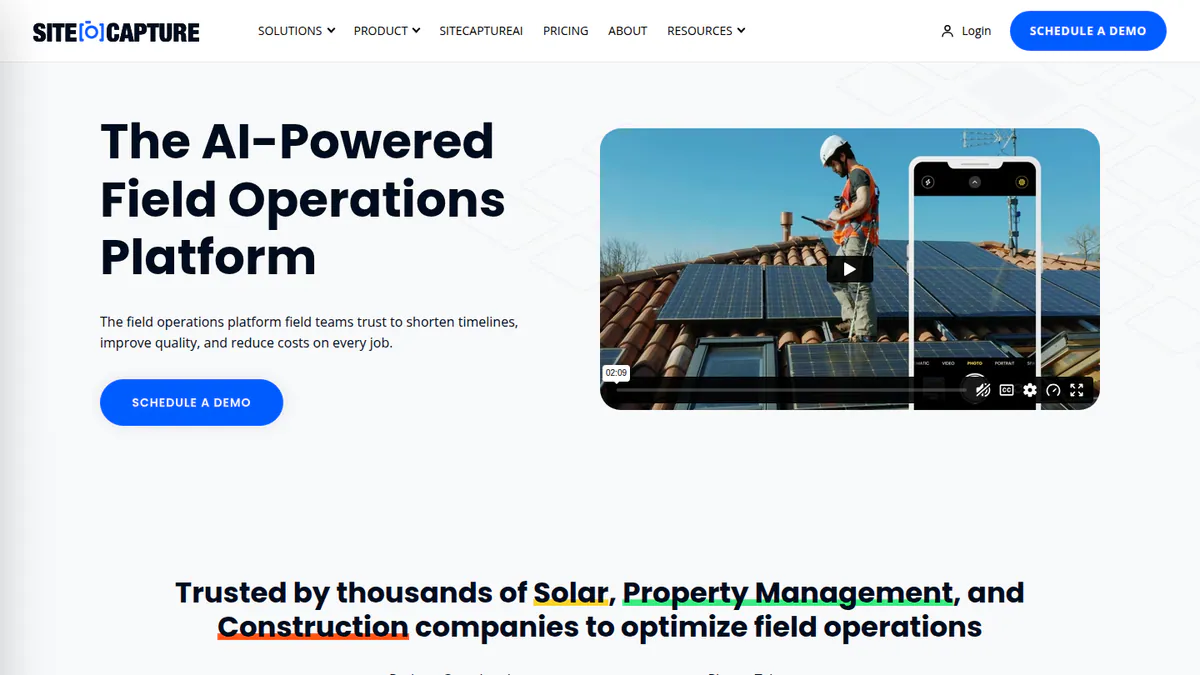
What it is: SiteCapture is a mobile photo and field data app with custom templates. Solar, roofing, real estate and construction teams run surveys and inspections in it. We could not reach the company’s site. Its pricing and features come from review sites and Aurora’s help centre, so they are unconfirmed.
Why we picked it: Its custom templates and offline capture suit high survey volumes. It is the one app here that feeds survey data into Aurora designs.
Key features:
- Custom survey and inspection templates.
- Offline capture with later sync.
- High-resolution timestamped photos, GPS and e-signatures.
- PDF reports with all photos, plus bulk downloads.
- Aurora Solar connection in beta, which maps survey data into the Aurora design.
- API plus Salesforce, Zapier and Tableau connections.
Pricing: Not confirmed on the company’s site. Software Advice, Capterra and GetApp show a start of USD 20 to 30 per user per month (one listing shows both). Aurora’s help page says a trial is available on request. Checked October 2026 via the Aurora help page.
Pros (from user reviews):
- Flexible templates per user and job type (Software Advice).
- Works offline and syncs photos later.
- Timestamped photos and PDF reports used for solar and battery surveys and lender packages (Capterra).
Cons (from user reviews):
- Template edits do not apply to surveys already in progress, and old templates are hard to remove (Software Advice).
- Photo sync slows on poor connections and with large work orders.
- Project search is unreliable and mobile navigation is clumsy.
Reviews: Capterra 4.6/5 (28 reviews), checked October 2026. Renewables reviewers use it for solar surveys and lender packages.
Want to see SiteCapture (multi-trade survey app) working? Book a demo with the SolarSoftwares team.
Book a demoYour request goes by email to the SolarSoftwares team. A time is set only after we reply. It does not change any score or ranking.
4. Solmetric SunEye-210 (shade measurement hardware): best for measured solar access readings on site
Best for: Surveyors and assessors who must hand over measured, not modelled, shade data. Score: 59.2/100.
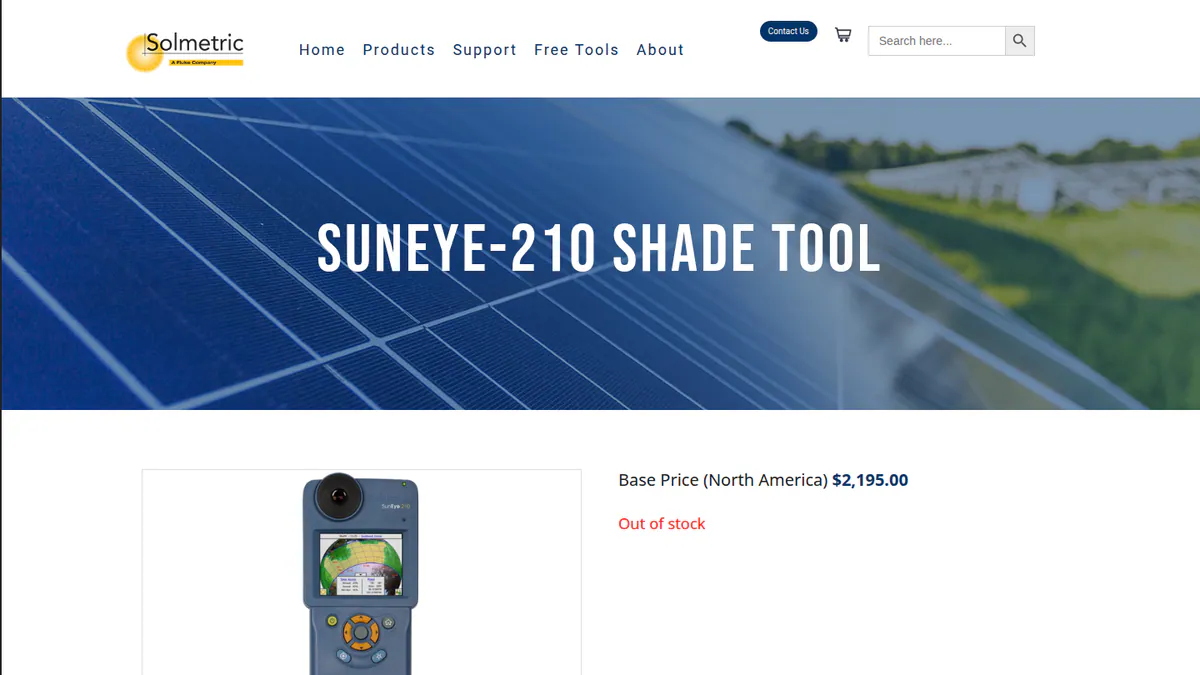
What it is: Solmetric, based in Sebastopol, California, makes this handheld shade meter. It has a fisheye camera, compass, inclinometer and GPS, and records the skyline at each point on the roof. The bundled PV Designer desktop software turns those readings into solar access figures and reports.
Why we picked it: It gives measured, not modelled, shade readings at each point on the roof. The one-time price includes the desktop software for life.
Key features:
- Skyline capture with automatic level and heading readings.
- Solar access readings per point, plus annual sunpath and monthly solar access views.
- Obstruction edit mode.
- PV Designer: layout, module and inverter selection, kWh simulation and PDF reports.
- Exports to PVsyst, PV*SOL and OnGrid.
Pricing: USD 2,195 one-time for the North America base unit. That includes a lifetime PV Designer licence and a 6-month warranty, with shipping extra. Online shade training is USD 179. Checked October 2026 on the Solmetric store. The store showed the unit out of stock, with a 10 to 12 week lead time due to supply issues.
Pros (from user reviews, a 2012 installer forum thread):
- Fast: seven skylines on a complex roof captured quickly.
- Corrects for imperfect level and heading, unlike a manual Pathfinder setup.
- Output works well with PVsyst.
Cons (from reviews and our research):
- Expensive for what some users need (same forum thread).
- Windows desktop software, with Mac only through emulation.
- Out of stock in October 2026, and we found no new hardware or software releases.
Reviews: No listings on G2, Capterra or the app stores as of October 2026. The only user feedback we found dates from 2012.
Want to see Solmetric SunEye-210 (shade measurement hardware) working? Book a demo with the SolarSoftwares team.
Book a demoYour request goes by email to the SolarSoftwares team. A time is set only after we reply. It does not change any score or ranking.
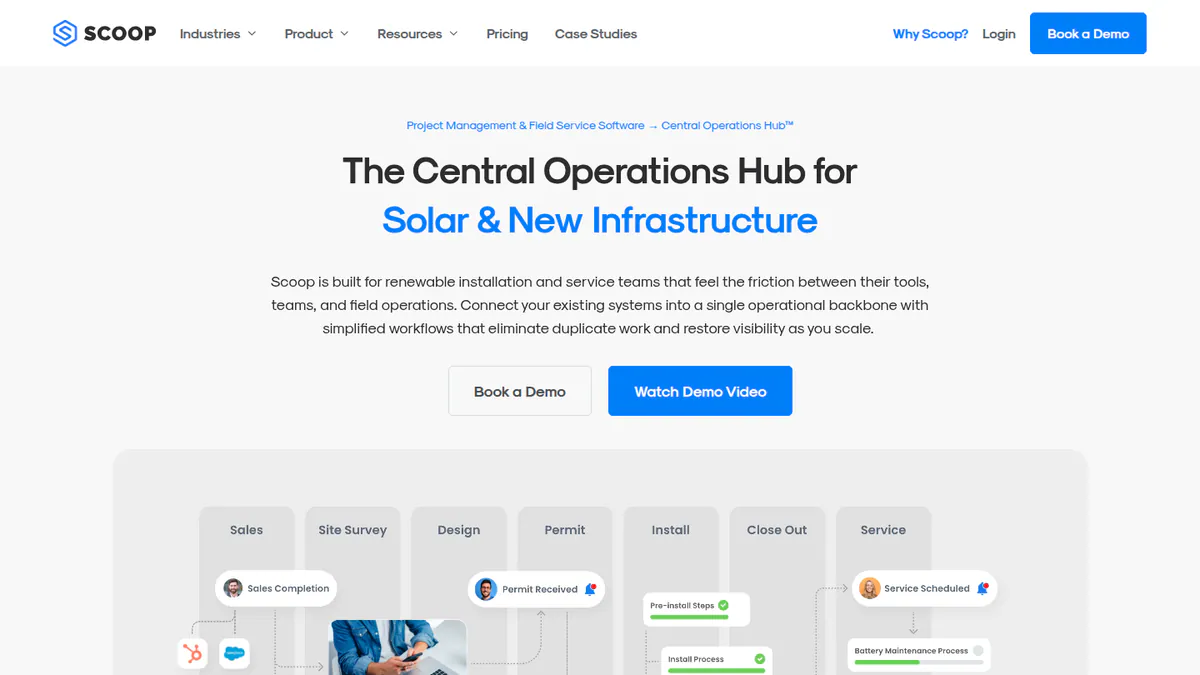
5. Scoop Solar: best for surveys inside a field service workflow
Best for: Installers who want the survey form to trigger the next project step on its own. Score: 51.0/100.
What it is: Scoop is a Vancouver-built field service and project hub for solar, storage, EV charging and wind contractors. Surveys are one stage in its workflows, not a standalone app.
Why we picked it: It makes the survey a required step in a solar job workflow, so missing data stops the job. Every plan includes unlimited users.
Key features:
- Configurable workflows with conditional rules and required forms.
- Offline field app with geotagged photos.
- Crew scheduling, dispatch and service calls.
- Subcontractor portal with scoped permissions.
- TrustRadius lists connections to Aurora Solar, OpenSolar, QuickBooks Online and HubSpot.
Pricing: Quote only. Subscriptions depend on modules, workflows and install or service volume. Every plan has unlimited users, storage and devices. Checked October 2026 on the Scoop pricing page.
Pros (from our research):
- Required forms stop a job moving on with missing survey data.
- Unlimited users suit large survey and install crews.
- Active in 2026, with blog posts dated October 2026.
Cons (from our research):
- No published prices.
- No shade measurement or roof modelling.
- Scoop says onboarding needs executive commitment.
Reviews: No user reviews on G2 or Capterra as of October 2026.
Read our full Scoop Solar review.
Want to see Scoop Solar working? Book a demo with the SolarSoftwares team.
Book a demoYour request goes by email to the SolarSoftwares team. A time is set only after we reply. It does not change any score or ranking.
6. Solar Pathfinder (shade measurement hardware): best for low-cost manual shade tracing
Best for: Small installers, assessors and trainers who want measured shade without a four-figure device. Score: 50.5/100.
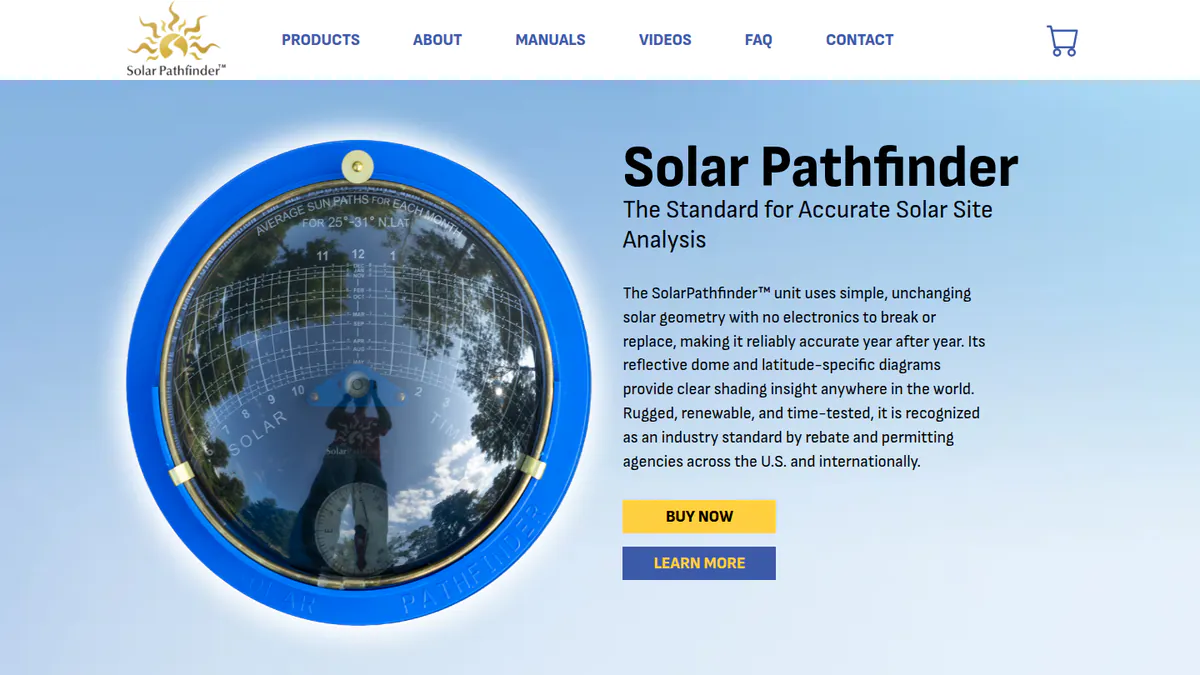
What it is: This non-electronic reflective dome sits on a tripod and shows horizon shading over a sunpath diagram (a chart of the sun’s path across the sky) for your latitude. The US firm of the same name makes it. Paid desktop software turns the trace into reports.
Why we picked it: It has the lowest published one-time price on this list for measuring shade on site.
Key features:
- Reflective dome traces horizon shading onto the sunpath diagram.
- Assistant software: shade analysis with weather data and performance calculations.
- PV Studio 2: roof layouts, shading heat maps and production reports.
- Magnetic declination data updated for 2026.
Pricing: Hardware is USD 299 to 349, depending on tripod and case options. Assistant software is USD 189 (sale, list USD 219). PV Studio 2 is USD 289 (sale, list USD 319). All are one-time purchases. The company shows prices with a dollar sign only, so USD is implied. Checked October 2026 on the Solar Pathfinder store.
Pros (from reviews and our research):
- Simple and far cheaper than electronic alternatives (Mike Holt forum).
- A reliable field tool installers have used for years (Solar-Electric forum).
- Hardware from USD 299 plus Assistant software at USD 189 (sale price, October 2026) keeps measured shade cheap.
Cons (from reviews and our research):
- Setup takes time and is sensitive to being off level (Solar-Electric forum).
- Hand-tracing the shade graph on a pitched roof is awkward (Mike Holt forum).
- The dome gives no report on its own, so you also need the paid desktop software.
Reviews: No listings on G2, Capterra or the app stores as of October 2026. The user feedback we found dates from 2012.
What we could not confirm: the software’s OS requirements and licence terms.
Want to see Solar Pathfinder (shade measurement hardware) working? Book a demo with the SolarSoftwares team.
Book a demoYour request goes by email to the SolarSoftwares team. A time is set only after we reply. It does not change any score or ranking.
7. HORIcatcher (shade measurement hardware): best for horizon capture for Meteonorm users
Best for: PV planners and consultants who already use Meteonorm sunlight data. Score: 48.0/100.
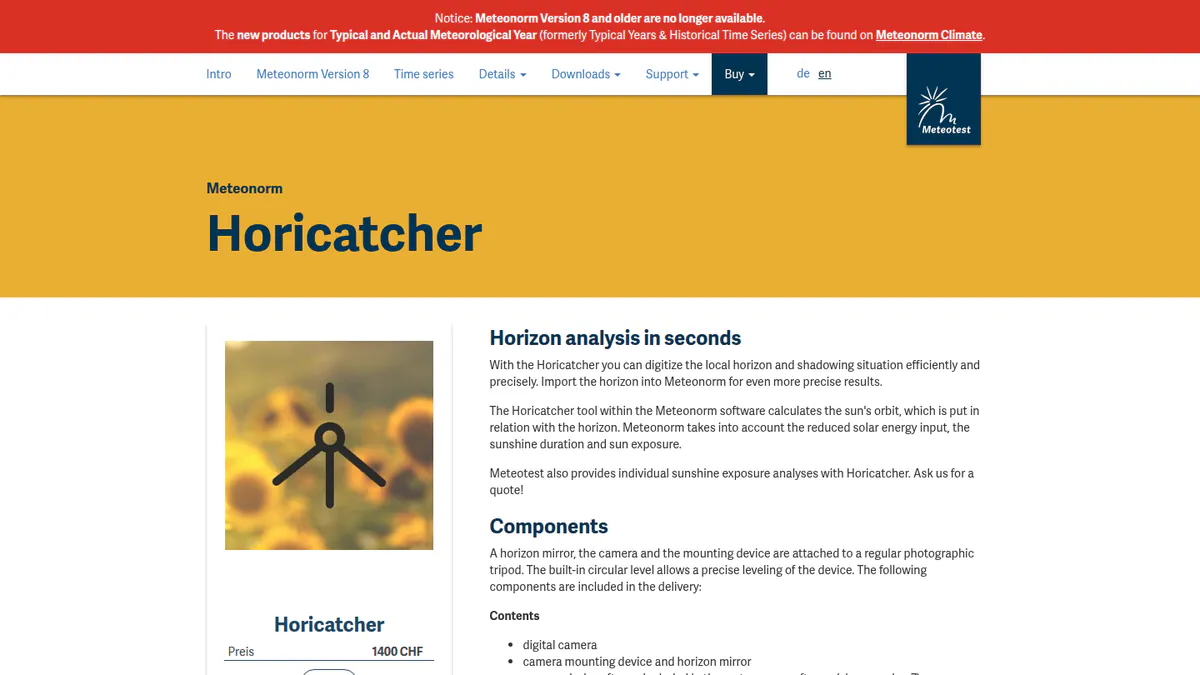
What it is: This kit pairs a convex horizon mirror with a digital camera and a tripod mount. Swiss firm Meteotest makes it and sells it through Meteonorm (a solar weather data tool). PV planners and consultants use the horizon to get site-specific sunlight data from Meteonorm. Its buy page sits on the old Meteonorm 8 site. That site says Meteonorm 8 and older are no longer on sale. So we could not confirm the kit is still sold or supported.
Why we picked it: It is the only kit here built to send a measured horizon straight into Meteonorm. The price is published, so you can budget without a quote.
Key features:
- Horizon mirror and camera on a standard photo tripod, with a built-in circular level.
- Digitises the local horizon and shading situation.
- Horizon import into Meteonorm for site-specific irradiation.
- Sun-path versus horizon analysis.
Pricing: CHF 1,400 one-time, including camera and mounting device. VAT treatment is not stated. Checked October 2026 on the Meteonorm buy page.
Pros (from our research):
- Built to send the horizon straight into Meteonorm without retyping.
- A published one-time price, so you can budget without a quote.
- Usable for residential, C&I (commercial and industrial) and utility sites.
Cons (from our research):
- No documented export to PVsyst or other tools, so it mainly suits Meteonorm users.
- No product updates found.
- No user reviews to judge it.
Reviews: No user reviews on G2, Capterra or the app stores as of October 2026.
Want to see HORIcatcher (shade measurement hardware) working? Book a demo with the SolarSoftwares team.
Book a demoYour request goes by email to the SolarSoftwares team. A time is set only after we reply. It does not change any score or ranking.
How do the 7 solar site survey tools compare?
Product | Type | Forms and checklists | Offline capture | Shade data | Roof model | Hands off to | Starting price |
|---|---|---|---|---|---|---|---|
Photo app (general) | Yes (Crew and above) | Yes | None | None | JobNimbus, AccuLynx, HOVER | USD 63/mo | |
Drone 3D platform | Yes | Not stated | Modelled (Viewshed) | Drone 3D model | Enerflo, K2 Systems, CAD | Quote only | |
Survey app (multi-trade) | Yes | Yes | None | None | Aurora (beta), Salesforce | Not confirmed | |
Shade meter | No | Device | Measured solar access | Layout in PV Designer | PVsyst, PV*SOL, OnGrid | USD 2,195 once | |
Field service hub | Yes (required forms) | Yes | None | None | Aurora, OpenSolar (per TrustRadius) | Quote only | |
Shade tracer | No | Device | Measured (manual trace) | PV Studio 2 layouts | Not stated | USD 299 once | |
Horizon kit | No | Device | Horizon profile | None | Meteonorm | CHF 1,400 once |
Also considered
- Jotform (scored 60.6/100): a general form builder with a free Starter plan and a ready-made Solar Site Survey app template. It also has offline mobile forms and e-signatures. Paid plans start at USD 19 a month per the company. It is a blank form tool with no solar logic, photo reports or shade data. So its match score is below our 4 out of 10 minimum.
- Aurora Solar (scored 59.0/100): a design platform, not a survey app, so its match score is below our minimum. Its on-demand site models start from USD 9.99 on the Basic plan, and SiteCapture data can flow into it. See our residential solar design software ranking.
- Inspectly360: named on one competitor blog as a solar survey app. We could not confirm the product or its maker exists, so it was not scored.
- Plan-set and drone survey services: these are services, not software. See our plan-set services guide and solar drone inspection software.
How do you choose a solar site survey app?
- Surveyors mainly need photos, a checklist and a clean report? Pick CompanyCam on Crew or above.
- Already designing in Aurora? Shortlist SiteCapture so survey fields land in the design, and confirm current pricing with the company.
- If you fly drones and want the survey to produce the design model, pick Scanifly.
- Want the survey to push a job into scheduling, permitting and install? Look at Scoop Solar or our solar project management picks.
- When a lender or incentive programme asks for measured shade, buy a SunEye-210 once stock returns. On a tight budget, a Solar Pathfinder (from USD 299) with Assistant software (USD 189) is a one-time buy.
- For C&I or utility yield work based on Meteonorm data, HORIcatcher captures the horizon in the format it reads. Confirm support first.
- Running a roofing crew too? CompanyCam and HOVER cover both trades. See our software for solar and roofing companies page.
All operations tools are grouped in our operations and project management category. Permitting tools are in our solar permitting software ranking.
Want more choices? Browse every tool we checked in our operations and project management category.
Solar site survey app FAQs
What is the best app for solar rooftop site assessments?
CompanyCam is the best app in our October 2026 ranking, at 73.9/100, for photo-documented surveys with checklists and reports. Scanifly is the best solar-specific option, with drone 3D models and onsite shading, but it is quote only. Choose by whether you need photos, a 3D model or measured shade.
Is there a free app for solar rooftop site assessments?
Not among the ranked tools. Jotform has a free Starter plan and a Solar Site Survey template. Capterra lists the free plan at 5 forms and 100 submissions a month (checked October 2026). Scanifly’s field app is free to download, but only for paying account holders.
How do I document shading issues during a rooftop solar site assessment?
You either measure shade on site or model it later. Measuring tools include the Solmetric SunEye-210 (USD 2,195 one-time), the Solar Pathfinder (from USD 299 plus software) and HORIcatcher (CHF 1,400), all checked October 2026. Scanifly models shade from a drone survey. Our shading analysis ranking covers imagery-based tools.
What features should I look for in a solar site assessment app?
Look for custom checklists, timestamped and geotagged photos, offline capture and a PDF report for the designer. Then check hand-offs. SiteCapture maps survey data into Aurora (in beta as of October 2026). CompanyCam sends photos into JobNimbus and AccuLynx. Shade capture usually needs a separate device or drone tool.
Can remote design software replace a physical site survey?
For sales designs, often yes. Survey tools still pair remote work with a visit. Scanifly has remote PrelimDesign for sales designs and drone-based DroneDesign models from the site. Aurora sells on-demand site models from USD 9.99 on Basic (checked October 2026). For remote measurement, see our roof measurement software page.
Do I need a drone for solar site surveys?
No, but a drone changes what the survey produces. A phone app such as CompanyCam or SiteCapture gives you photos and forms. Scanifly’s drone workflow gives you a 3D model the designer can work from. Scanifly says it is ready in under 30 minutes after upload.
Sources
All checked 22 to 24 October 2026.
- CompanyCam: pricing, solar page, Capterra, G2 comparison, App Store
- Scanifly: website, mobile collaboration post, G2
- SiteCapture: Aurora help page, Software Advice, Capterra UK, GetApp
- Solmetric SunEye-210: store, Solar-Electric forum
- Scoop Solar: pricing, TrustRadius, FAQ
- Solar Pathfinder: Assistant software, PV Studio 2, Mike Holt forum
- HORIcatcher: product page, buy page
- Jotform: pricing, Solar Site Survey template, Capterra. Aurora Solar: pricing
Last updated 28 October 2026. Next scheduled review: 23 January 2027.