Solar software for C&I installers is a set of tools that design commercial and industrial (C&I) systems. They also estimate yield and produce the drawings a client, engineer or funder needs. OpenSolar ranks first at 69.3/100, for small commercial roofs sold like residential jobs.
We ranked 7 tools out of 14 scored. PV*SOL premium ranks second at 68.6/100. For engineered work, HelioScope leads cloud design, PVsyst leads P50/P90 yield reports and PVcase Roof Mount leads AutoCAD drawings.
How does C&I software differ from residential tools?
Residential tools are built to win a sale in one visit. C&I tools must also pass engineering review, a finance check and the client’s facilities team.
So you need MW-scale size tiers and P50/P90 yield (an expected and a cautious yield estimate) a funder will read. You need electrical design: MPPT (inverter input tracking), cable trays, voltage drop and an SLD (single-line diagram). You also need ballast checks (weights that hold panels down on flat roofs) and CAD (computer-aided design) output. You also need economics such as demand charges (fees based on your peak power use) and storage.
Below is the top pick for each C&I job, then our top seven solar-specific tools. For the cross-segment view, see our best solar software hub.
Which solar software is the top pick for each C&I job?
C&I job | Top pick | Full ranking |
|---|---|---|
Small commercial design and proposals | ||
Cloud C&I design and simulation | ||
Bankable yield (P50/P90) | ||
Engineering drawings in AutoCAD | ||
Site survey and drone models | ||
Storage and tariff economics | ||
CRM | Coperniq (#1 for EPC CRM) | |
Project management | Coperniq (#1 for EPC projects) | |
Fleet monitoring |
Which tools handle design, simulation and yield?
HelioScope is the cloud pick, with published prices and P90/P95/P99 values on Pro (yields you expect to beat in 90, 95 or 99% of years). PVsyst is still the reference for a lender’s adviser. PV*SOL premium suits European self-consumption work.
All design tools sit in our design and simulation category. Our shading analysis guide explains the shade models behind them.
Which tools produce engineering drawings and structure checks?
PVcase Roof Mount ranks first in our design software for EPCs (engineering, procurement and construction firms) ranking.
For SLDs alone, see solar SLD software. For racking calculations, see mounting structure design software. To buy drawings instead, see plan set services.
Which tools handle proposals and economics?
HelioScope adds proposals only on Pro. For C&I proposals, Pylon ranks first in our commercial solar proposal software ranking.
When storage and demand charges decide the deal, use our battery energy storage software ranking and our financial modelling picks.
Which tools cover CRM, projects and monitoring?
Coperniq ranks first in both our CRM for solar EPCs and EPC project management rankings.
For monitoring, AlsoEnergy’s PowerTrack is built for C&I and utility fleets. See fleet monitoring for installers and solar O&M (operation and maintenance) software.
See also our operations and monitoring and asset management categories.
Quick picks
Rank | Product | Best for | Starting price (company page, checked October 2026) | Pricing model | Free plan / trial | Score /100 |
|---|---|---|---|---|---|---|
1 | Small commercial rooftops sold like residential jobs | ✓ Free | Free core. Paid API and connectors | Free plan | 69.3 | |
2 | European C&I self-consumption design | ✓ EUR 845 per year plus VAT | Per named user | 30-day trial | 68.6 | |
3 | Bankable P50/P90 yield reports | ✓ CHF 700 per year | Per seat, annual | 30-day evaluation | 63.8 | |
4 | Rooftop engineering drawings in AutoCAD | Quote only | Single Professional plan | Demo only | 62.9 | |
5 | Cloud C&I design and simulation up to 30 MW DC | ✓ USD 159 per month | Per licence, monthly or yearly | Free trial (length not stated) | 62.3 | |
6 | French design offices on a budget | ✓ Free up to 9 kWp. EUR 990 per year | Annual tiers by project size | Free plan (9 kWp) | 55.2 | |
7 | Drone site models for commercial roofs (US) | Quote only | Credit-based. Services extra | Demo only | 52.7 |
✓ Verified on the company’s own pricing page. ◐ Published by the company outside its pricing page (help centre, store or press release). ? We could not read the company’s pricing page, so the figure is not confirmed. Prices checked October 2026.
Quote only means the company shows no public price. You ask it for a quote.
How the 9 tools scored
- Use-case fit 35%
- User reviews 20%
- Pricing 15%
- Ease of use 10%
- Support 10%
- Momentum 10%
Tool | Score chart | Score |
|---|---|---|
69.3 out of 100 | 69.3 | |
68.6 out of 100 | 68.6 | |
63.8 out of 100 | 63.8 | |
62.9 out of 100 | 62.9 | |
62.3 out of 100 | 62.3 | |
55.2 out of 100 | 55.2 | |
52.7 out of 100 | 52.7 | |
SkyCiv Structural 3D + Load Ge (general) | 46.3 out of 100 | 46.3 |
Procore (general) | 43.5 out of 100 | 43.5 |
Each bar shows the weighted score out of 100. Tools marked (general) are general tools that are not solar-specific.
Sub-scores at a glance (0-10)
Product | Use-case fit | User reviews | Pricing | Ease of use | Support | Momentum | Total /100 |
|---|---|---|---|---|---|---|---|
6.7 | 5.0 | 9.0 | 7.5 | 5.0 | 10.0 | 69.3 | |
6.7 | 5.4 | 8.0 | 7.5 | 7.5 | 7.5 | 68.6 | |
4.8 | 6.3 | 8.0 | 5.0 | 7.5 | 10.0 | 63.8 | |
4.8 | 6.4 | 4.0 | 10.0 | 10.0 | 7.5 | 62.9 | |
6.7 | 6.2 | 6.0 | 7.5 | 5.0 | 5.0 | 62.3 | |
4.8 | 5.0 | 9.0 | 5.0 | 5.0 | 5.0 | 55.2 | |
4.8 | 5.0 | 4.0 | 5.0 | 5.0 | 10.0 | 52.7 | |
SkyCiv Structural 3D + Load Ge (general) | 0.0 | 7.1 | 3.0 | 7.5 | 10.0 | 10.0 | 46.3 |
Procore (general) | 1.4 | 7.5 | 4.0 | 5.0 | 7.5 | 5.0 | 43.5 |
A 5.0 on reviews, ease, support or momentum is our neutral value where public evidence is thin, not a judgement.
How did we rank these C&I solar software tools?
How the score is weighted
- Use-case fit 35%
- User reviews 20%
- Pricing 15%
- Ease of use 10%
- Support 10%
- Momentum 10%
We scored 14 products and ranked the top 7. We did the work from 22 to 24 October 2026 by desk research: company documents, pricing pages, release notes and user reviews. We did not run projects in any tool. We used six criteria:
- Use-case fit (35%): Documented cover of C&I jobs, from layout and yield to electrical design, CAD output, proposals and operations.
- User reviews (20%): G2 and Capterra ratings. Ratings based on only a few reviews count for less. With no public reviews, a product gets a middle score of 5 out of 10.
- Pricing transparency (15%): Published prices score above quote-only or unconfirmed prices.
- Ease of use, support and product momentum (10% each): Review sub-scores and dated releases. Each gets a middle score without evidence.
All seven ranked tools are solar-specific. Two general tools are listed separately, and the rest are under Also considered. Scores are for this page’s job, so a tool can score differently elsewhere. OpenSolar, PV*SOL premium and HelioScope match this job equally well. OpenSolar and PV*SOL finish ahead on published prices and release activity, not engineering depth. SurgePV is not part of this ranking. Full method: how we score software.
1. OpenSolar: best for small commercial rooftops sold like residential jobs
Best for: Installers who sell small commercial systems through their residential design-to-proposal workflow. Score: 69.3/100.
What it is: OpenSolar is a free design and proposal platform from OpenSolar Inc., funded by hardware and finance partners. Its users are mostly residential and small commercial installers.
Why we picked it: It matches the C&I job as well as any tool we scored, and the core platform is free. Regular releases add to its lead.
Key features:
- 3D and 2D rooftop design with shading.
- AI design since OS 3.0.
- Interactive proposals with e-signature and payment collection.
- Integrated finance options.
- Premium imagery marketplace and a hardware shop with distributors.
- OpenSolar API (a link for other software).
Pricing: The core platform is free. Since 16 April 2026, API access and the Xero and QuickBooks connectors are paid, at unpublished rates. Premium imagery is optional. Checked October 2026 on the OpenSolar pricing notice.
Pros (from reviews and our research): The first two come from G2 reviews.
- Adding, removing and changing panels is very easy.
- The app is easy to use and gives you information in the field.
- You can design and send proposals without paying for a seat.
Cons (from user reviews): From G2 reviews.
- Panel design lacks automatic customisation, so an engineer still has to review it.
- The interface feels outdated, though it works.
- It is not completely free: the API and accounting connectors now cost extra.
Reviews: G2 4.8/5 (3 reviews), checked October 2026. That is too few to rely on.
Read our full OpenSolar review or our OpenSolar alternatives.

Want to see OpenSolar working? Book a demo with the SolarSoftwares team.
Book a demoYour request goes by email to the SolarSoftwares team. A time is set only after we reply. It does not change any score or ranking.
2. PV*SOL premium: best for European C&I self-consumption design
Best for: European planners who size C&I roofs around self-consumption, storage and heat or EV loads. Score: 68.6/100.
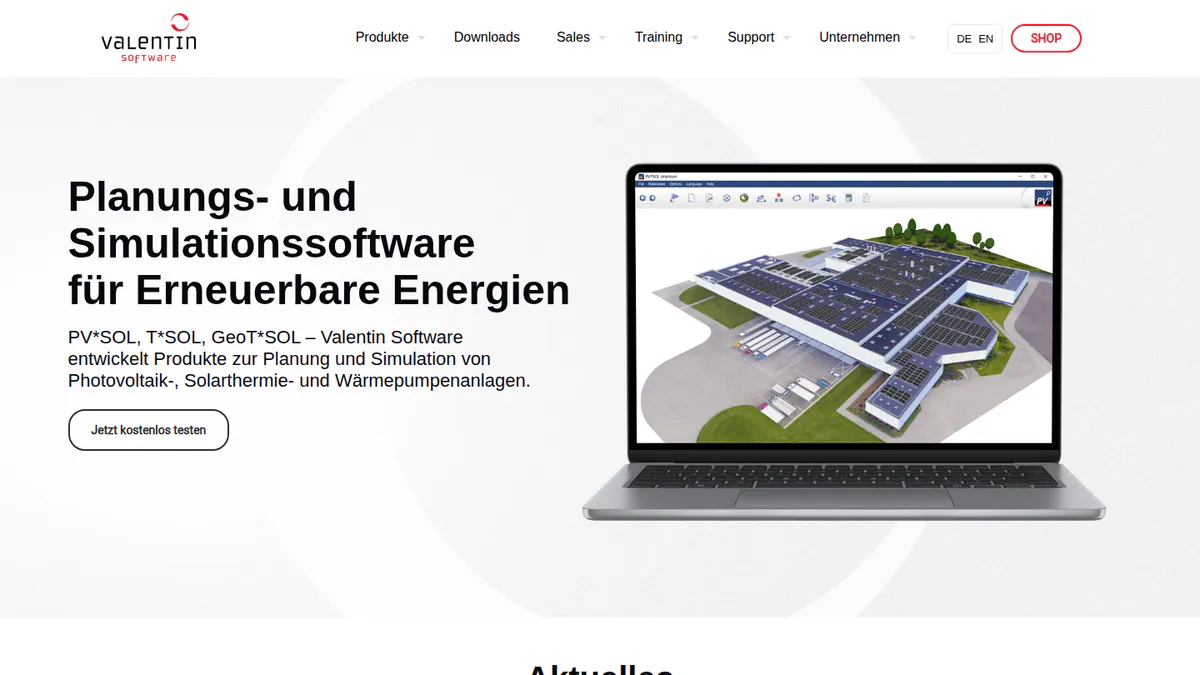
What it is: PV*SOL premium is a desktop 3D design and simulation tool from Valentin Software in Germany. It is for European installers and planners on home and C&I systems. The 2026 version came out on 24 November 2025.
Why we picked it: It models storage, heat pumps and EV tariffs in one simulation, which European self-consumption sizing needs. Its prices are published.
Key features:
- 3D design with detailed shading.
- Yield simulation on Meteonorm 9 data.
- AC- and DC-coupled battery storage.
- Per-consumer tariffs, including EVs and heat pumps, plus heat pump and immersion heater integration.
- A load profile library.
- Customer presentations in PDF or DOCX, and project data as JSON for your CRM or ERP.
Pricing: EUR 845 per year per named user, or EUR 285 for three months. The shop also lists an extension at EUR 802.75 without saying what it covers. The three-month licence helps with project peaks. Non-premium 2D PV*SOL costs EUR 585 per year. All prices are plus VAT. Checked October 2026 in the Valentin Software shop. 30-day trial.
Pros (from our research):
- You know the cost up front, and a three-month licence covers a busy season.
- G2 users rate it easy to use (8.2/10 from 10 reviews) and its support well (7.5/10 from 8 reviews).
- A major release every year keeps it current.
Cons (from our research):
- It is desktop software, so your sales team cannot share designs in the cloud.
- Each named user needs a paid seat, plus VAT.
- Only 12 G2 reviews, too few to judge it on.
Reviews: G2 4.2/5 (12 reviews), checked October 2026.
What we could not confirm: how deep its stringing and SLD tools go.
Read our full PV*SOL premium review or our PV*SOL premium alternatives.
Want to see PV*SOL premium working? Book a demo with the SolarSoftwares team.
Book a demoYour request goes by email to the SolarSoftwares team. A time is set only after we reply. It does not change any score or ranking.
3. PVsyst: best for bankable P50/P90 yield reports
Best for: C&I engineers and EPCs on financed projects that need a recognised yield report. Score: 63.8/100.
What it is: PVsyst is Windows desktop simulation software from PVsyst SA in Switzerland. Engineers, EPCs and lenders’ advisers treat it as the bankability reference. It is not a sales tool.
Why we picked it: Financed C&I projects usually need a PVsyst yield run, so most EPCs keep a seat. It has a published price and was patched as recently as August 2026.
Key features:
- Grid-connected system sizing, with bifacial (two-sided) modules and trackers.
- 3D near-shading scenes with electrical mismatch losses.
- Detailed loss diagrams and P50/P90 reports.
- Battery storage and self-consumption strategies, plus NPV (net present value), LCOE (lifetime cost per kWh) and ROI (return on investment) checks.
- Weather imports from Meteonorm 9, PVGIS, NSRDB, Solcast, SolarAnywhere and Solargis.
- Batch and multi-year simulation with module ageing. Version 8.1.0 came out on 13 April 2026, with patches to 8.1.5 (10 August 2026).
Pricing: PVsyst 8 Professional costs CHF 700 per year per seat. Multi-seat discounts are 5% (2-4 licences), 15% (5-9) and 20% (10+). There is no perpetual licence. Student and Classroom licences cost CHF 25 per year, with marked reports. PVsystCLI for automation costs CHF 3,000 per year. Checked October 2026 in the PVsyst shop.
A fresh install runs a 30-day evaluation with generic components and watermarked reports. It needs Windows 8, 10 or 11. Mac and Linux users need a Windows virtual machine.
Pros (from user reviews): G2 reviewer themes, from the G2 comparison.
- Detailed, accurate yield modelling you can defend to a lender.
- A thorough loss breakdown shows where energy goes.
- SketchUp integration for 3D shading scenes.
Cons (from user reviews):
- Outdated, complex interface. G2 ease of use is 6.7/10 (14 reviews).
- Steep learning curve.
- 3D scene management takes time.
Reviews: G2 4.5/5 (22 reviews), checked October 2026.
Read our full PVsyst review or our PVsyst alternatives.
Want to see PVsyst working? Book a demo with the SolarSoftwares team.
Book a demoYour request goes by email to the SolarSoftwares team. A time is set only after we reply. It does not change any score or ranking.
4. PVcase Roof Mount: best for rooftop engineering drawings in AutoCAD
Best for: C&I EPCs that produce rooftop layouts, electrical design and ballast reports in AutoCAD. Score: 62.9/100.
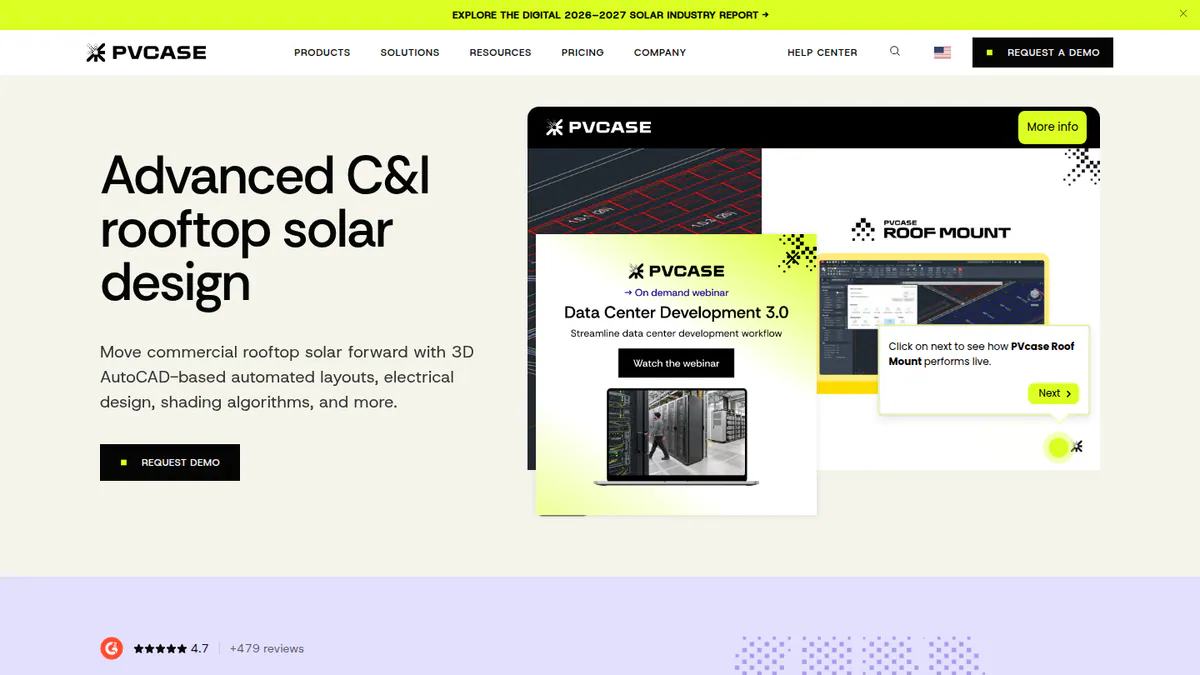
What it is: PVcase Roof Mount is a rooftop design tool that runs in AutoCAD. Its maker, PVcase, is based in Lithuania. The tool is built for EPCs and engineering teams working on commercial and industrial roofs, not homes.
Why we picked it: It is the only ranked tool that does stringing, cable sizing, SLD and BOM (bill of materials) export inside AutoCAD. G2 users rate its ease of use and support highly.
Key features:
- Layout with setbacks, parapets and obstructions, from DWG/DXF (AutoCAD drawing files) or drone images.
- Mounting calculator with PanelClaw wind and ballast reports (Eurocode countries, which use the European structural design standards).
- Stringing, MPPT set-up, cable trays, 3D cabling, cable sizing and voltage drop.
- SLD and BOM export.
- Shading and energy simulation, with PVsyst export.
- Works with AutoCAD 2026. Release notes 1.47 to 1.59 are in the help centre.
Pricing: Quote only, for a single Professional plan. Checked October 2026 on the PVcase Roof Mount pricing page. Demo only.
Pros (from reviews and our research): The first two are G2 review themes, from the G2 comparison.
- Saves design time (2 mentions).
- Your engineers stay in AutoCAD (1 mention).
- Stringing, cable sizing, SLD and BOM export all happen in one tool.
Cons (from our research):
- Quote only, so you cannot compare cost before a sales call.
- Ballast reports cover Eurocode countries only.
- It makes no client-facing proposal.
Reviews: G2 4.6/5 (17 reviews), checked October 2026. G2 rates ease of use 9.1/10 and support 9.8/10 (16 reviews each). No user cons were visible.
What we could not confirm: whether you need your own AutoCAD licence. The pricing page does not say.
Read our PVcase alternatives.
Want to see PVcase Roof Mount working? Book a demo with the SolarSoftwares team.
Book a demoYour request goes by email to the SolarSoftwares team. A time is set only after we reply. It does not change any score or ranking.
5. HelioScope: best for cloud C&I design and simulation up to 30 MW DC
Best for: C&I EPCs that design rooftops, carports and small ground mounts in a browser. Score: 62.3/100.
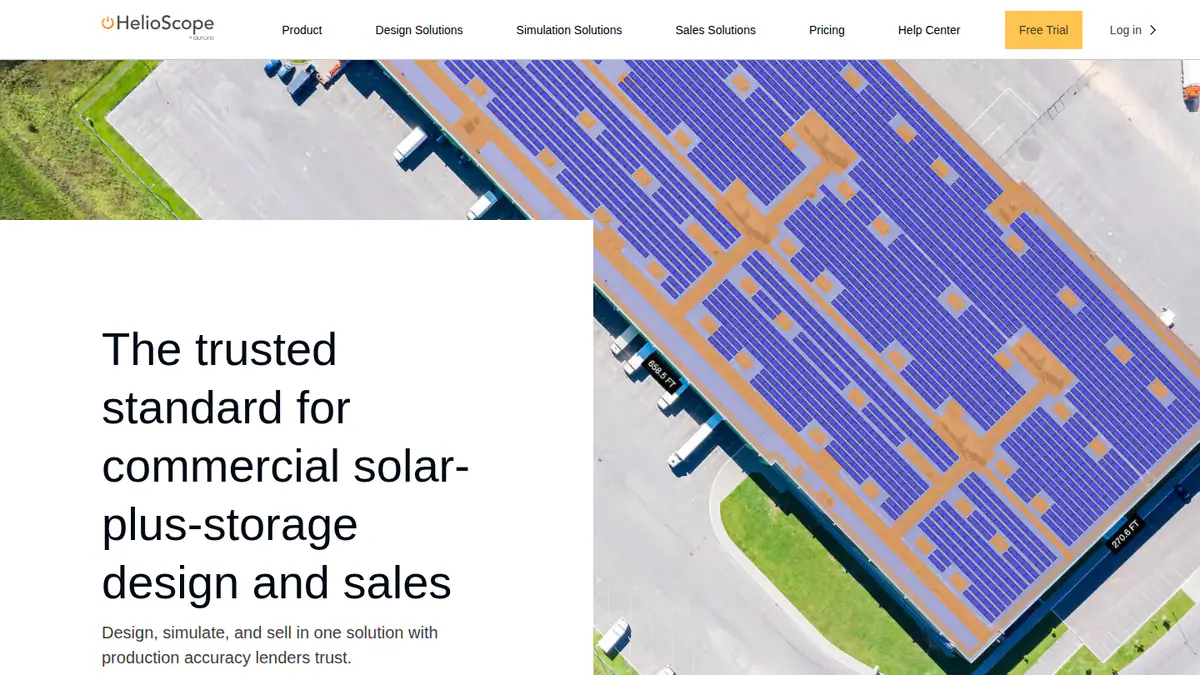
What it is: HelioScope is Aurora Solar’s separate commercial design tool, which Aurora acquired with Folsom Labs in 2019. C&I EPCs work in it from the browser on projects up to 30 MW DC.
Why we picked it: It fits the C&I job as well as any tool here, with published prices and tiers up to 30 MW DC. G2 reviewers praise its fast, accurate layouts.
Key features:
- Rooftop, carport and ground-mount layout.
- Shading and wiring-loss modelling, within 1% of PVsyst by the company’s figures.
- Storage design from Basic.
- LIDAR (laser-scanned height data), AI obstruction detection, proposals and P90/P95/P99 values on Pro.
- Single-axis trackers, API, PVsyst export and SSO (single sign-on) on Enterprise.
Pricing: Basic costs USD 159 per month, or USD 1,620 per year if billed yearly. It covers 1 user, 10 projects a month or 120 a year, up to 1.25 MW DC. Pro costs USD 259 per month or USD 2,640 per year, up to 5 MW DC. Enterprise is custom and priced per project, up to 30 MW DC. Checked October 2026 on the HelioScope pricing page. A free trial is available, but its length is not stated.
Pros (from user reviews): From G2 reviews.
- Easy to learn, with a simple interface.
- Fast, accurate layouts and shading and wiring-loss calculations.
- Quick reports and SLDs.
Cons (from reviews and our research): The first two come from G2 reviews.
- Expensive, and the tiers do not suit occasional users.
- Yearly project limits bite on large systems.
- Proposals and P-values need Pro, and trackers and PVsyst export need Enterprise.
Reviews: G2 4.5/5 (19 reviews), checked October 2026. G2 rates ease of use 8.8/10.
Read our full HelioScope review or our HelioScope alternatives.
Want to see HelioScope working? Book a demo with the SolarSoftwares team.
Book a demoYour request goes by email to the SolarSoftwares team. A time is set only after we reply. It does not change any score or ranking.
6. Archelios Pro: best for French design offices on a budget
Best for: French design offices doing C&I yield and self-consumption studies. Score: 55.2/100.
What it is: Archelios Pro is a 3D design, yield and financial tool from Trace Software. Most of its customers are French installers and design offices. Full electrical design sits in archelios CALC, which is sold separately.
Why we picked it: It has a free tier and published yearly prices, with P75/P90 yields on Gold. That makes it a low-cost route to C&I studies in France.
Key features:
- 3D modelling of flat, pitched and carport structures, with SketchUp (Silver and above) and Revit plug-ins.
- Automatic table layout and string set-up.
- Shading with Meteonorm, PVGIS or Solargis data.
- P50 yield, with P75/P90 from Gold.
- Self-consumption with Enedis/Linky (French grid and smart-meter) or BDEW (German standard) load profiles and storage, plus NPV, LCOE and IRR (internal rate of return).
- Simplified SLD export, DXF site plans (Gold and above) and import from SMA Sunny Design and K2 Base.
Pricing: The product page lists a free version up to 9 kWp. Silver costs EUR 990 per year (up to 100 kWp per project). Gold costs EUR 1,490 (up to 1 MWp, P75/P90, DXF export). Platinum costs EUR 1,990 (no power limit, Revit plug-in). All prices exclude VAT, and perpetual licences come through sales. Checked October 2026 in the Trace Software shop.
Pros (from our research):
- You can try small systems free and see every yearly price before you buy.
- Gold gives P75/P90 yields for financed jobs.
- DXF and Revit exports feed your CAD and BIM (building information modelling) work.
Cons (from our research):
- C&I work above 100 kWp per project needs Gold or Platinum.
- Full electrical design needs archelios CALC as well.
- It is built around France, with French load data and a French shop.
Reviews: No user reviews found as of October 2026. G2 lists Archelios with none, and we found no Capterra listing.
Read our Archelios alternatives.
Want to see Archelios Pro working? Book a demo with the SolarSoftwares team.
Book a demoYour request goes by email to the SolarSoftwares team. A time is set only after we reply. It does not change any score or ranking.
7. Scanifly: best for drone site models of commercial roofs in the US
Best for: US installers who survey large or complex roofs by drone before design. Score: 52.7/100.
What it is: Scanifly combines remote design, drone-based 3D site models, shading and a survey app. It comes from Scanifly Inc. Most users are residential installers, but it documents commercial support.
Why we picked it: Drone-based 3D models give you an accurate base for large or complex roofs. The company kept posting product updates through October 2026.
Key features:
- DroneDesign 3D models, ready under 30 minutes after upload.
- PrelimDesign from satellite, Nearmap and LiDAR.
- Viewshed onsite shading, which the company says several regulators and lenders accept.
- AI obstruction detection.
- K2 Systems racking and BOM workflows, plus CAD export.
- iOS and Android field app with shared checklists.
Pricing: Quote only. Design work is credit-based, and outsourced drone surveys and design services cost extra. Checked October 2026 on the Scanifly website. Demo only. The permit plan sets (about 48 hours) are a service done by people, not software.
Pros (from our research):
- Drone photogrammetry (3D models built from photos) gives you a true model of complex roofs.
- Survey, shading and layout sit in one account, so fewer handoffs.
- Crews share checklists in the iOS and Android field app.
Cons (from our research):
- No published prices or credit rates.
- US-focused, with no stated availability elsewhere.
- No yield, electrical or structural engineering outputs.
Reviews: G2 4.7/5 (3 reviews), checked October 2026. That is too few to rely on.
Read our full Scanifly review or our Scanifly alternatives.
Want to see Scanifly working? Book a demo with the SolarSoftwares team.
Book a demoYour request goes by email to the SolarSoftwares team. A time is set only after we reply. It does not change any score or ranking.
SurgePV (unscored): for readers comparing the design-to-proposal part of an installer workflow. It is not a built-in CRM or fleet-monitoring platform. Check local outputs. The numbered scores above do not include it.
Sources checked 27 October 2026: SurgePV product information · SolarSoftwares SurgePV review
Book a demo of SurgePV with the SolarSoftwares team.
Book a demoYour request goes by email to the SolarSoftwares team. A time is set only after we reply. It does not change any score or ranking.
How do the 7 C&I solar software tools compare?
Product | Deployment | P-values | Electrical and SLD | CAD exchange | Starting price |
|---|---|---|---|---|---|
Cloud | Not documented | Not documented | Not documented | Free | |
Desktop | Not documented | Not confirmed | JSON export | EUR 845/yr | |
Windows desktop | P50/P90 | Mismatch losses. SLD not documented | 3D scene import | CHF 700/yr | |
AutoCAD plug-in | Not documented | Stringing, MPPT, cables, SLD export | Native DWG/DXF | Quote only | |
Cloud | P90/P95/P99 (Pro) | Wiring losses. SLDs per G2 reviewers | PVsyst export (Enterprise) | USD 159/mo | |
Desktop | P75/P90 (Gold) | Simplified SLD | DXF (Gold), Revit (Platinum) | Free. EUR 990/yr | |
Cloud and mobile | Not documented | Not documented | CAD export | Quote only |
Which general tools do C&I installers also use?
These are not solar-specific. We scored them on the same rubric but list them separately.
SkyCiv Structural 3D + Load Generator (general structural engineering software): 46.3/100
SkyCiv is an Australian cloud structural analysis suite. Its Load Generator works out ASCE 7-16 (US) and AS/NZS 1170.2 (Australia and New Zealand) loads for solar panels. It suits structural engineers and racking makers more than installers.
Pricing: A free account (20 public files) leaves out solar-panel load calculations. We could not confirm paid plan prices on the company site. Checked October 2026 on the SkyCiv free account page.
Reviews: Capterra 4.6/5 (34 reviews) and G2 4.6/5 (15 reviews), checked October 2026. Reviewers call it easy to learn and affordable, but want automated design generation (Capterra).
Procore (general construction project management): 43.5/100
Procore is a construction project management platform for drawings, RFIs (requests for information), submittals, inspections, change orders and financials. A Procore case study says New Jersey solar EPC Vanguard Energy Partners uses it for document control, QA inspections and change orders.
Pricing: Quote only. TrustRadius describes an annual fee per product, scaled to the customer’s yearly construction volume, with unlimited users. Checked October 2026 via TrustRadius, not the company page.
Reviews: Capterra 4.5/5 (2,680 reviews), checked October 2026. Reviewers like having every project in one place. They also find it overwhelming at first, and expensive (Capterra).
Also considered
- Enact (Design & Proposals): scored 46.7/100, eighth of the nine that reached the minimum score. It offers cloud design, proposals, AutoCAD drawings through PVCAD and fleet monitoring. We left it out of the top 7. We could not confirm its features or prices on Enact’s own pages, and it has no user reviews. G2 lists PVCAD from USD 325 per user per month with your own AutoCAD licence.
- Solarius PV: scored 45.7/100, ninth. ACCA Software’s desktop tool links PV design to BIM, with cable sizing, protections and an SLD, and DXF/DWG and IFC exchange. It misses the top 7 because our facts come from a 2021 brochure. The price is also quote only, and we found no public user reviews.
- Energy Toolbase (ETB Developer): US C&I storage economics, not a design tool, so it fell just below the minimum score. It is ranked on our battery energy storage software page.
- PVComplete / PVCAD: Just below the minimum score. It is now Enact’s engineering module, covered in Enact’s line above.
- PowerTrack: C&I and utility monitoring, not design or delivery, so it is a poor match for this job. App Store 3.1/5 from 42 ratings (October 2026).
- Aurora Solar core: Not listed for C&I. Aurora sends large commercial work to HelioScope, which is ranked above.
How do you choose solar software for C&I work?
- If you sell small commercial rooftops alongside residential work, pick OpenSolar.
- If you design C&I systems in a browser and most projects are under 5 MW DC, pick HelioScope Pro.
- If your projects are financed, keep a PVsyst seat for the final yield run.
- If your engineers deliver drawings in AutoCAD, pick PVcase Roof Mount. Enact’s PVCAD (also considered) is another AutoCAD route.
- If you work in Europe and self-consumption drives system size, pick PV*SOL premium. In France, compare Archelios Pro. In Italy, Solarius PV (also considered) is worth a look.
- If complex US roofs slow you down, add Scanifly for drone surveys.
- For utility-scale work, see utility-scale design software.
C&I solar software FAQs
What is the best commercial solar design software?
For cloud C&I design, HelioScope leads. It covers projects up to 30 MW DC from USD 159 a month (checked October 2026). For AutoCAD drawings, pick PVcase Roof Mount. Our full commercial solar design software ranking compares more options.
Are C&I yield reports from design software bankable?
A bankable report is one banks trust when they lend. PVsyst is most often treated as the reference for P50/P90 reports. HelioScope Pro gives P90/P95/P99 values, and Archelios Pro Gold gives P75/P90. As of October 2026, we found no documented lender acceptance for either.
Do I need PVsyst for commercial solar projects?
Not for sales design or unfinanced projects. For financed projects, PVsyst is the tool most often treated as the reference for lenders. A Professional licence costs CHF 700 per year per seat (checked October 2026). HelioScope Enterprise and PVcase Roof Mount both export to PVsyst.
Can commercial solar design software export to AutoCAD?
Yes, some can. PVcase Roof Mount runs inside AutoCAD and imports DWG/DXF files. Enact’s PVCAD (also considered) also works in AutoCAD. Archelios Pro exports DXF from its Gold plan (EUR 1,490 per year, checked October 2026). HelioScope documents PVsyst export, not DWG.
Sources
All checked 22 to 24 October 2026.
- OpenSolar: pricing notice, features, G2
- PV*SOL premium: shop, 2026 release, G2, G2 comparison
- PVsyst: shop, G2, G2 comparison, patch history
- PVcase Roof Mount: pricing, release notes, G2
- HelioScope: pricing, G2
- Archelios Pro: shop, G2 listing
- Scanifly: website, G2
- Enact and PVCAD: Solar Power World, January 2026, PVCAD G2 reviews, PVCAD G2 pricing
- Solarius PV: company brochure
- SkyCiv: free account, Capterra, G2
- Procore: TrustRadius pricing, Capterra, Vanguard Energy Partners case study
- Also considered: ETB Developer, PowerTrack App Store listing
Last updated 28 October 2026. Next scheduled review: 23 January 2027.