Solar estimating software turns a solar design into a costed job, with kit, labour and a price. Pylon ranks first on this list, at 82.0/100.
Pylon suits installers who cost and quote their own jobs. It builds each quote from the design and sends it as a web or PDF proposal.
Quick picks: best solar estimating software
Rank | Product | Best for | Starting price (company page, checked October 2026) | Free plan / trial | Score /100 |
|---|---|---|---|---|---|
1 | Per-job quoting for small installers (UK, AU, IE) | ✓ GBP 4 per project | 5 free project credits | 82.0 | |
2 | US residential quotes with financing | ✓ USD 159 per user per month | Not stated | 79.4 | |
3 | Free quoting linked to a hardware shop | ✓ Free core platform | Free core platform | 75.2 | |
4 | US quotes that flow into permit plan sets | ? USD 2,799 per year | Not stated by the company | 64.7 | |
5 | UK MCS quotes at trade prices | ✓ Free (Pro GBP 35 + VAT per user per month) | Free Basic plan | 59.3 | |
6 | Racking BOMs sent to a distributor | ✓ Design Assistant free. Atlas quote only | Free account. Atlas demo | 58.8 | |
7 | Estimates tied to CRM and inventory | ✓ From USD 59 per user per month | Not confirmed | 56.9 |
✓ Verified on the company’s own pricing page. ◐ Published by the company outside its pricing page (help centre, store or press release). ? We could not read the company’s pricing page, so the figure is not confirmed. Prices checked October 2026.
Quote only means the company shows no public price. You ask it for a quote.
How the 7 tools scored
- Use-case fit 35%
- User reviews 20%
- Pricing 15%
- Ease of use 10%
- Support 10%
- Momentum 10%
Tool | Score chart | Score |
|---|---|---|
82 out of 100 | 82.0 | |
79.4 out of 100 | 79.4 | |
75.2 out of 100 | 75.2 | |
64.7 out of 100 | 64.7 | |
59.3 out of 100 | 59.3 | |
58.8 out of 100 | 58.8 | |
56.9 out of 100 | 56.9 |
Each bar shows the weighted score out of 100.
Sub-scores at a glance (0-10)
Product | Use-case fit | User reviews | Pricing | Ease of use | Support | Momentum | Total /100 |
|---|---|---|---|---|---|---|---|
8.3 | 6.7 | 8.0 | 7.5 | 10.0 | 10.0 | 82.0 | |
8.3 | 7.9 | 8.0 | 7.5 | 7.5 | 7.5 | 79.4 | |
8.3 | 5.0 | 9.0 | 7.5 | 5.0 | 10.0 | 75.2 | |
8.3 | 3.3 | 6.0 | 5.0 | 5.0 | 10.0 | 64.7 | |
6.7 | 5.0 | 9.0 | 5.0 | 5.0 | 2.5 | 59.3 | |
6.7 | 5.0 | 7.0 | 5.0 | 5.0 | 5.0 | 58.8 | |
6.1 | 5.0 | 7.0 | 5.0 | 5.0 | 5.0 | 56.9 |
A 5.0 on reviews, ease, support or momentum is our neutral score. We use it when public evidence is thin. It is not a judgement.
What do we mean by solar estimating software?
An estimate is your internal build-up of a job: system size, equipment list, kit cost, labour and margin, ending in a price. A proposal is the customer-facing document that shows that price with savings and finance. Many tools do both, but we judge them differently.
This page ranks tools on how well they turn a design into a costed quote. We looked at pricing inputs, bills of materials (BOM, a list of every part a job needs), links to trade or distributor pricing, and quote output.
For the customer-facing side, see our solar proposal software ranking. For detailed savings and payback models, see solar financial modelling software.
This page is for installers pricing their own jobs. It does not cover homeowner cost calculators.
How did we rank these solar estimating tools?
How the score is weighted
- Use-case fit 35%
- User reviews 20%
- Pricing 15%
- Ease of use 10%
- Support 10%
- Momentum 10%
We scored 13 products from 22 to 25 October 2026 from company documents, pricing pages and public user reviews. This was desk research. We did not build quotes in any tool. Eight products reached our minimum match score (4 out of 10), and we rank the top 7. The other 6 are under "Also considered". We scored each product on six criteria:
- Use-case fit (35%): How well it does this page’s job, based on documented estimating and quoting features. These are pricing calculators, BOM output, trade or distributor pricing, and quote or proposal output.
- User reviews (20%): G2 and Capterra ratings. Ratings based on only a few reviews count for less. A product with no reviews gets a neutral 5.0.
- Pricing transparency (15%): Published prices score higher than prices you must ask for or could not check.
- Ease of use, support and momentum (10% each): Review sub-scores and dated release notes. Each gets a middle score without evidence.
Scores are specific to this page’s job, so the same tool can score differently elsewhere. Few tools document cost build-up in detail, so several rankings rest on proposal pricing and BOM features. Where a feature is not documented, we say so. Read the full method: how we score software.
1. Pylon: best for per-job quoting by small installers
Best for: Small residential and light commercial installers in the UK, Australia and Ireland who quote every lead and want to pay per job. Score: 82.0/100.
What it is: Pylon is a design and proposal tool from Sydney, Australia. Its users are small and mid-sized installers in Australia, the UK, Ireland and the US. Each project holds the design, financial projections and a web or PDF quote.
Why we picked it: It turns each design into a web or PDF quote, and you pay only for the projects you create. Capterra users rate it 4.6/5 from 25 reviews.
Key features:
- Solar and battery design on aerial imagery.
- Financial projections and load profiles in each quote.
- Web and PDF proposals with eSignature and a payment gateway (2.5% per transaction).
- MCS (UK certification scheme) reports, and STC and PDRS (Australian incentive schemes) calculation.
- Xero connection for accounting.
Pricing: Standard costs GBP 4 per project, up to 30 kW DC. Pro costs GBP 10 per project and adds commercial sizes and custom load profiles. Enterprise is quote only (you must ask for a price). A CRM add-on starts from GBP 49 per user per month. You get five free Standard project credits, with no card required. Checked October 2026 on the Pylon UK pricing page.
Pros (from user reviews):
- You pay per job, so a quote that never converts costs a few pounds, not a monthly seat (Capterra).
- Customers get detailed quotes and proposals (G2).
- Beginners find it easy to start, helped by a clear manual (Capterra).
Cons (from reviews and our research):
- Usage modelling is awkward, and some say the wider interface takes time to pick up (Capterra, G2).
- Imagery quality and age vary by location (Capterra).
- Standard projects stop at 30 kW DC, so bigger jobs need Pro at GBP 10 each.
Reviews: Capterra 4.6/5 (25 reviews), G2 4.3/5 (2 reviews), checked October 2026.
What we could not confirm: USD and AUD prices, and labour or margin costing, which the pricing page does not mention.
Read our full Pylon review or our Pylon alternatives.

Want to see Pylon working? Book a demo with the SolarSoftwares team.
Book a demoYour request goes by email to the SolarSoftwares team. A time is set only after we reply. It does not change any score or ranking.
2. Aurora Solar: best for US residential quotes with financing
Best for: US residential installers whose quotes depend on accurate production and financing options. Score: 79.4/100.
What it is: Aurora Solar Inc. makes a cloud 3D design, simulation and proposal platform, mostly for US residential and light commercial installers. Its estimating strength is that the quoted system comes from a shade-modelled design.
Why we picked it: Its quotes come from a shade-modelled design, so the price rests on solid production figures. It has the most reviews here, with 121 on G2.
Key features:
- 3D design with LIDAR (laser-scanned height data) modelling (Premium).
- Production simulation and shade analysis.
- Sales proposals with financing: tax-credit estimates (US credit rules change, check current law), TPO (third-party ownership) and AVL (approved vendor list) options.
- Battery modelling for backup, self-consumption and arbitrage (storing cheap power to use at peak times).
- Plan sets and engineering stamps (Enterprise).
Pricing: Basic costs USD 159 per user per month, or USD 135 billed annually, for 50 projects per month and 1 user. Premium costs USD 259, or USD 220 annually. Enterprise is custom, per project. On-demand site models start from USD 9.99. There is no free plan, and a free trial is not stated. Checked October 2026 on the Aurora pricing page.
Pros (from user reviews):
- Accurate shade reports and production estimates (Capterra).
- Accurate design and strong customer service (G2).
- Videos and a knowledge base make it easy to learn (Capterra).
Cons (from user reviews):
- Proposal and finance features feel thin for the price (Capterra).
- Few connections to other software (G2).
- Heavy memory use on weaker machines (2019 reviews, Capterra).
Reviews: G2 4.7/5 (121 reviews), Capterra 4.1/5 (7 reviews), checked October 2026.
Read our full Aurora Solar review or our Aurora Solar alternatives.

Want to see Aurora Solar working? Book a demo with the SolarSoftwares team.
Book a demoYour request goes by email to the SolarSoftwares team. A time is set only after we reply. It does not change any score or ranking.
3. OpenSolar: best for free quoting linked to a hardware shop
Best for: Residential and small commercial installers who want free design-to-quote software and distributor ordering in one place. Score: 75.2/100.
What it is: Residential and small commercial installers get OpenSolar’s design and proposal platform free. OpenSolar Inc. funds it through hardware and finance partners. Its hardware shop lets you move from the quoted design to ordering kit from distributors.
Why we picked it: The core platform costs nothing, with unlimited users per the company. Its hardware shop links the quoted design to distributor orders.
Key features:
- Free 3D and 2D rooftop design and shading, plus AI design (OS 3.0).
- Interactive proposals with e-signature and payment collection.
- Integrated finance options.
- Hardware shop with distributors.
- Xero and QuickBooks connectors (paid).
Pricing: The core platform is free. From 16 April 2026, API access (30-day trial) and the Xero or QuickBooks connectors are charged at rates the company does not publish. Premium imagery is optional and paid. Checked October 2026 on the OpenSolar pricing notice.
Pros (from reviews and our research):
- Adding, removing and changing panels is very easy (G2).
- The field app puts job information in your hand on site (G2).
- The core is free with unlimited users, per the company, so the whole team can quote at no cost.
Cons (from reviews and our research):
- Panel design lacks automatic customisation, so layouts still need an engineering check (G2).
- It works, but one reviewer finds the look dated (G2).
- "Not completely free": API access and the Xero or QuickBooks connectors cost extra, at rates the company does not publish.
Reviews: G2 4.8/5 (3 reviews), checked October 2026. That is too few to rely on.
Read our full OpenSolar review or our OpenSolar alternatives.

Want to see OpenSolar working? Book a demo with the SolarSoftwares team.
Book a demoYour request goes by email to the SolarSoftwares team. A time is set only after we reply. It does not change any score or ranking.
4. Solargraf: best for US quotes that flow into permit plan sets
Best for: US and Canadian residential installers who want the quoted design to become the permit package. Score: 64.7/100.
What it is: Solargraf is Enphase Energy’s design, proposal, financing and permitting platform. Enphase bought its maker, Sofdesk, in 2021. US and Canadian residential installers are the main users.
Why we picked it: It publishes yearly prices, and one design feeds the proposal, financing and permit plan set. Enphase owns it and kept releasing updates through 2026.
Key features:
- Interactive proposals with solar and battery savings modelling.
- Integrated TPO and loan financing (Concert, LightReach, EnFin).
- Permit-ready SLDs (single-line diagrams), three-line diagrams and plan sets (NEC 2026, the US electrical code).
- CRM and sales dashboard on all plans.
Pricing: Starter costs USD 2,799 per year for 240 projects and 2 users. Small Business costs USD 4,799 for 480 projects and 4 users. Teams costs USD 6,399 for 720 projects and 6 users. Enterprise costs USD 12,999 for 1,500 projects and unlimited users.
Extra projects cost USD 9-11 each, depending on plan. Checked October 2026 on the Solargraf pricing page.
Pros (from user reviews):
- One tool covers the full path from proposal to permitting (Capterra).
- Client-friendly proposals and contracts (Capterra).
- Easy design tool with good shading and 3D (Capterra).
Cons (from user reviews):
- Frequent crashes and wrong property data (Capterra).
- Expensive compared with other options, and support wait times have grown (Capterra).
- Some users found it hard to learn at the start (Capterra).
Reviews: Capterra 3.2/5 (15 reviews), checked October 2026. We found no G2 listing.
What we could not confirm: whether extra project fees are charged once or every year, and whether there is a free trial.
Read our full Solargraf review or our Solargraf alternatives.
Want to see Solargraf working? Book a demo with the SolarSoftwares team.
Book a demoYour request goes by email to the SolarSoftwares team. A time is set only after we reply. It does not change any score or ranking.
5. Easy PV: best for UK MCS quotes at trade prices
Best for: UK domestic MCS installers who buy from Midsummer and want free quoting. Score: 59.3/100.
What it is: Built by the distributor Midsummer for UK domestic MCS installers, Easy PV is a browser-based design and quoting tool. It links to a Midsummer trade account for live stock and trade pricing, so kit costs in the quote match what you will pay.
Why we picked it: It prices kit from your Midsummer trade account, so the quote matches what you pay. The Basic plan is free, and Pro has no contract.
Key features:
- Pricing calculator and customer proposal with financial projections (free).
- Linked to Midsummer trade pricing and stock.
- MCS structural and performance calculations.
- Automated DNO (local grid operator) forms, with automatic DNO application on Pro.
- Pro adds e-signing, CRM integration and a pre-install survey.
Pricing: Basic is free. Pro costs GBP 35 plus VAT per user per month, with no contract. You can cancel at any time, but there are no refunds. Enterprise is on request. Checked October 2026 on the Easy PV site and its help centre.
Pros (from our research):
- You can design and quote for free on the Basic plan.
- Kit costs in the quote match your Midsummer trade prices and stock.
- MCS and DNO paperwork come out of the same job, so there is less retyping.
Cons (from our research):
- Trade pricing only works with a Midsummer account.
- The last dated public update we found is from February 2023.
- It is UK only and mainly domestic, with no user reviews to judge it by.
Reviews: No user reviews found on G2 or Capterra as of October 2026.
Read our full Easy PV review or our Easy PV alternatives.
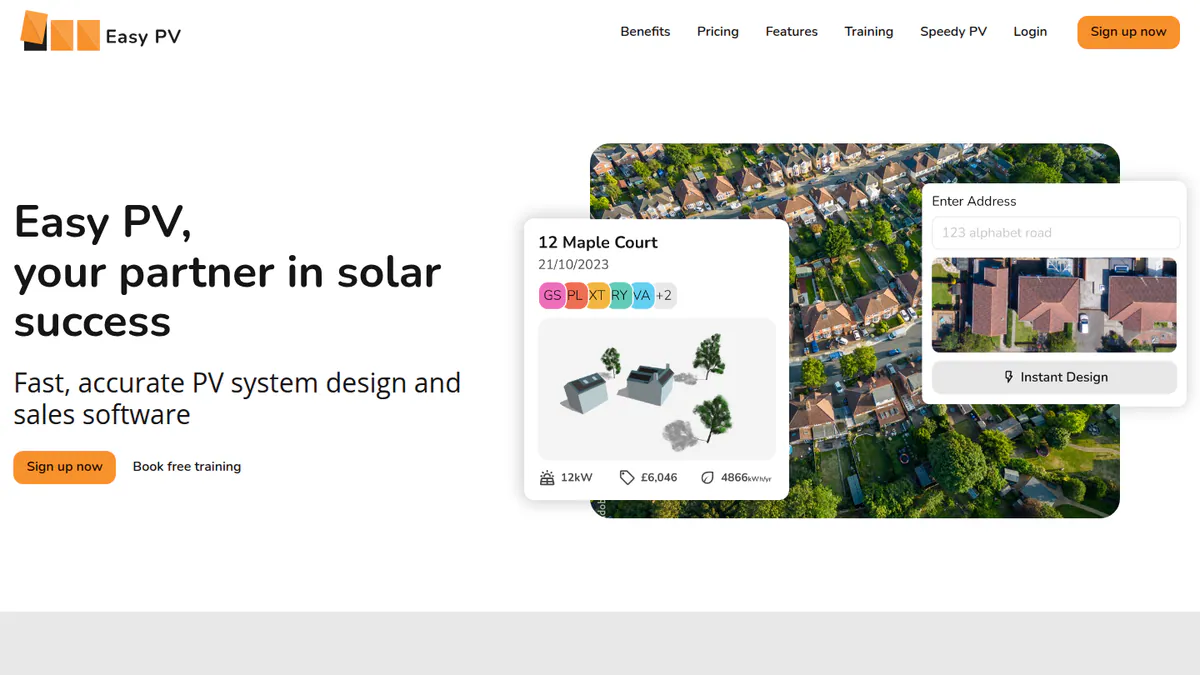
Want to see Easy PV working? Book a demo with the SolarSoftwares team.
Book a demoYour request goes by email to the SolarSoftwares team. A time is set only after we reply. It does not change any score or ranking.
6. IronRidge Atlas: best for racking BOMs sent to a distributor
Best for: US installers using IronRidge racking who want an editable BOM and a distributor quote from the layout. Score: 58.8/100.
What it is: IronRidge, part of Enstall Group, is a US racking maker. It has a free Design Assistant for racking layout and BOMs, and Atlas for proposals and permit plan sets.
Why we picked it: It makes an editable racking BOM and sends it to a distributor for a quote, which most tools here do not document. Design Assistant is free.
Key features:
- Racking layout with an editable bill of materials.
- Send the BOM to a local distributor for a quote.
- Span and load calculations for pitched, flat and ground mounts.
- Atlas sales proposals with 3D maps and integrated financing.
- HelioScope integration in Design Assistant (February 2026).
Pricing: Design Assistant is free with an IronRidge account. Atlas proposals and plan sets are quote only, with "competitive pricing" and free unlimited revisions. Checked October 2026 on the IronRidge Atlas page.
Pros (from our research):
- You get a racking BOM and a distributor quote at no cost.
- Span and load checks sit with the BOM, so the kit list matches the structure.
- Staff can train and certify through Atlas Academy.
Cons (from our research):
- It is built around IronRidge components.
- Atlas is quote only, so you cannot compare its cost up front.
- There are no user reviews to judge it by.
Reviews: No user reviews found on G2 or Capterra as of October 2026.
What we could not confirm: whether Atlas and Design Assistant are separate products or one platform. The company’s pages do not say.
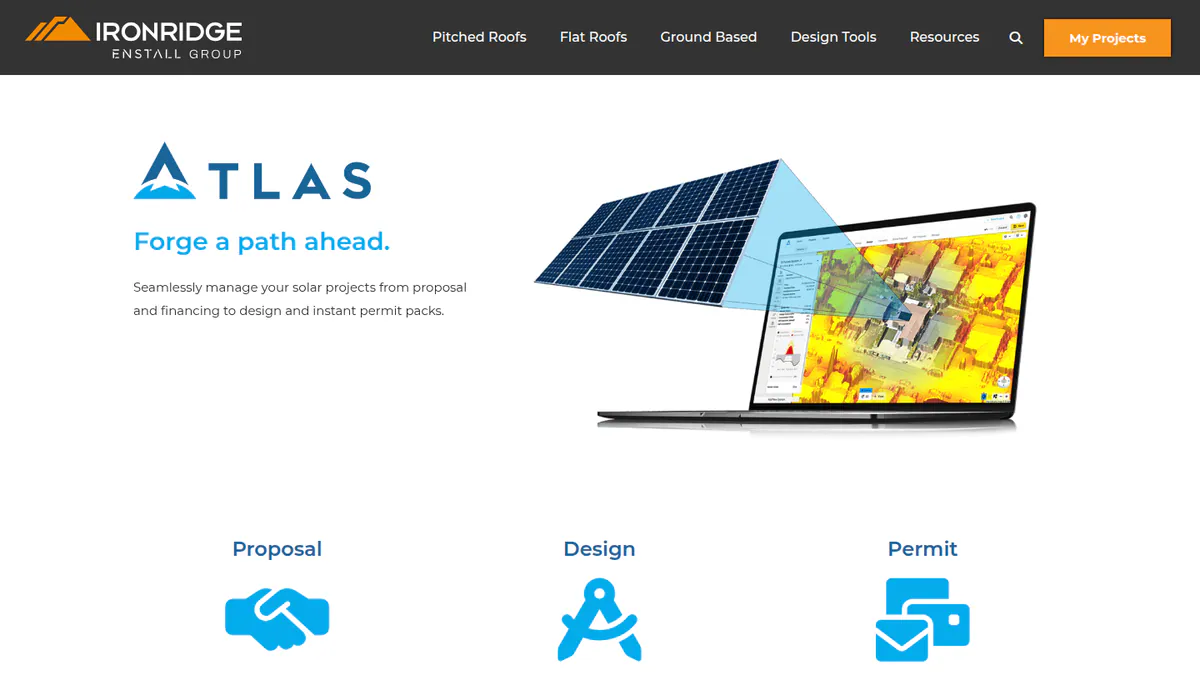
Want to see IronRidge Atlas working? Book a demo with the SolarSoftwares team.
Book a demoYour request goes by email to the SolarSoftwares team. A time is set only after we reply. It does not change any score or ranking.
7. Sunbase: best for estimates tied to CRM and inventory
Best for: Small and mid-sized US installers who want estimates, proposals, inventory and projects in one CRM. Score: 56.9/100.
What it is: Sunbase Data sells a modular CRM and contractor-management suite for residential solar installers. Its estimates sit next to inventory and project modules.
Why we picked it: Estimates sit beside inventory and project modules, which suits installers who want one system. The starting price is public.
Key features:
- Proposals, estimates and e-sign contracts.
- Inventory and asset management.
- Built-in design with shading and production estimates.
- Project management and workflow automation.
Pricing: From USD 59 per user per month. The final price is a custom quote based on users and modules. There are no long-term contracts, per the company. Checked October 2026 on the Sunbase pricing page.
Pros (from reviews and our research):
- Auto emails and tasks save time on projects (Capterra).
- Estimates, inventory and CRM come from one company, so quoted kit stays in line with stock.
- You know the entry price per user before you talk to sales.
Cons (from reviews and our research):
- Set-up is hard for admins without technical skills (Capterra).
- The final price is a custom quote based on users and modules.
- There is only one public review to judge it by.
Reviews: Capterra 4.0/5 (1 review), checked October 2026.
What we could not confirm: any named integrations, or a free trial.
Read our full Sunbase review or our Sunbase alternatives.
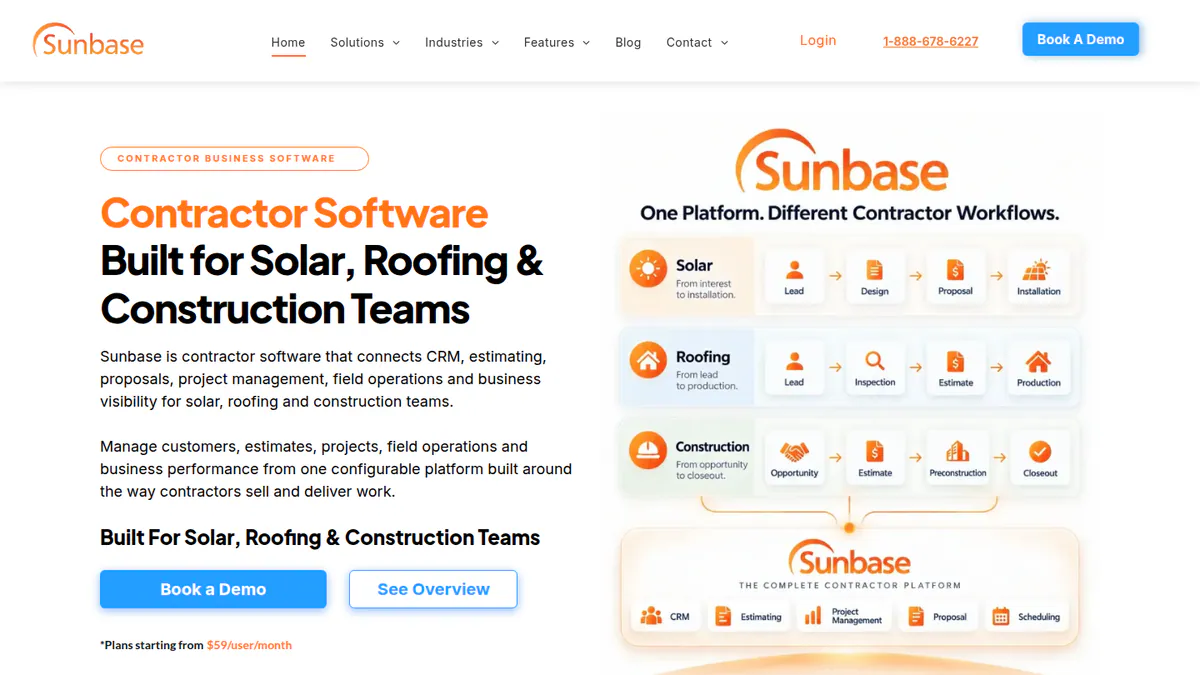
Want to see Sunbase working? Book a demo with the SolarSoftwares team.
Book a demoYour request goes by email to the SolarSoftwares team. A time is set only after we reply. It does not change any score or ranking.
SurgePV (unscored): for readers comparing roof modelling, panel layout, shading, electrical drawings and proposals. Verify the outputs and commercial fit on a representative project. The numbered scores above do not include it.
Sources checked 27 October 2026: SurgePV product information · SolarSoftwares SurgePV review
Book a demo of SurgePV with the SolarSoftwares team.
Book a demoYour request goes by email to the SolarSoftwares team. A time is set only after we reply. It does not change any score or ranking.
Which solar estimating features does each tool have?
Product | Pricing or cost inputs | BOM output | Trade or distributor link | Finance in the quote | Customer quote output | Starting price |
|---|---|---|---|---|---|---|
Financial projections | Not documented | Not documented | Payment gateway | Web/PDF with eSign | GBP 4/project | |
Proposal pricing | Not documented | Not documented | Tax-credit estimates, TPO/AVL | Proposal | USD 159/user/mo | |
Proposal pricing | Not documented | Hardware shop | Integrated finance | Interactive, with payments | Free | |
Savings modelling | Not documented | Not documented | TPO and loans | Proposal and contract | USD 2,799/yr | |
Pricing calculator | Not documented | Midsummer trade pricing | Financial projections | Proposal | Free | |
Not documented | Editable BOM | Send to distributor | In Atlas proposals | Atlas proposals | Free / quote | |
Estimates module | Inventory module | Not documented | Not documented | Proposal and e-sign | USD 59/user/mo |
Also considered
- SolarEdge Designer (scored 49.5/100): a free BOM and stringing tool for SolarEdge-based systems. It ranks eighth, so it falls outside our top 7. Its facts come from a 2018 press release and a 2020 trade article, and we could not confirm it is still free.
- Arka 360 (just below the minimum score): G2 reviewers praise its project estimates. But its documented features centre on design and proposals rather than costing.
- Segen Design Tool + Quick Quote (just below the minimum score): free with a Segen trade account. Quick Quote prices kit, not full jobs. The new design tool was still "coming soon" on a page updated in June 2026.
- Energy Toolbase (ETB Developer) (just below the minimum score): solar and storage economic modelling for C&I, with the price on request. It fits our financial modelling guide better than job estimating.
- Enact (below the minimum score): trade press describes BOM and permit documents after it bought PVComplete in January 2026. We could not verify features or pricing on its website.
- Roof Tech Span Calculator + Project Estimator (a weak match for this job): free span and BOM tools for Roof Tech mounts. Our only source is 2021 trade press. We could not reach the company site.
- Roofr and SunDAT: not scored. Roofr is a roofing estimating tool without solar-specific features, and we could not confirm SunDAT is still sold.
How do you choose the best solar estimating software?
- Quote many leads but convert few? Pay per project. Pylon starts from GBP 4 per project.
- Selling financed residential systems in the US? Compare Aurora Solar and Solargraf. Pick Solargraf if you also want permit plan sets from the same design.
- With a zero software budget, start with OpenSolar. In the UK, Easy PV adds live Midsummer trade prices.
- Locked to one hardware brand? Use that maker’s free tool for BOMs: IronRidge for racking, or SolarEdge Designer (also considered) for SolarEdge inverter systems.
- If you want estimates linked to stock and projects, look at Sunbase and confirm integrations first.
- For C&I solar and storage economics, see our financial modelling and mounting structure design guides.
Want more choices? Browse every tool we checked in our proposals and sales category.
Solar estimating software FAQs
What is solar estimating software?
Solar estimating software turns a design into a costed job and a quote the customer can sign. As of October 2026, OpenSolar and Easy PV Basic are free. Pylon charges per project, from GBP 4. Aurora Solar charges per user, from USD 159 per user per month.
How do installers estimate the cost of a solar job?
Most start from a design, which fixes the module count, inverter and mounting. They price the BOM (parts list) against supplier costs, then add labour and margin. Easy PV quotes against live Midsummer trade pricing. IronRidge’s free Design Assistant sends a racking BOM to a distributor (checked October 2026).
Can solar estimating software generate a BOM automatically?
Yes, some can. IronRidge’s Design Assistant produces an editable racking BOM. SolarEdge Designer (also considered) produces a BOM report, according to SolarEdge’s 2018 launch release. Among the 7 tools we ranked in October 2026, most proposal-led platforms do not document a full BOM export.
What is the difference between a solar estimate and a solar proposal?
The estimate is your internal cost and price build-up. The proposal is the customer-facing document showing price, savings and finance. Pylon, Aurora Solar and Solargraf produce the proposal straight from the design, so the two stay in step. Our proposal software guide covers that side.
Is there free solar quoting software?
Yes. OpenSolar’s core platform and Easy PV’s Basic plan (UK) are free. IronRidge’s Design Assistant is free with an account (all checked October 2026). Segen’s Quick Quote is free with a Segen trade account. These maker and distributor tools are free but tied to that company’s products.
Sources
Checked 22 October 2026, with some prices and ratings re-checked on 25 October 2026.
- Pylon: pricing, Capterra, G2
- Aurora Solar: pricing, G2, Capterra
- OpenSolar: pricing notice, features, news, G2
- Solargraf: pricing, Q2 2026 highlights, Capterra
- Easy PV: pricing and features, Pro price (help centre)
- IronRidge: Atlas, design tools, HelioScope integration
- Sunbase: pricing, Capterra
- SolarEdge Designer: 2018 press release, Solar Power World, January 2020
- Also considered: Segen design tool news, Energy Toolbase pricing, Enact acquisition (Solar Power World), Roof Tech (Solar Builder)
Last updated 28 October 2026. Next scheduled review: 23 January 2027.