3D solar design software builds a 3D model of a roof or site, then places solar panels on it and shows where shade falls. Aurora Solar ranks first here at 85.3/100. PV*SOL premium ranks second at 80.3/100.
This guide ranks tools by the 3D model itself. That means where the roof shape comes from and what you do with it. The shape can come from aerial photos, LIDAR (laser height data), drone photos, CAD (computer-aided design) drawings, or a scene you build by hand.
For shade-report quality, see our solar shading analysis software ranking. For software that draws the layout for you, see AI solar design software. For a ranked list across every segment, see our best solar design software ranking.
Quick picks
Rank | Product | Best for | Starting price (company page, checked October 2026) | Free plan / trial | Score /100 |
|---|---|---|---|---|---|
1 | LIDAR-assisted 3D roofs for US residential sales | ✓ USD 159 per user per month | None stated | 85.3 | |
2 | Desktop 3D design and simulation, Europe | ✓ EUR 845 per year plus VAT | 30-day trial | 80.3 | |
3 | Pay-per-job design on aerial imagery (UK, AU, IE) | ✓ GBP 4 per project | 5 free project credits | 74.5 | |
4 | C&I rooftops modelled in AutoCAD | Quote only | Demo only | 72.9 | |
5 | Free 3D design and proposals | ✓ Free core platform | Free plan | 72.7 | |
6 | 3D layouts for C&I up to 30 MW DC | ✓ USD 159 per month | Free trial (length not stated) | 71.9 | |
7 | Drone photogrammetry 3D models | Quote only | Demo only | 71.0 |
✓ Verified on the company’s own pricing page. ◐ Published by the company outside its pricing page (help centre, store or press release). ? We could not read the company’s pricing page, so the figure is not confirmed. Prices checked October 2026.
Quote only means the company shows no public price. You ask it for a quote.
How the 7 tools scored
- Use-case fit 35%
- User reviews 20%
- Pricing 15%
- Ease of use 10%
- Support 10%
- Momentum 10%
Tool | Score chart | Score |
|---|---|---|
85.3 out of 100 | 85.3 | |
80.3 out of 100 | 80.3 | |
74.5 out of 100 | 74.5 | |
72.9 out of 100 | 72.9 | |
72.7 out of 100 | 72.7 | |
71.9 out of 100 | 71.9 | |
71 out of 100 | 71.0 |
Each bar shows the weighted score out of 100.
Sub-scores at a glance (0-10)
Product | Use-case fit | User reviews | Pricing | Ease of use | Support | Momentum | Total /100 |
|---|---|---|---|---|---|---|---|
10.0 | 7.9 | 8.0 | 7.5 | 7.5 | 7.5 | 85.3 | |
10.0 | 5.4 | 8.0 | 7.5 | 7.5 | 7.5 | 80.3 | |
6.2 | 6.7 | 8.0 | 7.5 | 10.0 | 10.0 | 74.5 | |
7.6 | 6.4 | 4.0 | 10.0 | 10.0 | 7.5 | 72.9 | |
7.6 | 5.0 | 9.0 | 7.5 | 5.0 | 10.0 | 72.7 | |
8.6 | 6.2 | 8.0 | 7.5 | 5.0 | 5.0 | 71.9 | |
10.0 | 5.0 | 4.0 | 5.0 | 5.0 | 10.0 | 71.0 |
A 5.0 on reviews, ease, support or momentum is our neutral score. We use it when public evidence is thin. It is not a judgement.
How do 3D solar tools build the model?
Tools get the roof shape in four ways.
- Imagery (aerial photos) in the browser: OpenSolar and Pylon. Aurora Solar (Premium) and HelioScope (Pro) add LIDAR (laser height data).
- Drone photogrammetry (3D models built from drone photos): Scanifly DroneDesign. Aurora also lists drone mapping on Enterprise, and PVcase Roof Mount imports drone images.
- Inside a CAD host (drawing software): PVcase Roof Mount (AutoCAD).
- Desktop 3D scene: PV*SOL premium, where you build the building and obstructions yourself.
The tools under "Also considered" follow the same patterns. Arka 360, Solargraf, Easy PV and SolarEdge Designer work on imagery in the browser. PVcase Ground Mount runs in AutoCAD, HELIOS 3D in Autodesk Civil 3D and Skelion in SketchUp.
How did we rank these 3D solar design tools?
How the score is weighted
- Use-case fit 35%
- User reviews 20%
- Pricing 15%
- Ease of use 10%
- Support 10%
- Momentum 10%
We scored 14 products from 22 to 25 October 2026 and ranked the top 7. The other 7 are under "Also considered", each with its score. This was desk research using company documents, pricing pages and public reviews. We did not build models in any tool. We used six weighted criteria:
- Use-case fit (35%): Documented 3D modelling counts first, then layout, shading and roof measurement.
- User reviews (20%): Ratings on G2 and Capterra, two software review sites. A few reviews count for less.
- Pricing (15%): Published pricing beats quote-only.
- Ease of use, support, momentum (10% each): Review sub-scores and dated release notes.
Scores fit this page’s job, so the same tool can score differently on another page. SurgePV is not part of this ranking. Full method: how we score software.
1. Aurora Solar: best for LIDAR-assisted 3D roofs in US residential sales
Best for: US residential installers who sell from the 3D model. Score: 85.3/100.
What it is: Aurora Solar is a cloud design, simulation and proposal platform from Aurora Solar Inc. It is built for US residential and light-commercial installers. It is not a PVsyst or utility-scale alternative. Aurora sends large commercial and industrial (C&I) and utility work to HelioScope.
Why we picked it: It turns LIDAR-assisted 3D roof models into shade reports and proposals in one tool. It also has the most reviews of any ranked tool here, with 121 on G2 at 4.7/5.
Key features:
- Cloud 3D design, with on-demand site models from USD 9.99 on Basic.
- LIDAR-assisted modelling and bankable shade reports (reports banks trust when they lend) on Premium.
- AI site models and drone mapping (Enterprise).
- Battery modelling.
- Proposals with tax-credit estimates (US credit rules change, check current law) and TPO (third-party ownership) financing.
- Plan sets (permit drawing packages), engineering stamps and API (a link that lets other apps share data) on Enterprise.
Pricing: Basic costs USD 159 per user per month (USD 135 billed annually, 50 projects a month). Premium costs USD 259 (USD 220 annually). Enterprise is custom, per project. Checked October 2026 on the Aurora pricing page.
Pros (from user reviews on Capterra and G2):
- Accurate shade reports, and LIDAR shows you the obstructions.
- Accurate designs, backed by strong customer service.
- Videos and a knowledge base make it easy to learn.
Cons (from user reviews):
- Heavy memory use slows weaker machines (2019 reviews).
- Proposal and finance features feel thin for the price.
- It connects to few other tools.
Reviews: G2 4.7/5 (121 reviews), Capterra 4.1/5 (7 reviews), checked October 2026.
Read our full Aurora Solar review or our Aurora Solar alternatives.

Want to see Aurora Solar working? Book a demo with the SolarSoftwares team.
Book a demoYour request goes by email to the SolarSoftwares team. A time is set only after we reply. It does not change any score or ranking.
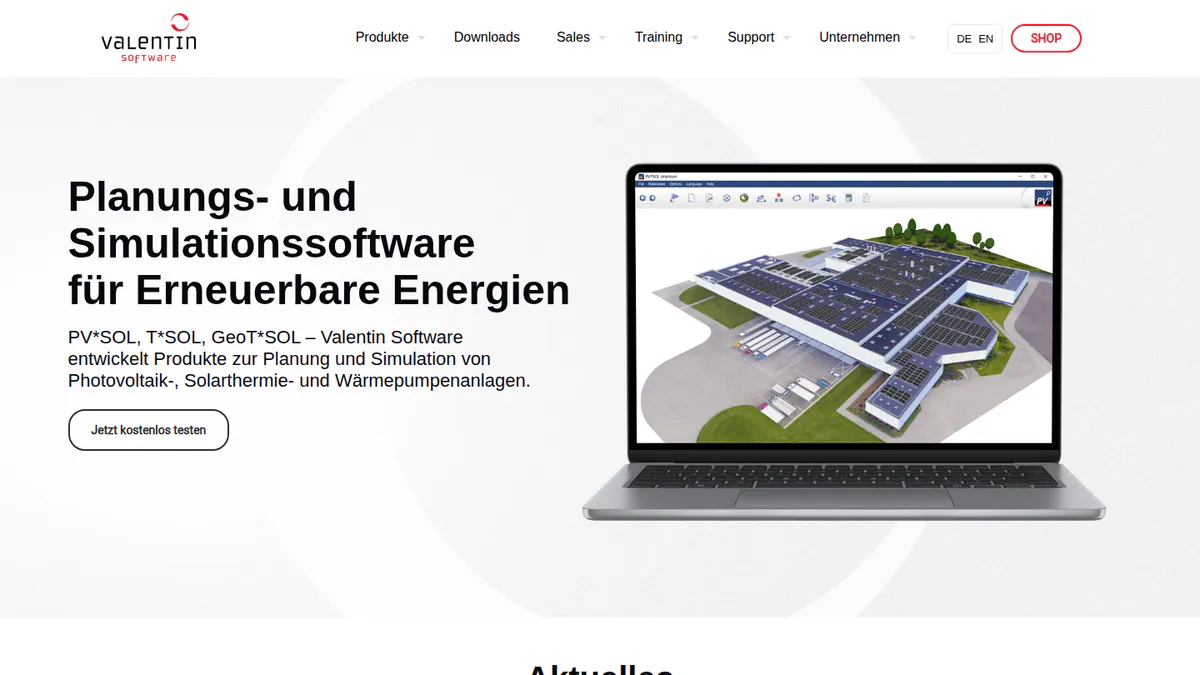
2. PV*SOL premium: best for desktop 3D design and simulation in Europe
Best for: European planners who simulate storage, heat pumps and EV loads on a 3D model. Score: 80.3/100.
What it is: PV*SOL premium is desktop design software from Valentin Software. Its users are mostly European planners who work on residential and C&I systems. The 2026 version shipped on 24 November 2025.
Why we picked it: Its 3D scene feeds detailed shading and yield simulation in one program. Prices are published, and G2 users rate it 4.2/5.
Key features:
- 3D PV design with detailed shading analysis on the 3D scene.
- Simulation with Meteonorm 9 climate data as the weather input.
- AC- and DC-coupled battery storage.
- Heat pump and EV tariffs per consumer.
- Customer presentation export (PDF/DOCX).
Pricing: PV*SOL premium 2026 costs EUR 845 per named user per year or EUR 285 for 3 months, plus VAT (sales tax). The shop also lists an "extension" at EUR 802.75 but does not say what it covers. The cheaper PV*SOL is 2D only, at EUR 585 per year. Checked October 2026 in the Valentin shop.
Pros (from our research):
- You know the price up front, and you can buy 3 months for a busy season.
- You can model heat-pump and EV loads in the same 3D project.
- A major new version ships every year.
Cons (from our research):
- Desktop software, so no browser access from any device.
- 3D needs the premium edition. Plain PV*SOL is 2D only.
- Each licence covers one named user, and prices exclude VAT.
Reviews: G2 4.2/5 (12 reviews), checked October 2026.
What we could not confirm: how deep its stringing (how panels wire into inverters) and SLD (single-line diagram) tools go. We also could not see what users say in writing, since G2 shows scores only.
Read our full PV*SOL premium review or our PV*SOL alternatives.
Want to see PV*SOL premium working? Book a demo with the SolarSoftwares team.
Book a demoYour request goes by email to the SolarSoftwares team. A time is set only after we reply. It does not change any score or ranking.
3. Pylon: best for pay-per-job design on aerial imagery
Best for: Small residential installers in the UK, Australia and Ireland. Score: 74.5/100.
What it is: Pylon is a design and proposal tool from Pylon in Sydney, sold per project with unlimited users. Its customers are mainly small residential installers in the UK, Australia and Ireland.
Why we picked it: It earns its place on low per-job prices and steady monthly updates, not on deep 3D. Capterra users rate it 4.6/5 from 25 reviews.
Key features:
- Solar and battery design on aerial imagery.
- Web and PDF proposals with eSignature.
- MCS (UK installer certification) reports in the UK.
- STC and PDRS incentives (Australian schemes) in Australia.
Pricing: Standard costs GBP 4 per project up to 30 kW DC (direct-current power). Pro costs GBP 10 per project and adds commercial sizes (99 kW and up). Enterprise is quote only, so you have to ask the company for a price. The CRM add-on starts at GBP 49 per user per month. Checked October 2026 on the Pylon UK pricing page. The Irish page lists the same plans at EUR 4 and EUR 10 per project. We could not confirm USD or AUD prices.
Pros (from user reviews on Capterra and G2):
- Paying per job keeps costs low when you only design a few roofs a month.
- Beginners get going fast with the manual. Most find the layout friendly, though one G2 reviewer says it takes time to pick up.
- Proposals come out detailed enough to send as they are.
Cons (from reviews and our research):
- The roof model is only as good as the aerial imagery, which varies by location, and the Nearmap link is inconsistent.
- Usage modelling (how much power the home uses) is awkward.
- We found little documented 3D roof modelling.
Reviews: Capterra 4.6/5 (25 reviews), G2 4.3/5 (2 reviews), checked October 2026. Most Capterra reviews are from 2021-2023.
Read our full Pylon review or our Pylon alternatives.

Want to see Pylon working? Book a demo with the SolarSoftwares team.
Book a demoYour request goes by email to the SolarSoftwares team. A time is set only after we reply. It does not change any score or ranking.
4. PVcase Roof Mount: best for C&I rooftops modelled in AutoCAD
Best for: C&I EPCs (firms that design and build solar projects) and engineering teams that already draw in AutoCAD. Score: 72.9/100.
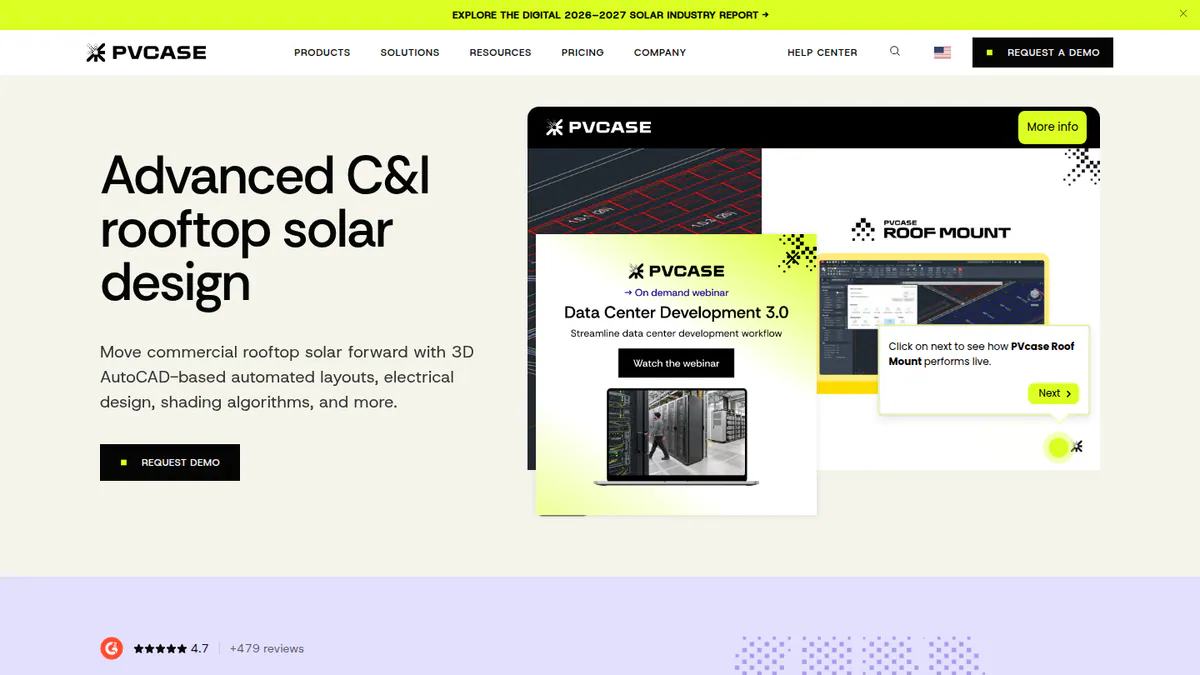
What it is: PVcase Roof Mount is an AutoCAD plug-in from PVcase (AutoCAD 2026 compatible). It targets C&I EPCs and engineering teams. It is a separate product from PVcase Ground Mount. It is not aimed at residential work.
Why we picked it: It is the only ranked tool that builds the roof from CAD drawings. It also carries on to stringing, cable sizing and PVsyst export. G2 users rate it 4.6/5.
Key features:
- Turns DWG/DXF (CAD drawing) files and drone images into roof geometry.
- Lays out around setbacks, parapets and obstructions.
- Stringing, MPPT (maximum power point tracking), cable sizing and voltage drop.
- Shading, irradiance and energy simulation.
- PVsyst export.
Pricing: Quote only (single Professional plan). The pricing page does not say whether you need an AutoCAD licence. Checked October 2026 on the PVcase Roof Mount pricing page.
Pros (from reviews and our research):
- Saves design time, say G2 reviewers.
- Runs inside AutoCAD, so CAD teams keep their usual workflow.
- Starts from DWG/DXF files or drone images, so the model uses real roof geometry.
Cons (from our research):
- No published price.
- You need AutoCAD skills to use it.
- PanelClaw ballast reports (weights that hold flat-roof racks down) are limited to Eurocode countries (those that use European building standards).
Reviews: G2 4.6/5 (17 reviews), with ease of use 9.1/10 and support 9.8/10, checked October 2026. Pros come from themes in G2 reviews. We saw no user cons.
Want to see PVcase Roof Mount working? Book a demo with the SolarSoftwares team.
Book a demoYour request goes by email to the SolarSoftwares team. A time is set only after we reply. It does not change any score or ranking.
5. OpenSolar: best for free 3D design and proposals
Best for: Installers who want 3D design without a subscription. Score: 72.7/100.
What it is: OpenSolar is a free design, proposal and sales platform from OpenSolar Inc. Hardware and finance partners pay for the free core. It suits residential and small commercial installers. OS 3.0 launched in September 2025.
Why we picked it: You get 3D rooftop design and proposals free, with unlimited users. The company keeps adding features, including new sales tools in August 2026.
Key features:
- Free 3D and 2D rooftop design with shading (per marketing pages).
- Premium imagery marketplace.
- Web proposals with e-signature and payment collection.
- Integrated finance options.
Pricing: The core platform is free. API access and Xero or QuickBooks connectors became paid from 16 April 2026, at rates the company does not publish. Checked October 2026 on OpenSolar’s website.
Pros (from reviews and our research):
- Adding and moving panels is very easy.
- The app gives you information in the field.
- The core design and proposal app costs nothing, with unlimited users.
Cons (from reviews and our research):
- Layouts lack automatic customisation and need engineering review.
- The interface feels dated.
- Not fully free: API access and accounting connectors cost extra, at rates not published.
Reviews: G2 4.8/5 (3 reviews), checked October 2026. That is too few to rely on.
What we could not confirm: how deep the shading engine goes, since we saw it only on marketing pages.
Read our full OpenSolar review or our OpenSolar alternatives.

Want to see OpenSolar working? Book a demo with the SolarSoftwares team.
Book a demoYour request goes by email to the SolarSoftwares team. A time is set only after we reply. It does not change any score or ranking.
6. HelioScope: best for 3D C&I layouts up to 30 MW DC
Best for: C&I rooftop, carport and small ground-mount projects. Score: 71.9/100.
What it is: HelioScope is a commercial design and simulation tool. Aurora Solar owns it and runs it as a separate product with its own login.
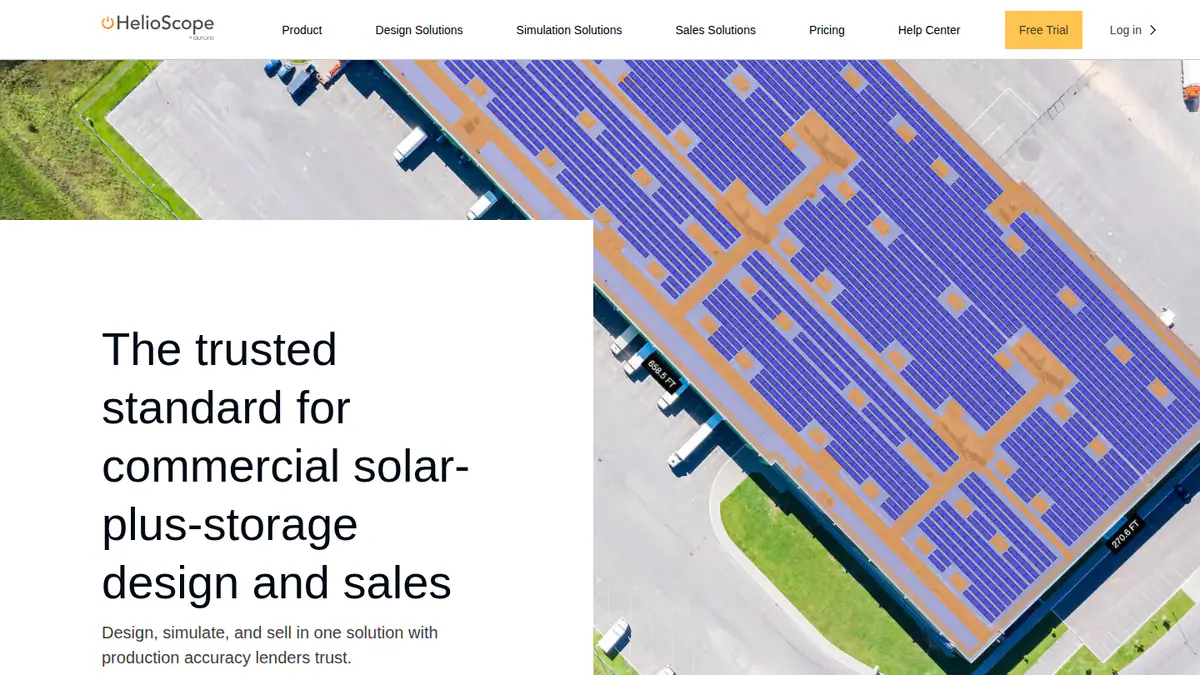
Why we picked it: It brings LIDAR and 3D layout to C&I roofs, carports and ground mounts at published prices. G2 users rate it 4.5/5.
Key features:
- Rooftop, carport and ground-mount layout.
- LIDAR-assisted modelling and AI obstruction detection (Pro).
- Shading and wiring-loss modelling.
- P90/P95/P99 values (Pro). These are forecasts of how much power the project will make, at set confidence levels.
- Single-axis trackers (mounts that turn panels to follow the sun) and PVsyst export (Enterprise).
Pricing: Basic USD 159 per month (USD 1,620 per year if billed yearly), up to 1.25 MW DC and 10 projects a month. Pro USD 259 per month (USD 2,640 per year if billed yearly), up to 5 MW DC. Enterprise custom, up to 30 MW DC. Checked October 2026 on the HelioScope pricing page.
Pros (from user reviews):
- Easy to learn, with a simple interface.
- Fast, accurate layouts and shading calculations.
- Reports and SLDs come out quickly.
Cons (from reviews and our research):
- Expensive if you only use it now and then.
- Basic caps you at 10 projects a month.
- Single-axis trackers need the custom-priced Enterprise plan.
Reviews: G2 4.5/5 (19 reviews), checked October 2026. Aurora says production estimates are within 1% of PVsyst. We have not checked that claim.
Read our full HelioScope review or our HelioScope alternatives.
Want to see HelioScope working? Book a demo with the SolarSoftwares team.
Book a demoYour request goes by email to the SolarSoftwares team. A time is set only after we reply. It does not change any score or ranking.
7. Scanifly: best for drone-measured 3D site models
Best for: US contractors who fly drones on site visits. Score: 71.0/100.
What it is: Scanifly combines remote design, drone-based 3D modelling and a mobile survey app. It comes from Scanifly Inc. and serves US residential and commercial contractors.
Why we picked it: It is the only ranked tool built around drone photogrammetry. It also puts remote designs, drone models and a field app in one account.
Key features:
- PrelimDesign builds sales designs from satellite, Nearmap and LIDAR data.
- DroneDesign builds photogrammetry models, ready in under 30 minutes after upload (the company says so, but we could not check it).
- AI obstruction detection and fire setbacks.
- Onsite Viewshed shading, which the company says some regulators and lenders accept.
- iOS and Android field app with checklists and photo annotation.
- CAD export.
Pricing: Quote only. Design work is credit-based, and drone surveys or design services cost extra. Checked October 2026 on the Scanifly website.
Pros (from our research):
- Drone models give you measured roof geometry, not estimates from imagery.
- It is actively developed, with dated updates from March to October 2026.
- Account holders get the mobile field app free.
Cons (from our research):
- No published prices.
- Built for the US market.
- Plan sets are an outsourced service (about 48 hours), not software.
Reviews: G2 4.7/5 (3 reviews, no visible text), checked October 2026.
Read our full Scanifly review or our Scanifly alternatives.
Want to see Scanifly working? Book a demo with the SolarSoftwares team.
Book a demoYour request goes by email to the SolarSoftwares team. A time is set only after we reply. It does not change any score or ranking.
SurgePV (unscored): for readers comparing roof modelling, panel layout, shading, electrical drawings and proposals. Verify the outputs and commercial fit on a representative project. The numbered scores above do not include it.
Sources checked 27 October 2026: SurgePV product information · SolarSoftwares SurgePV review
Book a demo of SurgePV with the SolarSoftwares team.
Book a demoYour request goes by email to the SolarSoftwares team. A time is set only after we reply. It does not change any score or ranking.
How do the 7 3D solar design tools compare?
Product | 3D model source | LIDAR / drone | CAD host or export | Starting price |
|---|---|---|---|---|
Cloud 3D on imagery | LIDAR (Premium). Drone mapping (Enterprise) | Not documented | USD 159/user/mo | |
Desktop 3D scene | Not documented | Not documented | EUR 845/yr | |
Aerial imagery | Not documented | Not documented | GBP 4/project | |
DWG/DXF and drone images | Drone image import | AutoCAD plug-in | Quote only | |
3D/2D on imagery | Not documented | Not documented | Free | |
Cloud layout on imagery | LIDAR (Pro) | PVsyst export (Enterprise) | USD 159/mo | |
Satellite, LIDAR, drone | Both | CAD export | Quote only |
Also considered
These seven tools were scored but sit outside our top 7.
- Arka 360 (scored 70.8/100): Cloud 3D design with SketchUp and PVsyst export, and strong reviews (G2 4.3/5, 137 reviews). It only just misses the top 7. It documents no LIDAR or drone geometry, and reviewers report lag on projects of 3 MWp (megawatts of peak power) and above.
- PVcase Ground Mount (scored 69.3/100): Terrain-following 3D for utility plants in AutoCAD. It is built for ground mounts, not the rooftop models most installers need, and it is quote only.
- Solargraf (scored 65.6/100): Takes a 3D design through to US permit sets. Weak user reviews (Capterra 3.2/5) hold its total back, and it is sold in North America only.
- Skelion (scored 59.3/100): PV layout inside SketchUp from USD 200 per year. It documents no proposals, stringing or SLDs, and we found no user reviews.
- Easy PV (scored 56.0/100): A free 3D studio for UK MCS installers, with a Pro plan at GBP 35 plus VAT per user per month and no contract. It is UK only. It has no user reviews and no dated update log since February 2023.
- SolarEdge Designer (scored 55.3/100): Free 3D models for SolarEdge-based systems. It is tied to SolarEdge hardware, and we could not confirm its facts on the company site.
- HELIOS 3D (scored 52.3/100): Utility plants in Autodesk Civil 3D. It needs Civil 3D and SQL Server, and has one G2 review (2.0/5).
We also looked at this tool, which does a different job:
- PVsyst: Builds a 3D near-shading scene, but it is a simulation tool. We rank it on our solar simulation software and shading analysis pages.
Which general tools do installers also use?
SketchUp, AutoCAD and Civil 3D are general modelling tools, so we do not rank them. PVcase Roof Mount runs inside AutoCAD, so budget for the host licence. The same applies to Skelion, PVcase Ground Mount and HELIOS 3D under "Also considered".
How do you choose 3D solar design software?
- Do you sell US residential jobs from the 3D model and want LIDAR? Pick Aurora Solar Premium.
- Do you measure roofs with a drone? Pick Scanifly.
- Do you plan in Europe with storage, heat-pump or EV loads? Pick PV*SOL premium for desktop 3D.
- Want to pay per job? Pick Pylon. On a zero budget, try OpenSolar. In the UK, Easy PV (also considered) is free too (see free solar design software).
- Does your C&I team work in AutoCAD? Shortlist PVcase Roof Mount. For browser-based C&I, use HelioScope.
- Do you design utility plants on terrain? HelioScope handles small ground mounts up to 30 MW DC. For larger plants, see PVcase Ground Mount and HELIOS 3D under "Also considered", and our list of utility-scale solar design software.
For shortlists not centred on 3D, see residential and commercial solar design software. You can also see the full solar design software ranking.
Want more choices? Browse every tool we checked in our design and simulation category.
3D solar design software FAQs
What is the best 3D solar design software?
Aurora Solar is the best 3D solar design software in our October 2026 ranking, at 85.3/100. It builds LIDAR-assisted roof models that feed proposals. PV*SOL premium is the strongest desktop option. Scanifly is the pick if you build models from drone flights.
How does 3D solar design software model a roof?
Most browser tools trace the roof on aerial photos. Aurora (Premium) and HelioScope (Pro) add LIDAR, as of October 2026. Scanifly uses drone photogrammetry, which builds 3D models from drone photos. PVcase Roof Mount turns DWG/DXF drawings and drone images into roof geometry.
Is 3D modelling accurate enough to skip a site survey?
We cannot say a remote model replaces a site survey. We found no independent accuracy study in our October 2026 research. Scanifly, for example, uses remote PrelimDesign for sales designs and drone-based DroneDesign for measured models. Ask any company how it checks its model against the real roof.
Can I design solar in SketchUp or AutoCAD?
Yes. PVcase Roof Mount runs in AutoCAD for C&I rooftops. Under Also considered, Skelion adds PV layout and shading to SketchUp for USD 200 per licence per year (checked October 2026). PVcase Ground Mount also runs in AutoCAD. HELIOS 3D runs in Autodesk Civil 3D.
Do 3D solar designs improve proposal close rates?
We found no sourced close-rate figures as of October 2026. Reviewers of Arka 360 (also considered) on G2 say 3D views help close deals with customers. That is what users report, not a measured result. Test any tool on your own jobs before you rely on it.
Sources
All checked 22 to 25 October 2026.
- Aurora Solar: pricing, G2, Capterra
- PV*SOL premium: shop, 2026 release, G2
- Pylon: pricing, Capterra, G2
- PVcase Roof Mount: pricing, G2
- OpenSolar: pricing, G2
- HelioScope: pricing, G2
- Scanifly: website, G2
- Arka 360: pricing, G2
- PVcase Ground Mount: pricing, G2
- Solargraf: pricing, Capterra
- Skelion: Skelion Pro, SketchUp forum, June 2025
- Easy PV: pricing and features, Solar Power Portal, 3D release
- SolarEdge Designer: pv magazine press release
- HELIOS 3D: G2 pricing, G2 reviews, PVcase comparison
Last updated 28 October 2026. Next scheduled review: 23 January 2027.