Residential solar design software is a program that helps you plan solar panels on a home roof. It draws the roof, shows where shade falls, and turns the design into a proposal for the homeowner. Aurora Solar ranks first at 83.1/100. Pylon ranks second at 79.4/100.
This page covers rooftop work on homes only. We ranked 7 tools out of 11 scored. Commercial, simulation and utility tools are on our main solar design software list.
Want the yearly cost? We worked it out at 5 and 20 jobs a month in the small-installer cost section below.
Quick picks
Rank | Product | Best for | Starting price (company page, checked October 2026) | Pricing model | Free plan / trial | Score /100 |
|---|---|---|---|---|---|---|
1 | LIDAR roof models and shade reports (US) | ✓ USD 159/user/month (USD 135 annual) | Per seat | None stated | 83.1 | |
2 | Solar-plus-battery quotes paid per job | ✓ GBP 4/project (UK page) | Per project | 5 free project credits | 79.4 | |
3 | Homes with heat pumps, EVs and batteries | ✓ EUR 845/user/year + VAT | Per seat | 30-day trial | 73.9 | |
4 | Proposals with e-sign and payments, no licence fee | ✓ Free core platform | Free. Paid API and connectors | Free plan | 71.4 | |
5 | 3D sales visuals with optimiser stringing | ✓ USD 159/month (international list) | Flat plan | Demo only | 70.6 | |
6 | NEC permit packages from the design | ? USD 2,799/year | Annual bundle | Not stated by the company | 66.3 | |
7 | Drone-measured roofs and pre-install surveys | Quote only | Credits, quote | Demo only | 60.4 |
✓ Verified on the company’s own pricing page. ◐ Published by the company outside its pricing page (help centre, store or press release). ? We could not read the company’s pricing page, so the figure is not confirmed. Prices checked October 2026.
Quote only means the company shows no public price. You ask it for a quote.
How the 7 tools scored
- Use-case fit 35%
- User reviews 20%
- Pricing 15%
- Ease of use 10%
- Support 10%
- Momentum 10%
Tool | Score chart | Score |
|---|---|---|
83.1 out of 100 | 83.1 | |
79.4 out of 100 | 79.4 | |
73.9 out of 100 | 73.9 | |
71.4 out of 100 | 71.4 | |
70.6 out of 100 | 70.6 | |
66.3 out of 100 | 66.3 | |
60.4 out of 100 | 60.4 |
Each bar shows the weighted score out of 100.
Sub-scores at a glance (0-10)
Product | Use-case fit | User reviews | Pricing | Ease of use | Support | Momentum | Total /100 |
|---|---|---|---|---|---|---|---|
9.4 | 7.9 | 8.0 | 7.5 | 7.5 | 7.5 | 83.1 | |
7.6 | 6.7 | 8.0 | 7.5 | 10.0 | 10.0 | 79.4 | |
8.2 | 5.4 | 8.0 | 7.5 | 7.5 | 7.5 | 73.9 | |
7.3 | 5.0 | 9.0 | 7.5 | 5.0 | 10.0 | 71.4 | |
7.6 | 6.3 | 6.0 | 7.5 | 10.0 | 5.0 | 70.6 | |
8.8 | 3.3 | 6.0 | 5.0 | 5.0 | 10.0 | 66.3 | |
7.0 | 5.0 | 4.0 | 5.0 | 5.0 | 10.0 | 60.4 |
A 5.0 on reviews, ease, support or momentum is our neutral score. We use it when public evidence is thin. It is not a judgement.
What does residential solar design software have to do?
On a home job the design is also the sales document. Five things set these tools apart more than raw simulation depth.
- Roof model source: Aerial imagery (all tools), LIDAR laser height data (Aurora Premium, Scanifly) or drone photogrammetry, which builds 3D models from drone photos (Scanifly, Aurora Enterprise).
- Battery design: Documented in Aurora, Pylon, PV*SOL premium and Solargraf.
- Proposal output: Pylon and OpenSolar have web proposals with e-signature. Aurora and Solargraf document financed proposals. PV*SOL premium exports a presentation instead.
- Permit output: Only Solargraf documents SLDs (single-line diagrams) and NEC (US electrical code) plan sets on every plan. Plan sets are permit drawing packages. Aurora keeps plan sets for Enterprise.
- Regional paperwork: MCS (UK installer certification) reports in Pylon UK, and DNO (grid operator) forms in Easy PV (also considered). STC and PDRS (Australian incentive schemes) in Pylon AU. Solargraf has a database of AHJs (local permit offices) for the US.
How did we rank the best residential solar design software?
How the score is weighted
- Use-case fit 35%
- User reviews 20%
- Pricing 15%
- Ease of use 10%
- Support 10%
- Momentum 10%
We scored 11 residential tools from 22 to 24 October 2026 and ranked the top 7. The other 4 are listed under "Also considered" with their scores. We used company documents, pricing pages and public user reviews. This was desk research. We did not design any test roofs.
The total comes from six sub-scores, each out of 10.
- Use-case fit (35%): How well the tool does this page’s job. 2D layout counts most. Next come 3D modelling, shading and proposal output. Then come stringing (how panels wire into inverters) and yield (how much power the panels will make). We scored each for residential work.
- User reviews (20%): G2 and Capterra ratings. Ratings based on only a few reviews count for less. Under 8 reviews gets a middle score of 5.0.
- Pricing (15%): Free and published prices score highest. Quote-only and unverified prices score lowest.
- Ease of use, support and momentum (10% each): Review sub-scores and dated release notes.
Scores are specific to this page’s job, so the same tool can score differently elsewhere. Momentum loses 2 points when we could not confirm core facts on the company’s site. SurgePV is not part of this ranking. Read how we score software.
1. Aurora Solar: best for LIDAR roof models and shade reports in the US
Best for: US residential installers who sell on shade accuracy. Score: 83.1/100.
What it is: Aurora Solar is a cloud platform for design, shading, simulation and proposals. Aurora Solar Inc. makes it for US residential installers. Design, battery modelling and the financed proposal stay in one cloud project.
Why we picked it: It had the top fit score for home design. It puts LIDAR roof models, battery design and financed proposals in one tool. 121 G2 reviews back it up.
Key features:
- Roof models from HD imagery, with LIDAR-assisted modelling on Premium and on-demand site models from USD 9.99.
- Bankable (lender-accepted) shade reports (Premium).
- Battery modelling for backup, self-consumption and arbitrage (storing cheap power to use when prices are high).
- Proposals with tax-credit estimates (US credit rules change, check current law) and TPO (a deal where the customer pays for power instead of buying the panels) financing.
- AI site models, drone mapping and plan sets (Enterprise).
Pricing: Basic is USD 159 per user per month, or USD 135 billed annually, with 50 projects a month. Premium is USD 259 (USD 220 annually). Enterprise is custom and priced per project. Checked October 2026 on the Aurora pricing page.
Pros (from user reviews):
- LIDAR shows roof obstructions, and shade reports are accurate (Capterra).
- Reviewers rate design accuracy and service (G2).
- Training videos and a knowledge base help new users get going fast.
Cons (from reviews and our research):
- LIDAR and bankable shade reports need Premium at USD 259 a month.
- Reviewers find the proposal finance tools thin for the cost.
- It connects to few other software tools.
Reviews: G2 4.7/5 (121 reviews) and Capterra 4.1/5 (7 reviews), checked October 2026. Several Capterra comments date from 2019.
What we could not confirm: a free trial, and how deep its stringing and SLD tools go.
Read our full Aurora Solar review or our Aurora Solar alternatives.

Want to see Aurora Solar working? Book a demo with the SolarSoftwares team.
Book a demoYour request goes by email to the SolarSoftwares team. A time is set only after we reply. It does not change any score or ranking.
2. Pylon: best for solar-plus-battery quotes paid per job
Best for: Residential installers in the UK, Ireland and Australia. Score: 79.4/100.
What it is: Pylon is a design and proposal tool from Sydney, Australia, with an optional CRM (software that tracks customers and sales). It designs solar and batteries on aerial imagery. It turns the design into a web or PDF proposal, and this page scores proposals too.
Why we picked it: It covers home solar and battery design, proposals and local paperwork at a low, published price per job. Pylon ships product updates every month.
Key features:
- Battery design and financial projections with load profiles.
- Web and PDF proposals with eSignature.
- MCS (UK installer certification) reports in the UK, and STC and PDRS (Australian incentive schemes) in Australia.
- Editable SLDs (July 2026 update).
Pricing: Standard is GBP 4 per project, for systems up to 30 kW DC. Pro is GBP 10 per project and adds custom load profiles and commercial sizes (listed as 99 kW and up). Enterprise is quote only, and the CRM starts at GBP 49 per user per month. Users are unlimited, and there is no monthly minimum. Checked October 2026 on the Pylon UK pricing page. USD and AUD prices are not confirmed.
Pros (from user reviews):
- You pay only for jobs you quote, which keeps costs low in a quiet month (Capterra).
- Most users find it easy to learn, with a helpful manual (Capterra ease 4.5/5). One G2 reviewer said it took time to pick up.
- Customers get detailed, thorough proposals (G2).
Cons (from reviews and our research):
- Imagery can be old in some areas, and the Nearmap link is patchy.
- Reviewers find the usage modelling clumsy.
- Standard stops at 30 kW DC, so bigger homes move to Pro at GBP 10 a job.
Reviews: Capterra 4.6/5 (25 reviews) and G2 4.3/5 (2 reviews), checked October 2026. Customer service scores 4.9/5 on Capterra.
What we could not confirm: US and Australian prices, and which plan covers systems between 30 kW and 99 kW.
Read our full Pylon review or our Pylon alternatives.

Want to see Pylon working? Book a demo with the SolarSoftwares team.
Book a demoYour request goes by email to the SolarSoftwares team. A time is set only after we reply. It does not change any score or ranking.
3. PV*SOL premium: best for homes with heat pumps, EVs and batteries
Best for: European installers sizing self-consumption systems. Score: 73.9/100.
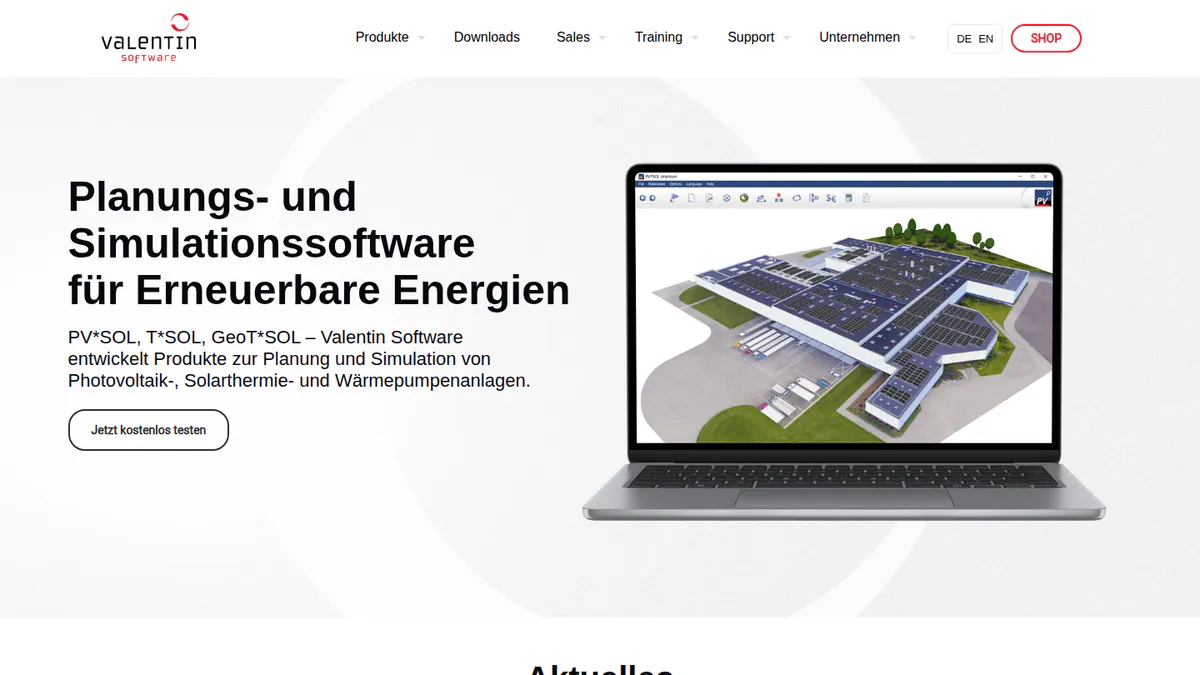
What it is: PV*SOL premium is a Windows desktop tool from Valentin Software. It models PV alongside storage, heat pumps, immersion heaters and EV charging tariffs. Meteonorm 9 climate data is the input. Its users are mostly European installers and planners. Self-consumption means the share of the solar power a building uses itself.
Why we picked it: It models whole-home energy use, not just the roof. That matters as homes add heat pumps and EVs. Its prices are published in the company shop.
Key features:
- 3D roof design with detailed shading.
- AC- and DC-coupled battery storage.
- Per-consumer tariffs for EVs and heat pumps.
- Customer presentation export (PDF or DOCX).
Pricing: EUR 845 per named user per year, or EUR 285 for 3 months, plus VAT. Checked October 2026 in the Valentin Software shop.
Pros (from our research):
- It models heat pumps, EV charging and other home loads, so self-use sizing is closer to real life.
- You can buy 3 months for EUR 285 to cover a busy season.
- A built-in load profile library saves you building home demand from scratch.
Cons (from our research):
- No web proposal or e-signature, so sales teams need a second tool to close.
- It runs on Windows desktops only, not on a tablet in the field.
- No permit output, so plan sets come from elsewhere.
Reviews: G2 4.2/5 (12 reviews), checked October 2026.
What we could not confirm: stringing and SLD depth, and the current trial limits.
Read our full PV*SOL premium review or our PV*SOL premium alternatives.
Want to see PV*SOL premium working? Book a demo with the SolarSoftwares team.
Book a demoYour request goes by email to the SolarSoftwares team. A time is set only after we reply. It does not change any score or ranking.
4. OpenSolar: best for proposals with e-sign and payments at no licence cost
Best for: Residential installers who want design-to-signature for free. Score: 71.4/100.
What it is: Hardware and finance partners fund OpenSolar, a free design and proposal platform. It targets residential and small commercial installers. It added AI design in OS 3.0 (September 2025) and AI lead capture in June 2026.
Why we picked it: It is the only ranked tool that takes a home job from design to a signed, paid proposal with no licence fee.
Key features:
- 2D and 3D rooftop design and shading.
- Interactive proposals with e-signature and payment collection.
- Built-in finance options.
- A SolarAPP+ link for US permitting.
Pricing: The core is free. API access and Xero and QuickBooks connectors have been paid since 16 April 2026, at unpublished rates. Premium imagery is optional. Checked October 2026 on OpenSolar’s pricing notice.
Pros (from reviews and our research): (G2)
- Panels are easy to add, remove and move, so layout changes are quick.
- The app is friendly and gives you the facts you need in the field.
- You pay no licence fee for core design and proposals.
Cons (from user reviews):
- Layouts do not adjust themselves, so an engineer still needs to review them.
- The interface looks dated, though it works.
- API and accounting add-ons cost extra, so one reviewer calls it "not completely free".
Reviews: G2 4.8/5 (3 reviews), checked October 2026. That is too few to rely on.
What we could not confirm: the add-on fees, and how deep its shading and storage tools go.
Read our full OpenSolar review or our OpenSolar alternatives.

Want to see OpenSolar working? Book a demo with the SolarSoftwares team.
Book a demoYour request goes by email to the SolarSoftwares team. A time is set only after we reply. It does not change any score or ranking.
5. Arka 360: best for 3D sales visuals with optimiser stringing
Best for: Residential teams that sell with 3D views. Score: 70.6/100.
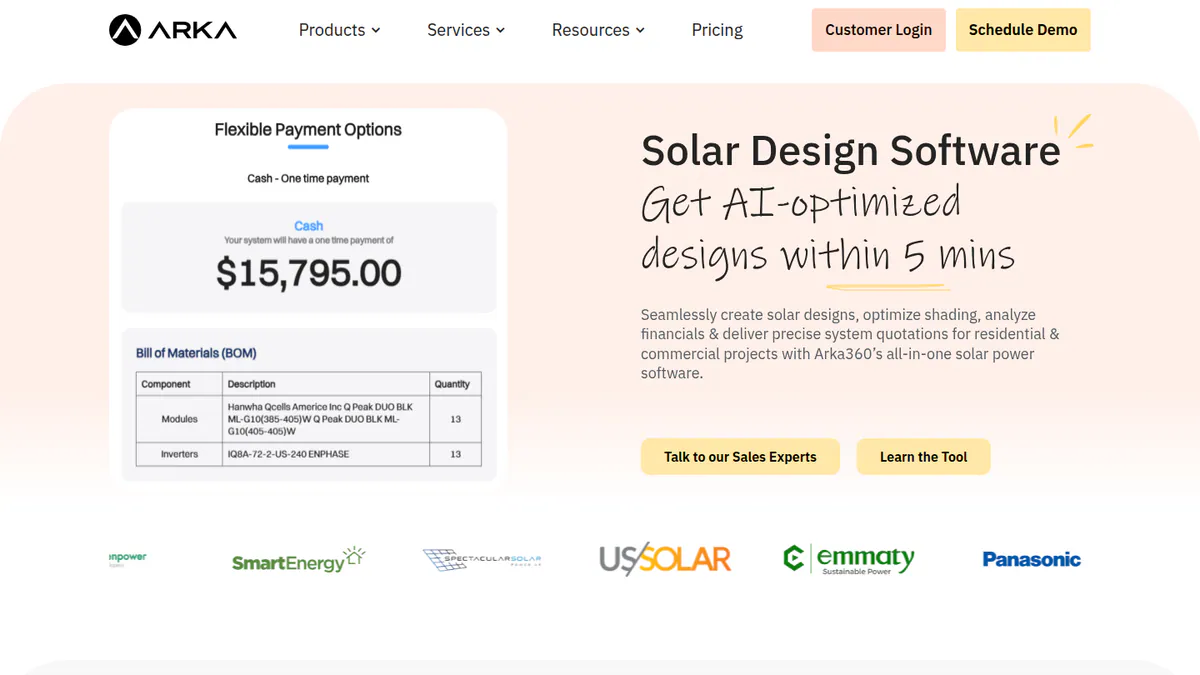
What it is: Arka 360, formerly The Solar Labs, is a cloud design, proposal and light CRM platform. It designs rooftops in 3D with shading, then produces proposals and generation reports. Its customers are residential teams in India and the US.
Why we picked it: Flat US plans include unlimited projects, so cost does not rise with volume. It also has the most G2 reviews on this page.
Key features:
- 3D rooftop design and shading.
- Micro-inverter and optimiser stringing.
- AI design generation and permitting checks.
- Lead management CRM add-on.
Pricing: The international-list Basic is USD 159 per month (USD 1,699 per year). Premium is USD 199 (USD 1,999 per year) and adds SLD export and optimiser design. Enterprise is USD 999. INR prices conflict on the company page, so we have not quoted them. Checked October 2026 on the Arka 360 pricing page.
Pros (from user reviews): (G2)
- Fast to work in day to day, with 14 G2 mentions of how smooth it feels.
- 3D views help you close deals at the kitchen table.
- Support staff are caring (support 9.2/10).
Cons (from user reviews):
- Some features are missing, and picking a roof structure can confuse.
- Multi-user limits make it harder for growing teams.
- It lags on large projects of 3 MWp (megawatts peak) and above.
Reviews: G2 4.3/5 (137 reviews), checked October 2026.
Read our full Arka 360 review or our Arka 360 alternatives.
Want to see Arka 360 working? Book a demo with the SolarSoftwares team.
Book a demoYour request goes by email to the SolarSoftwares team. A time is set only after we reply. It does not change any score or ranking.
6. Solargraf: best for NEC permit packages from the residential design
Best for: US and Canadian installers who draft their own permits. Score: 66.3/100.
What it is: Enphase Energy owns Solargraf, a platform for design, proposals, financing and permits. It serves residential installers in the US and Canada. Its 3D tool detects rooflines and obstructions. The same design feeds the permit documents.
Why we picked it: It had the second-highest fit score here, because one design feeds the NEC permit set. Weak Capterra reviews pulled its total down.
Key features:
- Permit-ready SLDs, three-line diagrams and plan sets (NEC 2026).
- A database of 14,000+ AHJs (local permit offices).
- Solar-plus-battery savings modelling.
- TPO and loan financing (Concert, LightReach, EnFin).
Pricing: Starter is USD 2,799 per year, with 240 projects and 2 users. Small Business is USD 4,799, with 480 projects and 4 users. Teams is USD 6,399 and Enterprise is USD 12,999. Checked October 2026 on the Solargraf pricing page.
Pros (from user reviews): (Capterra)
- The design tool is easy to use, with good shading.
- One project runs from proposal to permit, so nothing is re-drawn.
- Clients get strong, client-friendly proposals and contracts.
Cons (from user reviews):
- Wrong property data can confuse the 3D tool.
- Users report frequent crashes.
- Support waits have grown (support 3.4/5).
Reviews: Capterra 3.2/5 (15 reviews), checked October 2026.
Read our full Solargraf review or our Solargraf alternatives.
Want to see Solargraf working? Book a demo with the SolarSoftwares team.
Book a demoYour request goes by email to the SolarSoftwares team. A time is set only after we reply. It does not change any score or ranking.
7. Scanifly: best for drone-measured roofs and pre-install surveys
Best for: US contractors who fly drones on site visits. Score: 60.4/100.
What it is: Scanifly builds the roof model remotely from satellite, Nearmap and LiDAR data, or on site from drone photos. Scanifly Inc. focuses on US installers. Its plan sets are an outsourced service, which we did not score.
Why we picked it: It is the only ranked tool that builds roof models from your own drone flights. That suits crews who check every roof on site before install.
Key features:
- AI obstruction detection and fire-setback layout.
- Onsite Viewshed shading.
- Field app with shared checklists.
- CertainTeed SunStyle solar-roof designer (March 2026).
Pricing: Quote only. Design work is credit-based, and drone surveys cost extra. Checked October 2026 on the Scanifly site.
Pros (from our research):
- Quote from a remote model, then check it with a drone model in the same tool.
- Designs pass to Enerflo and K2 Systems, so racking and sales data match.
- Dated product updates through 2026 show it is still moving.
Cons (from our research):
- No public prices, so you must book a demo to compare costs.
- No proposal output, so you need a second tool to sell.
- It is built for US installers only.
Reviews: G2 4.7/5 (3 reviews), checked October 2026. That is too few to judge.
What we could not confirm: thermal imaging, and the cost of a design credit.
Read our full Scanifly review or our Scanifly alternatives.
Want to see Scanifly working? Book a demo with the SolarSoftwares team.
Book a demoYour request goes by email to the SolarSoftwares team. A time is set only after we reply. It does not change any score or ranking.
SurgePV (unscored): for readers comparing roof modelling, panel layout, shading, electrical drawings and proposals. Verify the outputs and commercial fit on a representative project. The numbered scores above do not include it.
Sources checked 27 October 2026: SurgePV product information · SolarSoftwares SurgePV review
Book a demo of SurgePV with the SolarSoftwares team.
Book a demoYour request goes by email to the SolarSoftwares team. A time is set only after we reply. It does not change any score or ranking.
How do the 7 residential design tools compare?
This table shows what each tool offers at each step of a home job.
Product | Roof model source | Battery design | Proposal and e-sign | Permit output | Regional paperwork |
|---|---|---|---|---|---|
Imagery, LIDAR (Premium), drone (Enterprise) | Yes | Yes, with financing | Plan sets (Enterprise) | US financing options (tax-credit estimates, TPO) | |
Aerial imagery | Yes | Yes, eSignature | Editable SLD | MCS (UK), STC/PDRS (AU) | |
3D model | Yes | Presentation only | Not documented | Not documented | |
Imagery, premium imagery | Not confirmed | Yes, with payments | SolarAPP+ link | Not documented | |
3D from imagery | Not documented | Yes | SLD export, checks | Not documented | |
Auto roofline detection | Yes | Yes, with financing | SLD, three-line, plan sets | NEC 2026, 14,000+ AHJs | |
Satellite, LiDAR, drone | Not documented | Not documented | Plan-set service | Not documented |
What does a year of design software cost a small installer?
Small installers rarely use a seat every day, so the billing model matters as much as the list price. The table below is our arithmetic from company list prices checked on 22 October 2026. It covers a one-person shop doing 5 jobs a month and a two-person team doing 20.
It leaves out tax, imagery add-ons and onboarding. It does not convert currencies. Scanifly and Enact publish no prices, so they are left out. Three also-considered tools stay in the table for comparison.
Product | Billing basis | 1 user, 5 jobs a month (60 a year) | 2 users, 20 jobs a month (240 a year) |
|---|---|---|---|
Aurora Solar Basic | Per user. 50 projects a month | USD 1,620 (annual billing) or USD 1,908 (monthly) | USD 3,240 (annual billing) |
Pylon Standard | Per project, systems up to 30 kW DC. Unlimited users | GBP 240 | GBP 960 |
Per named user, per year | EUR 845 (or EUR 285 for 3 months) | EUR 1,690 | |
Free core. API and connectors extra | 0 (add-ons unpublished) | 0 (add-ons unpublished) | |
Arka 360 Basic | Flat plan, unlimited projects | USD 1,699 (yearly billing) | Not stated (user allowance unpublished) |
Solargraf Starter | Bundle: 240 projects, 2 users | USD 2,799 | USD 2,799 |
Free Basic. Pro per user, monthly | GBP 0 (Basic) or GBP 420 (Pro) | GBP 0 (Basic) or GBP 840 (Pro, per user) | |
Free (unconfirmed since 2018) | 0 | 0 | |
Per user, custom quote | From USD 708 | From USD 1,416 |
Per-project billing wins at low volume. Pylon Standard costs less than a GBP 35-a-month subscription such as Easy PV Pro (also considered) until about 9 jobs a month. Above that, a flat plan becomes cheaper per job.
For one US designer, Aurora Basic on annual billing (USD 1,620) and Arka 360 Basic (USD 1,699) cost about the same. Aurora’s seat does not get cheaper in a quiet month, though. At 5 jobs a month it works out at USD 27 a job. At 2 jobs a month it is about USD 68.
For two US users, Solargraf Starter (USD 2,799) costs less than two Aurora Basic seats (USD 3,240) and includes permit output. With no budget, OpenSolar’s core and Easy PV Basic (also considered) cost nothing. OpenSolar’s API and accounting connectors do carry unpublished fees.
SMA’s free Sunny Design suits SMA-only installers. It scored 51.0/100 in our October 2026 small-installer scoring but is not ranked here. Its PRO tier is EUR 600 a year net.
Also considered
All 11 tools cleared the minimum score. These four ranked 8 to 11, so they fall outside our top 7:
- Easy PV (scored 57.2/100): Free and good for MCS and DNO paperwork, but UK only. It has no user reviews and no dated update since February 2023.
- SolarEdge Designer (scored 56.4/100): Works with SolarEdge equipment only. Its facts come from a 2018 press release, and we could not confirm it is still free.
- Sunbase (Design module) (scored 51.4/100): Sold only inside the Sunbase CRM suite. Its design page shows no 3D modelling or SLD, and price is by quote above USD 59 per user per month.
- Enact (Design & Proposals) (scored 50.2/100): Strong on lease and PPA (power purchase agreement) scenarios, but we found no verified price and no user reviews. Its facts come from trade press only.
We also left these off on purpose:
- PVsyst, HelioScope and utility tools: Built for C&I (commercial and industrial) or utility work. See the main list.
- Plan-set drafting services: Services, not software.
- Proposal-only tools: Left out because they draw no layout. Tools that do both are compared on our design and proposal software page.
How do you choose residential solar design software?
- Selling in the US on shade accuracy? Pick Aurora Solar Premium.
- Solargraf fits teams that draft NEC permits in-house. If you outsource plan sets, Aurora or OpenSolar is enough.
- In the UK, start with Pylon (per job, MCS reports). Easy PV (also considered) is a free option with DNO forms. See our UK list.
- Australian installers get STC and PDRS support in Pylon. See our Australian list.
- When most quotes include heat pumps or EV charging, model them in PV*SOL premium.
- Fly drones on every survey? Add Scanifly.
- If you install only SolarEdge, SolarEdge Designer (also considered) is reported as free.
For other shortlists, see our guides to free solar design software and solar design software for small installers.
Want more choices? Browse every tool we checked in our design and simulation category.
Residential solar design software FAQs
What is the best solar design software for residential projects?
Aurora Solar is the best residential solar design software in our October 2026 ranking, at 83.1/100. Pylon follows at 79.4 and PV*SOL premium at 73.9. Solargraf is the second-best match for home design, thanks to its permit output. A 3.2/5 Capterra rating holds it back.
How much does residential solar design software cost?
OpenSolar’s core is free, and so is Easy PV Basic (also considered), as of October 2026. Pylon costs GBP 4 per project, Aurora Basic USD 159 per user per month and Solargraf Starter USD 2,799 per year. Our small-installer cost table above shows yearly cost at 5 and 20 jobs a month.
Is Aurora Solar worth it for a small solar company?
It depends on how many jobs you do. Aurora Basic costs USD 1,620 a year per user on annual billing (October 2026). That is about USD 27 a job at 5 jobs a month. Below that, per-project tools such as Pylon cost less.
Do I still need a site survey after using solar design software?
Companies still build survey steps into their tools. Easy PV Pro (also considered) includes a pre-install survey and photo record. Scanifly sells drone surveys and a field app. An OpenSolar reviewer notes layouts still need an engineering review (October 2026).
Can solar design software create permit-ready plan sets?
Yes, some can. Solargraf documents permit-ready SLDs, three-line diagrams and NEC 2026 plan sets on every plan, checked October 2026. Aurora includes plan sets only on Enterprise. Scanifly sells plan sets as a separate service.
What should I look for in solar design software if I’m new to the industry?
Look for a low fixed cost and good training. Pylon gives 5 free project credits with no card, and OpenSolar’s core is free. Capterra reviewers praised Aurora’s videos and knowledge base (October 2026). Then check that the tool covers your local paperwork.
Sources
All checked 22 to 24 October 2026.
- Aurora Solar: pricing, G2, Capterra
- Pylon: pricing, July 2026 update, Capterra, G2
- PV*SOL premium: shop, 2026 release, G2
- OpenSolar: pricing notice, features, news, G2
- Arka 360: pricing, G2
- Solargraf: pricing, Q2 2026 highlights, Capterra
- Scanifly: product site, Solar Power World, March 2026, G2
- Easy PV: pricing and features
- SolarEdge Designer: 2018 press release
- Sunbase: pricing, design module, Capterra
- Enact: Solar Power World, January 2026
- Sunny Design (cost section): product and pricing page
Last updated 28 October 2026. Next scheduled review: 23 January 2027.