Solar roof measurement software measures each roof plane for solar design. You need its pitch (slope), its azimuth (the compass direction it faces), and the obstructions and shade on it. Aurora Solar ranks first on this list, at 85.3/100, because it measures and designs in one step.
Most "roof measurement software" lists are written for roofers, who need squares, eaves, valleys and waste factors. A solar designer needs something else. You need each plane’s pitch and azimuth, the obstructions that set fire setbacks (clear space the rules require along roof edges), and the shade that decides where modules go. This page ranks tools on that need.
HOVER is a general exterior app with no solar features. It ranks second because it has thousands of user ratings, published prices and top marks for ease of use and support. Cost per roof runs from about one US cent to over USD 100, so we also split out the ways you pay.
Quick picks
Rank | Product | Best for | Starting price (company page, checked October 2026) | Pricing model | Free plan / trial | Score /100 |
|---|---|---|---|---|---|---|
1 | Measuring and designing in one step | ✓ USD 159 per user per month | Design subscription with built-in imagery | None stated | 85.3 | |
2 | Phone-photo roof measurements on site | ✓ USD 29 per roof | Per-roof report, optional annual plan | First 3 projects free | 84.2 | |
3 | Drone roof models on large or complex sites | ✓ USD 4,188 per year | Drone mapping subscription | 14-day trial | 73.8 | |
4 | DIY measurements on imagery at low cost | ✓ USD 13 per report | Per report or per-user subscription | 7-day trial | 72.2 | |
5 | Ordered reports with pitch, azimuth and TSRF | ✓ USD 60 per residential report | Per-roof report | None | 71.1 | |
6 | Drone measurements tied to solar design | Quote only | Credit-based, quoted | Demo only | 71.0 | |
7 | Free design with optional premium imagery | ✓ Free | Free design tool with built-in imagery | Free plan | 69.3 |
✓ Verified on the company’s own pricing page. ◐ Published by the company outside its pricing page (help centre, store or press release). ? We could not read the company’s pricing page, so the figure is not confirmed. Prices checked October 2026.
Quote only means the company shows no public price. You ask it for a quote.
How the 7 tools scored
- Use-case fit 35%
- User reviews 20%
- Pricing 15%
- Ease of use 10%
- Support 10%
- Momentum 10%
Tool | Score chart | Score |
|---|---|---|
85.3 out of 100 | 85.3 | |
84.2 out of 100 | 84.2 | |
73.8 out of 100 | 73.8 | |
72.2 out of 100 | 72.2 | |
71.1 out of 100 | 71.1 | |
71 out of 100 | 71.0 | |
69.3 out of 100 | 69.3 |
Each bar shows the weighted score out of 100. Tools marked (general) are general tools that are not solar-specific.
Sub-scores at a glance (0-10)
Product | Use-case fit | User reviews | Pricing | Ease of use | Support | Momentum | Total /100 |
|---|---|---|---|---|---|---|---|
10.0 | 7.9 | 8.0 | 7.5 | 7.5 | 7.5 | 85.3 | |
9.2 | 7.0 | 7.0 | 10.0 | 10.0 | 7.5 | 84.2 | |
6.7 | 7.5 | 7.0 | 7.5 | 7.5 | 10.0 | 73.8 | |
7.5 | 6.5 | 7.0 | 7.5 | 10.0 | 5.0 | 72.2 | |
9.2 | 5.5 | 7.0 | 7.5 | 5.0 | 5.0 | 71.1 | |
10.0 | 5.0 | 4.0 | 5.0 | 5.0 | 10.0 | 71.0 | |
6.7 | 5.0 | 9.0 | 7.5 | 5.0 | 10.0 | 69.3 |
A 5.0 on reviews, ease, support or momentum is our neutral score. We use it when public evidence is thin. It is not a judgement.
How did we rank these roof measurement tools?
How the score is weighted
- Use-case fit 35%
- User reviews 20%
- Pricing 15%
- Ease of use 10%
- Support 10%
- Momentum 10%
We scored 10 products from 22 to 24 October 2026 and ranked the top 7. The other 3 are under Also considered, with three more we looked at but did not score. We used company docs, pricing pages, release notes and public user reviews.
This was desk research. We did not order reports or measure roofs. Each product is scored on six criteria.
- Use-case fit (35%): Documented roof measuring from images, photos or drones. Solar outputs (pitch, azimuth, obstructions, shade) and hand-off to design count most.
- User reviews (20%): G2, Capterra and app-store ratings. Ratings based on only a few reviews count for less. No public reviews means a middle score of 5 out of 10.
- Pricing transparency (15%): Published prices score above quote-only.
- Ease of use, support and product momentum (10% each): Review sub-scores and dated releases. Without evidence, each gets a middle score.
All 10 cleared our minimum match score (4 out of 10). Many installers use roofing and drone tools, so we rank them with solar tools and label the general ones. Most review counts come from roofers, not solar designers.
SurgePV is not part of this ranking. Read the full method: how we score software.
How do you pay for a roof measurement?
- Per-roof reports (EagleView, HOVER and RoofSnap, plus GAF QuickMeasure under Also considered): you buy one report per address. It comes as a PDF plus CAD or data files. Only EagleView documents solar values such as azimuth and TSRF (total solar resource fraction).
- Imagery subscriptions (Nearmap, under Also considered): images, 3D data and measuring tools for as many roofs as you like. Prices are quoted.
- Design tools with built-in images (Aurora Solar, OpenSolar, Scanifly’s remote PrelimDesign): you draw the roof where you design. The roof shape feeds the layout. You pay for the design tool, plus any site models or premium images.
- Drone capture (DroneDeploy, Scanifly’s DroneDesign): you fly over the roof and get an orthomosaic (stitched aerial map) or 3D model. You need a pilot and a visit.
- A developer API (Google Solar API, under Also considered): it sends back roof segments, a surface model and shade maps for each building. It is for software teams, not designers.
To capture site data in person instead, see our solar site survey apps ranking.
1. Aurora Solar: best for measuring and designing in one step
Best for: US home installers who want roof shape, shade and layout from one plan. Score: 85.3/100.
What it is: Aurora Solar Inc. makes this cloud 3D design and proposal tool for US home and light commercial installers. You measure as you design. HD images are included, and LIDAR (laser height data) help comes with Premium. You can also buy site models per project.
Why we picked it: It scored top marks for fit: you measure the roof as you design, with HD imagery in every plan. Prices are published, and it has 121 G2 reviews.
Key features:
- 3D roof modelling with LIDAR assistance on Premium.
- On-demand and AI-assisted site models.
- Shade analysis and bankable shade reports (Premium).
- Nearmap imagery add-on, plus an EagleView integration reported by Solar Power World in 2024.
- Drone mapping (Enterprise).
Pricing: Basic is USD 159 per user per month (USD 135 billed annually), for 50 projects a month. It includes HD imagery, and on-demand site models start from USD 9.99. Premium is USD 259 (USD 220 annually) and adds LIDAR-assisted modelling and bankable shade reports. Enterprise is custom per project and adds AI site models and drone mapping. Checked October 2026 on the Aurora pricing page.
Pros (from user reviews):
- Accurate shade reports and output estimates, with LIDAR showing obstructions (Capterra).
- Accurate design and strong customer service (G2).
- Videos and a knowledge base make it easy to learn (Capterra).
Cons (from reviews and our research):
- LIDAR-assisted modelling needs Premium at USD 259 per user per month.
- Limited integration with other software (G2).
- Heavy memory use on weaker machines (2019 Capterra reviews).
Reviews: G2 4.7/5 (121 reviews) and Capterra 4.1/5 (7 reviews), checked October 2026.
Read our full Aurora Solar review or our Aurora Solar alternatives.

Want to see Aurora Solar working? Book a demo with the SolarSoftwares team.
Book a demoYour request goes by email to the SolarSoftwares team. A time is set only after we reply. It does not change any score or ranking.
2. HOVER (general exterior measurement app): best for phone-photo roof measurements on site
Best for: Solar and roofing crews on site who want a measured 3D model without buying aerial reports. Score: 84.2/100.
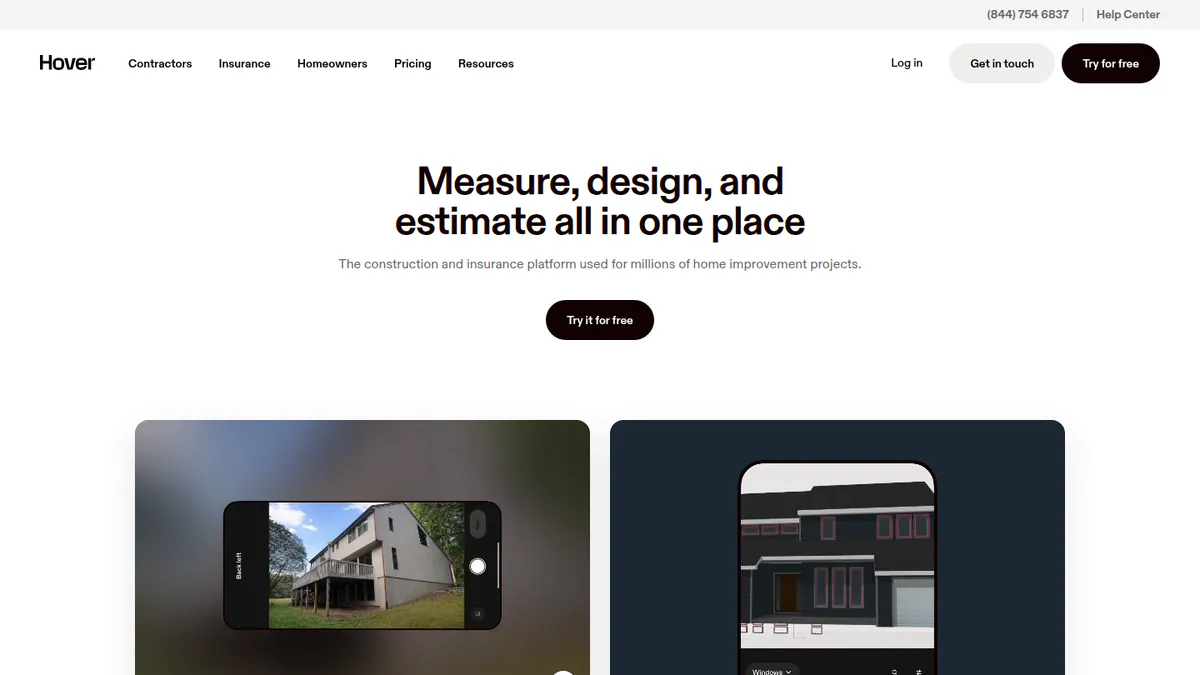
What it is: HOVER, from Hover Inc., turns phone photos into a measured 3D model of the home. Roofers, exterior contractors and insurance adjusters use it to measure roofs, siding and windows. It is not solar software.
Why we picked it: It builds a measured 3D roof model from phone photos taken on the visit. You pay per roof, and your first 3 projects are free.
Key features:
- Phone photos turned into a measured 3D model.
- Roof, siding, window and interior measurements.
- Exports to PDF, ESX (Xactimate estimate file), Excel, JSON and XML.
- Estimates, proposals and e-signature.
- CRM and project management sync (Pro and above).
Pricing: Starter is pay per project. Roof only costs USD 29, 49 or 69 (simple, average, complex), and full exterior costs USD 59 to 139. Your first 3 projects are free, with 12-hour turnaround. Pro is USD 999 per year and takes USD 20 off each project (roof USD 9 to 49), with 4-hour turnaround and CRM sync. Business is USD 2,999 per year with a flat USD 39 per roof. Enterprise is quote only. One-hour delivery costs USD 39 on Starter or USD 19 on Pro and Business. Checked October 2026 on the HOVER pricing page.
Pros (from user reviews):
- Very easy to use and keeps projects organised (Capterra).
- Accurate, fast exterior measurements (Capterra).
- 3D models help close homeowner sales (Capterra).
Cons (from user reviews):
- Pricey for occasional users (Capterra).
- Uploads glitch on poor signal, and some design tools are unreliable (Capterra).
- App Store users say the app can be buggy or inconsistent.
Reviews: Capterra 4.8/5 (60 reviews) and App Store 4.4/5 (3,100 ratings), checked October 2026. Capterra rates ease of use 4.9 and customer service 4.8.
What we could not confirm: solar outputs such as azimuth or shade.
Want to see HOVER (general exterior measurement app) working? Book a demo with the SolarSoftwares team.
Book a demoYour request goes by email to the SolarSoftwares team. A time is set only after we reply. It does not change any score or ranking.
3. DroneDeploy (general drone mapping platform): best for drone roof models on large or complex sites
Best for: Mid-sized and larger installers with in-house pilots, especially on commercial roofs. Score: 73.8/100.
What it is: DroneDeploy Inc. makes this drone mapping and 3D capture platform. Building, energy and farm teams use it. Solar customers it names include Sunrun and Cypress Creek Renewables.
Why we picked it: It turns your own drone flights into orthomosaics and 3D models, which suits large commercial roofs. It has 130 G2 reviews and a published annual price.
Key features:
- Automated flight planning, including docked drones.
- Orthomosaics and 3D models.
- Radiometric thermal mapping, which records real temperatures (Advanced plan).
- Solar thermal passes that flag hot strings, failed modules and cabling issues.
- Exports to Esri, Autodesk and Procore.
Pricing: Flight & Analysis is USD 4,188 per year (single user, up to 3,000 images per map). Advanced Flight & Analysis, with radiometric thermal, and team plans are quote only. There is a 14-day free trial with no card. Checked October 2026 on the DroneDeploy pricing page.
Pros (from user reviews):
- Very easy to use, with little room for error (Capterra).
- Fast customer support (Capterra).
- You can share maps with clients who have no account (Capterra).
Cons (from reviews and our research):
- Expensive for pilots and view-only users (Capterra).
- Clients need paid seats for basic tools (Capterra).
- We found no solar layout tools, so models go to a separate design tool.
Reviews: G2 4.6/5 (130 reviews) and Capterra 4.1/5 (9 reviews, dated 2020 to 2023), checked October 2026.

Want to see DroneDeploy (general drone mapping platform) working? Book a demo with the SolarSoftwares team.
Book a demoYour request goes by email to the SolarSoftwares team. A time is set only after we reply. It does not change any score or ranking.
4. RoofSnap (general roofing measurement app): best for DIY measurements on imagery at low cost
Best for: Small roofing-and-solar contractors who will draw the roof themselves to save on reports. Score: 72.2/100.
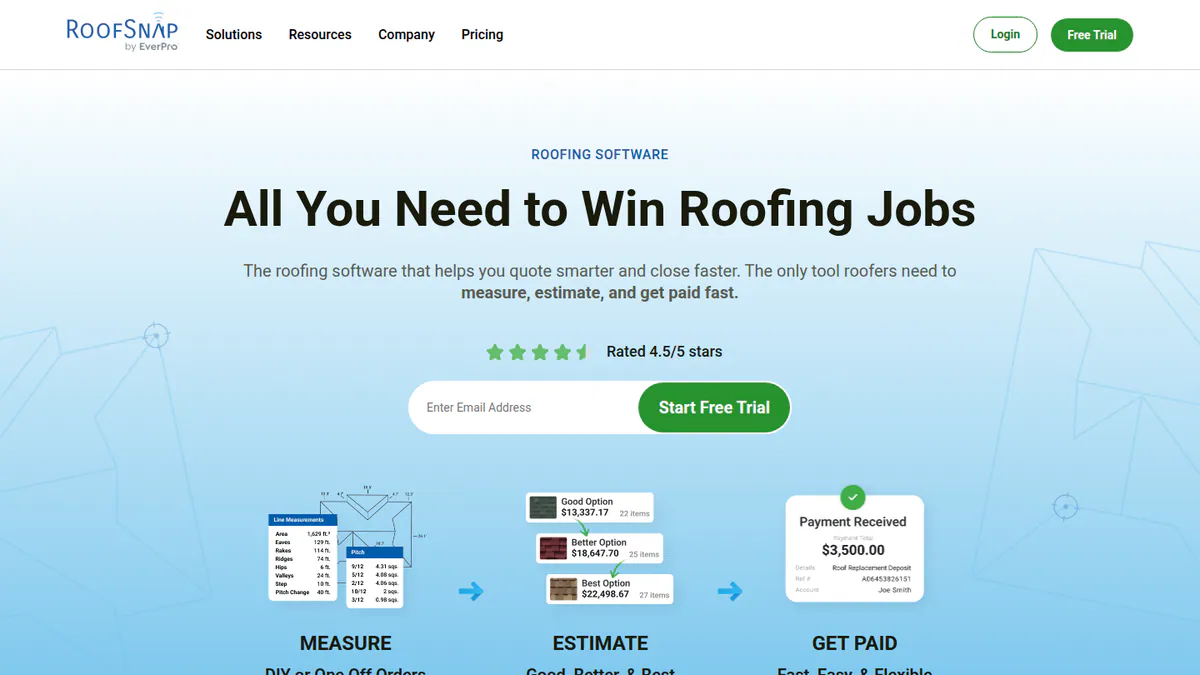
What it is: RoofSnap is a roof measuring, quoting and payment app for small US roofing firms. You can draw the roof yourself on HD images or order a report. It has no solar features.
Why we picked it: It has the lowest published per-report price in the ranking, with reports from USD 13. A subscription adds unlimited draw-it-yourself measuring.
Key features:
- Draw-it-yourself roof measurements on HD imagery.
- Ordered reports in about 4 hours, or 30 minutes on rush.
- Gutter and lighting measurements.
- Estimating, material ordering and in-app payments.
- CRM integrations.
Pricing: Pay-as-you-go reports start from USD 13 (Half Snap), and Full Snap costs USD 35 to 55. Monthly starts from USD 105 per user per month, with unlimited DIY measurements and reports at USD 10 to 37. Annual is USD 52 to 78 per user per month, depending on team size. There is a 7-day free trial with no card. Checked October 2026 on the RoofSnap pricing page.
Pros (from user reviews):
- Fast, time-saving estimates (Capterra).
- Outstanding customer service (Capterra).
- Good value, and reviewers call it cheaper than EagleView (Capterra).
Cons (from user reviews):
- Rural and new-build imagery is hit and miss (Capterra).
- Weak built-in CRM, as it is made for small companies, so you lean on CRM links (Capterra).
- Quantity glitches and upload issues on weak signal (Capterra).
Reviews: Capterra 4.7/5 (11 reviews, dated 2018 to 2022) and G2 5.0/5 (2 reviews), checked October 2026.
Want to see RoofSnap (general roofing measurement app) working? Book a demo with the SolarSoftwares team.
Book a demoYour request goes by email to the SolarSoftwares team. A time is set only after we reply. It does not change any score or ranking.
5. EagleView: best for ordered reports with pitch, azimuth and TSRF
Best for: US installers who want a third-party report with solar values before, or instead of, a site visit. Score: 71.1/100.
What it is: EagleView Technologies sells roof reports made from aerial photos (Inform) and ready-made PV designs (TrueDesign). You pay per report. Roofers, insurers and US solar installers buy them. Pictometry is one of its image brands.
Why we picked it: It is the only ranked report that documents solar values such as azimuth and TSRF. You order it per roof at a published price, with no visit.
Key features:
- 3D roof geometry with pitch, azimuth and obstructions.
- Shade analysis, plus TSRF and solar access values (Inform Advanced).
- TrueDesign pre-built PV designs for sales or planning.
- DXF (CAD drawing file), JSON, XML and PDF deliverables.
- Developer APIs and an Aurora Solar integration.
Pricing: Inform Essentials+ residential costs USD 63.25 (Bronze) or USD 60 (Silver and Gold prepay). Inform Advanced residential adds TSRF and solar access values in select US states, at USD 79 or USD 75. Commercial reports start from USD 90. TrueDesign for Sales is USD 20 to 30 per design, and TrueDesign for Planning is USD 85 to 105.50. Platinum is quote only. The page shows a dollar sign without naming the currency, so we assume USD for a US-only service. Checked October 2026 on the EagleView solar pricing page.
Pros (from user reviews):
- Accurate on most roofs, and reviewers rarely report problems (Capterra).
- Fast reports without a site visit (Capterra).
- Suggested waste factor and AccuLynx integration help roofing jobs (Capterra).
Cons (from user reviews):
- Expensive, especially on small jobs, with value for money at 3.7/5 (Capterra).
- Coverage gaps for new builds and tree cover (Capterra).
- Hold times and billing disputes over extra structures (Capterra).
Reviews: Capterra 4.3/5 (44 reviews) and G2 3.6/5 (14 reviews), checked October 2026. Most reviewers are roofers rather than solar designers.
Want to see EagleView working? Book a demo with the SolarSoftwares team.
Book a demoYour request goes by email to the SolarSoftwares team. A time is set only after we reply. It does not change any score or ranking.
6. Scanifly: best for drone measurements tied to solar design
Best for: US solar installers who want remote and drone measuring in one solar tool. Score: 71.0/100.
What it is: Scanifly Inc. makes this solar design and field platform for US home and commercial installers. PrelimDesign builds a sales design from satellite, Nearmap and LIDAR data before the visit. DroneDesign builds a 3D model from a drone flight.
Why we picked it: It scored top marks for fit because remote and drone measurements feed straight into a solar layout. Dated product posts show active work through October 2026.
Key features:
- Remote PrelimDesign from satellite, Nearmap and LIDAR.
- 3D models built from drone photos (photogrammetry), ready in under 30 minutes after upload (a figure from the company).
- AI obstruction detection and roof layout with fire setbacks.
- Onsite shading (Viewshed) and CAD export.
Pricing: Quote only. Design work is credit-based, and outsourced drone surveys cost extra. Checked October 2026 on the Scanifly website.
Pros (from our research):
- Remote measurement, drone capture and solar layout in one workflow.
- Obstruction detection and setbacks go straight into the layout.
- Active development, with product posts as recent as October 2026.
Cons (from our research):
- No published prices or credit rates, so you must ask for a quote.
- It focuses on the US market.
- Only 3 public reviews (G2), too few to judge it on.
Reviews: G2 4.7/5 (3 reviews), checked October 2026. That is too few to rely on.
Read our full Scanifly review or our Scanifly alternatives.
Want to see Scanifly working? Book a demo with the SolarSoftwares team.
Book a demoYour request goes by email to the SolarSoftwares team. A time is set only after we reply. It does not change any score or ranking.
7. OpenSolar: best for free design with optional premium imagery
Best for: Installers worldwide who want roof modelling inside a free design and proposal tool. Score: 69.3/100.
What it is: OpenSolar Inc. makes this design, proposal and sales tool for home and small commercial installers worldwide. It stays free because the firm earns from hardware and finance partners. You draw roofs in 3D or 2D on images inside the tool. You can add premium images, such as Nearmap.
Why we picked it: It is the only free tool in the ranking, and you measure the roof as you design. You can add premium imagery on roofs where the free images are poor.
Key features:
- Free 3D and 2D rooftop design with shading.
- AI design (OS 3.0).
- Premium image store, including the Nearmap on OpenSolar add-on.
- Interactive web proposals with e-signature and payment collection.
Pricing: The core platform is free. API access and accounting connectors have been charged since 16 April 2026, at unpublished rates. Premium imagery bundles are optional, also at unpublished prices. Checked October 2026 on the OpenSolar pricing notice.
Pros (from reviews and our research):
- Adding, removing and changing panels is very easy (G2).
- User-friendly app that gives information in the field (G2).
- No subscription for the core tool.
Cons (from reviews and our research):
- Panel design needs engineering review (G2).
- The interface feels dated (G2).
- Premium imagery and connectors cost extra, so one reviewer calls it "not completely free" (G2).
Reviews: G2 4.8/5 (3 reviews), checked October 2026. That is too few to rely on.
Read our full OpenSolar review or our OpenSolar alternatives.

Want to see OpenSolar working? Book a demo with the SolarSoftwares team.
Book a demoYour request goes by email to the SolarSoftwares team. A time is set only after we reply. It does not change any score or ranking.
SurgePV (unscored): for readers comparing roof models made from imagery. Verify dimensions against a site survey before engineering use. The numbered scores above do not include it.
Sources checked 27 October 2026: SurgePV product information · SolarSoftwares SurgePV review
Book a demo of SurgePV with the SolarSoftwares team.
Book a demoYour request goes by email to the SolarSoftwares team. A time is set only after we reply. It does not change any score or ranking.
How do the 7 roof measurement tools compare?
Product | Buying model | Data source | Solar outputs documented | Roofing outputs documented | Typical cost per residential roof |
|---|---|---|---|---|---|
Design subscription | HD imagery. LIDAR assist (Premium) | 3D roof model, shade analysis, bankable shade reports (Premium) | None documented | Site models from USD 9.99 plus subscription | |
Per-roof report | Phone photos | None confirmed | Roof, siding and window measurements. ESX export | USD 29-69 (Starter) | |
Subscription | Your drone | Orthomosaics, 3D models. Radiometric thermal (Advanced) | 3D models | USD 4,188 per year | |
Per report or subscription | HD imagery | None | Roof and gutter measurements, estimates | USD 13-55 | |
Per-roof report | Aerial imagery | Pitch, azimuth, obstructions, shade. TSRF (Advanced) | Roof measurements. Waste factor (per reviewers) | USD 60-79 | |
Credits, quoted | Satellite, Nearmap, LIDAR, drone | 3D model, obstructions, setbacks, onsite shading | None documented | Quote only | |
Free design tool | Imagery, optional premium | 3D and 2D roof design with shading | None documented | Free. Premium imagery extra |
Also considered
- GAF QuickMeasure (general roofing report), scored 64.7/100: a USD 20 aerial report for a single-family home, sent in an hour or less. GAF Master Elite contractors pay USD 18. It lists no solar outputs such as azimuth, shade or TSRF. We found no independent reviews, so it misses the top 7.
- Nearmap, scored 60.6/100: aerial photos, 3D data and AI layers on a quoted plan. It is also a paid add-on inside OpenSolar. It misses the top 7 on price and reviews. It is quote only, and Capterra gives it 3.1/5 (7 reviews), with value for money at 2.2/5.
- Google Solar API, scored 55.9/100: a developer API that returns roof segments, solar potential and shade rasters per building. It costs USD 10 per 1,000 requests, with the first 10,000 a month free. It has no user interface and no user reviews, so it suits software teams, not installers.
- Roofr: appears on most roofing measurement lists, but we found no solar features, so it was not scored.
- Pictometry: an EagleView image brand, so we cover it under EagleView.
- Aerialytic: we could not verify its product and pricing, so it was not scored.
How do you choose solar roof measurement software?
- Design US homes and want measurement and layout in one tool? Pick Aurora Solar. For alternatives, see our 3D solar design software and residential design rankings.
- With a zero budget, start with OpenSolar. Add premium imagery only on roofs where the free imagery is poor. More options are in our free solar design software ranking.
- Does a lender, AHJ (your local permit office) or customer want a third-party report with TSRF? Order EagleView Inform Advanced where it is sold.
- Already on site with a phone? HOVER builds a measured model from your photos, from USD 29 a roof. Also doing reroofs? A GAF QuickMeasure report at USD 20 (also considered) or a HOVER model covers the roofing quote. See software for solar and roofing companies.
- Fly drones? Pick Scanifly for a solar workflow, or DroneDeploy if you also need radiometric thermal. See our solar drone inspection software ranking.
- Measuring hundreds of roofs a month? Price a Nearmap subscription (also considered) against per-roof reports.
For shade, see our solar shading analysis software ranking and the shading analysis feature guide. All design tools are grouped in our design and simulation category.
Want more choices? Browse every tool we checked in our design and simulation category.
Solar roof measurement software FAQs
How accurate are satellite roof measurements for solar?
None of the companies here publishes a solar-specific accuracy figure that we could check. Capterra reviewers say EagleView is accurate but report gaps for new builds and tree cover. RoofSnap reviewers call rural imagery hit and miss (checked October 2026). GAF QuickMeasure (also considered) will replace an inaccurate report.
How much does a roof measurement report cost?
As of October 2026, RoofSnap reports start at USD 13. A single-family GAF QuickMeasure report (also considered) costs USD 20. HOVER roof-only models cost USD 29 to 69 on pay-per-project. EagleView home reports cost USD 60 to 79. Only its Inform Advanced adds TSRF and solar access values.
Can I measure a roof for solar without climbing on it?
Yes. Aerial reports (EagleView) and design tools with images (Aurora Solar, OpenSolar) keep you off the roof. So do phone photos (HOVER) and drone flights (Scanifly, DroneDeploy). Most install designs still gain from a site visit. See our site survey apps ranking.
Is LIDAR or drone data better for solar roof modelling?
Neither is better, because they suit different stages. Aurora uses LIDAR for remote sales designs on its Premium plan (USD 259 per user per month, checked October 2026). Drone models from Scanifly or DroneDeploy show the roof as it is on the day of the flight. Scanifly offers both.
Do I need a separate roof report if my design software builds 3D roofs automatically?
Usually not for solar layout. Aurora sells site models from USD 9.99 inside its plan. OpenSolar models roofs for free. A separate report helps when a third party asks for one or imagery is poor. It also helps when you need roofing quantities.
Sources
All checked 22 to 24 October 2026.
- Aurora Solar: pricing, G2, Capterra, Solar Power World, August 2024
- HOVER: pricing, product, Capterra, App Store
- DroneDeploy: pricing, renewable energy page, release notes, G2, Capterra
- RoofSnap: pricing, integrations, Capterra, G2
- EagleView: solar pricing, Inform, Capterra, G2
- Scanifly: website, AI layout post, G2
- OpenSolar: pricing notice, features, G2
- GAF QuickMeasure: product and pricing
- Nearmap: Nearmap on OpenSolar, help centre, AI solar layer, Capterra
- Google Solar API: overview, pricing, usage and billing
Last updated 28 October 2026. Next scheduled review: 23 January 2027.