Solar permitting software helps you make the plan set (the drawings your local permit office reviews) or get the permit approved. Your local permit office is called the AHJ, short for authority having jurisdiction. Solargraf ranks first on this list, at 67.7/100, for US residential permit packages made from the design. Aurora Solar’s Instant Plan Sets is second at 65.6/100.
This is a thin category. Only 6 solar-specific products passed our minimum match score (4 out of 10), so we rank 6 rather than pad the list. PermitFlow, a general construction permitting tool, also passed and is listed separately.
This page ranks tools that make the permit package and tools that get it approved. Want someone to draft and stamp the plan set? See our solar plan-set services guide. If you only need the SLD (single-line diagram), see our solar SLD software ranking.
Quick picks
Rank | Product | Best for | Starting price (company page, checked October 2026) | Pricing model | Free plan / trial | Score /100 |
|---|---|---|---|---|---|---|
1 | US residential permit packages generated from the design | ? USD 2,799 per year (Starter) | Annual bundle of projects and users | Not stated by the company | 67.7 | |
2 | Aurora Solar Instant Plan Sets | Existing Aurora users wanting plan sets in seconds (selected customers only) | Not published (Enterprise add-on) | Quote via sales | Demo only | 65.6 |
3 | Instant approval where the AHJ has adopted it | ✓ USD 35 per solar permit | Per permit, paid by installer | Free for jurisdictions only | 61.8 | |
4 | Instant permits for solar, batteries and panel upgrades in participating cities | ✓ Per-permit service fee (amount not published) | Per application | None | 55.8 | |
5 | Drone-surveyed sites with plan sets drafted for you | Quote only | Credits plus paid services | Demo only | 53.5 | |
6 | IronRidge racking users wanting plan sets and BOM together | ✓ Design Assistant free. Atlas quote only | Free tool plus quoted plan sets | Free Design Assistant account | 53.0 |
✓ Verified on the company’s own pricing page. ◐ Published by the company outside its pricing page (help centre, store or press release). ? We could not read the company’s pricing page, so the figure is not confirmed. Prices checked October 2026.
Quote only means the company shows no public price. You ask it for a quote.
How the 8 tools scored
- Use-case fit 35%
- User reviews 20%
- Pricing 15%
- Ease of use 10%
- Support 10%
- Momentum 10%
Tool | Score chart | Score |
|---|---|---|
67.7 out of 100 | 67.7 | |
Aurora Solar Instant Plan Sets | 65.6 out of 100 | 65.6 |
61.8 out of 100 | 61.8 | |
55.8 out of 100 | 55.8 | |
53.5 out of 100 | 53.5 | |
53 out of 100 | 53.0 | |
PermitFlow (general) | 56.6 out of 100 | 56.6 |
StruCalc (general) | 38 out of 100 | 38.0 |
Each bar shows the weighted score out of 100. Tools marked (general) are general tools that are not solar-specific.
Sub-scores at a glance (0-10)
Product | Use-case fit | User reviews | Pricing | Ease of use | Support | Momentum | Total /100 |
|---|---|---|---|---|---|---|---|
9.2 | 3.3 | 6.0 | 5.0 | 5.0 | 10.0 | 67.7 | |
Aurora Solar Instant Plan Sets | 9.2 | 5.0 | 4.0 | 5.0 | 5.0 | 7.5 | 65.6 |
7.5 | 5.0 | 7.0 | 5.0 | 5.0 | 5.0 | 61.8 | |
7.5 | 5.0 | 3.0 | 5.0 | 5.0 | 5.0 | 55.8 | |
5.0 | 5.0 | 4.0 | 5.0 | 5.0 | 10.0 | 53.5 | |
5.0 | 5.0 | 7.0 | 5.0 | 5.0 | 5.0 | 53.0 | |
PermitFlow (general) | 5.0 | 5.3 | 4.0 | 7.5 | 7.5 | 7.5 | 56.6 |
StruCalc (general) | 0.0 | 5.0 | 7.0 | 5.0 | 5.0 | 7.5 | 38.0 |
A 5.0 on reviews, ease, support or momentum is our neutral score. We use it when public evidence is thin. It is not a judgement.
How did we rank these solar permitting tools?
How the score is weighted
- Use-case fit 35%
- User reviews 20%
- Pricing 15%
- Ease of use 10%
- Support 10%
- Momentum 10%
We scored 13 products from 22 to 24 October 2026. We ranked 6, list 2 general tools separately and put 5 under Also considered. We used company documents, pricing pages, help centres and public user reviews, and did not submit permits through any tool. Each score uses six criteria:
- Use-case fit (35%): Documented permit output (plan sets, SLDs, permit office data) or permit submission and approval.
- User reviews (20%): G2 and Capterra ratings, with small samples counting for less. Tools with few or no reviews get a middle 5 out of 10, so this does not count against them.
- Pricing (15%): Published pricing scores higher than quote-only.
- Ease of use, support and momentum (10% each): Review sub-scores and dated product updates. Without evidence, each gets the middle score.
Scores are page-specific, so a tool can score differently on another page. Of the six below the minimum, StruCalc sits with the general tools for context. Drafting services and government e-permitting systems are not ranked.
SurgePV is not part of this ranking. Read the full method: how we score software.
What are the two kinds of solar permitting software?
- Plan-set generators (Solargraf, Aurora Solar Instant Plan Sets, IronRidge Atlas, and Scanifly through its service): You buy these. They turn a design into the drawings your AHJ reviews. They work anywhere, but a human still checks the output.
- Automatic approval platforms (SolarAPP+, Symbium): The AHJ adopts these, and you pay a per-permit fee. A home rooftop system that meets code can be approved at once, but only where your AHJ has signed up.
Most installers need a generator, plus an approval platform where one exists.
1. Solargraf: best for US residential permit packages generated from the design
Best for: US and Canadian home installers that want design, proposal and permit drawings in one subscription. Score: 67.7/100.
What it is: Solargraf is a design, proposal, finance and permit platform for home and small commercial solar. Enphase owns it, after buying the maker, Sofdesk, in 2021. It draws plan sets to NEC 2026 (the US National Electrical Code) from the signed design.
Why we picked it: Design, proposal and permit drawings come in one priced subscription, so you skip a second tool. It also shipped frequent updates through 2026.
Key features:
- Permit-ready SLDs, three-line diagrams and plan sets (NEC 2026).
- AHJ database of 14,000+ local permit offices.
- 3D design with automatic roofline and obstruction detection.
- Shading checked against NREL and NYSERDA (US public energy bodies) data, per the company.
- Built-in TPO (third-party ownership, where the customer pays for power instead of buying the panels) and loan financing through Concert, LightReach and EnFin.
- Public API (Enterprise, or USD 4,000 per year as an add-on).
Pricing: All plans include permitting. Checked October 2026 on the Solargraf pricing page.
- Starter: USD 2,799 per year (240 projects, 2 users).
- Small Business: USD 4,799 per year (480 projects, 4 users).
- Teams: USD 6,399 per year (720 projects, 6 users).
- Enterprise: USD 12,999 per year (1,500 projects, unlimited users, public API included).
Extra projects cost USD 9-11 each, by plan. The company does not say whether extra-user fees are yearly or one-time.
Pros (from user reviews):
- It covers the full run from proposal to permitting, so you skip a second tool (Capterra).
- Reviewers like the shading and 3D design tools.
- Proposals and contracts are easy for clients to follow.
Cons (from user reviews):
- It crashes often, and wrong property data can confuse the 3D tool.
- It is pricey next to other options, and support wait times have grown (support 3.4/5).
- Day-to-day use is not smooth for everyone, with ease of use at 3.7/5.
Reviews: Capterra 3.2/5 (15 reviews), checked October 2026. We found no G2 listing.
Read our full Solargraf review or our Solargraf alternatives.
Want to see Solargraf working? Book a demo with the SolarSoftwares team.
Book a demoYour request goes by email to the SolarSoftwares team. A time is set only after we reply. It does not change any score or ranking.
2. Aurora Solar Instant Plan Sets: best for existing Aurora users wanting plan sets in seconds
Best for: US home installers already designing in Aurora on single-phase pitched-roof jobs (selected customers only). Score: 65.6/100.
What it is: Instant Plan Sets is a feature inside Aurora, built on tech from Aurora’s July 2024 purchase of Lyra. It makes a code-compliant permit plan-set PDF from a sold Aurora design in seconds. Aurora says it is "now available for a select number of customers", so you must sign up and qualify.
Why we picked it: It scores top marks for fit among the plan-set tools. Aurora users get permit drawings without leaving the tool they sell in.
Key features:
- Plan-set PDF from the Aurora design, with a preview in the project.
- Revisions regenerated at no extra cost.
- Works with string inverter, optimiser and microinverter systems.
- Battery support for Enphase, Tesla and SolarEdge (full backup on Tesla Powerwall 3 and Powerwall+ only).
- AHJ and utility found automatically for each project. NEC 2026 support added (help article updated January 2026).
- Human Plan Set Service with PE (professional engineer) stamps: solar-only in under 24 hours, solar plus storage in under 48 hours.
Pricing: No per-plan-set price is published. Aurora lists plan sets (including storage and engineering stamps) as Enterprise add-ons, priced by volume through sales. Basic (USD 159 per user per month, USD 135 billed annually) and Premium (USD 259, USD 220 annually) do not include plan sets. Checked October 2026 on the Aurora pricing page.
Pros (from our research):
- No re-drawing, because the plan set comes from the design the customer signed.
- Revisions regenerate free, so AHJ corrections add no drafting cost.
- A stamped human route covers jobs the tool cannot handle.
Cons (from our research):
- The scope is narrow, per Aurora’s docs: US grid-tied, pitched roofs, up to 25 kW AC and single-phase. It does not cover flat roofs, ground mounts, multi-structure or railless systems.
- Access is limited, and Aurora does not publish who qualifies.
- You need Aurora’s Enterprise tier for the plan-set add-on, which has no public price.
Reviews: No user reviews specific to Instant Plan Sets as of October 2026. Aurora’s G2 and Capterra ratings cover the whole design product, so we do not use them.
Read our full Aurora Solar review or our Aurora Solar alternatives.

Want to see Aurora Solar Instant Plan Sets working? Book a demo with the SolarSoftwares team.
Book a demoYour request goes by email to the SolarSoftwares team. A time is set only after we reply. It does not change any score or ranking.
3. SolarAPP+: best for instant approval where the AHJ has adopted it
Best for: Licensed US installers doing standard home rooftop PV and storage where the AHJ has adopted it. Score: 61.8/100.
What it is: SolarAPP+ is a public platform that approves permits on the spot. NREL (now the National Laboratory of the Rockies) built it with US Department of Energy funding. Since December 2024 the nonprofit SolarAPP Foundation has run it under a software licence.
Why we picked it: It is one of two tools here that can approve a permit outright, and the only one with a published fee.
Key features:
- Instant approval for home rooftop PV. Enter the system details, and a system that meets code is approved on the spot.
- PV plus storage and storage-only permits.
- Auto-generated inspection checklist and approval code for the inspector.
- Supports NEC 2017-2023 and the 2018 and 2021 I-codes (International Codes), with 2024 codes in progress.
- Contractor accounts with onboarding and training.
Pricing: SolarAPP+ is not free to installers. AHJs adopt it at no cost. Checked October 2026 on the SolarAPP+ help centre (article updated 6 July 2026).
- Solar permit: USD 35.
- Add-on battery: USD 30.
- Storage-only permit: USD 30.
Payment processing fees and the AHJ’s own permit fee come on top. The first three revisions are free. Later ones may cost extra.
Pros (from our research):
- Approval in minutes instead of a manual plan review queue, for systems that pass.
- A published, low per-permit fee with three free revisions.
- Proven scale: 256 AHJs in 13 states and 65,000+ permits by 31 December 2024, per NREL’s July 2025 final report.
Cons (from our research):
- It works only where your AHJ has adopted it.
- It covers home rooftop PV and storage only.
- Processing fees and the AHJ’s own permit fee come on top.
Reviews: No G2 or Capterra listing as of October 2026. SEIA (the US Solar Energy Industries Association) promotes it on its initiative page (May 2026).
What we could not confirm: An official adoption count after December 2024.
Want to see SolarAPP+ working? Book a demo with the SolarSoftwares team.
Book a demoYour request goes by email to the SolarSoftwares team. A time is set only after we reply. It does not change any score or ranking.
4. Symbium: best for instant permits on solar, batteries and panel upgrades in participating cities
Best for: Installers working in Symbium areas in California, Colorado or Maryland, especially on jobs with a panel upgrade or EV charger. Score: 55.8/100.
What it is: Cities and counties adopt Symbium to speed up permits. It is used under California’s SB379 programme (a state law on instant solar permits), in Colorado since April 2024 and in Maryland. Contractors, expediters and owner-builders apply through it and get instant permits where the AHJ allows.
Why we picked it: It is the instant-approval route in the California, Colorado and Maryland areas that use it. It can also permit the panel upgrade that often comes with the job.
Key features:
- Instant code check and permit issue.
- Rooftop solar, battery, panel upgrade, EV charger and other retrofit permit types.
- Pass or fail reasons with code references.
- Plan upload and affidavits set per jurisdiction.
- Automatic contractor licence checks.
- Syncs with Accela, Tyler and CentralSquare permit systems.
Pricing: The applicant pays a non-refundable Symbium service fee per permit application. A Stripe processing fee and the city’s own permit fees come on top. The fee varies by area and permit type and is not published. California jurisdictions in the Express Permitting Pilot pay nothing. Checked October 2026 on the Symbium help centre.
Pros (from our research):
- Covers work that often comes with solar, such as panel upgrades and EV chargers.
- Shows why a design passes or fails, which helps you fix corrections.
- Links to the AHJ’s own permit system, where inspectors look.
Cons (from our research):
- The fee per permit is not published.
- Coverage is mostly California, with Colorado and Maryland as the other named states.
- It does not draw plan sets, so you still need another tool for those.
Reviews: No user reviews found as of October 2026.
What we could not confirm: How many jurisdictions use it. Symbium’s own pages give both 271+ and 100+.
Want to see Symbium working? Book a demo with the SolarSoftwares team.
Book a demoYour request goes by email to the SolarSoftwares team. A time is set only after we reply. It does not change any score or ranking.
5. Scanifly: best for drone-surveyed sites with plan sets drafted for you
Best for: US home and commercial installers that survey with drones and want permit drawings from the same 3D model. Score: 53.5/100.
What it is: Scanifly combines remote and drone-based 3D site models, shading, a mobile survey app and design tools. Its permit-ready plan sets come from an outsourced design service in about 48 hours.
Why we picked it: It is the only ranked option that pairs drone surveys with a plan set drafted from the same 3D model. That suits teams who already fly drones on most jobs.
Key features:
- DroneDesign 3D models, ready in under 30 minutes after upload.
- PrelimDesign from satellite, Nearmap aerial and LiDAR (laser-scan) data.
- AI obstruction detection and roof layout with fire setbacks.
- Permit-ready plan sets as a service (about 48 hours).
- K2 Systems racking and BOM (bill of materials) workflows, plus CAD (drawing file) export.
Pricing: Quote only. Design work uses credits, and outsourced drone surveys and design services cost extra. Checked October 2026 on the Scanifly website.
Pros (from our research):
- Field-measured site data feeds the plan set, which cuts survey corrections.
- Fire setbacks are applied during layout.
- Dated updates in March, July, August and October 2026 show the product is moving.
Cons (from our research):
- People draw the plan sets as a service, so you wait about 48 hours rather than getting them from the software.
- Credit and service prices are not published.
- Only three public reviews exist, too few to judge it by.
Reviews: G2 4.7/5 (3 reviews), checked October 2026. That is too few to rely on, with no review text visible.
Read our full Scanifly review or our Scanifly alternatives.
Want to see Scanifly working? Book a demo with the SolarSoftwares team.
Book a demoYour request goes by email to the SolarSoftwares team. A time is set only after we reply. It does not change any score or ranking.
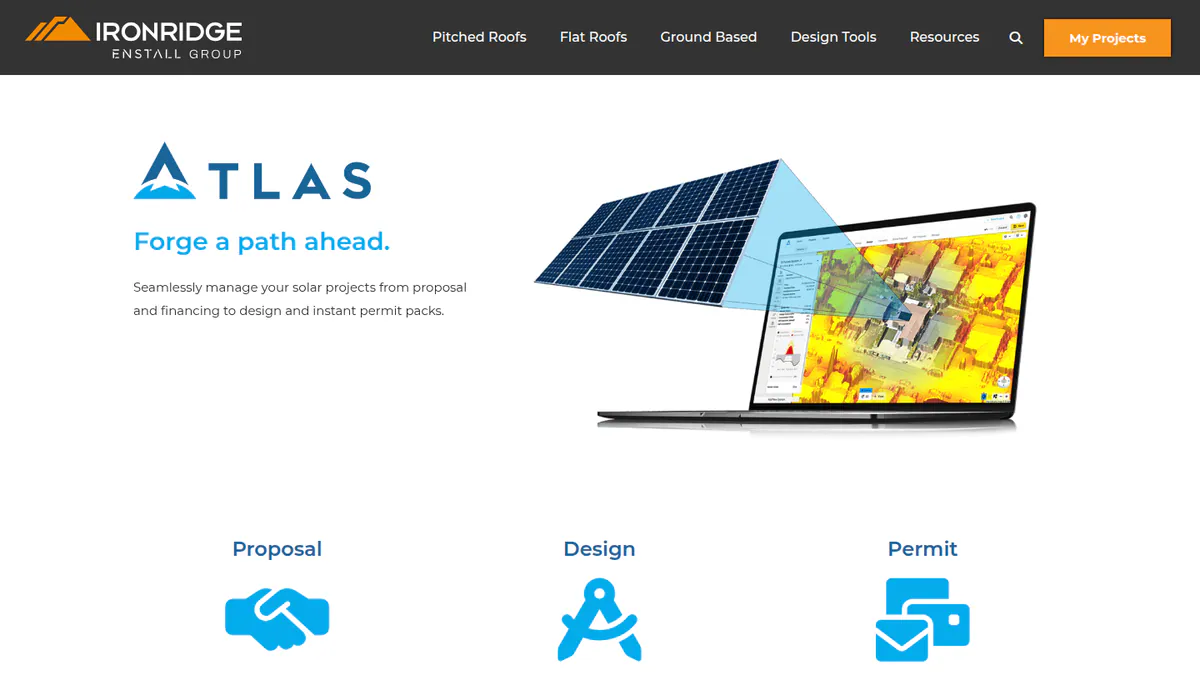
6. IronRidge Atlas: best for IronRidge racking users wanting plan sets and BOM together
Best for: US installers already mounting on IronRidge who want racking design, BOM and permit plan sets from the maker. Score: 53.0/100.
What it is: Racking maker IronRidge sells Atlas for home proposals, racking design and permit plan sets. It sits next to IronRidge’s free Design Assistant, which handles pitched, flat and ground-mount layouts with span and load maths. IronRidge does not say if the two are separate products.
Why we picked it: It is the only ranked tool where the racking maker supplies the design, the BOM and the permit plan set. For IronRidge users, that keeps parts and drawings in step.
Key features:
- Residential permit plan sets and exportable permit packs.
- Racking layout with an editable BOM, sent to a local distributor for a quote.
- Sales proposals with 3D maps and financing.
- HelioScope integration in Design Assistant (February 2026).
Pricing: Design Assistant is free with an IronRidge account, for saving and sharing designs, building a BOM and ordering through distributors. Atlas proposals and permit plan sets are quote only. The page promises "competitive pricing" and free unlimited revisions. IronRidge’s design-tools page also offers GreenLancer permit packs through Design Assistant at about 25% off. Checked October 2026 on the IronRidge Atlas page.
Pros (from our research):
- Racking data come straight from the maker.
- You can use the free design and BOM tool before you spend anything.
- Plan-set revisions are free and unlimited, per the company.
Cons (from our research):
- The Atlas price is not published.
- It only makes sense if you mount on IronRidge racking.
- There are no user reviews of Atlas to judge it by.
Reviews: No G2, Capterra or app-store listings found as of October 2026.
What we could not confirm: Recent Atlas updates. Its page was last changed in March 2025, and the newest dated update we found is for Design Assistant.
Want to see IronRidge Atlas working? Book a demo with the SolarSoftwares team.
Book a demoYour request goes by email to the SolarSoftwares team. A time is set only after we reply. It does not change any score or ranking.
Which general tools do installers also use?
These get the same rubric but are not solar-specific, so they are not ranked. StruCalc fell below the minimum but helps with attachment checks some AHJs ask for.
PermitFlow (general construction permitting): 56.6/100
PermitFlow is a US construction permitting platform. It prepares and submits permit applications, tracks status and manages inspections and contractor licences, with a team that researches each AHJ’s rules. We found no solar features and nothing showing it prepares plan sets. It raised a USD 54 million Series B led by Accel in December 2025.
Pricing: Quote only, demo required. A Capterra reviewer mentions a minimum monthly services fee. Checked October 2026 on the PermitFlow solar and EV page.
Reviews: Capterra 4.2/5 (9 reviews, ease of use 4.1, support 4.6), checked October 2026. Reviewers like the time-stamped tracking. One reports staff contacting the wrong AHJ.
StruCalc (general structural calculation): 38.0/100
StruCalc sizes wood, steel and concrete members such as beams, joists, posts, footings and shearwalls. It has wind, snow and seismic calculators but no PV racking module, so it only helps with rafter or attachment checks.
Pricing: CORE costs 99.97 per month or 1,079.67 per year. USD is implied by the dollar sign shown. There are multi-seat discounts and a 30-day free trial. Checked October 2026 on the StruCalc pricing page.
Reviews: No G2 or Capterra listing found as of October 2026.
How do the 6 solar permitting tools compare?
Product | What it does for permits | Plan set | Instant approval | PE stamp route | Where it works | Starting price |
|---|---|---|---|---|---|---|
Generates permit drawings from design | Yes, all plans (NEC 2026) | No | Not documented | US, Canada (any AHJ) | USD 2,799/yr | |
Aurora Solar Instant Plan Sets | Generates plan-set PDF from Aurora design | Yes, residential limits apply | No | Separate Plan Set Service | US (any AHJ) | Not published |
Automated code check and permit | No upload needed | Yes | Not needed | Adopting AHJs only | USD 35/permit | |
Automated code check and permit | Upload if AHJ requires | Yes | Not documented | Participating AHJs (mostly CA) | Fee not published | |
3D model plus drafted plan set | Yes, as a service (about 48 h) | No | Not documented | US | Quote only | |
Racking design, BOM and plan set | Yes | No | Not documented | US | Free tool. Atlas quote | |
PermitFlow (general) | Application, submission and tracking | Not found | No | Not documented | US | Quote only |
Also considered
The first five scored below our minimum. The last two are not installer software.
- Pylon: A per-project design and proposal tool with an SLD editor, but no documented plan sets or permit submission.
- OpenSolar: A free design and proposal platform that links to SolarAPP+, with no plan-set output of its own.
- Coperniq: Tracks the permit as a project stage but does not make or submit permits. See our solar project management ranking.
- Unirac U-Builder / U-Builder Go: A free racking configurator for Unirac hardware with engineering reports and state certification letters. PE-stamped letters are a separate paid service. See our mounting structure design ranking.
- SolarNexus: Solar business software with no permitting feature documented.
- AHJ e-permitting systems (Accela, OpenGov, Tyler, CityView, Citizenserve): Governments buy these, not installers, so we do not rank them.
- Plan-set drafting services: See our plan-set services guide.
How do you choose the best solar permitting software?
- For permit drawings from the tool you design and sell in, across many AHJs, pick Solargraf.
- On Aurora, with mostly single-phase pitched roofs under 25 kW AC? Ask about Instant Plan Sets.
- If several of your AHJs use SolarAPP+, register. It costs USD 35 a permit on standard rooftop jobs.
- Working in California and often pairing solar with panel upgrades or EV chargers? Check which of your cities use Symbium.
- Already surveying by drone? Scanifly links the model to a drafted plan set.
- Mounting on IronRidge? Start with the free Design Assistant and price Atlas plan sets against a plan-set service.
- To track permits, see the operations and project management tools. For the utility side, see our solar interconnection software ranking.
Want more choices? Browse every tool we checked in our operations and project management category.
Solar permitting software FAQs
What is solar permit design software?
Solar permit design software turns a solar design into the permit package your AHJ reviews. That package holds a site plan, an SLD or three-line diagram, equipment data and labels. In October 2026, Solargraf includes NEC 2026 plan sets on all plans.
Do I need expensive software to create AHJ-compliant permit plans?
Not always. IronRidge’s Design Assistant is free for racking design and BOM. SolarAPP+ approves standard rooftop systems for USD 35 per permit where the AHJ has adopted it (checked October 2026). For full plan sets across many AHJs, Solargraf’s published pricing starts at USD 2,799 per year.
Should I buy permit design software or outsource the design instead?
Buy software if you have enough jobs to keep a designer busy. Outsource if volume is low or uneven. Aurora offers a human Plan Set Service for solar-only jobs in under 24 hours. Scanifly’s team drafts plan sets in about 48 hours. Compare firms in our plan-set services guide.
What is SolarAPP+ and does my AHJ accept it?
SolarAPP+ is a permit platform run since December 2024 by the SolarAPP Foundation. It issues instant permits for home rooftop PV and storage that meets code. The installer pays USD 35 per solar permit. NREL counted 256 AHJs using it by the end of 2024. Check with your AHJ.
Can solar design software generate permit-ready plan sets with a PE stamp?
Software can make the plan set, but a licensed engineer applies the stamp. In October 2026, Aurora offers PE stamps through its separate Plan Set Service as an Enterprise add-on. Unirac sells PE-stamped letters as a paid service.
How long does it take to get a residential solar permit approved?
It depends on the AHJ, and we found no reliable national figure. Where SolarAPP+ or Symbium is in use, a home system that meets code can be approved at once. NREL counted 65,000+ SolarAPP+ permits issued by 31 December 2024. Elsewhere, review queues and correction rounds set the pace.
Sources
All checked 22 to 24 October 2026.
- Solargraf: pricing, Q2 2026 highlights, Enphase release, Capterra
- Aurora Solar Instant Plan Sets: pricing, help article, plan sets FAQ, product page
- SolarAPP+: installer cost, NREL final report, Colorado Energy Office FAQ, SEIA
- Symbium: fees, instant permitting, comparison page
- Scanifly: website, G2
- IronRidge Atlas: Atlas page, design tools, HelioScope integration
- PermitFlow: solar and EV page, Capterra, Series B coverage
- StruCalc: pricing
- Also considered: Pylon, OpenSolar SolarAPP+ integration, Coperniq, Unirac U-Builder, SolarNexus
Last updated 28 October 2026. Next scheduled review: 23 January 2027.