Solar software for small business is the set of apps a firm of one to ten people needs to design, quote and run solar jobs. It covers design and proposals, a CRM (software that tracks leads and customers) and a jobs and invoicing app. Pylon ranks first at 73.6/100.
A small firm wants to know three things: monthly cost, lock-in and setup time. We answer job by job, then rank the solar tools. For jobs, scheduling and invoicing, a general trades app such as ServiceM8 or Contractor+ fills the gap from free.
For the full category hub, see best solar software.
Which solar software is the top pick for each job?
Job | Top pick | Zero-budget option | Billing basis | Full ranking |
|---|---|---|---|---|
Design and proposals | Per project | |||
CRM | Zoho CRM Free, up to 3 users (general) | Per user | ||
Jobs, scheduling and invoicing | ServiceM8 (general) | ServiceM8 Free or Contractor+ FREEDOM | By jobs a month | |
US permit plan sets | None in our research | Annual bundle | ||
Monitoring | Your inverter maker’s portal | Usually free with the hardware | Free with hardware |
Design and proposals: Pylon, or OpenSolar at zero cost
Per-project billing suits small firms. Your cost falls in quiet months, and every staff member can log in.
More options: small-installer design picks, free solar proposal software and the design and simulation category.
CRM: start inside your design tool, then decide
One or two salespeople can often run leads from the design tool. Price Sunbase when the office also needs projects and stock.
Compare in solar CRM for small business, the free solar CRM section and the CRM and lead management category.
Jobs, scheduling and invoicing: a general trades app
None of the six solar tools ranked here documents crew scheduling. Small installers fill that gap with a trades app such as ServiceM8 or Contractor+.
For solar phase tracking up to PTO (permission to operate), see solar project management software and the operations category. For accounts, see solar accounting software.
US permit plan sets: Solargraf
Solargraf includes SLDs (single-line diagrams) and plan sets on every plan. That can replace a per-job drafting cost.
Monitoring: use the free portal that came with the hardware
Small installers rarely need a paid monitoring platform, since makers such as Tigo give you a free installer portal. See free solar monitoring software for the limits of each.
What does a small solar stack cost?
This example uses list prices checked October 2026, before tax. It assumes 3 staff selling 10 residential jobs a month. We have not converted currencies, because each company publishes in its own. See how we verify pricing.
Product | Billing basis | Monthly cost at 10 jobs, 3 staff | Minimum term | Free way in |
|---|---|---|---|---|
Per project, unlimited users | GBP 40 (design and proposals). Plus GBP 98 if 2 staff use the CRM add-on | None (no monthly minimum) | 5 free project credits | |
Per user | USD 159 for one designer seat (USD 135 if billed annually) | Monthly or annual | None stated | |
Free core | Free, plus unpublished fees for API or accounting connectors | None | Free plan | |
Per plan | USD 159 (Basic), or USD 1,699 billed yearly | Monthly or yearly | Demo only | |
Per user, custom quote | From USD 177 (3 users at USD 59) | None, per the company | Not stated | |
Annual bundle | USD 233 equivalent (USD 2,799 a year, 2 users) | Annual | Not stated by the company |
Headcount and volume change the maths. Only Pylon and OpenSolar let a third or fourth person design and quote at no extra cost.
Solargraf Starter includes 240 projects a year. At 10 jobs a month you use half of them and pay about USD 23 a job. At 20 jobs a month the cost per job halves.
Then add a jobs and invoicing app. ServiceM8 Starter is EUR 29 a month for 50 jobs, with unlimited users, on its EU page. Contractor+ PRO TEAM is USD 58 a month for 2 users, plus USD 20 for each extra user.
Which three stacks suit a small firm?
- UK, Ireland or Australia, 1-4 people: Pylon for design and proposals, ServiceM8 for jobs and Xero for accounts. Pylon lists both as integrations. Country pages: UK and Australia.
- Any country, no software budget: OpenSolar for design, proposals and payments. Add a free general CRM and the inverter maker’s free portal. See free solar software for each job.
- US, 5-10 people drawing their own permits: Solargraf Small Business (USD 4,799 a year, 480 projects, 4 users) or Starter. Add Contractor+ or JobNimbus for jobs and invoicing.
Quick picks: best solar software for small business
Rank | Product | Best for | Starting price (company page, checked October 2026) | Pricing model | Free plan / trial | Score /100 |
|---|---|---|---|---|---|---|
1 | Lowest cost per job with unlimited users | ✓ GBP 4 per project | Per project, no monthly minimum | 5 free project credits | 73.6 | |
2 | US firms with one dedicated designer | ✓ USD 159 per user per month | Per user, monthly or annual | None stated | 65.8 | |
3 | Firms with no software budget | ✓ Free | Free core. Paid API and connectors | Free plan | 64.2 | |
4 | Flat monthly plan with unlimited projects | ✓ USD 159 per month (international list) | Monthly or yearly | Demo only | 62.3 | |
5 | US offices wanting CRM, projects and stock in one bill | ✓ From USD 59 per user per month | Modular, custom quote | Not stated | 56.3 | |
6 | Small US firms drawing their own permit sets | ? USD 2,799 per year | Annual bundle of projects and users | Not stated by the company | 53.7 |
✓ Verified on the company’s own pricing page. ◐ Published by the company outside its pricing page (help centre, store or press release). ? We could not read the company’s pricing page, so the figure is not confirmed. Prices checked October 2026.
How did the 11 tools score?
- Use-case fit 35%
- User reviews 20%
- Pricing 15%
- Ease of use 10%
- Support 10%
- Momentum 10%
Tool | Score chart | Score |
|---|---|---|
73.6 out of 100 | 73.6 | |
65.8 out of 100 | 65.8 | |
64.2 out of 100 | 64.2 | |
62.3 out of 100 | 62.3 | |
56.3 out of 100 | 56.3 | |
53.7 out of 100 | 53.7 | |
Contractor+ (general) | 63.7 out of 100 | 63.7 |
54.5 out of 100 | 54.5 | |
ServiceM8 (general) | 52.7 out of 100 | 52.7 |
Tradify (general) | 49.7 out of 100 | 49.7 |
Zoho CRM (general) | 48.2 out of 100 | 48.2 |
Each bar shows the weighted score out of 100. Tools marked (general) are general tools that are not solar-specific.
Sub-scores at a glance (0-10)
Product | Use-case fit | User reviews | Pricing | Ease of use | Support | Momentum | Total /100 |
|---|---|---|---|---|---|---|---|
5.9 | 6.7 | 8.0 | 7.5 | 10.0 | 10.0 | 73.6 | |
4.4 | 7.9 | 8.0 | 7.5 | 7.5 | 7.5 | 65.8 | |
5.2 | 5.0 | 9.0 | 7.5 | 5.0 | 10.0 | 64.2 | |
5.2 | 6.3 | 6.0 | 7.5 | 10.0 | 5.0 | 62.3 | |
5.9 | 5.0 | 7.0 | 5.0 | 5.0 | 5.0 | 56.3 | |
5.2 | 3.3 | 6.0 | 5.0 | 5.0 | 10.0 | 53.7 | |
Contractor+ (general) | 3.7 | 8.8 | 7.0 | 7.5 | 7.5 | 7.5 | 63.7 |
3.7 | 7.8 | 4.0 | 7.5 | 5.0 | 7.5 | 54.5 | |
ServiceM8 (general) | 2.2 | 7.2 | 7.0 | 7.5 | 5.0 | 7.5 | 52.7 |
Tradify (general) | 0.7 | 8.8 | 3.0 | 10.0 | 10.0 | 5.0 | 49.7 |
Zoho CRM (general) | 2.2 | 6.2 | 7.0 | 7.5 | 5.0 | 5.0 | 48.2 |
A 5.0 on reviews, ease, support or momentum is our neutral score. We use it when public evidence is thin. It is not a judgement.
How did we rank these tools?
How the score is weighted
- Use-case fit 35%
- User reviews 20%
- Pricing 15%
- Ease of use 10%
- Support 10%
- Momentum 10%
We scored 14 products from 22 to 25 October 2026. We used company pricing pages, docs and public user reviews. This was desk research. We did not run jobs in any tool. We used six criteria:
- Use-case fit (35%): How much of a small home installer’s work it covers with documented features. We also checked whether its packaging suits 1-10 users.
- User reviews (20%): G2 and Capterra ratings. A rating based on only a few reviews counts for less. With no reviews, a product gets a middle score of 5 out of 10.
- Pricing transparency (15%): Published prices score above quote-only.
- Ease of use, support and product momentum (10% each): Review sub-scores and dated releases. Each gets a middle score when we find no evidence.
Of the 14, we ranked 6, listed 5 general tools and put 3 in Also considered. Only six solar-specific products reached our minimum match score (4 out of 10), and no general tool did. So this is a short list, and we say so rather than pad it.
Scores are specific to this page’s job, so the same tool can score differently elsewhere. Third-party ratings are context only and never used in rating markup. SurgePV is not part of this ranking. Full method: how we score software.
1. Pylon: best for the lowest paid cost per job with unlimited users
Best for: 1-10 person home and light commercial installers in the UK, Australia and Ireland. Score: 73.6/100.
What it is: A design and proposal platform with an optional solar CRM, built by a Sydney company of the same name. Since July 2026 it also draws editable SLDs. Its users are small and mid-sized installers in Australia, the UK, Ireland and the US.
Why we picked it: Per-project billing with unlimited users keeps costs low for a small team. Capterra users also rate its ease of use and service highly.
Key features:
- MCS (UK certification scheme) reports and STC/PDRS (Australian incentive scheme) paperwork.
- Solar and battery design on aerial imagery.
- Integrations with Xero, ServiceM8 and Mailchimp.
- API (a link for other software) with webhooks (automatic alerts to other apps).
Pricing: Standard is GBP 4 per project up to 30 kW DC, so 10 jobs cost GBP 40 a month. Pro is GBP 10 per project for custom load profiles and commercial sizes (99 kW+). The pricing page does not say which plan covers 30 to 99 kW. The CRM add-on starts at GBP 49 per user per month. The payment gateway takes 2.5% per transaction, and Enterprise is quote only. Checked October 2026 on the Pylon UK pricing page. We could not confirm USD or AUD prices.
Setup and commitment: 5 free Standard project credits with no card. Capterra reviewers rate ease of use 4.5/5.
Pros (from user reviews on Capterra and G2):
- You only pay when you win work to design, so a quiet month costs little.
- A new starter can quote quickly. Reviewers call it beginner-friendly, with a clear manual.
- Customers get detailed, complete proposals.
Cons (from user reviews and our research):
- Imagery quality and age vary by location, so some roofs need a site visit.
- Usage modelling is awkward.
- The CRM is per user, so a 3-person sales team adds GBP 147 a month at the starting price.
Reviews: Capterra 4.6/5 (25 reviews) and G2 4.3/5 (2 reviews), checked October 2026. Capterra rates customer service 4.9/5. Most reviews date from 2021 to 2023.
Read our full Pylon review or our Pylon alternatives.

Want to see Pylon working? Book a demo with the SolarSoftwares team.
Book a demoYour request goes by email to the SolarSoftwares team. A time is set only after we reply. It does not change any score or ranking.
2. Aurora Solar: best for US firms with one dedicated designer
Best for: Small US home installers where one person does the design work for the whole team. Score: 65.8/100.
What it is: A cloud platform for solar design, simulation and sales proposals, made by Aurora Solar Inc. It is aimed at US home and light commercial installers, from small firms to large ones.
Why we picked it: It has a strong G2 rating from more than 100 reviews and a published per-seat price. A US firm knows the cost before it calls sales.
Key features:
- Cloud 3D design and shade analysis.
- Proposals with tax-credit estimates (US credit rules change, check current law) and TPO (third-party ownership) finance options.
- HD imagery included on Basic.
- Design API.
Pricing: Basic is USD 159 per user per month, or USD 135 a month billed annually (USD 1,620 a year). It covers one user and up to 50 projects a month. Premium is USD 259 per user per month (USD 220 annually). It adds LIDAR (laser-scanned height data) modelling, bankable (lender-ready) shade reports and battery modelling. Enterprise is custom, per project. On-demand site models cost from USD 9.99 each. Checked October 2026 on the Aurora pricing page.
Setup and commitment: No free trial is stated. G2 users rate ease of setup 9.0/10.
Pros (from user reviews on Capterra and G2):
- Shade reports and production estimates are accurate, so fewer quotes need revising.
- Designs are accurate, and customer service gets strong praise.
- Videos and a knowledge base help a new designer learn it fast.
Cons (from user reviews and our research):
- Proposal and finance features are thin for the cost.
- It links to few other software tools.
- Each extra designer is another USD 159 a month on Basic.
Reviews: G2 4.7/5 (121 reviews) and Capterra 4.1/5 (7 reviews), checked October 2026.
Read our full Aurora Solar review or our Aurora Solar alternatives.

Want to see Aurora Solar working? Book a demo with the SolarSoftwares team.
Book a demoYour request goes by email to the SolarSoftwares team. A time is set only after we reply. It does not change any score or ranking.
3. OpenSolar: best for firms with no software budget
Best for: New or very small home installers who want design, proposals and payments without a subscription. Score: 64.2/100.
What it is: A free design, proposal and sales platform used by home and small commercial installers worldwide. OpenSolar Inc. is funded by hardware and finance partners. E-signature, payment collection and lead capture are built in.
Why we picked it: Its core is free for unlimited users. It is the only ranked tool a firm can run at zero cost.
Key features:
- AI design (OS 3.0, September 2025).
- Permitting link with SolarAPP+.
- Sales tools added August 2026.
- The company says it is used in more than 160 countries.
Pricing: The core platform is free with unlimited users, per the company. Since 16 April 2026, two things are paid at rates the company does not publish. One is API access, billed by usage through the OpenSolar Wallet. The other is the Xero and QuickBooks connectors, a monthly fee per company. Premium imagery is optional and paid. Checked October 2026 on the OpenSolar pricing notice.
Setup and commitment: No subscription or term. API access comes with a 30-day free trial when enabled.
Pros (from G2 reviews and our research):
- Changing a layout is quick, since adding and moving panels is easy.
- The app puts job details in your hands on site.
- A new hire costs nothing to add, unlike per-seat design tools.
Cons (from G2 reviews and our research):
- Designs are not customised automatically and still need an engineering review.
- The interface looks dated.
- It is not completely free. The API and accounting connectors cost extra, at unpublished rates.
Reviews: G2 4.8/5 (3 reviews), checked October 2026. That is too few to rely on.
Read our full OpenSolar review or our OpenSolar alternatives.

Want to see OpenSolar working? Book a demo with the SolarSoftwares team.
Book a demoYour request goes by email to the SolarSoftwares team. A time is set only after we reply. It does not change any score or ranking.
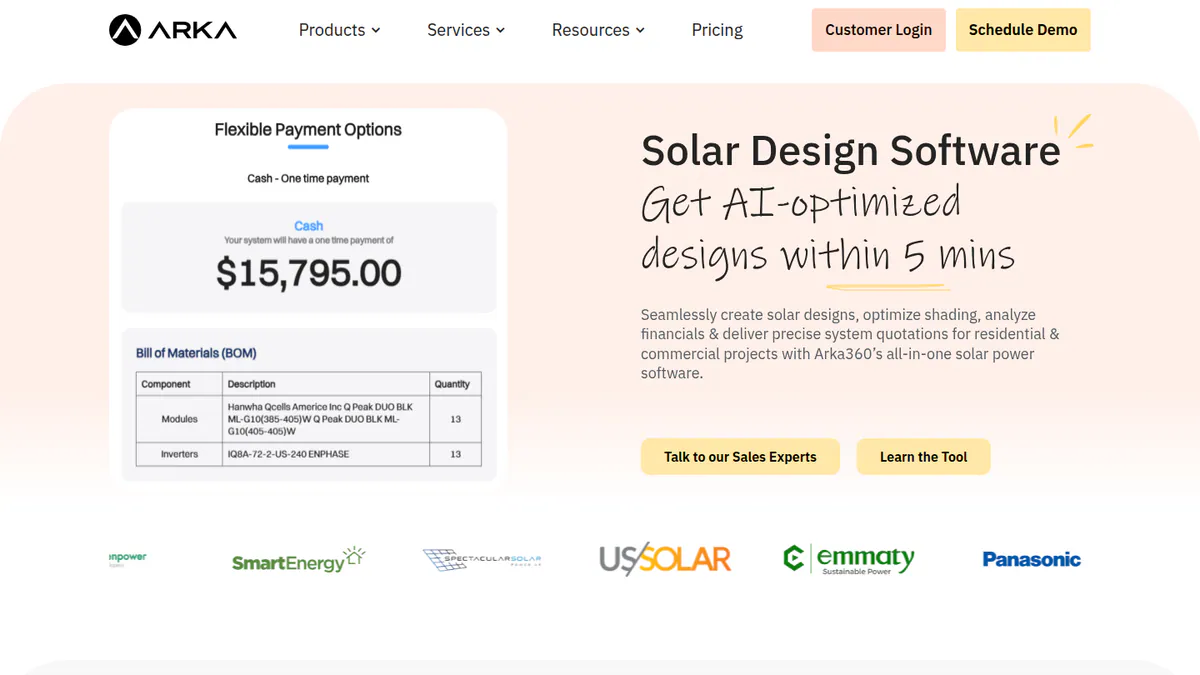
4. Arka 360: best for a flat monthly plan with unlimited projects
Best for: Small home and commercial installers in the US and India whose job count swings month to month. Score: 62.3/100.
What it is: A cloud 3D design and proposal platform with a lead management add-on. It used to be called The Solar Labs. The company has offices in Bengaluru and Allen, Texas, and most customers are small and mid-sized installers in India and the US.
Why we picked it: Its US plans include unlimited projects at a published flat price. G2 reviewers also rate its support highly across 137 reviews.
Key features:
- Unlimited projects on the Basic plan.
- Micro-inverter stringing.
- Lead management CRM add-on.
- Monthly or yearly billing.
Pricing: The international-list Basic is USD 159 per month or USD 1,699 per year, with unlimited home and commercial projects. Premium is USD 199 per month (USD 1,999 per year). It adds SLD export, optimiser design, SketchUp and PVsyst export and the API. Enterprise is USD 999 per month. We did not find how many users each US plan includes. The Indian page shows two conflicting INR price sets, so we have not quoted them. Checked October 2026 on the Arka 360 pricing page.
Setup and commitment: A free live demo, but no free plan. The Indian pricing page lists an INR 10,000 onboarding fee. We could not confirm whether it applies to US plans. G2 users rate ease of setup 8.6/10.
Pros (from user reviews on G2):
- Most reviewers find it easy, with many useful tools (14 mentions), though a few say it took time to learn.
- Shadow analysis and project estimates help you quote with confidence.
- Support staff are caring and quick to help. Support is rated 9.2/10.
Cons (from user reviews):
- Some users hit limits when several people work in it.
- It can lag on projects of 3 MWp (megawatts peak) and above.
- Some features are missing, and the structure choice is confusing.
Reviews: G2 4.3/5 (137 reviews), checked October 2026.
Read our full Arka 360 review or our Arka 360 alternatives.
Want to see Arka 360 working? Book a demo with the SolarSoftwares team.
Book a demoYour request goes by email to the SolarSoftwares team. A time is set only after we reply. It does not change any score or ranking.
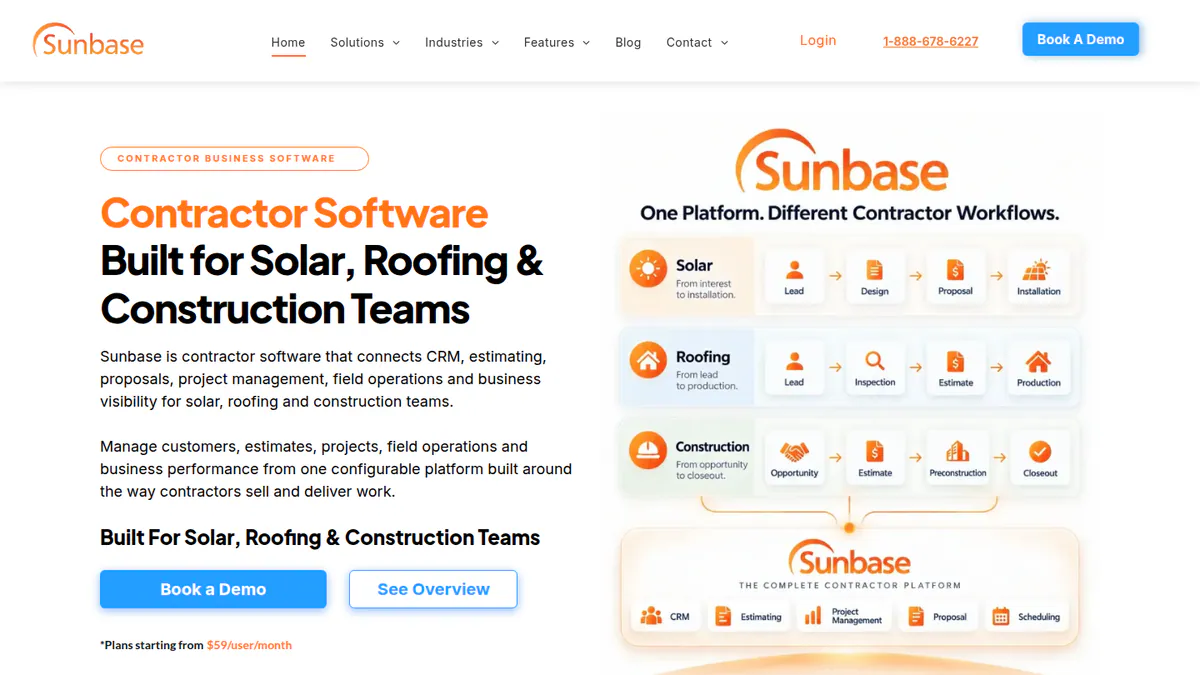
5. Sunbase: best for US offices wanting CRM, projects and stock in one bill
Best for: Small US home installers with an office that tracks leads, contracts, projects and stock. Score: 56.3/100.
What it is: A modular CRM and contractor management suite from Sunbase Data. A design module adds layout, shading and a production estimate for sales designs. Buyers include US home solar installers and roofing and building contractors.
Why we picked it: It is the only ranked tool that puts CRM, projects and stock with one company. It also publishes a starting price per user.
Key features:
- Lead and sales pipeline.
- Project management and workflow automation.
- Inventory and asset management.
- Design module bundled with the suite.
Pricing: Plans start from USD 59 per user per month, so 3 users start at USD 177 a month. The final price is a custom quote based on users, modules, workflows and onboarding. Checked October 2026 on the Sunbase pricing page.
Setup and commitment: The company’s design page says there are no long-term contracts and you can cancel any time. Onboarding is part of the quote. A free trial is not stated.
Pros (from a user review and our research):
- Automated emails and tasks save admin time (Capterra).
- Sales, projects and stock sit with one company, on one bill.
- You can cancel any time, with no long-term contract, per the company.
Cons (from a user review and our research):
- The one Capterra reviewer says setup is hard for admins without technical skills.
- Only a starting price is published, so you need a quote to know the real cost.
- With one review, there is too little user feedback to judge it.
Reviews: Capterra 4.0/5 (1 review), checked October 2026. The G2 listing shows no rating.
What we could not confirm: any named integrations, or a free trial.
Read our full Sunbase review or our Sunbase alternatives.
Want to see Sunbase working? Book a demo with the SolarSoftwares team.
Book a demoYour request goes by email to the SolarSoftwares team. A time is set only after we reply. It does not change any score or ranking.
6. Solargraf: best for small US firms drawing their own permit sets
Best for: 2-6 person US and Canadian home installers who want design, proposals, finance and permit packages in one annual plan. Score: 53.7/100.
What it is: Enphase’s design, proposal, finance and permitting platform. Enphase bought its first maker, Sofdesk, in 2021. It mainly serves US and Canadian home installers, plus some small C&I (commercial and industrial) firms.
Why we picked it: It is the only ranked tool with permit-ready SLDs and plan sets on every plan. Every bundle also has a published price.
Key features:
- Permit-ready SLDs, three-line diagrams and plan sets (NEC 2026, the US electrical code) on every plan.
- AHJ database of more than 14,000 jurisdictions.
- TPO and loan options built into the proposal.
- CRM and sales dashboard included.
- Public API as a USD 4,000 a year add-on.
Pricing: Starter is USD 2,799 per year for 240 projects and 2 users, about USD 233 a month. Small Business is USD 4,799 for 480 projects and 4 users. Teams is USD 6,399 for 720 projects and 6 users. Extra projects cost USD 9 to 11 and extra users USD 960 to 1,440, by plan. The company does not say whether the user fee is annual. Checked October 2026 on the Solargraf pricing page.
Setup and commitment: Plans are annual, with no free trial stated. Capterra reviewers rate ease of use 3.7/5 and support 3.4/5.
Pros (from user reviews on Capterra):
- Some reviewers like the design tool, with good shading and 3D tools.
- One login takes a job from proposal to permit, so you skip outside drafting.
- Customers get clear proposals and contracts.
Cons (from user reviews):
- It is expensive next to other options.
- Users report frequent crashes and wrong property data.
- Support waits have grown.
Reviews: Capterra 3.2/5 (15 reviews), checked October 2026. No G2 listing found.
Read our full Solargraf review or our Solargraf alternatives.
Want to see Solargraf working? Book a demo with the SolarSoftwares team.
Book a demoYour request goes by email to the SolarSoftwares team. A time is set only after we reply. It does not change any score or ranking.
SurgePV (unscored): for readers comparing the design-to-proposal part of an installer workflow. It is not a built-in CRM or fleet-monitoring platform. Check local outputs. The numbered scores above do not include it.
Sources checked 27 October 2026: SurgePV product information · SolarSoftwares SurgePV review
Book a demo of SurgePV with the SolarSoftwares team.
Book a demoYour request goes by email to the SolarSoftwares team. A time is set only after we reply. It does not change any score or ranking.
How do the 6 tools compare on cost and setup?
Product | Starting price | Extra user | Minimum term | Free way in | Setup signal |
|---|---|---|---|---|---|
GBP 4/project | Free (CRM GBP 49/user/mo) | None | 5 project credits | Capterra ease 4.5/5 | |
USD 159/user/mo | USD 159/mo (Basic) | Monthly | None stated | G2 ease of setup 9.0/10 | |
Free | Free | None | Free plan | Too few reviews | |
USD 159/mo | Not found | Monthly | Demo | G2 ease of setup 8.6/10 | |
USD 59/user/mo | From USD 59/mo | None, per the company | Not stated | 1 review: hard admin setup | |
USD 2,799/yr | USD 960-1,440 | Annual | Not stated | Capterra ease 3.7/5 |
Which general tools do installers also use?
These are not solar-specific. We scored them on the same rubric but list them apart, in score order. Contractor+ outscores three ranked tools on reviews and published prices, but with no solar features, it misses the minimum match score.
Contractor+ (general contractor app): 63.7/100
A US mobile and web app for small contractors. It covers CRM, estimates, invoices, scheduling, job costing, payments, a client portal and a business phone system. It has no design or solar workflows.
Pricing: FREEDOM is free, with a basic CRM, up to 250 leads or clients and 5 estimates or invoices a month. PRO TEAM is USD 58 a month for 2 users, plus USD 20 per extra user. MAX is USD 500 a month with unlimited users. A 14-day trial covers most premium features. Checked October 2026 on the Contractor+ pricing page. The page metadata and an older help article show different figures, so confirm at checkout.
Reviews: Capterra 4.7/5 (233 reviews), G2 4.6/5 (151 reviews) and App Store 4.8/5 (1,900 ratings), checked October 2026. Reviewers like having invoices, scheduling and notes in one cheap app. They report lag on some devices and unclear tiers (Capterra).
JobNimbus (general roofing and contractor CRM): 54.5/100
A contractor CRM and job app built mainly for roofing and exterior trades. It has boards, estimates, eSign, invoicing, payments, automations and a mobile app. Solar is a listed industry, but we found no solar-specific tools.
Pricing: Quote only, in tiers by user count: Essentials up to 3 users, Pro up to 10, Premium up to 19, Enterprise 20+. There is a 14-day free trial with no card, and no setup fee is required. Checked October 2026 on the JobNimbus pricing page.
Reviews: Capterra 4.6/5 (482 reviews) and G2 4.5/5 (168 reviews), checked October 2026. Reviewers say new staff learn it fast. They also report glitches, email limits and thin reporting (Capterra).
ServiceM8 (general trades job management): 52.7/100
An Australian mobile-first job app for small trade firms. It covers job cards, scheduling and dispatch, quotes, invoices, payments, online booking and two-way Xero sync. Pylon lists it as an integration.
Pricing: Free for 1 user and 30 jobs a month. Starter is EUR 29 a month (50 jobs, unlimited users) and Growing EUR 69 (150 jobs). Premium is EUR 129 (500 jobs) and Premium Plus EUR 299 (1,500+ jobs). No contracts and no per-user fees, with a 14-day trial and no card. Checked October 2026 on the ServiceM8 EU page. Prices vary by region. We could not confirm AUD, GBP or USD prices on the company site.
Reviews: Capterra 4.5/5 (311 reviews) and G2 3.8/5 (15 reviews), checked October 2026. Users praise the field app and en-route alerts. They criticise payment fees and chat-only support (Capterra).
Tradify (general trades job management): 49.7/100
A New Zealand job app for small trade firms. It covers quotes, scheduling, timesheets, invoices, Stripe payments and Xero, QuickBooks or MYOB sync.
Pricing: Per user per month, in Lite, Pro and Plus plans that vary by region. We could not reach the company pricing page. Capterra lists 47, 51 and 61 per user per month without naming the currency. There is a 14-day trial with no card. Checked October 2026 via the Tradify help centre and Capterra.
Reviews: Capterra 4.7/5 (152 reviews) and Trustpilot 4.8/5 (596 reviews), checked October 2026. Reviewers praise onboarding and support. They say Xero sync can duplicate entries, and job reports with photos cannot go to customers (Capterra).
Zoho CRM (general CRM): 48.2/100
A general CRM you can customise, with leads, deals, pipelines, workflow automation and dashboards. Aurora Solar publishes an API tutorial for creating projects from Zoho CRM.
Pricing: Free for up to 3 users. Paid plans on the edition comparison we checked are in INR, per user per month, billed annually. Monthly billing costs more. Standard is INR 800, Professional INR 1,400, Enterprise INR 2,400 and Ultimate INR 2,600. We could not confirm USD prices on zoho.com. Checked October 2026 via the Zoho CRM edition comparison.
Reviews: Capterra 4.3/5 (7,005 reviews) and G2 4.1/5 (2,947 reviews), checked October 2026. Reviewers value the customisation and price. They report a big learning curve and say setup may need outside help (Capterra).
Also considered
- Easy PV (scored 48.9/100): A free UK design, MCS and DNO (grid operator) form tool. Pro costs GBP 35 + VAT per user per month, with no contract. It sits just under the minimum score because it is UK-only, with no reviews or dated changelog. It is still a strong free option for UK MCS installers.
- SolarEdge Designer (scored 42.4/100): Free, but built around SolarEdge kit, so it is a weak match for a mixed-brand small firm. Our facts come from a 2018 SolarEdge press release, not the current company page.
- SolarHub CRM (scored 40.5/100): A low-cost Australian solar CRM with a free tier, just under the minimum score. We could not re-check its prices and free-tier limits on the company site. Sources conflict.
How do you choose solar software for a small business?
- Sell under 20 jobs a month, with more than one person designing or quoting? Pick Pylon.
- If one US designer does all the design, Aurora Solar Basic at USD 159 a month is predictable.
- When your job count swings, a flat plan with unlimited projects, such as Arka 360 Basic, avoids per-job maths.
- A US office that runs leads, contracts and stock should ask Sunbase for a quote listing every module and onboarding cost.
- Drawing your own US permit sets? Price Solargraf Starter against your drafting cost per job.
- Whatever you pick, add a jobs and invoicing app.
- To get one company for everything, read all-in-one solar software first.
Small business solar software FAQs
Which is the best solar software for a small residential installer?
Pylon scores highest for small firms, at 73.6/100 in our October 2026 ranking. It costs GBP 4 per Standard project, with unlimited users and no monthly minimum. OpenSolar is the best free option. Aurora Solar suits US firms with one dedicated designer, at USD 159 per user per month.
Do I need separate solar CRM software and project management tools?
Many small firms do not need both at first. Pylon has a CRM add-on from GBP 49 per user per month. Sunbase bundles CRM with project management from USD 59. None of the six ranked solar tools documents crew scheduling, so most small firms add ServiceM8 or Contractor+.
How should I compare pricing between solar software platforms?
Work out the monthly cost at your own job count, then add CRM seats and fees. At 10 jobs and 3 staff, Pylon Standard costs GBP 40 at October 2026 prices. One Aurora Basic seat costs USD 159. Solargraf Starter is about USD 233. Sunbase starts from USD 177.
Is there free solar software for small installers?
Yes. OpenSolar’s core design and proposal platform is free. Easy PV has a free Basic plan for UK installers. Zoho CRM is free for up to 3 users. We checked all three in October 2026. See our free solar software guide for the best free tool for each job.
Sources
All checked 22 to 25 October 2026.
- Pylon: pricing and integrations, July 2026 update, Capterra, G2
- Aurora Solar: pricing, G2 comparison sub-scores, G2, Capterra
- OpenSolar: pricing notice, features, news, G2
- Arka 360: pricing, G2 comparison sub-scores, G2
- Sunbase: pricing, design module, Capterra
- Solargraf: pricing, Capterra
- General tools: Contractor+ pricing, JobNimbus pricing, ServiceM8 EU pricing, Tradify help centre, Zoho CRM editions. Review pages are linked in each section.
- Also considered: Easy PV, SolarEdge Designer press release, SolarHub CRM on Capterra
Last updated 28 October 2026. Next scheduled review: 23 January 2027.